
Introduction to Types of Communication Tools
Types of communication tools refer to the various platforms, devices, and applications used to facilitate information exchange in personal, educational, and professional settings. These tools support both real-time and asynchronous communication, ranging from traditional methods like emails and phone calls to modern solutions such as instant messaging apps, video conferencing software, and collaborative platforms. Understanding different types of communication tools is essential for enhancing productivity, engagement, and effective information sharing.
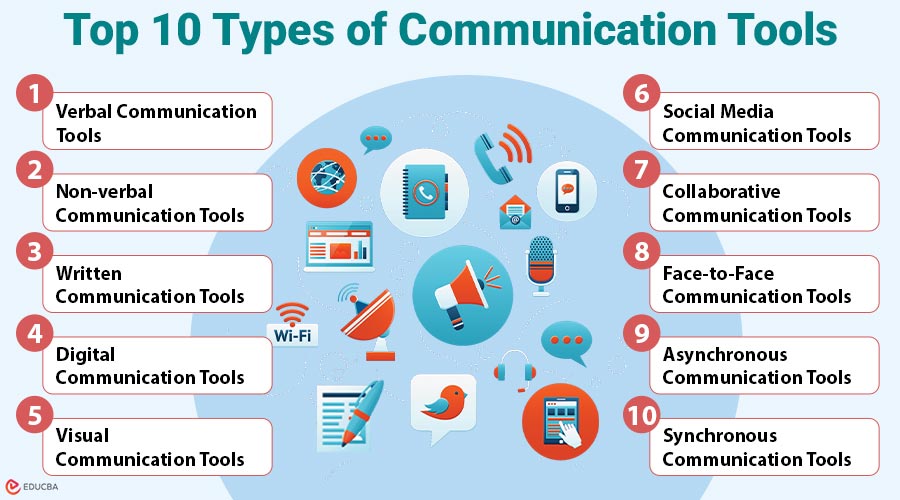
Top 10 Types of Communication Tools
Here are the top 10 types of communication tools that enhance information exchange in diverse personal, educational, and professional settings:
#1. Verbal Communication Tools
Verbal communication tools use spoken words to convey messages, offering immediate interaction and feedback. These tools are vital for real-time conversations in both personal and professional environments.
Key Features:
- Real-time interaction
- Immediate feedback
- Tone and clarity impact effectiveness
Common Tools:
- Telephones: Used for live voice conversations.
- Voice over IP (VoIP): Platforms like Skype or Google Voice transmit voice via the internet.
- Intercom systems: Useful in buildings and campuses for internal voice communication.
- Voicemail: Stores audio messages when the recipient is unavailable.
Applications:
- Customer support
- Emergency response
- Internal business meetings
#2. Non-verbal Communication Tools
Non-verbal tools rely on gestures, expressions, and visual cues to convey emotions and intent. They enhance understanding and emotional context, especially in video calls and digital reactions.
Key Features:
- Often supports verbal communication
- Expresses emotions, tone, or intent
- Subtle and contextual
Common Tools:
- Video conferencing platforms: Tools like Zoom and Google Meet transmit non-verbal cues through facial expressions and gestures.
- Emojis and reaction icons: Found in chat applications (e.g., Slack, WhatsApp) to express emotions or reactions.
- Augmented reality interfaces: Sometimes used in customer service or training simulations to add visual cues.
- GIFs and stickers: Widely used in messaging apps (e.g., Telegram, Messenger) to convey tone, humor, or emotional nuance.
Applications:
- Enhancing virtual communication
- Team feedback in remote settings
- Customer service personalization
#3. Written Communication Tools
Written communication tools involve the use of text to exchange information. These tools are ideal for formal communication, documentation, and messages that require clarity and permanence.
Key Features:
- Permanent and recordable
- Precise and structured
- Can be reviewed or edited
Common Tools:
- Emails: Most formal and widely used written communication method.
- Messaging platforms: Text-based chat tools like Slack, Teams, and WhatsApp.
- Documentation tools: Tools like Google Docs, Microsoft Word, and Notion.
- Bulletin boards and newsletters: Used for company-wide or community announcements.
Applications:
- Formal correspondence
- Contracts, policies, and legal documents
- Internal memos and reports
#4. Digital Communication Tools
Digital tools integrate various forms—verbal, visual, and written—via internet platforms. They support both synchronous and asynchronous communication for remote collaboration, online learning, and global connectivity.
Key Features:
- Internet-based
- Multi-functional
- Accessible across devices
Common Tools:
- Messaging apps: Slack, Discord, Telegram for instant chatting.
- Email services: Gmail, Outlook for structured written messages.
- Video conferencing: Zoom, Microsoft Teams for virtual meetings.
- Cloud platforms: Google Workspace, Microsoft 365 for shared communication and collaboration.
Applications:
- Remote work
- Global team collaboration
- Online education and virtual events
#5. Visual Communication Tools
Visual communication tools use graphics, videos, and imagery to simplify complex ideas. They are widely used in education, marketing, and presentations to engage and inform audiences effectively.
Key Features:
- Visually engaging
- Simplifies complex information
- Widely used in marketing and education
Common Tools:
- Infographic creators: Canva, Venngage for visual representation of data.
- Presentation software: PowerPoint, Prezi for structured visual messaging.
- Video creation platforms: Loom, YouTube, Vimeo for tutorial or marketing videos.
- Whiteboard tools: Miro, Jamboard for live collaborative diagrams.
Applications:
- Corporate presentations
- Educational training
- Marketing campaigns
#6. Social Media Communication Tools
Social media tools allow interactive, multimedia communication across public and private channels. They connect individuals, brands, and communities through posts, comments, messages, and live streams.
Key Features:
- Real-time updates
- Broad audience reach
- Supports multimedia content
Common Tools:
- Direct messaging (DMs): Instagram, LinkedIn, Facebook Messenger.
- Comment threads: For interactive public conversations on posts or updates.
- Stories and reels: Short, visual communication with time-sensitive content.
- Live streaming: Platforms like Facebook Live and Instagram Live for real-time broadcasts.
Applications:
- Customer service
- Brand engagement
- Influencer and community communication
#7. Collaborative Communication Tools
Collaborative tools merge communication with project management, enabling teams to share tasks, updates, and documents in one place. These tools promote efficiency in group-based workflows.
Key Features:
- Centralized information sharing
- Supports documentation and communication
- Real-time updates and notifications
Common Tools:
- Project management apps: Asana, Trello, and ClickUp for task tracking and messaging.
- Document collaboration: Google Docs, Microsoft OneNote for live editing.
- Internal workspaces: Notion, Confluence for organizing projects and communication.
- Shared calendars & scheduling: Google Calendar, Calendly for planning meetings.
Applications:
- Distributed team management
- Agile development processes
- Cross-functional collaboration
#8. Face-to-Face Communication Tools
Face-to-face communication tools, like an audience response system, enhance in-person interaction using supportive technologies. These tools enrich meetings, training sessions, and live events through AV systems and presentation aids.
Key Features:
- Direct human interaction
- Rich with verbal and non-verbal cues
- Trust-building and engagement
Common Tools:
- Meeting room AV equipment: Projectors, mics, and screens for presentations and meetings.
- PA systems: Amplify voices in events and classrooms.
- Smartboards and touchscreens: Support live annotations and interactive displays.
- Audience response systems: Clickers or pads for instant feedback and polling.
Applications:
- Conferences and seminars
- Classroom training
- Negotiations and interviews
#9. Asynchronous Communication Tools
Asynchronous tools enable communication without requiring simultaneous participation. They offer flexibility and are perfect for remote teams working across different time zones or schedules.
Key Features:
- Time-independent
- Flexibility in response
- Recordable and traceable
Common Tools:
- Email: For formal messages, updates, and documentation
- Discussion boards: Platforms like Discourse or Reddit-style forums for threaded conversations
- Video messaging: Tools like Loom or Vidyard for sending video updates or tutorials
- Project updates in collaboration platforms: Status tracking tools in Asana, ClickUp, or Trello
Applications:
- Remote or international teams
- Documentation and update sharing
- Long-form communication
#10. Synchronous Communication Tools
Synchronous communication tools allow real-time interaction through text, voice, or video. They are essential for instant feedback, collaborative sessions, and high-engagement conversations.
Key Features:
- Immediate exchange
- High engagement
- Suitable for live events or discussions
Common Tools:
- Chat apps: Teams, Slack, Discord – real-time messaging.
- Video conferencing: Zoom, Meet, Webex – virtual meetings.
- Voice calls: Skype, VoIP, phone – verbal interaction.
- Live editing: Google Docs, MS 365 – simultaneous collaboration.
Applications:
- Daily stand-up meetings
- Real-time brainstorming
- Customer support chats
Benefits of Using Communication Tools
Here are the top benefits of using communication tools in modern professional and collaborative environments:
- Improved Productivity: Using appropriate communication tools minimizes confusion, speeds up response times, and ensures tasks are completed more efficiently across teams.
- Better Engagement: Digital whiteboards and video conferencing are examples of interactive tools that increase participation and promote more dynamic, transparent, and productive team communication sessions.
- Enhanced Remote Work: Digital platforms enable smooth collaboration from any location, supporting flexible work arrangements and maintaining productivity for distributed or remote teams.
- Record Keeping: Emails, chat logs, and shared documents offer reliable records, helping track decisions, reference past communications, and ensure accountability in workflows.
Final Thoughts
Understanding the different types of communication tools helps individuals and organizations select the best methods for their needs. Whether managing teams, teaching, or staying connected, choosing the right tool improves clarity and efficiency. Categorizing tools as verbal, written, visual, digital, or collaborative enables effective communication strategies that adapt to today’s fast-changing digital environment.
Frequently Asked Questions (FAQs)
Q1. What is the most effective communication tool for remote work?
Answer: The most effective tool depends on the team’s needs, but integrating video calls (Zoom), messaging (Slack), and task tracking (Trello) ensures smooth collaboration.
Q2. What tools are best for collaborative brainstorming?
Answer: Tools like Miro, Microsoft Whiteboard, and Jamboard are ideal for real-time visual collaboration.
Q3. How can I avoid communication overload?
Answer: Standardize communication channels, reduce unnecessary meetings, and use async tools where possible.
Recommended Articles
We hope that this EDUCBA information on “Types of Communication Tools” was beneficial to you. You can view EDUCBA’s recommended articles for more information.

