


Introduction
Keeping up with audio lessons can get overwhelming. Whether it is a long lecture, a class recording, or an educational podcast, trying to take notes while listening feels like a race you can not win. The good thing is that you no longer have to do it all by yourself. AI tools today are smart enough to listen, understand, and turn audio into short, clear summaries. This saves time, helps you revise faster, and keeps your study routine more organised. In this blog, we will look at how you can use AI to summarize your audio lessons and make your learning smoother automatically. Let us get started.
Why Summarizing Audio Lessons Matters
Here is why it is worth turning your audio lessons into clear summaries:
1. Save Time
When you turn long audio lessons into short summaries, you make learning much faster for yourself. Instead of listening to a full recording again, you can quickly go through the main points and move on with your day. It helps you stay on track without wasting time.
2. Boost Productivity
Summaries keep you organised. You are not jumping back and forth between audio clips or trying to remember where a certain point was mentioned. With clear written notes, you can plan better, revise faster, and stay on track with your work or studies.
3. Improve Accuracy
Summarising helps you understand the lesson more clearly. It forces you to listen carefully and pick out the most important ideas. When you write them down in your own words, you reduce confusion and avoid missing any critical details from the audio.
4. Enable Accessibility
Summaries make learning easier for everyone. Some people prefer reading over listening. Others may find it difficult to follow long audio. Having a written version ensures that every learner can access the content comfortably, regardless of their learning style or needs.
How to Summarize Audio Lessons Automatically?
If you want to save time and turn long lectures into quick study notes, here is a simple way to do it.
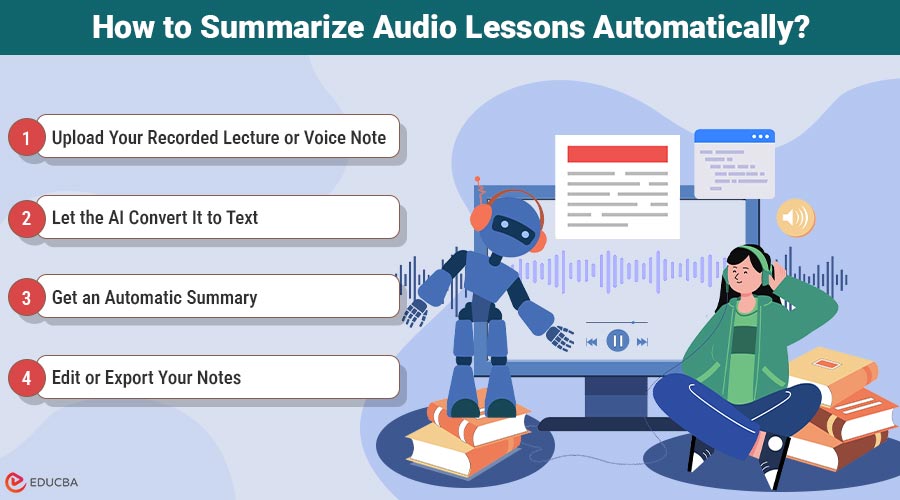
Step 1: Upload Your Recorded Lecture or Voice Note
To get started, upload the audio file you want to turn into a summary. This could be a class lecture, a voice memo, or even a group discussion. Most note-taking tools accept common audio formats, so uploading is usually just a single click.
Step 2: Let the AI Convert It to Text
Once uploaded, the tool will automatically transcribe your audio into written text. This gives you a complete script of everything that was said, which is much easier to scan through than listening again.
Step 3: Get an Automatic Summary
After transcription, the tool pulls out the main points and creates a clean, organised summary. This saves you a lot of time and helps you focus on the ideas that matter most. Many popular note-taking tools like Audinotes.app offer this feature, making it super easy to turn any recording into study-ready notes with just a few clicks.
Step 4: Edit or Export Your Notes
Once the summary is generated, you can polish it if you want. Add your own notes, highlight important lines, or simply export it as a document. You can then share it with classmates or save it for quick revision later.
Tips to Get Accurate Summaries
When you want a summary that truly captures what you said, a little preparation goes a long way. Here are a few simple habits that can make a significant difference.
1. Use Clean and Noise-Free Recordings
Choose audio files that were recorded in quiet spaces with minimal background noise. If you are recording something yourself, avoid loud environments or use a good microphone. The clearer the audio, the easier it is to extract the right points from the summary.
2. Prioritise Clear Voices and Quality Files
Whether it is a teacher speaking or an expert lecture, make sure the speaker’s voice is clear and steady. Try to avoid files with overlapping voices or heavy accents unless necessary. If possible, use high-quality formats for better audio processing and fewer transcription errors.
3. Review and Refine the Main Takeaways
Once you have the summary, take a few minutes to check it against the original recording. This helps you spot anything important that might be missing or misinterpreted. Refining the key points ensures your final summary is accurate, complete, and easy to understand.
Final Thoughts
Using AI to summarise audio lessons is a smart way to stay organised without putting in extra hours. It helps you keep track of long lectures, turn them into short notes, and revise without stress. Whether you are a student, a teacher, or someone who learns on the go, these tools can make things easier. Just remember to choose clean audio, speak clearly, and review the final output. Try it out and see how it fits into your routine.
Recommended Articles
We hope this guide on Summarize audio lessons helped you save time and study smarter. For more learning tips, explore these related articles below:

