
Updated May 15, 2023

Introduction to SQL Performance Tuning
Performance Tuning in SQL as the name suggests is an act of improving database server performance, i.e, improving parameters such as computation time query run time. SQL performance tuning is not one single command, it is a series of best practices, tools, and processes that we should employ to make our SQL queries as fast as possible. As a SQL analyst or developer, our ability is usually limited when it comes to tools and other hardware that can be used to increase processor speed. But what is in our hands is practices for query optimization.
Some widely known practices that cause performance drag are ignoring indexing, large table sizes, correlated queries, complicated joins, and usage of complicated functions and calculations. Here, we will be discussing methods to improve each one of the above-mentioned problems with the help of a few examples.
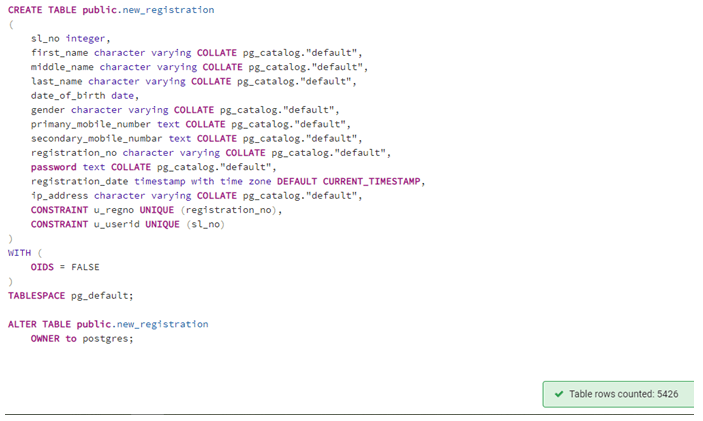
In order to illustrate performance tuning, we have used the following table with 5426 rows for illustrations:
Using Indexes for Large Tables
Indexing is a very efficient method to performance tune our database servers. Without Indexes our database is like a vast book without any reference notes or content page. While with indexes our database is more like a dictionary. Ergo, every time we perform a SELECT statement, it’s more like a lookup operation then searching the entire database. Hence, indexes improve the data retrieval rate from the database. Our SELECT and SORT queries are quicker. But Indexes are a curse when it comes to modifying data, let’s say using an UPDATE statement. It takes much longer to return the query.
Reducing Table Size
Table size is an important parameter when it comes to determining query run time in database servers. Imagine the situation where our table has zillions of rows.
Some methods to reduce table size are limiting the number of records that have to be fetched using LIMIT or TOP keywords, working on a subset of the table with the help of temporary tables, filtering records using WHERE or HAVING clause, avoiding usage of SELECT * statement, etc.
Avoid Using Select *
Avoid selecting everything in the table, instead try searching for specific columns from the database table. Ergo, avoid using COUNT(*), SELECT *, etc. in the select query.
SELECT *
FROM new_registration;
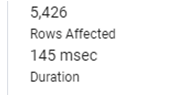
The query fetches 5426 rows and takes 145 msec.
Instead of the above-mentioned query, try this equivalent which is more targeted and quicker.
SELECT first_name,
last_name,
registration_date
FROM new_registration;
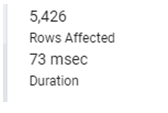
The query fetches 5426 rows and takes just half the time.
Limit the Number of Rows
Database tables can be massive in size, hence it’s not a good idea to fetch all the records if you are just performing exploratory analysis. The use of limiting keywords such as LIMIT as shown below will drastically reduce the runtime.
SELECT first_name,
last_name,
registration_date
FROM new_registration
LIMIT 100;
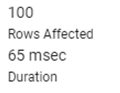
This query fetches only 100 records and is faster than the last query. You might feel the difference is not huge but the difference will be more pronounced with large tables.
Sometimes we might have to analyze a subset of data from the table, in such situations, it is wise to use filters to fetch only desired subparts.
SELECT first_name,
last_name,
registration_date
FROM new_registration
WHERE registration_date BETWEEN '2019-11-14' AND '2019-11-27';
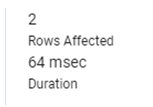
This query runs faster than the first query as it has to fetch only 2 rows and is much more targeted.
Use Temporary Tables
If a particular set of records are frequently used from a large table, then the best alternative is to copy the most frequently used part to a new temporary or regular table.
SELECT first_name,
last_name,
date_of_birth
INTO registration_temp
FROM new_registration
WHERE registration_date BETWEEN '2019-10-01' AND '2019-12-01';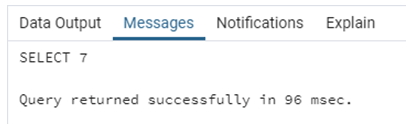
Compared to the first query when we run a SELECT * statement on the subpart, it is much faster. However, you might not find it great now. But trust us, it will be worth it for large datasets.
SELECT * FROM registration_temp;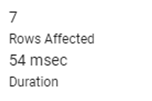
General tip, if you ever have to select only a subset of records within the mentioned dates, avoid using functions such as MONTH(), YEAR(), etc. Simply write the date as shown in the query above.
Using Joins Wisely
In order to improve server performance, we should use JOINS wisely. As discussed above, we should keep the table size as minimum as possible, same is true for when performing joins, as joins almost doubles the data in the joined table. Consider this example, where we are joining two tables new_registration and education_details on registration_no to fetch the candidates who scored more than 90% in English.
SELECT r.registration_no, r.first_name
FROM new_registration as r
INNER JOIN educational_details as e
ON r.registration_no = e.registration_no
WHERE e.english_percentage > 90;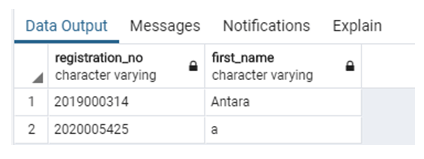
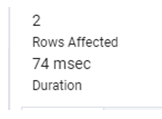
The query returns two rows and takes 74 msecs.
Instead of performing JOINS straight away, we should explore if we can perform the task with some simple CTEs and subqueries. In this case, we have used CTE as shown below.
WITH english_toppers AS
(SELECT registration_no, english_percentage
FROM educational_details
WHERE english_percentage > 90)
SELECT registration_no, first_name
FROM new_registration
WHERE registration_no IN
(SELECT registration_no
FROM english_toppers);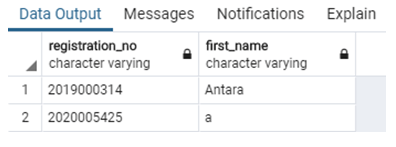
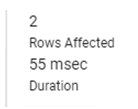
This simple query also returns the same two rows but it is a bit faster. You will notice a huge difference when you will compare it on large datasets.
Use Explain and Explain Analyze Keywords
In order to analyze the query plan for any query that you write in the editor without actually executing it, you can use EXPLAIN and EXPLAIN ANALYZE keywords before the main query. This will give us a glimpse of the expected execution time. Here is an example.
EXPLAIN ANALYZE SELECT r.registration_no, r.first_name
FROM new_registration as r
INNER JOIN educational_details as e
ON r.registration_no = e.registration_no
WHERE e.english_percentage > 90;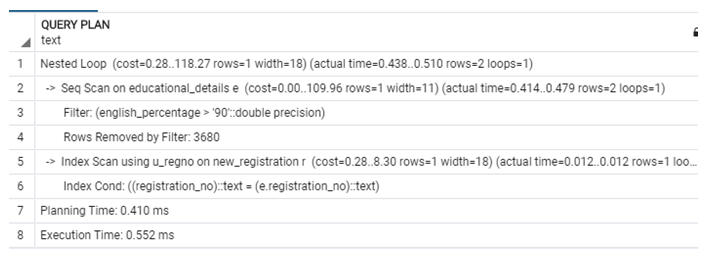
Conclusion
In this post, we tried to cover some best practices used for SQL performance tuning. In Nutshell, we should avoid using SELECT*, JOINS, and complicated correlated queries on large database tables. We should use indexes, temporary tables, and simple subqueries and CTEs to improve processor run time.
Recommended Articles
We hope that this EDUCBA information on “SQL Performance Tuning” was beneficial to you. You can view EDUCBA’s recommended articles for more information.

