


What is a Spam Filter?
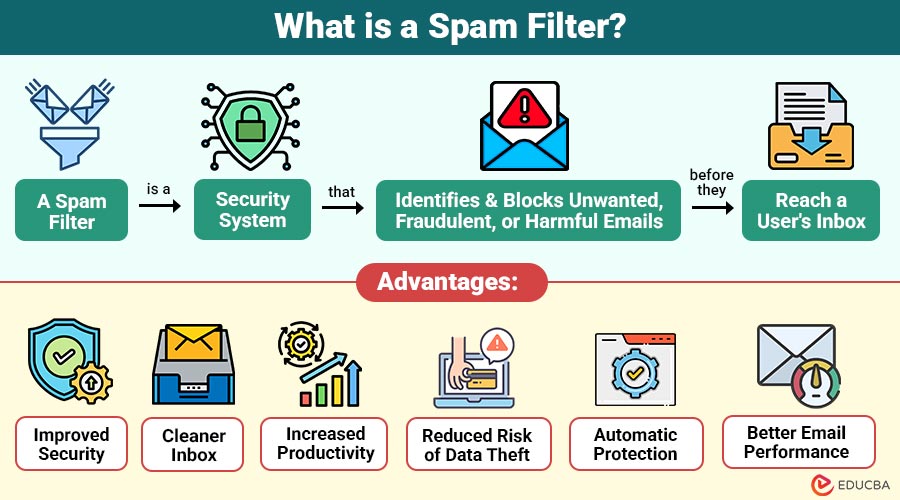
A spam filter is a security system that identifies and blocks unwanted, fraudulent, or harmful emails before they reach a user’s inbox. It analyzes incoming messages using predefined rules, machine learning, sender reputation, and content analysis to determine whether an email is legitimate or spam.
In simple words, a spam filter acts like a gatekeeper for your inbox. It separates genuine emails from junk messages, phishing attempts, advertisements, and malware, helping users maintain a clean and secure email environment.
Table of Contents:
Key Takeaways:
- Spam filters automatically detect and block unwanted, phishing, and malicious emails before they reach the inbox.
- They use content analysis, sender authentication, reputation checks, and machine learning for accurate spam detection and protection.
- Effective spam filters improve email security, reduce inbox clutter, enhance productivity, and protect sensitive personal information effectively.
- Regular updates and proper configuration help spam filters consistently detect evolving cyber threats while minimizing false positives.
Why are Spam Filters Important?
Below are some key reasons spam filters are important for individuals and organizations.
1. Blocking Unwanted Promotional Emails
Spam filters automatically block unwanted promotional emails, keeping inboxes organized and ensuring important messages receive immediate attention.
2. Preventing Phishing Attacks
They identify phishing emails containing fake links or fraudulent requests, helping users avoid scams and protect personal information.
3. Detecting Malware and Ransomware
Spam filters scan attachments and links to detect malware and ransomware before they can infect devices or networks.
4. Reducing Inbox Clutter
They remove unnecessary spam messages, making inboxes cleaner and allowing users to focus on genuine email communications.
5. Improving Productivity
Employees spend less time sorting unwanted emails, increasing efficiency and allowing greater focus on important business tasks.
6. Protecting Sensitive Information
Prevents malicious emails designed to steal confidential data, thereby safeguarding personal, financial, and organizational information.
How Does a Spam Filter Work?
A spam filter evaluates every incoming email before it reaches the inbox. It checks multiple characteristics to determine whether the email is safe or suspicious.
Step 1: Email Reception
The mail server receives an incoming email from the sender.
Step 2: Sender Verification
The filter verifies the sender’s identity using authentication methods like SPF, DKIM, and DMARC.
Step 3: Content Analysis
The email subject, body, links, attachments, and formatting are scanned for suspicious patterns.
Step 4: Reputation Check
The sender’s IP address and domain reputation are compared against trusted and blocked lists.
Step 5: Spam Scoring
Each suspicious characteristic adds points to a spam score.
Step 6: Final Decision
Based on the score, the email is:
- Delivered to the inbox
- Moved to the spam folder
- Quarantined
- Rejected completely
Types of Spam Filters
Different spam filters use different types to identify unwanted emails.
1. Content-Based Spam Filter
Analyzes email content, keywords, suspicious phrases, formatting, links, and attachments to automatically identify potential spam messages.
2. Rule-Based Spam Filter
Uses predefined administrator-created rules to block emails based on specific words, domains, attachments, or message characteristics.
3. Bayesian Spam Filter
Uses statistical analysis and previous email patterns to estimate spam probability, continuously improving through user feedback.
4. Blacklist-Based Filter
Blocks emails originating from known spam domains, malicious IP addresses, or previously identified fraudulent email senders automatically.
5. Whitelist-Based Filter
Allows emails only from trusted, approved senders, ensuring legitimate communications consistently reach the recipient’s inbox safely.
6. Machine Learning Spam Filter
Uses artificial intelligence to continuously recognize evolving spam patterns, improving detection accuracy beyond traditional rule-based filtering methods.
Features of a Spam Filter
Below are the essential features that enhance email security and keep inboxes free from unwanted messages.
1. Real-Time Email Scanning
Scans incoming emails instantly before delivery, detecting suspicious content, links, attachments, and harmful threats in real time.
2. Sender Authentication
Verifies sender identity using authentication protocols, preventing email spoofing and improving trust in incoming communications securely.
3. Phishing Detection
Detects fraudulent emails attempting to steal passwords, financial details, or sensitive personal information through deceptive techniques.
4. Malware Protection
Scans email attachments and embedded links for malware, ransomware, viruses, and other potentially harmful software before delivery.
5. Intelligent Learning
Continuously improves spam detection accuracy by learning from user feedback and evolving email threat patterns automatically.
6. Automatic Classification
It automatically organizes emails into Inbox, Spam, Promotions, or Quarantine folders based on content and security analysis.
Advantages of Spam Filters
Below are the major advantages for protecting users from unwanted emails and cyber threats.
1. Improved Security
Blocks phishing emails, malware, ransomware, and other cyber threats before they reach users, enhancing overall email security.
2. Cleaner Inbox
Removes unwanted promotional and junk emails, keeping inboxes organized and making important messages easier to locate quickly.
3. Increased Productivity
Reduces time spent on unnecessary emails, allowing employees to focus on productive, business-critical tasks efficiently.
4. Reduced Risk of Data Theft
Prevents malicious emails from stealing confidential information, effectively protecting personal, financial, and organizational data from cybercriminals.
5. Automatic Protection
Continuously scans incoming emails automatically, providing uninterrupted protection without requiring constant manual monitoring or user intervention.
6. Better Email Performance
Reduces spam traffic on mail servers, significantly improving email processing speed, storage efficiency, and overall system performance.
Disadvantages of Spam Filters
The following are the common disadvantages of spam filters that organizations should consider when implementing email security solutions.
1. False Positives
Legitimate emails may sometimes be incorrectly marked as spam, causing important messages to be missed or delayed.
2. False Negatives
Some spam emails may evade detection and reach users’ inboxes, increasing the risk of security breaches and phishing attempts.
3. Regular Updates Required
Rules require frequent updates to detect emerging threats and evolving spam techniques effectively and accurately.
4. Configuration Complexity
Enterprise spam filtering solutions often require technical expertise for proper configuration, management, and ongoing maintenance activities.
5. Processing Overhead
High email volumes may require additional computing resources, affecting server performance and increasing operational infrastructure costs.
Applications of Spam Filters
Spam filters are widely used across various industries to improve email security and prevent unwanted or malicious communications.
1. Corporate Email Security
Businesses use spam filters to block phishing emails, malware, and fraudulent messages, protecting employees and organizational data.
2. Educational Institutions
Schools and universities filter unwanted emails, ensuring secure communication for students, faculty, and administrative staff daily.
3. Banking and Financial Services
Banks prevent phishing campaigns, financial fraud, and malicious emails, safeguarding customer accounts and sensitive financial information securely.
4. Healthcare Organizations
Hospitals protect patient communications by filtering spam and phishing emails, and by blocking malware targeting confidential healthcare records and systems.
5. Government Agencies
Government departments effectively secure their official email systems against spam, cyber threats, phishing attacks, and unauthorized communication attempts.
6. E-Commerce Platforms
Online retailers filter fraudulent emails, prevent spoofing attacks, and protect customers from fake promotional or payment messages.
7. Cloud Email Services
Cloud email providers automatically filter spam, ensuring secure, reliable, and uninterrupted email communication for millions of users worldwide.
Example of a Spam Filter
Below is a simple example showing how a spam filter detects and filters potentially harmful emails.
A company receives an email with the subject:
“URGENT! Claim Your Free Gift Card Now!”
The spam filter analyzes the message and finds:
- Unknown sender
- Suspicious domain reputation
- Multiple promotional keywords
- Shortened URLs
- Suspicious attachment
Since the email receives a high spam score, it is automatically moved to the spam folder instead of reaching the employee’s inbox.
This prevents users from interacting with potentially harmful content.
Final Thoughts
Spam filters are essential for protecting email systems from unwanted messages, phishing attacks, malware, and fraud. They use content analysis, sender authentication, reputation checks, and machine learning to detect threats. Combined with user awareness and strong security practices, spam filters ensure safer, cleaner, and more reliable email communication.
Frequently Asked Questions (FAQs)
Q1. Can spam filters block legitimate emails?
Answer: Yes. Occasionally, genuine emails may be mistakenly classified as spam (false positives). Users should regularly check their spam folder and mark legitimate emails as “Not Spam.”
Q2. Do spam filters work only for emails?
Answer: No. While primarily designed for email, similar filtering technologies are also used to detect spam in text messages, on websites, in messaging platforms, and in collaboration tools.
Q3. Can users customize spam filter settings?
Answer: Yes. Most email providers and enterprise security solutions allow users or administrators to adjust sensitivity levels, create custom rules, and manage approved or blocked sender lists.
Q4. Are spam filters effective against newly emerging threats?
Answer: Modern spam filters use artificial intelligence, machine learning, and threat intelligence updates to identify many new spam campaigns, although no solution can guarantee 100% detection.
Recommended Articles
We hope that this EDUCBA information on “Spam Filter” was beneficial to you. You can view EDUCBA’s recommended articles for more information.


