
Updated April 10, 2023
Introduction to SmartDraw Alternatives
SmartDraw is a tool that lets the user draw and import charts and diagrams as needed. On your Windows desktop, on your Mac, SmartDraw offers an online alternative. SmartDraw enables users to build more than 70 different types of chart and schema, and offers a variety of templates to allow the user to open and work the software. Any graphs, graphs or other visuals you make can, whether you use Word, PowerPoint, or Excel be embedded in Microsoft bureaux while you are using SmartDraw and can be inserted in Google Docs or Sheets. SmartDraw is a decent app for creating quick business visuals. SmartDraw comes with a host of models, so you can start a project if you don’t know where to begin. You will not be disappointed with the lack of versatility there if you choose to draw from scratch or use a template and modify it very much.
List of SmartDraw Alternatives
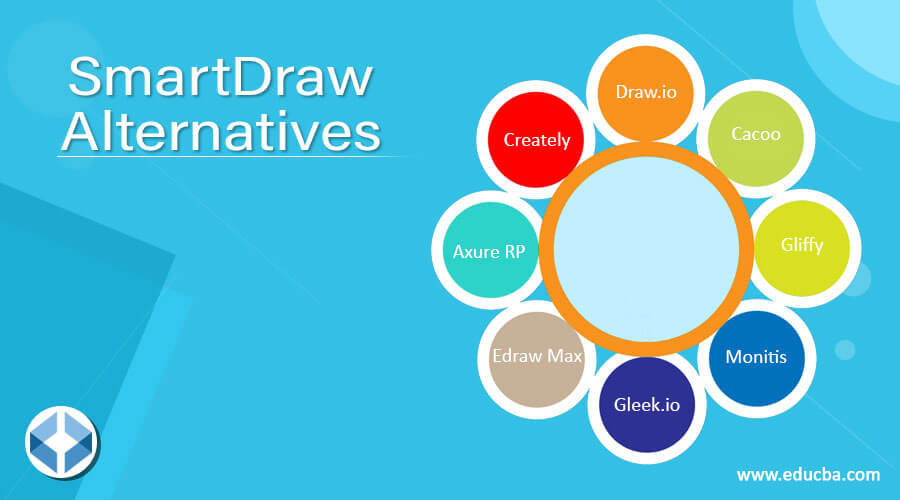
Let’s have a look on alternatives of Smart draw
1. Draw.io
Draw.io is a piece of software for creative creation that helps simplify flowcharts and diagrams. Although the software is technically an art kit, it is mostly used as a tool to make internal interactions more effective by enabling business people to exchange visual information easily understood. In this aspect, it functions just like Microsoft PowerPoint, except that the benchmark software lacks some of the more lavish creative features and the high-cost tag.
2. Cacoo
Cacoo is an online flowchart creation application. It contains collaborative functionality allowing users to simultaneously operate the same flow diagram on separate computers. In a manner similar to shared projects in Google Docs, users can browse, edit and add to the graph. The Cacoo features inter-user chat, so that different users can talk about the project and talk about it jointly. Cacoo has a wide range of utilities that allow remote cooperation for offices that have remote employees or need access to flowcharts from inside or outside the office.
3. Gliffy
Gliffy is a tool to diagram flow maps, organization charts, network schemes, and other diagrams in two dimensions. Draw and drag diagrams and others onto the interface will begin to create diagnoses using one of the templates or themes or to customize your own diagram. If you have completed a chart or diagram, you can immediately share it with others, and allow others to display, comment on, or modify the schema. The Glyffy diagrams are simple to incorporate into these applications when your office uses Atlassian software.
4. Monitis
Monitis is an all-in-one web, server, and device performance management tool. All monitoring tools are fully available online after a fast registration process, allowing you to access them from anywhere. The customizable online dashboard shows in one place all monitoring information, such as the uptime and health of the server, reaction time, and network efficiency. When a problem arises, monitis automatically sends warnings via text message, Twitter, or email.
5. Gleek.io
Gleek is a software developer diagramming tool. Based on the simple script language with absolute IDE, Gleek lets you concentrate on the principles of architecture while handling the tedium of drawing diagrams.
6. Edraw Max
Wondershare EdrawMax is a perfect way to make visual diagrams in different formats that are easy to understand for practitioners, students, and teachers. The app enables you to generate 280+ diagrams, including flow charts, org charts, floor plans, network charts, fashion designs, diagrams, diagrams of electricity, scientific examples, workflows.
7. Axure RP
Axure RP is a fast, more than ten-year prototyping software. While it is still among UX developers’ favourites, there are far more choices now available than in the past. Axure continues to be a top pick, but with increasingly competitive competition, the degree to which it dominated the market has decreased dramatically. The new software update, Axure 8, has a refurbished GUI. This was largely because Azure 7 was excessively humiliated and many people felt that it was unnecessarily complicated.
8. Creately
It is a visual workspace for teamwork. To communicate digitally in real-time, use diagrams, sketches, graphics, and text on an unended canvas. Creately supports more than 50 flowcharts, mind-charts, org-charts, UML and database designs, network diagrams, Gantt charts, diagrams for business processes, etc. Using it for teams operating remotely or at the same place as a virtual whiteboard. More than 4 million consumers around the world are trustworthy.
Conclusion
In this article, we have seen various alternatives to Smartdraw. You can choose any of them based on your requirements. We hope you will find this article helpful.
Recommended Articles
This is a guide to SmartDraw Alternatives. Here we discuss the Introduction, list of SmartDraw Alternatives. You may also have a look at the following articles to learn more –

