


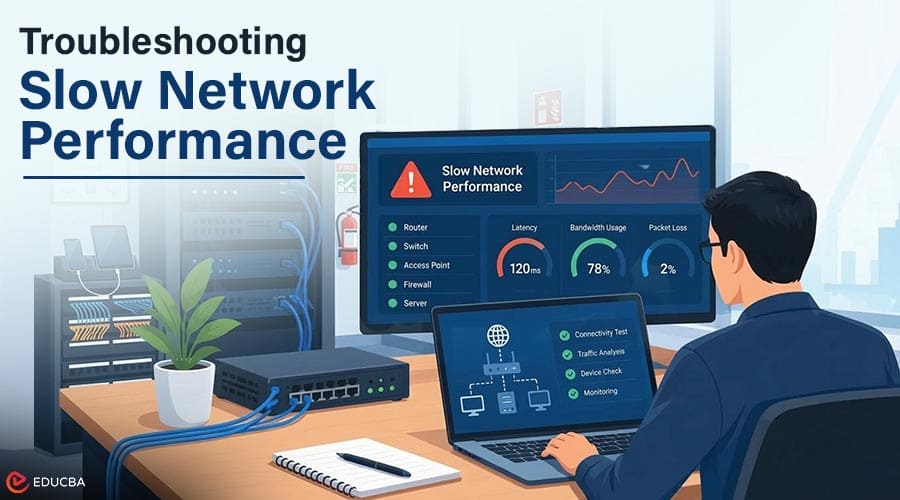
Slow network performance can ripple through a business’s technology use. From cloud applications and file sharing to customer communication and everyday operations, sluggish response across the network can create serious setbacks. Yet network slowdowns often stem not from a single issue, but from a combination of factors, and rebooting a device will not always resolve the problem.
IT support teams can find the root cause through systematic troubleshooting. Testing network devices and connections, network traffic and programs, and the computers and servers that make up the infrastructure helps them determine whether the issue is localized or widespread and what specifically contributes to the slow performance.
How to Diagnose Slow Network Performance?
IT support teams can follow several steps to identify the source of a network slowdown. These steps help narrow the problem before technicians change network equipment or individual devices.
1. Check the Scope of the Problem
First, IT support professionals should determine the scope of the issue to pinpoint where the slow performance originates. Do only a few team members experience the problem, or does it span entire departments, locations, or shared applications? This helps identify whether the issue is constant or occurs only under particular circumstances. With this information, the IT team can decide whether it is an isolated incident or affects many users, and whether to focus on a particular device or the entire network.
IT support teams can also evaluate the location to determine whether the issue is device-specific or spans the entire network infrastructure. If a computer is slow while others on the same network work normally, the problem likely lies with that machine. Alternatively, if multiple users experience the same problem at the same time, the IT team should focus on equipment shared by all networked devices, including switches, access points, modems, internet connections, or cloud platforms. Identifying the scope of the issue helps network support avoid unnecessary adjustments or replacements of devices that do not contribute to the slowdown.
2. Use Monitoring to Identify Recurring Issues
As mentioned earlier, many things can contribute to network performance issues at any given moment. However, a few instances of slow performance could signal a larger, recurring problem, especially if it impacts a group of users at the same time. IT staff can review the monitoring systems for bandwidth use, latency, or other issues that may point to a larger problem.
Longer-term observations can also help teams schedule preventative maintenance. If a network switch regularly reaches maximum capacity or one segment of network cabling consistently shows errors, support staff can schedule replacements before those issues lead to larger outages. For businesses that use managed IT services Toronto, an external support team can monitor network performance and make adjustments over time to improve it.
3. Test Network Connectivity
IT support teams can begin testing the network to see where the issue originates. Simple tools can help testers see whether packets reach their destination and how much latency the connection has. Packet loss or delays can indicate an underlying network issue.
Meanwhile, IT staff can determine whether the slowdown is local to one segment or extends across the network. Testers can run the same diagnostic tool against a local network connection, such as a router or access point, and one that extends farther, such as an external website or cloud application. In either case, run the tool on more than one connection to see whether the network is consistently slow.
4. Examine Network Equipment
Routers, switches, firewalls, and access points can all affect network performance. IT support teams can analyze each device’s interface to check for connection errors or whether the equipment reaches maximum utilization. Unusual utilization that exceeds normal levels indicates a need for closer examination, especially if similar issues have been observed on other devices.
Connections can also affect network performance in unexpected ways. Physical connections such as Ethernet cables and ports, as well as wireless connections, can introduce delays if the signal must travel farther than normal or encounters interference. Testers can try switching ports as a simple diagnostic and analyze the area for sources of interference. This approach can help determine whether a particular device is causing a slowdown rather than a general network problem.
5. Review Network Traffic
Lastly, network traffic can build up and consume a large portion of the available bandwidth, restricting other services until the data transfers complete. IT technicians can examine the network to identify any large transfers currently taking place. The location and timing of these large data movements can help explain some network slowdowns, although such transfers usually occur at the beginning or the end of a business day.
Large data volumes also let network testers see whether any unexpected sources are using the network. A particular application might use a disproportionately large amount of data, or a misconfigured computer might be transmitting information regularly without user input. Network monitoring cannot confirm whether overall data utilization falls within acceptable limits based on network size, but it provides additional information that can help IT staff determine how best to adjust the network configuration based on their findings.
6. Investigate Individual Devices
Not all network performance issues originate within the network itself. A single computer can experience slow performance for many reasons, such as application or program instability, driver issues, or malware. IT support staff can isolate the device on the network to see whether the slow performance persists. This action can help the IT team confirm that the problem originates within one machine, in which case IT personnel should advise users to avoid the issue in the meantime.
Alternatively, network testers can determine whether applications or background synchronization services consume bandwidth. If stopping one program resolves the problem, that information can offer further insight into the issue. Examining individual devices can help IT staff ensure device-specific problems do not trigger unnecessary network changes.
7. Assess Internet and Cloud Services
Outside of the network and local infrastructure, IT personnel should also consider the role of the internet and any cloud services. If one part of the network is particularly slow, the slowdown may come from the internet connection or a cloud-based application, even if only one computer has the problem.
IT teams can check the stability and speed of an organization’s internet connection, then replicate the results at several points to see whether the entire system is at issue or the problem is isolated to one location. This information can help the organization engage the appropriate external support to troubleshoot further. IT staff can perform similar tests with cloud-based applications, examining the behavior of a particular cloud service and comparing it with the general state of the network. Again, if these slowdowns occur only in one area, external IT support can help investigate.
8. Identify and Resolve the Underlying Issue
When it comes to identifying slow network performance, an IT support team has a vast array of tools and technologies at its disposal. The right series of tests can uncover both local and distant slowdowns on a network. By following a systematic process, network support teams can check the problem’s scope, examine network equipment, review traffic, and investigate individual devices.
They can also assess internet and cloud services and use monitoring tools to identify recurring issues, helping them determine the cause and appropriate solution. Over time, these observations can become a permanent part of network support, strengthening operations for years to come.
Recommended Articles
We hope this comprehensive guide to slow network performance helps you better understand network troubleshooting and optimization. Check out these recommended articles for more insights and strategies to improve your IT infrastructure and network reliability.


