


Many teams struggle with managing emails efficiently. Constant forwarding, missed responses, duplicate efforts, and unclear ownership often turn a simple communication channel into a coordination challenge. Shared inbox tools are designed to address these issues by bringing structure and clarity to team communication.
These platforms have evolved beyond simple collaboration tools into systems that coordinate teams and automate workflows. They now rely on AI agents to handle repetitive work—triaging, routing, responding, and even resolving conversations without manual intervention at every step.
In this guide, we’ll cut through the noise and examine the best shared inbox tools available in 2026. More importantly, we’ll explain how they actually function in real operational environments and which teams they work best for.
What Exactly Is a Shared Inbox?
A shared inbox is a centralized workspace where multiple team members can access, manage, and respond to messages sent to a common address, such as support@, sales@, info@, or partnerships@. Instead of one person owning that inbox, the entire team works from the same environment.
But a shared inbox is more than shared access. Modern platforms include conversation assignment, internal notes, workflow automation, status tracking, performance reporting, and AI-assisted responses.
When a message arrives, teams can instantly coordinate ownership. One person assigns the conversation. Another leaves the internal context. A third reviews the reply before it goes out, all inside the same thread.
The customer sees a smooth conversation. Internally, the team has full coordination and visibility. Shared inboxes convert email from a personal communication tool into a structured collaboration system.
Why Does Your Team Need Shared Inbox Tools Instead of Personal Inboxes?
Using individual inboxes for team workflows creates predictable operational problems. These issues show up quickly as teams grow and communication volumes increase.
No Visibility
When emails land in an individual’s inbox, only that person sees them. If they’re unavailable or overloaded, the message sits untouched. Customers wait, deadlines pass, and opportunities close without a response. A shared inbox eliminates this blind spot. Everyone can see incoming conversations and step in when needed.
Duplicate Work
Without clear ownership, two team members may reply to the same email, wasting time and creating confusion for the recipient, who now has to navigate two conflicting responses. Shared inbox tools prevent this with collision detection and assignment controls that signal when a teammate is already handling a conversation.
Context Loss
Forwarding emails removes valuable context. Conversations become fragmented across threads, making it difficult for anyone new to understand what has already happened, what was promised, and what still needs action. Shared inbox platforms keep everything in one thread, including internal comments, previous replies, attachments, and resolution notes.
Lack of Accountability
Who owns the message? Without clear assignment systems, responsibility becomes unclear. Emails slip through the cracks, and customers wait longer than they should. Shared inbox tools solve this with ownership tracking, statuses, service-level targets, and activity logs that make accountability visible at every stage.
Difficult Onboarding
New team members struggle to understand historical conversations when messages are scattered across personal inboxes. Shared inbox systems act as a living record of communication, making onboarding significantly easier and reducing the time it takes for new members to contribute.
Personal inboxes are designed for individuals. Shared inboxes are designed for teams.
How We Evaluated the Best Shared Inbox Tools?
The goal of this comparison is not simply to list features. We evaluated tools based on how well they support real team workflows under actual operational conditions.
Real-Time Collaboration
The core requirement of a shared inbox is visibility. We evaluated whether tools allow teams to assign conversations, track ownership, prevent duplicate replies, and monitor active threads. If this system is slow or unclear, the entire product breaks down.
Internal Communication
Teams often need to discuss messages before replying. Strong shared inbox tools allow teammates to leave internal notes, tag coworkers, and discuss responses privately, keeping the entire conversation history in one place without separate chat threads.
Automation and AI
Automation is increasingly essential. Modern platforms now include AI agents that categorize incoming messages, route conversations to the right team, and suggest replies. They can also handle follow-ups and escalate unresolved issues, reducing repetitive work while keeping teams in control of critical conversations. This capability has shifted from a nice-to-have to an operational necessity, particularly for teams managing high inbound volumes across multiple channels.
Integrations
Email rarely exists alone. Teams depend on CRM systems, project management tools, and analytics platforms. Shared inbox tools should integrate smoothly with existing workflows so agents do not have to switch between multiple screens to resolve a single request.
Analytics and Reporting
Strong platforms provide metrics such as response time, resolution time, message volume, and team performance. These insights help teams identify bottlenecks, improve processes, and coach team members based on real data.
User Experience
Even powerful tools fail if they are difficult to use. The best shared inbox platforms provide intuitive navigation, clear conversation ownership, and minimal setup time, allowing teams to adopt the system quickly without dedicated IT support.
Scalability
Teams rarely stay the same size. We examined whether tools support additional users, expand automation rules, enable workflow customization, and allow reporting complexity to grow with the organization rather than forcing migration later.
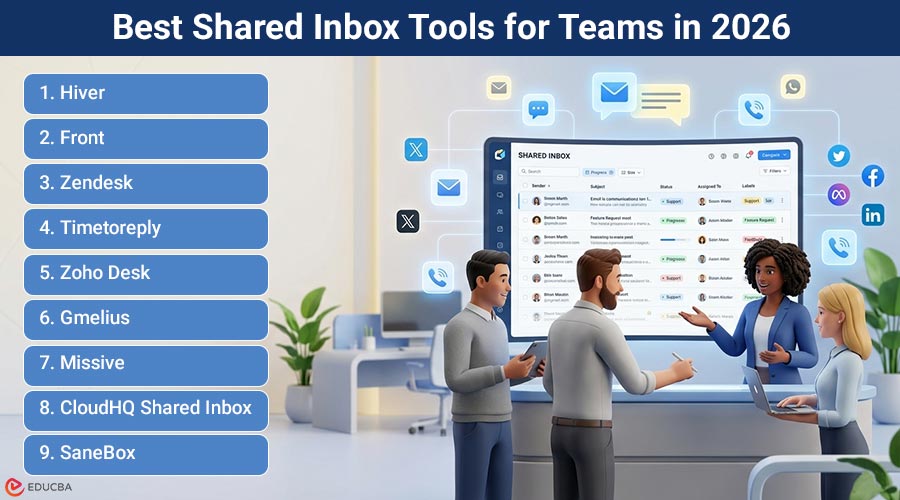
The 9 Best Shared Inbox Tools for Teams in 2026
Each tool below solves the shared inbox problem in a slightly different way. Some emphasize collaboration. Others prioritize automation or multi-channel communication. Understanding these differences helps teams choose the right solution.
1. Hiver
Hiver is a modern AI customer service solution built for fast-moving businesses. It enables teams to provide reliable, high-quality support across channels such as email, live chat, voice, and social media, all within a single, easy-to-use platform. Hiver’s shared inbox is a powerful AI engine that uses AI Agents to automate repetitive work and assist teams throughout the entire support lifecycle.
What Makes It Stand Out?
Hiver’s AI operates across the entire conversation flow from message arrival to resolution, rather than being layered on top of rigid ticketing systems.
Teams can assign conversations with clear ownership, add internal notes, track status, automate routing, and measure performance metrics like response time, resolution time, and CSAT.
AI Agents reduce manual effort by triaging messages, suggesting responses, routing conversations, and flagging SLA risks.
With built-in reporting and a quick, intuitive setup, Hiver is easy to adopt and delivers full helpdesk capabilities without unnecessary complexity or heavy IT requirements, making it suitable for both growing teams and large organizations.
Best For:
Teams that rely on email, live chat, and social channels for customer conversations want structured collaboration without adding unnecessary operational complexity. Particularly effective for operations, support, and customer success functions that need clear accountability and AI Agents working in the background.
2. Front
Front positions itself as a communication hub rather than a simple shared inbox. The platform consolidates conversations from multiple channels into a single interface, enabling teams to have a unified view of all incoming communication.
What Makes It Stand Out?
Front is particularly strong at multi-channel coordination. Teams can manage conversations across email, SMS, social media, and other channels while maintaining a unified conversation history. It also includes message templates, collaboration comments, workflow rules, and analytics dashboards.
Front works well for teams handling high volumes of communication across multiple channels. It helps keep conversations tied to the right customer context across every touchpoint.
Best For:
Teams handling large communication volumes across multiple messaging channels, where a unified inbox view is a primary operational requirement.
3. Zoho Desk
Zoho Desk functions as a complete customer service platform that includes shared inbox functionality. It is part of the broader Zoho ecosystem, which provides tools for sales, marketing, and operations.
What Makes It Stand Out?
Zoho Desk provides a comprehensive support infrastructure, including ticket management, knowledge bases, self-service portals, automation rules, and AI-assisted support workflows. The shared inbox component is deeply integrated with the ticketing system, making it a strong fit for teams that want a single platform covering the full customer service operation.
Organizations already running other Zoho products benefit from native data sharing across the suite, reducing the need for third-party integrations.
Best For:
Organizations that want a fully integrated service platform rather than just collaborative email management, particularly those already invested in the Zoho ecosystem.
4. Timetoreply
The timetoreply tool is a shared-mailbox reporting solution for teams that use Outlook and Microsoft 365. It helps account, sales, and support teams improve email productivity without changing how they work. You will get response time metrics, individual and team performance metrics, without switching platforms. Connect it to your inbox and start tracking metrics to improve email communication.
What Makes It Stand Out?
The biggest strength of timetoreply shared mailbox reporting tool is detailed response time monitoring. It’s great for email analytics and team performance monitoring within shared inbox environments.
It tracks response times, SLA compliance, email volume, workload distribution, and unattended conversations across shared mailboxes. This enables teams to manage customer conversations efficiently and respond more quickly.
Since it works inside Microsoft 365 and Outlook, teams don’t need to switch to another platform or change the way they work. This makes it extremely easy to set up.
Lastly, it’s a great tool for managers who want to improve their team’s email productivity. They can monitor how quickly each team member responds and where conversations get stuck. This helps teams deliver prompt replies and keep customers happy.
Best For:
Client-facing teams that use Outlook or Microsoft 365 shared mailboxes. It’s perfect for those who need accountability tracking and performance visibility without changing their existing email workflow
5. Zendesk
Zendesk is one of the most widely recognized customer service platforms available. Its shared inbox functionality exists within a broader ecosystem of support tools designed for large-scale operations.
What Makes It Stand Out?
Zendesk offers extensive features, including multi-channel support, advanced automation workflows, reporting dashboards, and full customer history tracking. Its integration marketplace is among the largest in the category.
However, teams moving to Zendesk often cite the complexity of setup, the cost of advanced features, and the time required for onboarding as significant considerations. It is a powerful platform that typically requires dedicated administration to run effectively.
Best For:
Teams require advanced customization and large-scale support infrastructure, especially those with dedicated IT or operations resources to manage configuration and ongoing maintenance.
6. Gmelius
Gmelius provides collaborative email tools, workflow automation, and lightweight project management capabilities. It is designed to sit alongside existing email workflows rather than replace them entirely.
What Makes It Stand Out?
Gmelius includes shared inboxes, internal notes, task boards, automation workflows, and email sequences. For teams looking to add structured collaboration without migrating from their existing email environment, Gmelius offers a low-friction entry point.
Best For:
Teams that want email collaboration combined with simple project management capabilities, particularly those that are hesitant to migrate away from their existing email setup.
7. Missive
Missive blends team chat and email collaboration into a single workspace. The platform is built around the idea that internal communication and customer communication should happen in the same environment rather than across separate tools.
What Makes It Stand Out?
Missive lets teams chat internally, share drafts before sending, assign conversations, and automate workflows. The tight integration between internal discussion and outbound communication is a genuine advantage for teams that align internally before replying to customers.
Best For:
Teams that want internal communication and customer communication within the same platform, reducing tool-switching between email and messaging apps.
8. CloudHQ Shared Inbox
CloudHQ provides a straightforward shared inbox solution for teams that need collaboration features without the overhead of a full support platform.
What Makes It Stand Out?
The platform focuses on core shared inbox capabilities: message assignment, internal notes, shared labels, and collaboration controls. It does not attempt to be a full customer service platform, making it accessible for teams with simpler operational requirements.
Best For:
Smaller teams that want a straightforward shared inbox without complex automation systems or the overhead of a full customer service platform.
9. SaneBox
SaneBox approaches the problem differently. Rather than acting as a shared inbox platform itself, it focuses on improving inbox management through intelligent filtering and prioritization.
What Makes It Stand Out?
SaneBox uses AI to analyze incoming messages and automatically sort them into categories. Features include smart filtering, reminder systems, follow-up tracking, and inbox organization. It works within existing email environments rather than replacing them, making it simple to layer on top of a current setup.
Best For:
Teams dealing with high email volume that want automated prioritization and inbox organization without adopting an entirely new platform.
Choosing the Right Shared Inbox Tool
Selecting the right platform depends on several operational factors. Understanding these variables makes the decision significantly easier and reduces the risk of adopting a tool that does not fit how your team actually works.
Team Size and Structure
Smaller teams often prioritize simplicity and fast setup. Larger teams require automation, reporting, and workflow management to maintain consistency across agents. The right tool should match the current team size while supporting growth without forcing a platform migration.
Communication Volume
Teams handling large message volumes benefit from automation, intelligent routing, and AI Agents that manage repetitive queries without consuming agent time. Lower-volume teams may only need basic collaboration features and status tracking.
Workflow Complexity
Some teams manage simple conversations that move from inbox to reply in a single step. Others run full support operations requiring ticket tracking, multi-step workflows, SLA management, and escalation systems. The tool should match actual operational complexity rather than adding more infrastructure than the team needs.
Channel Requirements
Teams that primarily communicate over email have different needs than those managing conversations across email, live chat, social media, and voice. Understanding which channels matter most helps significantly narrow the selection.
Integration Requirements
The shared inbox does not exist in isolation. Teams that depend on CRM platforms, billing systems, or project management tools need a shared inbox that connects directly to those systems. Without integration, agents switch between tools to resolve a single conversation, slowing response times and increasing error risk.
The Future of Shared Inbox Platforms
Shared inbox tools are evolving rapidly. Several trends are shaping their development, affecting how teams work over the next few years.
AI Agents as Core Infrastructure
AI agents are moving from optional add-ons to core components of modern shared inbox systems. Rather than simply suggesting replies, the next generation of AI Agents executes multi-step actions across connected systems, pulling CRM data, updating records, issuing confirmations, and closing conversations without requiring human intervention at every step.
This shift means teams can handle significantly higher conversation volumes without proportional headcount growth. Customers increasingly expect faster replies, and AI Agents are making that achievable without burning out support teams.
Deeper Workflow Integration
Shared inbox platforms are increasingly integrating with CRM, knowledge bases, and analytics tools, turning shared inboxes into operational hubs rather than isolated communication tools. The best implementations let agents read, update, and act on data from connected systems without leaving the inbox.
Performance Intelligence
Analytics is shifting from descriptive reporting to predictive intelligence. Rather than simply showing what happened last week, modern platforms surface insights about conversation patterns, team capacity, and customer sentiment in near real time, giving managers the information needed to act before problems escalate.
Final Thoughts
Shared inbox tools solve a problem that every growing team eventually encounters. Without coordination, email becomes chaotic. With the right platform, email becomes structured, trackable, and collaborative. Each tool in this list approaches that problem from a slightly different perspective. Some are built for simplicity. Others are designed for scale. A few are optimized for specific channel combinations or workflow types.
The best choice depends on team size, communication volume, workflow complexity, and the channels your customers use to reach you. What matters most is selecting a tool that fits naturally into how your team already works while providing the structure needed to keep conversations organized, ownership clear, and response times consistent.
For teams prioritizing ease of adoption alongside AI-driven automation, the decision often comes down to which platform requires the least adjustment to existing workflows and can still scale as the team grows.
Recommended Articles
We hope this guide on shared inbox tools helps you streamline team communication and improve collaboration efficiency. Explore these recommended articles for additional insights and strategies to optimize your team workflows and customer communication.

