


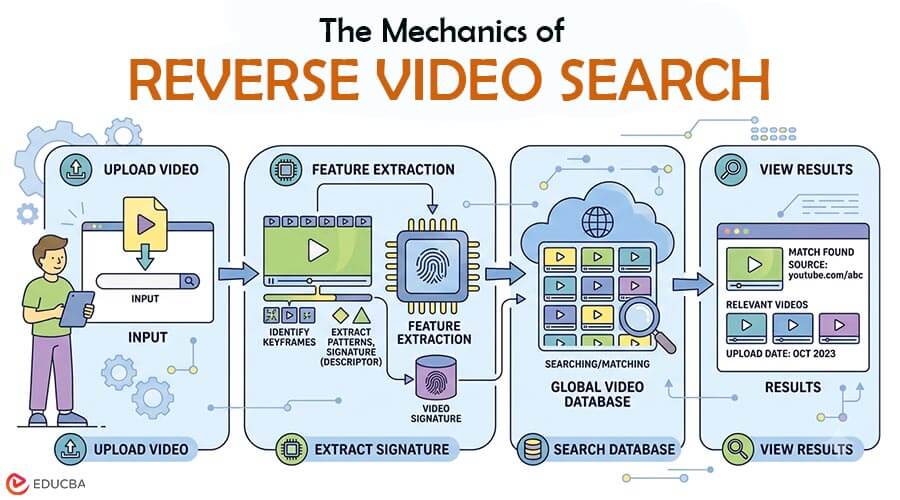
Nowadays, any video can go viral within just a few hours, appearing across several websites and social media platforms. As they spread, it becomes increasingly difficult to identify where the video clip was originally uploaded or who the first creator was. This is where a reverse video search comes in handy. It helps users trace a video’s origin by analyzing its visual content. Whether you are a researcher, content creator, or journalist, you can use this method to find a video’s origin, find similar content, and verify its authenticity. After reading this blog, you will understand what this technology is, how it works, and how to do it effectively.
What is Reverse Video Search?
A reverse video search is an advanced technique used to find the source, duplicates, similar clips, and reused clips. Depending on the tool, users can search for a video clip, a video URL, or relevant keywords. The search engine examines visual details in the input and compares them with the content listed online.
How Does Reverse Video Search Work?
Most reverse video search tools rely on computer vision technology to analyze full video frames. The process usually starts when a person takes a screenshot or extracts a frame from a video and uploads it to a search platform. The system then examines the visual details within that frame, including:
- Objects
- Faces
- Landmarks
- Colors
- Text
- Shapes and Patterns
After identifying these elements, the tool compares them with billions of indexed videos across the web. If similar visuals are found, the tool may show related results that can help you find where the video came from, where it was uploaded before, and learn more about it. A common misconception about the tool is that it can analyze and understand the full video. In reality, it only scans the frames provided by the users. Choosing a clear, distinctive frame helps you get better results.
Common Uses of Reverse Video Search
This technique has a wide range of practical applications for individuals and professionals alike.
- Source Verification: The most common use of a video lookup is to identify the video’s original appearance. This is helpful when a video is reposted on multiple platforms without proper credit.
- Copyright Monitoring: Content creators use this method to check whether their videos are being copied or reused without permission.
- Context Recovery: Short videos can often remove important information from the source. This technique helps the user find longer versions of the videos and understand the context of the original content.
- Content Research: Many researchers, journalists, and fact-checkers use a reverse video search to gather additional information about a video and verify its authenticity.
Best Tools for Finding Video Sources
Once you understand how the process works, the next step is choosing the right tool. Some of the best platforms listed below can help users search effectively.
1. Google Lens
Google Lens is a popular visual search platform for identifying video clips, objects, products, and images. It also includes reverse image search capabilities, allowing users to upload a screenshot or image to find similar content across the web.
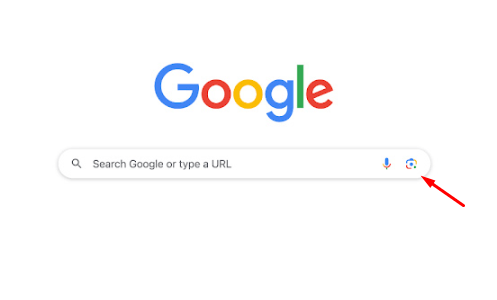
Image Source: Google
Features:
- Supports screenshots and image uploads for visual searches.
- Finds similar images and related content across the web.
- It will help you to identify websites that contain the same image.
- It can be used on both desktop and mobile devices.
2. Bing Visual Search
Bing Visual Search also helps you find original and similar images that may lead to the video’s source online. All you have to do is upload an image, and then it will show you a list of similar pictures and videos.
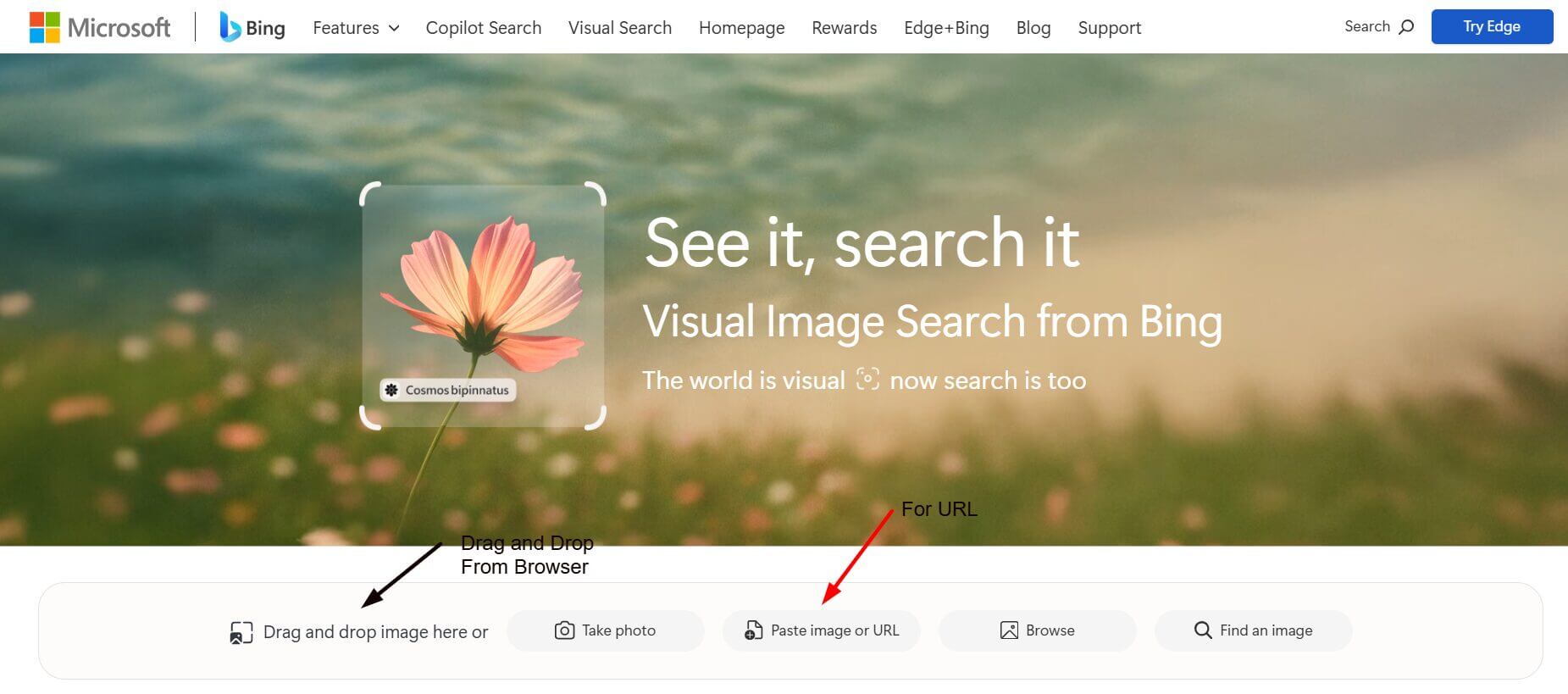
Image Source: Bing
Features:
- Allows users to search using uploaded images.
- Displays visually similar images and related content.
- Helps identify objects and landmarks within an image.
- Provides results from across the web in one place.
Use a Dedicated Reverse Video Search Tool
While Google Lens and Bing Visual Search are excellent for searching screenshots and individual video frames, a dedicated reverse video search tool offers additional features and greater accuracy, as it is specifically designed for video investigation.
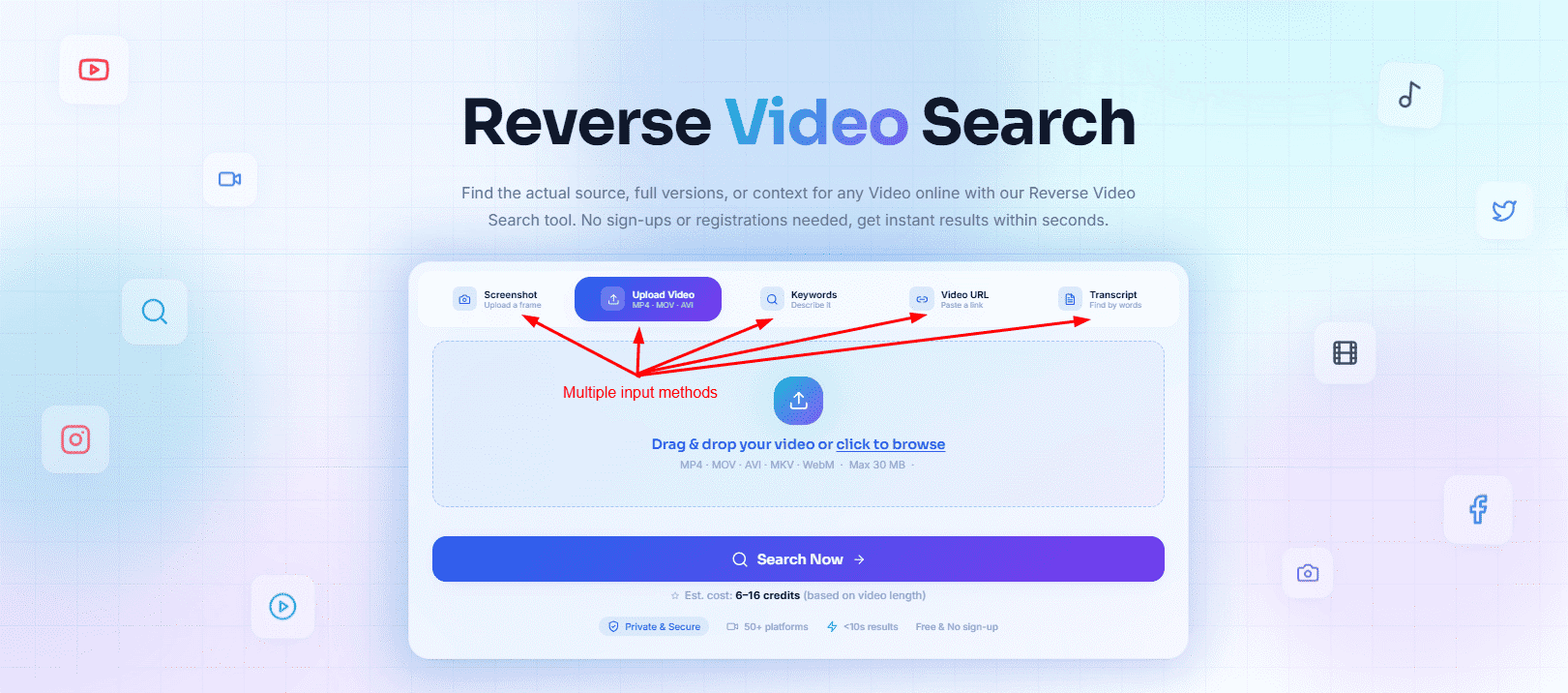
Image Source: Reverse Video Source
Features:
- Supports searches through screenshots, video clips, and video links.
- Allows keyword and transcript-based searches.
- Analyzes visual elements and patterns within videos.
- Helps you find related clips and reused content.
- It collects results from different sources in one place.
- This tool provides a user-friendly interface for quick searches.
Why Does Visual Search Sometimes Fail?
Although this technology is useful, it does have limitations. The precision of your search results largely hinges on the amount of visual detail in the chosen video frame. Poor-quality, blurry screenshots contain fewer visual details, making it difficult for the search engine to analyze them accurately. Some videos may also exist only on private platforms. Since search engines cannot access nonpublic content, those videos may not appear in search results.
Final Thoughts
In today’s fast-paced digital world, where online media circulates instantly, knowing how to perform a reverse video search is no longer just a technical skill; it is a digital necessity. Whether you are trying to debunk misinformation, protect your creative work, or track down the original creator of a viral clip, this technology bridges the gap between speculation and facts. As visual AI and search engines continue to advance, they will only become faster and more accurate. The next time you spot an online video that leaves you questioning its origin or authenticity, do not just wonder about it; take a screenshot, plug it into a search tool, and uncover the real story behind the lens.
Recommended Articles
We hope this guide on reverse video search helps you easily trace video origins and verify digital content. Explore these recommended articles for additional insights, tools, and strategies to strengthen your visual investigation skills.


