


Updated August 15, 2026
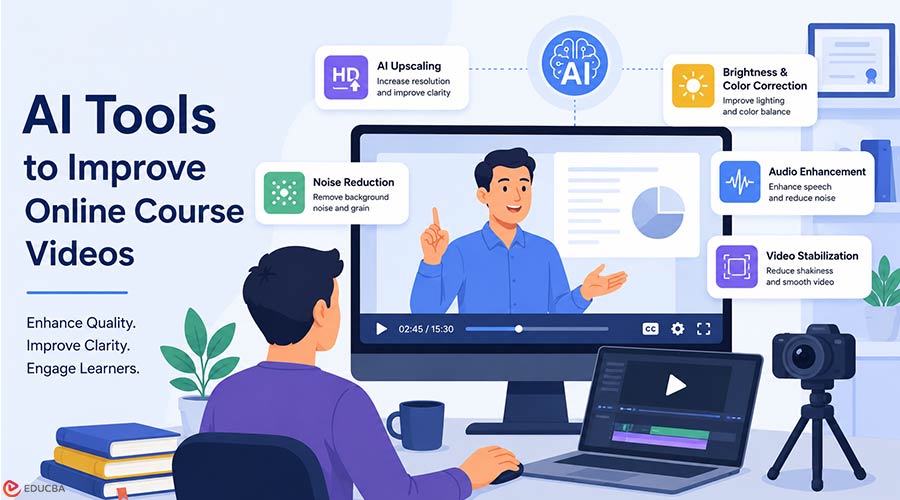
Online courses are now a standard part of education, professional training, and internal learning programs. From university lectures and coaching sessions to corporate onboarding videos, learners expect course content to be clear, accessible, and easy to watch on any device. However, many course creators face a common problem: not every recording looks professional. Some videos are captured in low light, some are recorded from older webinars, and others may look blurry, noisy, or compressed after being uploaded to a learning platform. Even when the teaching is excellent, poor video quality can make learners lose focus. This is where AI tools to improve online course videos are transforming the learning experience.
Instead of manually editing every frame, educators and training teams can now use AI tools to sharpen footage, reduce noise, enhance colors, upscale resolution, and make older recordings look more polished. This article explains why video and audio quality matter in online learning and highlights AI tools that can help make course content clearer, more professional, and easier to reuse.
Why Video Quality Matters in Online Learning?
A course video does not need to look like a Hollywood production, but it should be comfortable to watch. Clear visuals help learners stay engaged, understand the material, and trust the course’s quality. Here are a few reasons video quality is important:
- Better learner engagement: Clear videos are easier to follow and less tiring to watch.
- Improved comprehension: Learners can more easily see slides, demonstrations, facial expressions, and written details.
- Higher course value: Professional-looking videos make a course feel more credible.
- Reusable content: Enhanced recordings can be repurposed for new lessons, webinars, social clips, or training modules.
- Accessibility: Cleaner visuals support learners who rely on captions, screen details, or visual demonstrations.
For educators, this means video enhancement is not only about appearance. It directly supports the learning experience.
Clear Audio Matters Too
Video quality is important, but course creators should not ignore sound. A lesson with sharp visuals can still feel difficult to follow if the audio has background noise, low volume, echo, or inconsistent levels. For recorded lectures, webinars, coaching sessions, and training videos, an online audio enhancer can help clean up speech, reduce background noise, and make lessons easier to understand without requiring advanced audio-editing skills.
Better audio helps learners focus on the explanation rather than struggle to understand the instructor. It is especially useful when repurposing older recordings, remote interviews, or course videos captured in imperfect environments.
How AI Can Improve Online Course Videos?
Traditional video editing often requires technical knowledge and extensive manual adjustments. AI-based tools simplify this process by automatically analyzing the footage and applying improvements where needed. Depending on the tool, AI can help with:
- Increasing video resolution
- Sharpening blurry footage
- Reducing grain and visual noise
- Improving brightness and contrast
- Stabilizing shaky video
- Enhancing colors
- Restoring older webinar or lecture recordings
- Preparing content for modern HD screens
This is especially useful for teachers, coaches, and training managers who may not have a dedicated video production team.
1. AI Video Upscaling Tools
AI video upscaling tools increase a video’s resolution, for example, from 720p to 1080p or higher. This can be helpful when old course recordings were created with lower-quality cameras or compressed by webinar software. Unlike basic resizing, AI upscaling attempts to rebuild missing details and make the final video look sharper. For online learning, this can improve the visibility of slides, charts, screen recordings, and instructor videos.
These tools are useful for:
- Old lecture recordings
- Archived webinars
- Course videos recorded on older devices
- Training materials that need to be reused on modern platforms
When using upscaling, it is important not to overdo it. The goal is to make the video clearer, not artificial.
2. Browser-Based Video Quality Enhancement
Not every educator wants to install advanced editing software. Browser-based tools are often easier for teachers, coaches, and small teams because they allow users to upload a video, choose an enhancement option, and download the improved result.
For course creators who want a simple way to enhance old lessons or training clips, an online video quality enhancer can improve clarity without requiring a complex editing workflow. The main advantage is simplicity. Instead of learning professional editing software, users can focus on making their course videos clearer and more learner-friendly.
3. AI Noise Reduction Tools
Visual noise appears as grain, speckles, or unwanted texture in a video. It is common in recordings made in low light or with basic webcams. For learners, noise can be distracting and may reduce the perceived quality of the course.
AI noise reduction tools detect and smooth unwanted visual noise while preserving important details. This is useful for instructor talking-head videos, interviews, and recorded live sessions. Noise reduction works best when the original video is only moderately noisy. If the video is extremely low-quality, the final result may still have limitations, but it can often be much easier to watch.
4. AI Sharpening and Deblurring Tools
Blurry videos can make it difficult for learners to read text, follow demonstrations, or focus on the instructor. AI sharpening tools identify soft areas in the video and improve edge clarity. This type of tool is especially helpful for:
- Screen recordings with small text
- Whiteboard or blackboard lessons
- Software tutorials
- Demonstrations where details matter
A practical example is a course creator who has recorded a software tutorial but notices that menu items or code snippets look slightly unclear. AI sharpening can help make those details more readable without requiring the entire video to be re-recorded.
5. AI Color and Lighting Correction Tools
Lighting is one of the biggest challenges in home or office-based course recording. A video may look too dark, too bright, washed out, or inconsistent across different lessons. AI color and lighting correction tools automatically balance brightness, contrast, and colors. This helps make a course feel more consistent, even if lessons were recorded at different times or in different locations.
For online courses, consistency matters. When learners move from one lesson to another, the visual style should feel smooth and professional. AI correction can reduce distracting differences between videos.
6. AI Video Stabilization Tools
Some training videos are recorded with handheld cameras or mobile phones. This is common for practical demonstrations, field training, fitness lessons, cooking classes, or product tutorials. If the footage is shaky, learners may find it uncomfortable to watch. AI stabilization tools reduce unwanted camera movement, making the video appear smoother. This can be useful for:
- Practical skill demonstrations
- Mobile-recorded training videos
- Workshop recordings
- On-site educational content
Stable footage helps learners focus on the instruction rather than the camera movement.
7. AI Tools for Restoring Old Webinars
Many organizations have valuable webinar recordings stored in their archives. These recordings may contain expert knowledge, customer education, internal training, or product demonstrations. Unfortunately, older webinars often suffer from low resolution, compression artifacts, poor lighting, blurry screen sharing, and weak audio.
AI restoration tools can help turn older webinar content into useful course material. After restoring video and audio quality, teams can edit videos online to remove outdated sections, reorganize lessons, and prepare the content for modern training programs. By improving clarity and audio quality, teams can repurpose existing content rather than create it from scratch. For example, an organization may take a two-year-old webinar, improve the visual quality, clean up the audio, divide it into shorter lessons, add updated captions, and publish it as part of a structured course. This is a cost-effective way to build learning content faster.
Best Practices for Using AI Tools to Improve Online Course Videos
AI tools can improve many video problems, but they work best when used carefully. Here are some best practices:
- Start with the best source file available: If possible, use the original recording instead of a compressed version downloaded from a platform. The better the input, the better the final result.
- Avoid excessive enhancement: Over-sharpening, smoothing, or color correction can make a video look unnatural. Aim for clarity and consistency rather than perfection.
- Check readability and sound clarity: If your course includes slides, screen recordings, formulas, or code, review the enhanced video to ensure text is easier to read. Also, listen to the improved version with headphones to confirm that the speech is clear and natural.
- Keep file size in mind: Higher-resolution videos can create larger files. Make sure the final format works well with your learning management system or video hosting platform.
- Maintain consistent settings: For a course with multiple lessons, apply the same enhancement settings to all videos. This helps the course feel cohesive.
- Review before publishing: Always watch and listen to the final version before uploading it to your course platform. AI can make mistakes, so a human review is still important.
When Should You Re-Record Instead of Enhance?
AI enhancement is powerful, but it is not magic. In some cases, re-recording may be the better option. Consider re-recording if:
- The audio is unclear and cannot be fixed.
- Important parts of the screen are missing.
- The video is extremely blurry.
- The lesson content is outdated.
- The instructor made significant mistakes in the explanation.
AI is most useful when the content is still valuable, but the visual quality needs improvement. If the lesson itself needs major changes, enhancement should be combined with an update or a new recording.
Final Thoughts
Online learning depends on clarity. Learners want videos that are easy to watch and understand, and professional enough to build trust in the course. AI tools to improve online course videos are transforming how educators and trainers create learning content. They make it easier than ever to upgrade lecture recordings, webinars, tutorials, and training sessions without complex editing skills. Whether you are upscaling old lectures, cleaning up webinar recordings, improving lighting, sharpening screen tutorials, or making speech easier to hear, AI can help turn average-looking videos into more polished learning materials. For course creators, the key is to use these tools with the learner in mind. A clearer video and cleaner audio can make the lesson more engaging, more accessible, and more effective.
Recommended Articles
We hope this comprehensive guide on AI tools to improve online course videos helps you enhance the quality, clarity, and engagement of your learning content. Check out these recommended articles for more insights and strategies on creating and optimizing high-quality online courses.


