
Updated March 16, 2023
Introduction to PowerShell Empire
PowerShell Empire can be implied as a post-exploitation agent. PowerShell Empire implementation can execute on agents of the PowerShell without any support of PowerShell.exe, keyloggers, mimikatz, or other modules. It has the adaptive communication to escape network detection. It can be clubbed into a framework that is accessible from GitHub. As the source PowerShell Empire is unavailable, it can be forked from GitHub by BC security.
Key Takeaways
The main operation of PowerShell Empire is to:
- Create a listener to connect with the confronted host.
- Develop a stager for that listener to upload the agent.
- Prepare a payload for the remote host or create an agent.
- The agent defines the module to accomplish certain goals.
What is PowerShell Empire?
PowerShell Empire is a post-exploitation agent and can execute on all the PowerShell agents. It can be installed without support from modules, keyloggers, and PowerShell.exe. It has an adaptive communication to escape network detection, and it bundles every framework and places it on GitHub, which can be accessed as a public source. The invader exploits any windows server through some unknown pattern and utilizes all the frameworks in PowerShell to work on the objectives. Then the server returns the response or information which the attacker wants.
How to Use PowerShell Empire?
Some of the actions can be achieved with privilege escalations that are escalating the privileges from a standard account to an admin account or finding out where the host and services are present, which is called the host and network reconnaissance, lateral movement between the host, and credential gathering. All these are essential elements for trending penetration tests. The PowerShell Empire has three main components: agents, stagers, and listeners.
The listener is a method that snoops for the connection from the host machine yet to be attacked and helps the Empire send back the loot to the invader’s computer. A stager is a code snippet that enables the malware code to execute on the agent, which is the compromised host. Here agent is a software program that manages the connection between the computer and the host that is compromised. So modules are used to execute the malware commands, which find the credentials, elevate the privileges, and crack the machine.
Installations of PowerShell Empire
Executing the PowerShell requires a kali Linux OS machine, where the Kali is best for hacking. To install PowerShell Empire on a Linux machine, clone the source from GitHub.
Open the terminal and give the below command:
Command:
# git clone https: //github.com/Empire project / Empire.gitTo create a new directory, give the name Empire and move the guide by providing cd Empire. So that directory is changed and then passes the ls command to list the contents in the directory.
Now the user can read the data by cat command in the readme. Md file.
The setup folder is present in the directory in the Empire column. Move to the folder by giving the cd setup command and again give ls command to list the files in the setup folder. So then, it is mandatory to install the shell script.
Type ./ install.sh to install the Empire tool by executing the script. The user is asked to configure the server negotiating password during installation. To provide a strong password. So these are the installation steps, and now you can execute the PowerShell Empire.
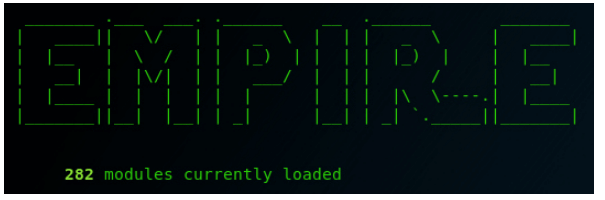
Navigate to the Empire directory by providing the cd.. command and execute the ./ Empire executable script. If the Empire leaves an error at the time of initializing, then move to the setup folder. And now, with cd setup, execute the ./ reset.sh script. Now restart the Empire again like in the previous steps, and now if required, the user can install missing modules like listeners, stagers, agents, and other dependencies.


PowerShell Empire Command
Listeners present in Empire are the structured channels to receive connections from the target host machine. So before working with Empire, start the listeners first. In listener management, give a help command that shows a few essential commands.
- Agents – Enable the user to navigate to the agent menu.
- Back and main – Enables to navigate to the main menu.
- Exit – Exit from the Empire.
- Info – Displays the information about the working listeners.
- Kill – Terminate a particular listener.
- Launcher – Produce an initial launching console for the listener.
- List – Detailed view of active listeners.
- Launcher – Used to generate an initial launcher for a listener.
PowerShell Empire Tool
PowerShell Empire works strictly on the windows machine and takes advantage of a penetration test. It is due to most of the targets using flavors of windows. A basic example, a vast number of people are working with Microsoft Excel, which has more innovative features than the mac version and the finance department works with excel more than normal people obviously; they have access to bank accounts and other confidential details, which attracts the invaders easily.
PowerShell Empire allows the attacker to execute the commands in memory; it insists that the malware attack happens only on the PowerShell Empire and cannot be performed on the hard drive. So it reduces the risk of being caught in antivirus software and leaves digital prints to help forensic investigators.
FAQ
Other FAQs are mentioned below:
Q1. Do we use PowerShell Empire?
Answer: The source code, which is the Empire project, is not maintained. But it can be forked from the GitHub repository.
Q2. What is replaced now with PowerShell Empire?
Answer: It can be replaced with Python 3.
Q3. Who is the inventor of the Empire tool?
Answer: Milwaukee is the developer and manufacturer of Empire tools. It is the brand of Techtronic industries.
Conclusion
Hence, PowerShell Empire was a renowned post-exploitation agent in the malware attack and was configured as per the requirement. It enables the user to execute the PowerShell script and develop a connection back to the host machine.
Recommended Articles
This is a guide to PowerShell Empire. Here we discuss the introduction, Installations, and how to use PowerShell Empire with commands and tools. You may also have a look at the following articles to learn more –

