


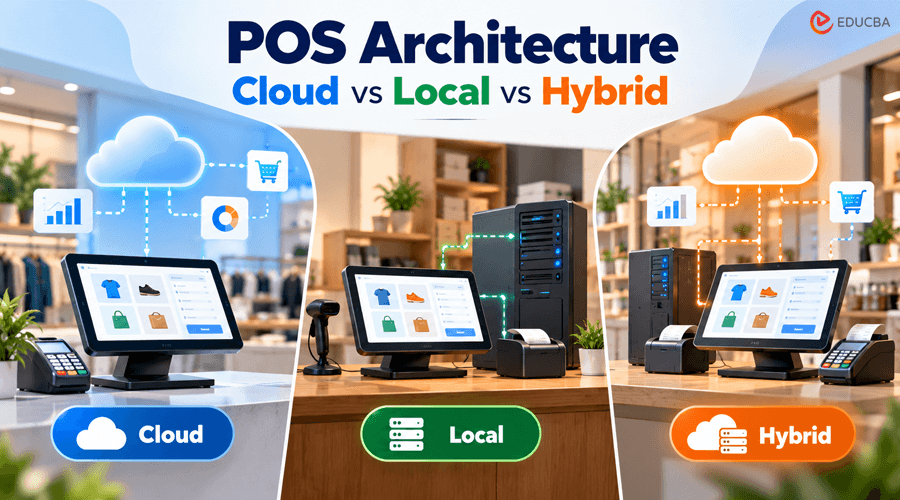
Even if two shops purchase the same POS brand and use the same reports, their experiences might differ greatly. Usually, the program is not the difference. Whether the system runs on a server in the back room, a vendor’s cloud, or a mix of both depends on its underlying POS architecture.
You make that choice early, often in a rush, and it affects daily operations for years. It determines who owns your sales history, what happens if the internet goes down at a busy time, how much work it takes to open a second location, and whether your staff can keep serving customers if something goes wrong.
This guide compares the cost, offline dependability, updates, and data management of the three POS architectures. It also offers a useful way to test any shortlisted system: instead of rating features, run each system through four failure scenarios.
Why POS Architecture Matters More Than the Demo?
POS demos are built around screens: clean layouts, loyalty dashboards, and reports that load in two seconds on the sales rep’s fast office Wi-Fi.
Demos rarely show the plumbing underneath, and the plumbing is what costs money. POS architecture determines whether you can take a card payment when the internet drops on a Friday evening. It decides who holds eight years of your sales history. It also determines how much IT work ends up on the owner’s plate.
POS is only one layer of a store’s broader retail technology stack, but every other layer depends on it. Inventory, e-commerce, loyalty, and accounting all read from it. If the foundation is wrong, every integration inherits the problem.
The Three Types of POS Architecture
1. Local (On-Premise) POS Architecture
A local system installs software on a server or PC inside the store, and the registers connect to it over the in-store network. Payments still go out to a processor. The product catalog, pricing, and transaction records stay on hardware the retailer owns.
This is the older model, and many long-running retail platforms were built on it. Its main appeal is control. The store does not depend on a vendor’s servers, and checkout keeps working when the internet goes down.
The cost of that control is that the store becomes its own IT department. Backups, security patches, and a failed server drive are all the owner’s responsibility. Remote reporting usually needs extra software or a VPN, which becomes awkward once a second location opens.
2. Cloud POS Architecture
A cloud system runs on the vendor’s infrastructure. Terminals are often tablets that connect over the internet, and retailers pay a subscription instead of buying licenses. Square, Lightspeed Retail, and Shopify POS are familiar examples.
Mordor Intelligence’s cloud POS market analysis found that public cloud deployments made up 71.4% of cloud POS revenue in 2025. Coruzant has also reported on how cloud-based POS platforms reshaped specialty retail by bringing in-store sales, online orders, and curbside pickup into a single system.
The weak spot is connectivity. “Offline mode” means very different things from one vendor to the next. Some systems only hold card payments for authorization later, and if a card declines once the connection returns, the merchant takes the loss.
If the public, private, and hybrid split sounds familiar, it follows the same logic as general cloud deployment models, applied to a checkout counter.
3. Hybrid POS Architecture
A hybrid system treats the cloud as the master record. It also keeps enough data and processing power on the terminal, or on a small in-store server, to complete full transactions without a connection. When the internet comes back, everything syncs.
Hybrid is the fastest-growing segment. The same Mordor Intelligence report projects a 23.74% CAGR for hybrid cloud POS through 2031, ahead of every other deployment model.
For most single-store and small-chain retailers, hybrid is the sensible default. It gives you remote management without making every sale depend on the cable modem.
Cloud vs Local vs Hybrid: Side-by-Side Comparison
| Factor | Local | Cloud | Hybrid |
| Upfront Cost | High (server, licenses) | Low | Low to moderate |
| Ongoing Cost | Maintenance, IT support | Monthly subscription | Monthly subscription |
| Works Offline | Yes, fully | Varies, often partial | Yes, syncs later |
| Software Updates | Manual | Automatic | Automatic |
| Multi-store Reporting | Difficult | Real-time | Real-time after sync |
| Data Control | Retailer | Vendor-hosted | Shared |
| IT Burden on the Store | Heavy | Light | Light |
What Specialty Retailers Should Weigh?
General comparisons miss the details that make some retail categories harder to serve. Grocers have to handle EBT, weighted produce, and PLU codes, as this guide to choosing a grocery store POS system explains.
Liquor and wine shops have their own requirements:
- ID scanning on every age-restricted sale
- Case pricing versus single-bottle pricing
- Mix-and-match discounts on six-packs
- State-specific compliance rules
- Heavy traffic the night before Thanksgiving and on New Year’s Eve
This is where POS architecture and category fit overlap. Anyone comparing a purpose-built liquor store POS system from Sante HQ with a general tool like Square or Lightspeed should ask every vendor the same question: What happens to an ID-verified, case-discounted sale if the connection drops halfway through?
For example, Sante HQ integrates e-commerce, checkout, and delivery orders from DoorDash and Instacart into a single platform. This consolidation is beneficial. The more work a system does in the cloud, the more thoroughly a buyer should examine its offline behavior. Ask the seller to demonstrate it during the demo rather than only explain it.
The Failure Test: Four Scenarios to Run Before Signing
Rather than scoring features, walk each shortlisted system through four bad days.
- The Internet Drops at Peak Hour
A local system keeps running. A hybrid system keeps running and syncs later. A cloud system depends entirely on the vendor’s offline design. Ask whether cash, cards, and discounts all still work, and who carries the risk of offline card declines.
- The Back-Office Computer Dies
This is the worst case for local POS. Without a recent backup, you can lose pricing and sales history. Cloud and hybrid systems are barely affected, because the data is stored elsewhere.
- The Vendor Has an Outage
Vendor outages are rare, but they do happen. Cloud-only stores are fully exposed. Hybrid terminals should keep selling. Local systems keep running, except for any cloud add-ons.
- Card Data Gets Targeted
In this scenario, payment design matters more than architecture. Look for terminals that use a PCI-validated point-to-point encryption (P2PE) solution. P2PE protects card data from the moment it is captured and can reduce the store’s PCI compliance scope.
A system that handles all four scenarios well is worth more than one with twice the features.
How to Choose the Right POS Architecture?
Five questions narrow the options quickly:
- How reliable is your internet? If outages happen monthly, rule out cloud systems with weak offline modes.
- How many locations do you run or plan to open? Two or more points strongly toward cloud or hybrid.
- Who handles IT? If the honest answer is “the owner, on Sundays,” skip local.
- What do your peak days look like? High-volume holidays favor hybrid, since it can process sales locally.
- How painful would a migration be? Ask how the vendor imports item files, customer records, and sales history.
The last question often gets overlooked. Sante HQ’s published customer stories include stores that switched after 10 and even 26 years on the same legacy platform. A POS architecture decision can easily outlast the people who made it, so plan for a long timeline.
Final Thoughts
Cloud, local, and hybrid POS architectures are not ranked from worst to best. Each one places risk somewhere different. Local systems put it on the owner, who has to maintain the hardware and backups. Cloud systems put it on the internet connection and the vendor’s uptime. Hybrid systems spread it across both, which is why they suit many independent and specialty retailers and why they are the fastest-growing deployment model.
That said, hybrid is only as good as its offline mode, and offline modes vary far more than the marketing suggests. Ask each vendor to disconnect the terminal in front of you. Ring up a discounted, age-verified, multi-item sale. Watch what syncs when the connection returns, and read the fine print on who absorbs a declined offline card.
Whether your shortlist includes Sante HQ, Lightspeed, or an established on-premise vendor, run the four failure scenarios first and compare features second. A system that handles a bad Friday night well will serve the store better than one with a longer feature list and a fragile connection.
Recommended Articles
We hope this guide helps you understand POS architecture, including cloud, local, and hybrid systems, their costs, and offline capabilities. Explore our recommended articles for more insights on POS systems, retail technology, payment processing, and store management.

