

Updated July 3, 2023

Introduction to Oracle Tablespace
Oracle Tablespace can be defined as a logical storage unit (Oracle database can consist of one or more such logical units) consisting of DATAFILES, which stores data objects (Data Objects can be tabled present inside the schema) tables present in the database and all of them collectively storing all databases data, the logical data is stored in the TABLESPACES and the physical data of the oracle database is stored in the DATAFILES which are associated with each TABLESPACES present in the database.
Syntax and Parameters
Let us now look at the basic syntax of the Oracle TABLESPACE so that we get to know the structure of the create TABLESPACE.
CREATE TABLESPACE tablespace_name

DATAFILE ‘datafile_path’

SIZE [size_tablespace];
Parameters
Below are the respective parameters mentioned:
- tablespace_name: This is the first parameter that refers to the name of the TABLESPACE which we want to create. It is written after the CREATE TABLESPACE statement.
- datafile_path: This parameter refers to the path of the data file of the TABLESPACE in the DATAFILE clause. We can use the full path, and it is written after the DATAFILE clause.
- size_tablespace: This parameter refers to the size of the TABLESPACE in the SIZE clause.
Explanation: One Important point to note is that we can create both SMALL FILE and BIGFILE TABLESPACES. SMALL FILE TABLESPACES means it contains 1,022 data files or temporary files, whereas in the case of BIGFILE TABLESPACES it contains only one DATAFILE or TEMPFILE. In case we omit BIGFILE or SMALL FILE then Oracle will take the DEFAULT TABLESPACE type.
How to Create Oracle Tablespace?
We discussed the definition of Oracle TABLESPACE, and now we will look into how we can create an Oracle TABLESPACE in the database. In Oracle, we can have three kinds of TABLESPACE Oracle. They are as follows.
- PERMANENT TABLESPACE: It is a type of TABLESPACE that contains persistent objects that are stored in DATAFILE.
- TEMPORARY TABLESPACE: It is a type of TABLESPACE in that schema objects are stored in temporary files that exist only for a session.
- UNDO TABLESPACE: It is a type of TABLESPACE created when the Oracle database runs in automatic undo management mode to manage the undo data.
Examples to Implement Oracle Tablespace
Let us now look at a few examples of creating a TABLESPACE in Oracle.
So, as we have already discussed earlier, there are three basic types of TABLESPACES; we will now look into the various examples for those types of TABLESPACES to understand them better.
Examples #1
PERMANENT TABLESPACE: In the earlier section, we discussed the definition of PERMANENT TABLESPACE. In the first example under this section, we are going to create a default permanent TABLESPACE, which will have a DATAFILE of size 5MB. Let us look at the query for the same.
Code:
CREATE TABLESPACE tbs_perm_01

DATAFILE 'tbs_perm.df'

SIZE 5M;
Output:
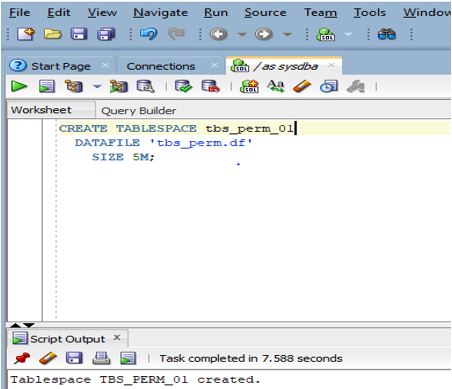
Explanation: As we can see in the above screenshot, a TABLESPACE with one DATAFILE has been created.
Examples #2
In the second example, we are going to create a big file PERMANENT TABLESPACE, which will also have a DATAFILE size of 10MB. Let us now look at the query for the same.
Code:
CREATE BIGFILE TABLESPACE tbs_perm_bigfile

DATAFILE 'tbs_bigfile.df'

SIZE 10M;
Output:
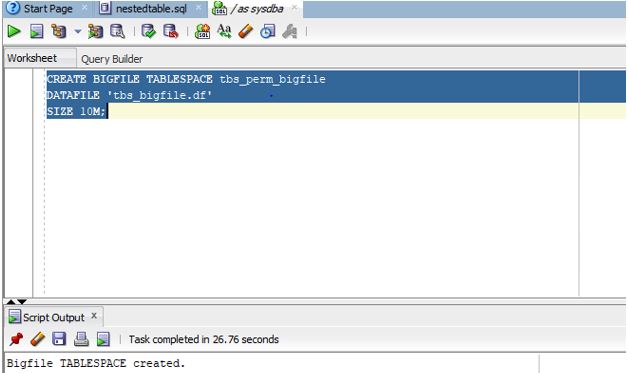
Explanation: In the above screenshot displays that the BIGFILE TABLESPACE named tbs_perm_bigfile with a size of 10M has been created.
Examples #3
In the third example, we are going to create a SMALL FILE PERMANENT TABLESPACE, which will have a DATAFILE size of 1MB. Let us now look at the query for the same.
Code:
CREATE SMALLFILE TABLESPACE tbs_perm_smallfile

DATAFILE 'tbs_smallfile.df'

SIZE 1M;
Output:
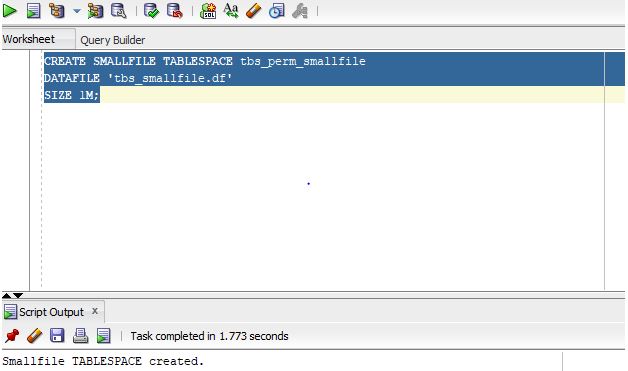
Explanation: In the above screenshot displays that the SMALL FILE TABLESPACE named tbs_perm_smallfile with a size of 1M has been created.
Examples #4
In the fourth example, we are going to create a PERMANENT TABLESPACE with AUTO EXTENSION. Let us create a query for the same.
Code:
CREATE TABLESPACE tbs_perm_ext

DATAFILE 'tbs_perm_ext.df'

SIZE 10M

REUSE

AUTOEXTEND ON NEXT 10M MAXSIZE 20M;
Output:
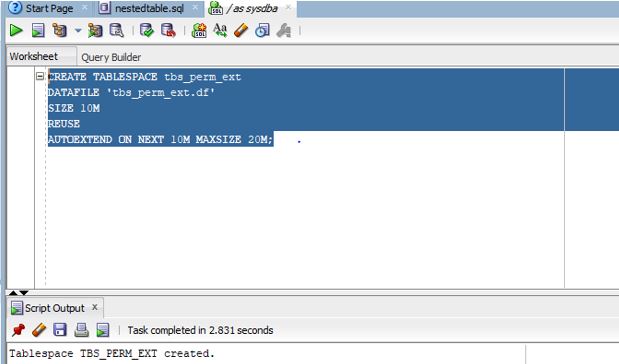
Explanation: As we can see in the screenshot, the output shows that the TABLESPACE has been successfully created.
Examples #5
TEMPORARY TABLESPACE: In the earlier section, we had discussed the definition of the TEMPORARY TABLESPACE. At this point, we will discuss creating a TEMPORARY TABLESPACE in the Oracle database. For example, we will try to create a TEMPORARY TABLESPACE with a size of 4MB with the AUTOEXTEND as ON. Let us now look at the query.
Code:
CREATE TEMPORARY TABLESPACE tbs_temp_ext

TEMPFILE 'tbs_temp.df'

SIZE 4M

AUTOEXTEND ON;
Output:
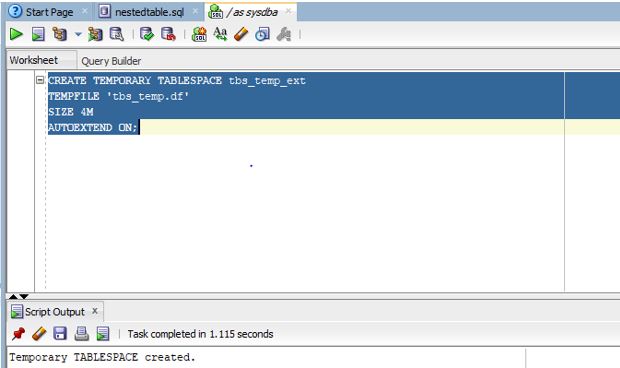
Explanation: As per the screenshot, we can see that the TEMPORARY TABLESPACE has been created successfully.
Examples #6
UNDO TABLESPACE: In the previous section, we discussed the definition of UNDO TABLESPACE. At this point, we are going to discuss creating an UNDO TABLESPACE in the Oracle database. For example, we will try to create an UNDO TABLESPACE with a size of 4MB with the AUTOEXTEND as ON as well with RETENTION GUARANTEE. Let us now look at the query below.
Code:
CREATE UNDO TABLESPACE tbs_undo_ext

DATAFILE 'tbs_undo.df'

SIZE 4M

AUTOEXTEND ON

RETENTION GUARANTEE;
Output:
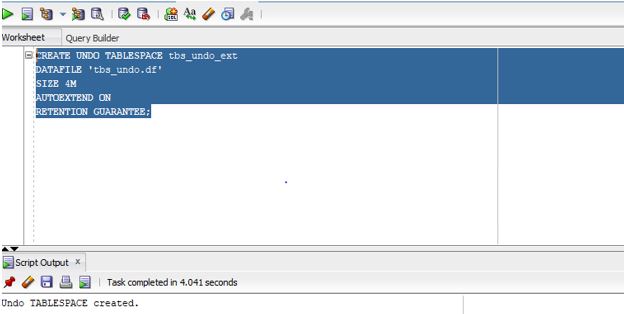
Explanation: As per the screenshot, we can see that the UNDO TABLESPACE has been created successfully.
Conclusion
In this article, we discussed at the beginning of the article the definition of the ORACLE TABLESPACE. In the subsequent section, we discussed the basic syntax of the TABLESPACE along with the definition of various types of ORACLE TABLESPACES. Later on, we discussed them with the help of examples.
Recommended Articles
This is a guide to Oracle Tablespace. Here we discuss an introduction to Oracle Tablespace, syntax, parameters, how to create a tablespace and examples. You can also go through our other related articles to learn more –

