

Updated February 28, 2023

Introduction to Oracle COMMIT
The Oracle commit statement is used to end the current transaction and make it permanent whatever changes that were applied to a particular database during this current transaction (Transaction in Oracle database can be defined as a sequence of SQL statements that is treated by the database as a single unit) and also releasing the transaction locks and deleting all the checkpoints or savepoints created during the current transaction process and after the successful application of this COMMIT statement users are able to see the changes made in the database.[Text Wrapping Break]
Syntax:
We will look into the syntax of the COMMIT statement. The syntax is very simple for the COMMIT statement.
COMMIT [WORK clause ] [ COMMENT clause ] [ WRITE clause ] [ FORCE clause ];
Let us now understand the various parameters used in the COMMIT clause.
Parameters of Oracle COMMIT
Below are the Parameters of Oracle COMMIT:
1. WORK: It is optional. In simple terms, a COMMIT WORK or only COMMIT are equivalent and does not change the outcome.
2. COMMENT Clause: It is also an optional clause. COMMENT, as the name suggest, is used to specify any particular comment if the user wants with respect to the current transaction. Import point to remember is the comment can be of 255 bytes of text and it is stored in the database with the transaction id future reference.
3. WRITE Clause: This clause is also optional and this clause in itself has two parameters which are given below:
- WAIT: It is the default setting. It means that the commit will return back to the client only after redo information is persistent in the redo log.
- NO WAIT: This means that the commit will return back to the client irrespective of the status of the redo log.
4. FORCE Clause: Just like the above parameters even this one is also optional. This allows us to manually commit a corrupt transaction. The syntax for using FORCE clause is FORCE ‘string’, [integer]: To commit such in doubt or corrupt transactions we need to get the id of such transactions, In order to achieve that we need to query the DBA_2PC_PENDING. In case we want to commit a corrupt transaction by giving the transaction id in single quotes we can use FORCE CORRUPT ‘string’. If we want to commit all corrupted transaction we can use FORCE CORRUPT ALL.
How COMMIT Works in Oracle?
Let us now understand how commit works in Oracle. A commit is used on a transaction to apply it into the database which means the database is altered. It can be used implicitly as well as explicitly. A transaction is an atomic unit which consists of one or more logical unit. So suppose transaction (consisting of SQL statements) increments the value in a savings account of a person stored in the oracle database. The changed data gets reflected after we commit the SQL statements. So, in this case, we are explicitly committing the statements but if we use any DDL statements like CREATE table then oracle implicitly commits the transaction. So in case of DML statements we have to commit explicitly. So, we can say that commit means user explicitly or oracle implicitly in case of DDL statements requests that the changes made by the transaction be made permanent in the database.
Examples to Implement COMMIT in Oracle
Let us now look at the below examples to understand better the COMMIT statement.
1. IMPLICIT COMMIT
In this case, the database will implicitly commit in case of a DDL statement. In our case, we are going to create a new table named DEPARTMENT having three columnsdept_id,dept_name. Let us look at the query.
CREATE TABLE DEPARTMENT (dept_id VARCHAR2(25) PRIMARY KEY, dept_name varchar2(25) NOT NULL);
This query will be implicitly committed and we are not required to explicitly commit the transaction since it is defining a table structure in the database also known as DDL statement. Let us run the query in SQL developer and look at the result.
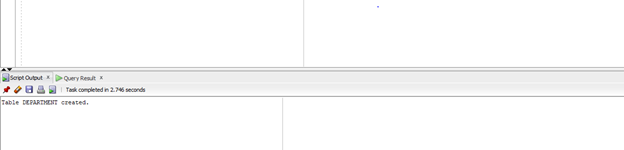
As we can see in the above screenshot the table structure has been created in the database.
2. EXPLICIT COMMIT
In the first example, we are going to use the simple commit statement to insert a row into the Customers table which consist of three columns. Let us look at the query for this.
Query:
insert into customers values('CU002','Nilanjan','Delhi');

COMMIT;
In the above statement, we are first using the DML statement and then explicitly using COMMIT to make the insert permanent.
Let us run the group of statements in SQL developer and look at the result.
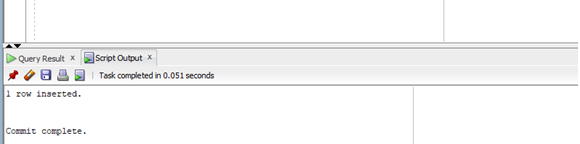
If we see the above screenshot after the insert statement is executed the commit command is also executed.
3. COMMIT with COMMENT Clause
In this example, we are going to add a comment with our COMMIT statement. We are going to use COMMENT clause. The scenario is the same as the previous example, to insert a record into the customers’ table. Let us look at the query.
Query:
insert into customers values('CU003','Saurav','NaviMumbai');

COMMIT COMMENT 'This is the first comment for the insert transaction';
In this example the once the commit statement is executed after the insert the comment would be stored along with the transaction id in DBA_2PC_PENDING system view if the transaction is in error.
Let us run the statements in SQL developer and look at the result.
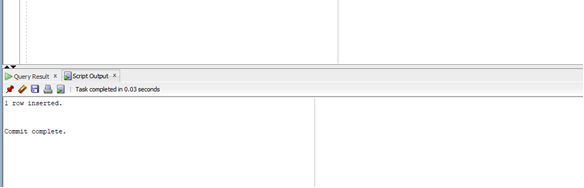
As we can see in the above screenshot the statement has been successfully committed.
4. COMMIT Using FORCE Clause
Let us now apply the FORCE clause for doubt or corrupt transaction. To manually commit the corrupt transaction we will first query the table DBA_2PC_PENDING to find the transaction id of the corrupt transaction and then use the FORCE clause to commit it. Let us look at the query for the same.
COMMIT FORCE ‘12.10.12’
This, when executed, will force COMMIT of the corrupted transaction with id ‘12.10.12’.
Conclusion
In this article, we discussed the definition of the COMMIT statement and its syntax. We also discussed how the COMMIT works with various transactions. Later on, we discussed a few examples based on various cases to understand better.
Recommended Articles
This is a guide to Oracle COMMIT. Here we discuss the definition of the COMMIT statement and its syntax. We also discussed how the COMMIT works with various transactions along with parameters. You can also go through our suggested articles to learn more –

