


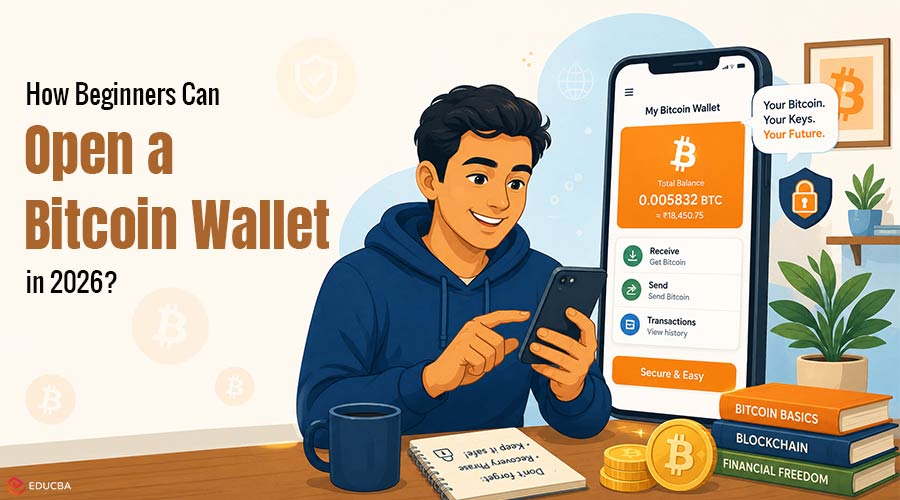
Most people who decide to buy their first satoshi run into the same wall: nobody actually opens a “Bitcoin account” the way you open a bank account. Bitcoin runs on a public ledger, so what you really set up is a wallet software (or hardware) that holds the keys to addresses on the chain. The question is not whether you need a wallet; it is which kind, and what trade-offs you are accepting when you pick one. If you want to open a Bitcoin wallet in 2026, the real decision is not whether you need one, but which type fits your goals and risk tolerance.
The regulatory environment and wallet technology have evolved significantly, making it important to choose carefully instead of downloading the first app you see. If you want a longer end-to-end walkthrough with screenshots of the setup, the team at Crypto Office has a current explainer on how to open a Bitcoin account or wallet 2026 that is a fair companion to this article. Here we will focus on the decisions, not the buttons.
What Does It Mean to Open a Bitcoin Wallet?
A Bitcoin “account” can mean three very different things depending on who you ask:
- A login at a centralized exchange or broker, where the platform holds your coins on your behalf.
- A non-custodial wallet you install yourself, where you alone hold the private key (and the recovery seed phrase).
- A self-custody setup on a dedicated hardware device, where the key never touches an internet-connected machine.
Each option ends with you owning the same asset, but the security model, recovery story, and tax/reporting footprint differ a lot. Treating them as interchangeable is the single biggest mistake new holders make.
The Three Ways to Hold Bitcoin in 2026
| Storage Type | You Hold the Keys? | Recovery Options | Setup Time | Best For |
| Custodial Account | No | Password reset + KYC | 15–30 minutes | Trading and small balances |
| Non-custodial software wallet | Yes | Recovery seed phrase | 5 minutes | Everyday self-custody |
| Hardware Wallet | Yes | Seed phrase + device PIN | 30–60 minutes | Long-term storage |
The table makes the trade-off explicit: custodial accounts trade self-custody for recovery convenience, software wallets give you control with a slim margin for error, and hardware wallets add a physical security layer at the cost of setup friction. Nothing here is “best” in the abstract it depends on what you are optimizing for.
Step-by-Step: Setting Up a Non-Custodial Wallet
If you have decided to skip the exchange route and hold Bitcoin yourself, the setup looks roughly like this:
- Pick a wallet whose code is open-source and has been audited at least once. Closed-source wallets that ask you to trust them blindly are a no.
- Install it on a device you do not share your personal phone or a dedicated laptop. Avoid the work-issued one; your IT department can wipe it.
- Generate a new wallet. The app will show you a 12-word (BIP-39) or 24-word seed phrase. Write it on paper. Not a screenshot, not a password manager, not a cloud note paper, twice, stored in two physical locations.
- Verify the seed by re-entering a few words when prompted. Apps that skip this step are doing you no favors.
- Send a small test amount (think $5 worth) from wherever you bought the coin. Confirm it arrives before moving any meaningful balance.
- Set up a passphrase (the “25th word” feature) only if you understand what happens when you lose it. For most people, it adds risk faster than security.
The whole sequence takes around five minutes if nothing goes wrong. The slow part is the test transfer wait for at least one confirmation before declaring victory.
Common Mistakes People Make When They Open a Bitcoin Wallet
Opening a Bitcoin wallet is free, but many beginners underestimate the hidden costs and risks involved in managing their Bitcoin securely.
1. Ignoring Transfer and Network Fees
The sticker price of opening a wallet is zero, but the real expense often shows up during the first transfer. Network fees, exchange spreads, and on-ramp commissions can add up quickly. For example, sending $200 worth of Bitcoin from a centralized exchange to your newly opened Bitcoin wallet can easily cost between $5 and $15 after including:
- Exchange withdrawal fees
- Bitcoin network transaction fees
- Trading spreads
Planning for these costs in advance can help avoid surprises during your first transaction.
2. Forgetting to Back Up the Seed Phrase
One of the biggest misconceptions people have when they open a Bitcoin wallet is that the wallet app itself stores the Bitcoin. In reality, ownership depends entirely on the recovery seed phrase. If your phone breaks, gets lost, or is wiped, your Bitcoin can only be recovered using the 12-word or 24-word seed phrase created during setup. Without it, the funds are permanently inaccessible. There is no customer support team or password reset option for lost recovery phrases.
This remains one of the most common reasons new Bitcoin holders lose access to their funds. Some wallets guide users through the backup verification process before allowing transactions, making it harder to skip this critical step. However, many applications still allow users to proceed without properly securing their recovery phrase.
3. Sending Bitcoin to the Wrong Address
Bitcoin wallet addresses are long and complex, increasing the risk of copy-and-paste errors. In addition, clipboard-hijacking malware has existed for years and can silently replace copied wallet addresses with fraudulent ones.
Before sending Bitcoin, always verify:
- The first four characters of the address
- The last four characters of the address
This simple habit can help prevent irreversible transfer errors. Experts estimate that roughly 3–5% of all Bitcoin ever mined has been permanently lost due to forgotten seed phrases, misplaced hardware wallets, and unrecoverable storage devices. That represents billions of dollars locked in addresses that can no longer be accessed.
When a Custodial Account Makes More Sense?
Self-custody is the orthodox advice, but it is not always the right one. Consider a freelancer in Lisbon who gets paid in Bitcoin twice a month, converts most of it to euros to pay rent, and keeps a small stack aside. For her, a custodial account on a regulated exchange is probably the better default: she can off-ramp instantly, she gets a paper trail her accountant can use, and the amount she holds at any given moment is small enough that custody risk is bounded.
Compare that with a long-term holder who plans to keep five-figure balances for a decade and rarely touch them. There, the picture flips exchange risk compounds over time, and a hardware wallet plus a well-stored seed is the right insurance. Most people end up running both: a thin custodial layer for cash flow, and a cold wallet for savings. There is nothing wrong with that mix as long as you are honest about which bucket is which.
Final Thoughts
To open a Bitcoin wallet in 2026 is to choose how much responsibility and control you want over your digital assets. Custodial accounts are fastest but ask you to trust a company; non-custodial wallets give you full control and full responsibility; hardware wallets push the security ceiling further but add setup overhead. The right move is to pick the one that matches what you are actually doing with the coin, not the one with the loudest brand. If you are starting today, set up a small custodial account to get your first coin, then move it to a self-custody wallet you have practiced with on a $20 test transfer before scaling up.
Frequently Asked Questions (FAQs)
Q1. How much money do I need to open a Bitcoin wallet?
Answer: None. Creating a wallet is free across every storage type. Software wallets are free to download, and even most hardware wallets ship at $50–$80 if you decide to go that route. The first real cost only appears when you buy or receive coins, and the network fee gets attached. You can generate a wallet, write down the seed, and walk away holding zero satoshi at no charge.
Q2. Can I lose my Bitcoin if my phone breaks?
Answer: Only if you did not back up the seed phrase. The wallet app on your phone is just an interface; the actual ownership is encoded in the 12 or 24 words you wrote down at setup. Install the same wallet on a new device, restore from the seed, and your balance comes back to the cent. Lose the seed and the phone, though, and the coins are gone permanently no support team can recover them.
Q3. Is a hardware wallet really safer than a regular one?
Answer: In practice, yes, but the gain narrows as your balance shrinks. Hardware wallets store the private key on a chip that never connects to the internet, so even a fully compromised laptop cannot sign a transaction without your physical confirmation. For a $200 balance, the extra $70 device is mostly overkill; for $20,000, it is the cheapest insurance you will ever buy. Match the tool to the stake.
Recommended Articles
We hope this practical guide helps you confidently open a Bitcoin wallet and understand the basics of secure Bitcoin storage. Check out these recommended articles for more insights, security tips, and strategies to manage your cryptocurrency safely.

