
Updated June 2, 2023

Introduction to MySQL Community Server
MySQL Community Server is defined as an online platform that offers a quick and easy manner of creating communities online. This community server contains all the integrated tools like blogs, discussion forums, file galleries, photo galleries, RSS tools, search, advanced user permissions, and content management essential for constructing communities.
MySQL Community Server also maintenances several gateways and add-ons which will enable further functionality consisting of posting to your blog using email, single sign-on modules, the capability to post as well as reply to forums using email, and also file administration tools to support easy drag and drop option for organizing the files or photo galleries.
How does the MySQL community server work?
MySQL server has earned its reputation as one of the most popular and commonly used relational database management systems. Individuals, small-scale organizations, and corporate companies universally download numerous replicas of MySQL servers.
MySQL is a freeware and open-source database server that supports several progressive database functionalities. Facebook, Wikipedia, Google, Nokia, Yahoo, and various renowned organizations have employed MySQL for data handling.
MYSQL Community Server is a powerful social platform providing communities with online tools for discussions, forums, blogs, and problem-solving sessions.
Users can use the community server to organize the site through a built-in control panel that permits managing community forums and members. In addition, it supports a user to have the site up promptly, having a Home page, Forums, Blogs, Photo Galleries, and Files. Here, you will have complete control of all your files, allowing you to customize the site.
How to install a community server?
Let us discuss how to install Community Server, explaining every step with a snapshot:
1. Downloading MySQL Community Server for Windows
MySQL for Windows can be downloaded from mysql.com. An edition of MySQL Community server is freely available for Windows servers running either a 32-bit or 64-bit Operating system, with downloads in 32-bit (x86) and 64-bit (x64). See the snapshot from the download page as follows:
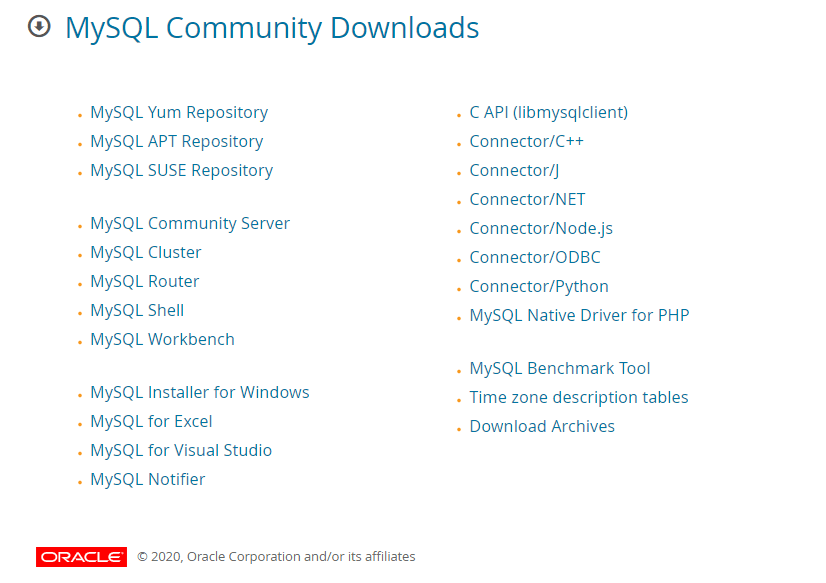
As you can see, there are many download types, but you need to click on MySQL Community Server and go to the page shown below:
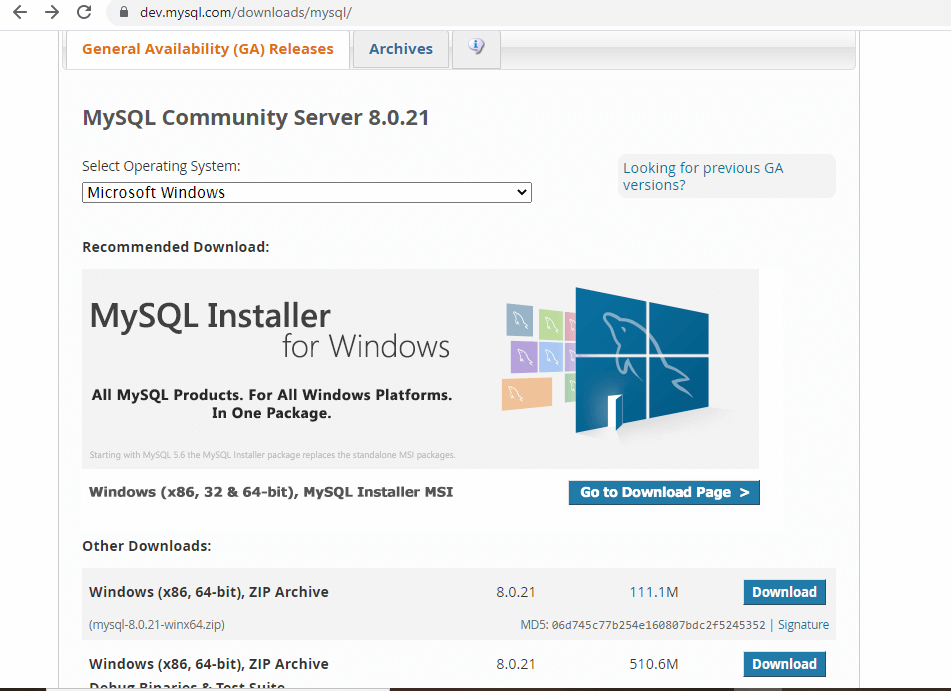
Again, see the button near MySQL Installer MSI, i.e., Go to Download Page>, click this option, and visit the download page that will be displayed as follows:
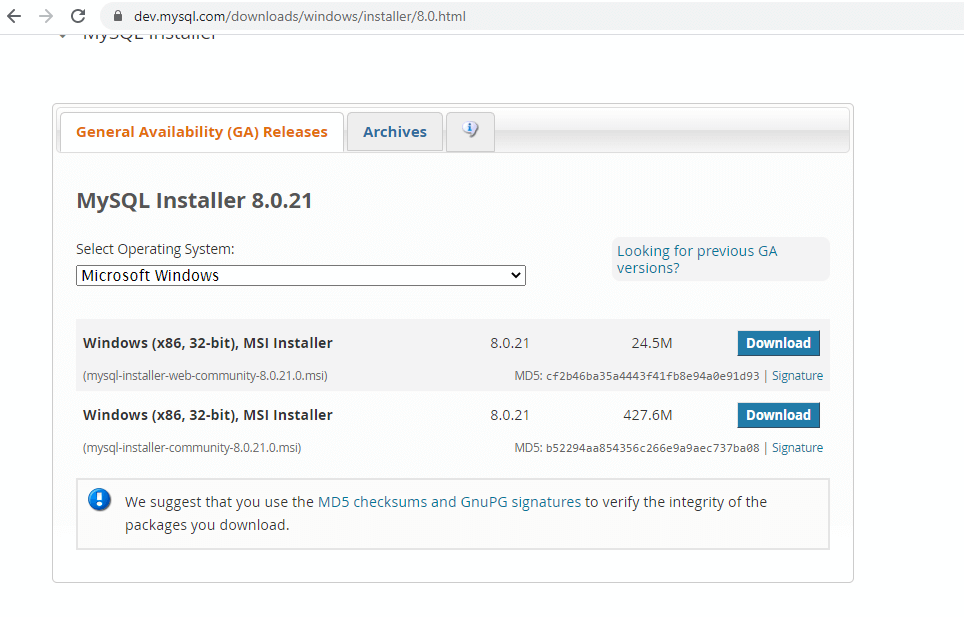
Now, you will find two types of MySQLInstallers for the current version 8.0.21, available, web and standalone, of the MySQL community server. You need to select your required version and then click the Download button. You will be routed to the account login screen displayed below:
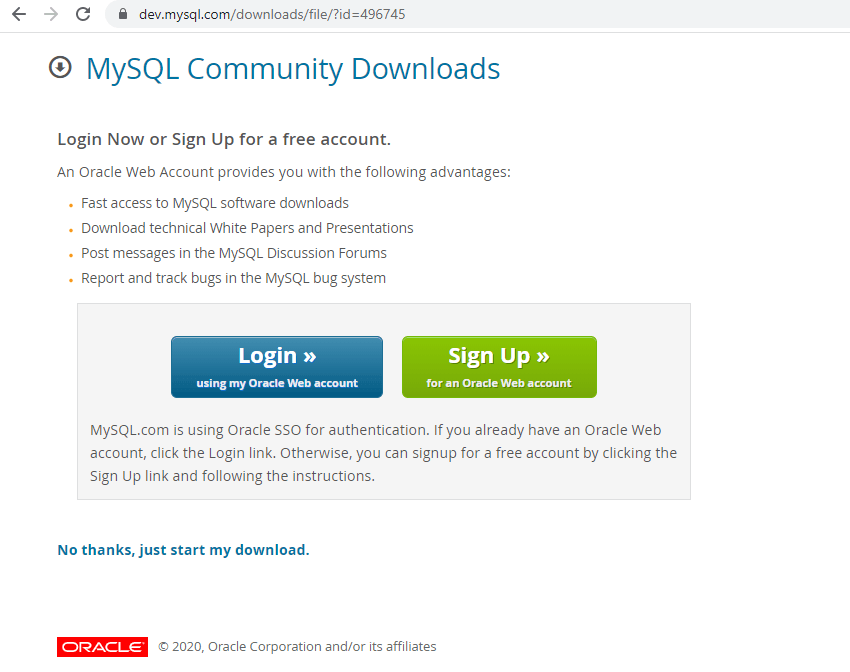
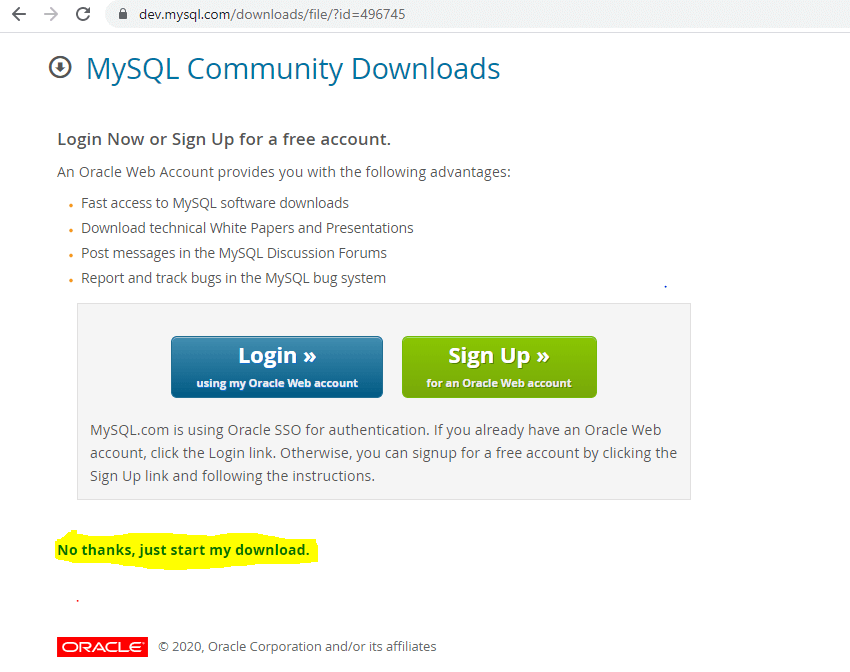
This page offers Login and Sign Up options using the Oracle web account. But if you don’t have an account profile, you can cancel this option and go to the alternate step at the bottom as the link: No thanks, start my download. You should click here:
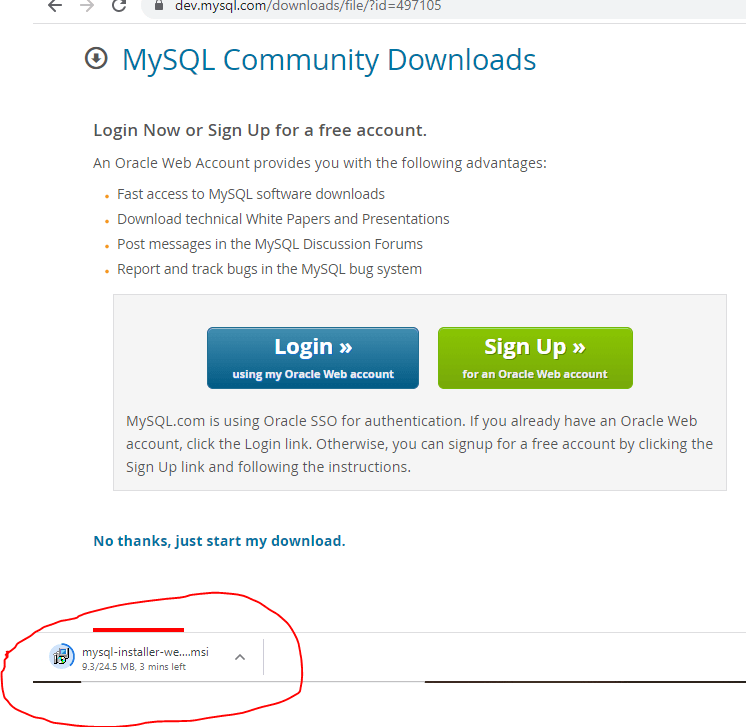
After clicking the link, the download will be started as follows:
2. Installing MySQL Community Server installer
After you have downloaded the MySQL installer and run the setup, you need to read and accept the Installer License Agreement and proceed further to choose the type of setup:
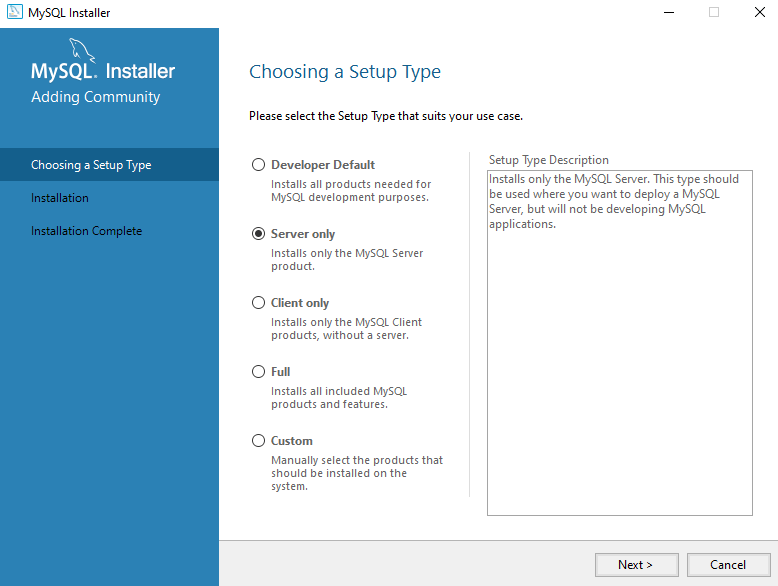
After selecting the setup type as server only because we also suggest this option as a minimum, you can install the MySQL server. Next, you will see the Check Requirements option; If any packing requirements must be met before moving to the next phase, they will be displayed as follows:
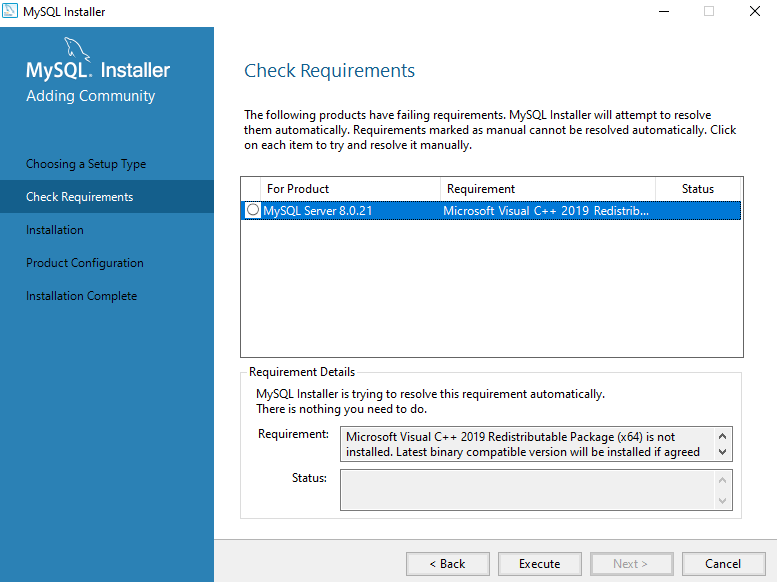
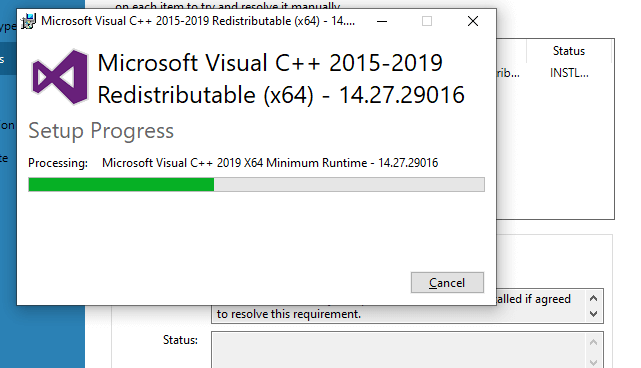
You can initially click on the Execute option rather than going for Next, as in the absence of the required product, the step will not proceed further, showing an error. So, click to execute the option and then see the product needed will be automatically downloaded to set up; agree on the setup, and it will be installed as follows:
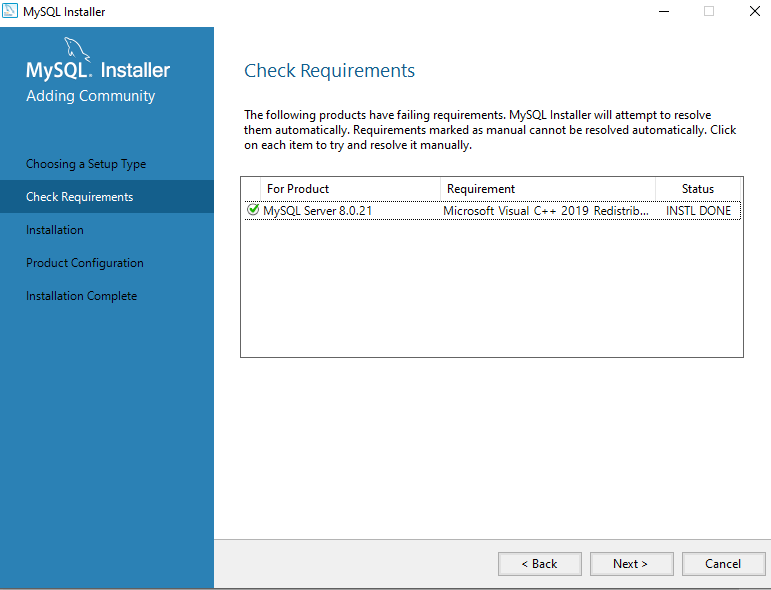
Now, you can see after that the same page shows the status for the required installation done, and then you can proceed to the Next option:
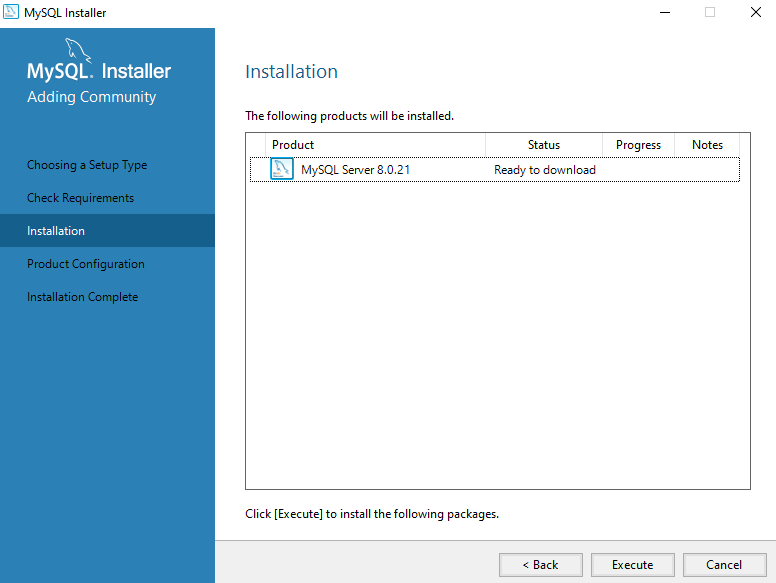
You will move to the installation option in the left menu and then click execute to install the packages as:
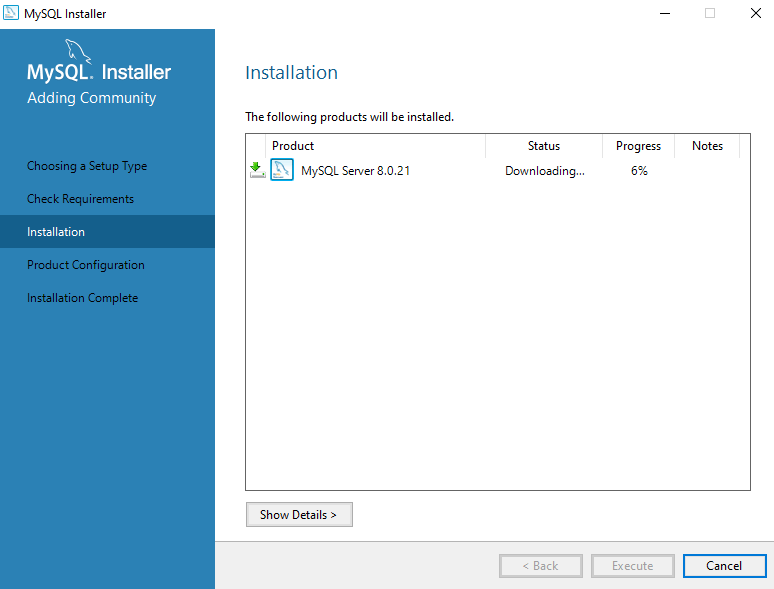
You will see the downloading process; Let’s complete it as follows:
After completing the installation of the MySQL server packages, click the “Next” button to proceed to the Product Configuration section.
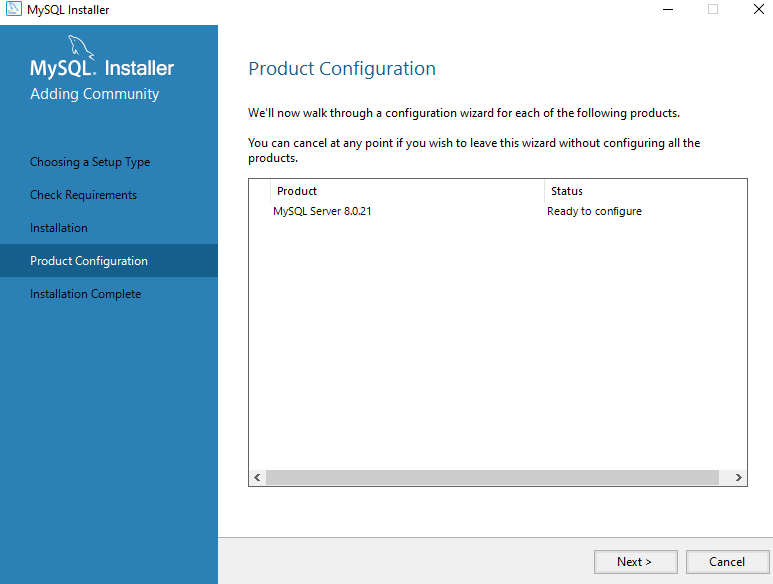
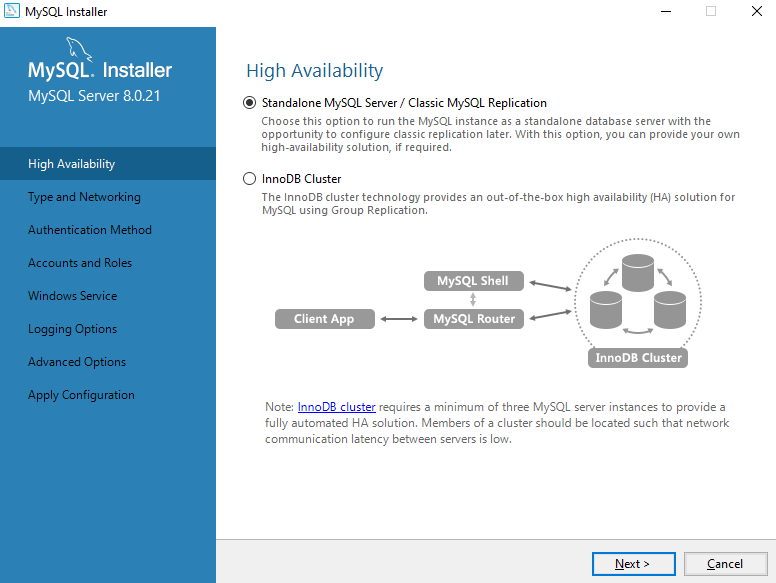
Click on Next, and select the standalone option in High Availability:
After that, in Type and Networking, choose the server Computer option and move to Next. If a port is in use, see for any other port or make the port free. In the Authentication method, set the recommended option first and go next.
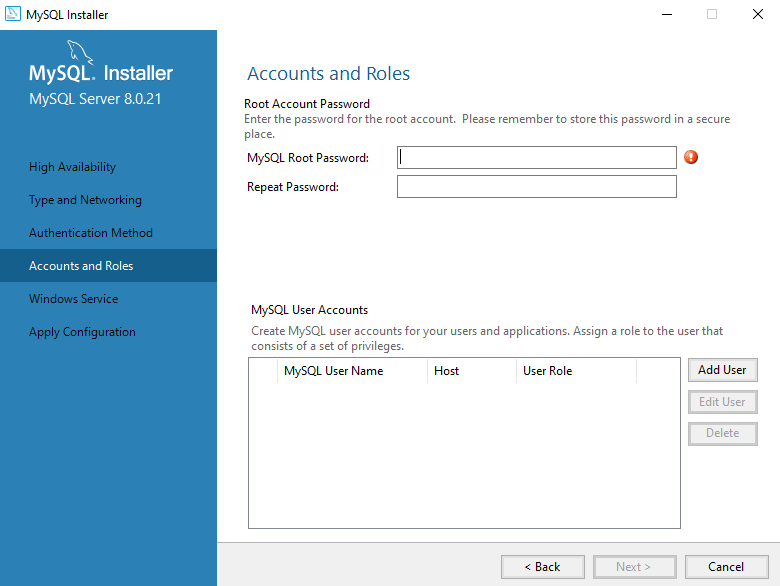
In Accounts and roles, provide a proper using Add user and password for the server:
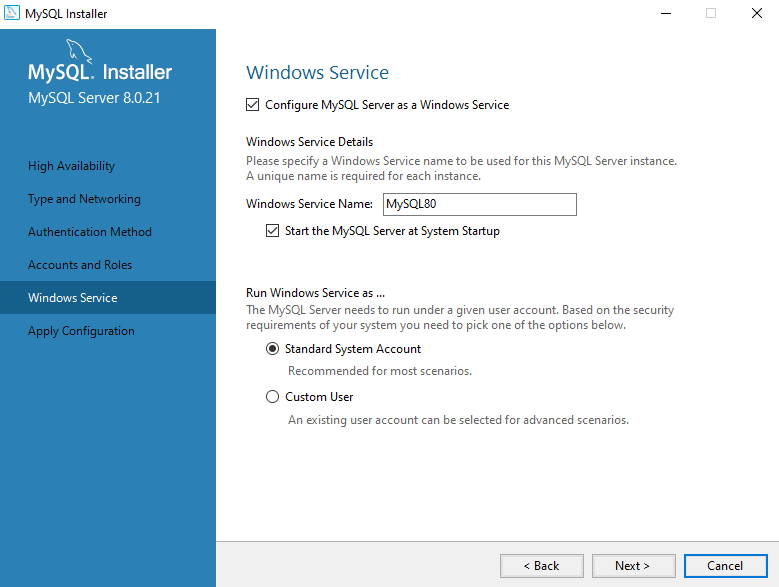
After that, there appears MySQL to be run as a Windows Service option and choosing the standard system account:
Clicking “Next” will lead you to the configuration of the MySQL Community Server, where you can start it.
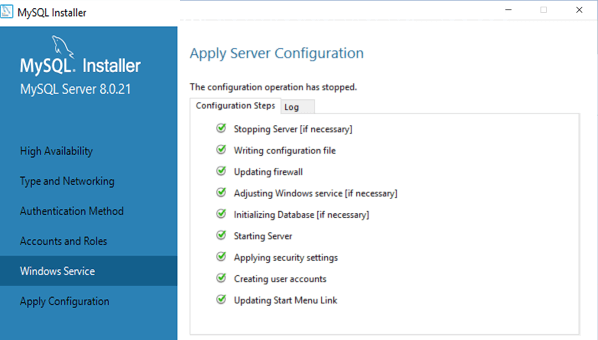
Clicking “Finish” completes the installation process.
Advantages
Community servers for any business or organization are essential to engage with customers and technical professionals regarding software updates, installation, and maintenance services. In addition, we need the server to have centralized backups and antivirus with other beneficial facilities for good safeguarding and regular checks.
This helps prevent any threats brought by technology and service all the computer tools for improved performance from time to time. Here are some advantages of MySQL Community Server:
- The server is open source with a simple installation setup.
- Supports Cost Savings and a Portability facility.
- The server provides Reliability & Flexibility.
- Robust Security of server with rapid Development.
- The server adds Scalability and Insight.
- The server handles Mobility and also progresses the Collaboration.
- Server Quality Control with Loss Prevention.
- Helps in Disaster Recovery, including Seamless Connectivity.
- Competitive Edgefacility with Sustainability.
- Allows Automatic Software Update and Excellent Performance.
- It makes for quicker server Expansion.
- Provides Automated and Centralized Backup Systems.
- Server workflow controlling with Transactional support also.
Conclusion
MySQL Community Server edition is freely available and the world’s most prevalent open-source database system, provided in a downloadable form. An active community of open-source MySQL experts, enthusiasts, and developers supports and acknowledges this community server.
MySQL is based on a client-server structure, and this community server provides an online platform to interact with forums, RSS tools, file management, and user permissions.
Recommended Articles
We hope that this EDUCBA information on “MySQL Community Server” was beneficial to you. You can view EDUCBA’s recommended articles for more information.

