


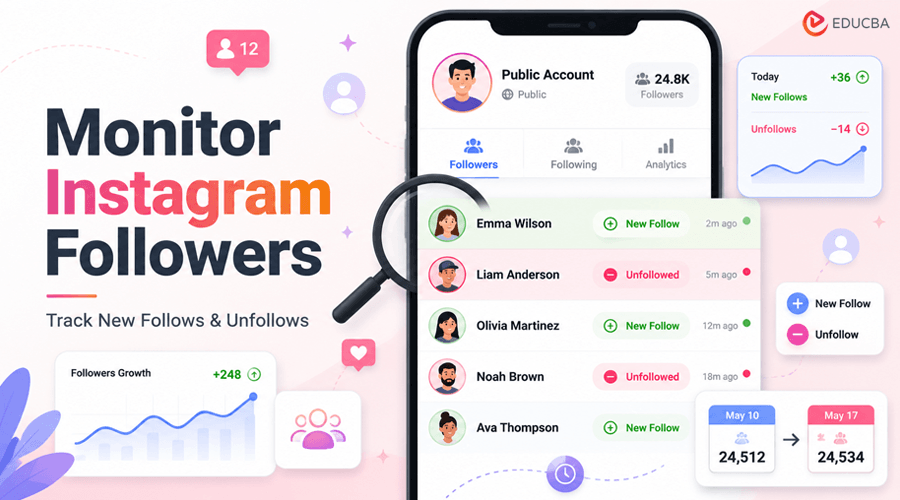
Instagram will happily show you that a public account follows 900 people. What it will not show you is when those connections were made, which ones are new this week, or which quietly disappeared. For anyone with a practical reason to pay attention a parent keeping an age-appropriate eye on a teen’s public profile, a brand watching a competitor, or a creator studying a collaborator that missing dimension is the entire problem.
If you want to monitor Instagram followers or track changes in whom a public account follows, simply checking the profile occasionally isn’t enough. This tutorial covers what is visible, why the obvious approach fails, and how Instagram follower monitoring works in practice.
Step 1: Understand the Boundary
This guide applies only to public accounts. Instagram’s own documentation on public and private accounts is explicit: on a public profile, the posts, follower list, and following list are visible to anyone; on a private profile, they are visible only to approved followers. No legitimate method changes that. A tool claiming it can reveal a private account’s connections is either lying or asking you to do something you should not. Draw the line here before you start, and be skeptical of anything that promises to cross it.
This matters more than it might seem, because the audience most often monitored by teenagers lives on this platform. Pew Research’s 2024 study of teens and social media found that roughly six in ten U.S. teens use Instagram. A public teen profile’s connections are, by definition, information the account holder has chosen to publish; knowing them is not the same as surveilling private spaces.
Step 2: Monitor Instagram Followers Manually and See Why it Fails
Open a public profile and tap “Following.” You will get the full list, but not in the order the accounts were followed. Instagram sorts the list by its own relevance logic, so a follow from last night can sit hundreds of rows deep, indistinguishable from a follow made three years ago. There is no date column, no “recent” tab, and no sort control.
The same problem arises when you try to monitor Instagram followers over time. A follower or following list shows the current state, but it does not clearly show what has changed since your last check.
The disciplined manual workaround is a baseline-and-compare routine: record the list today using screenshots or a spreadsheet, then repeat next week and hunt for differences by hand. For an account following 150 people, this is tedious. For an account following 1,000, it is not realistic; human eyes do not reliably spot two dozen changed rows in a scrambled list of a thousand.
The manual method teaches you the shape of the problem, which is exactly why almost nobody sticks with it.
Step 3: Automate How You Monitor Instagram Followers
What the spreadsheet routine does badly, software does well. A dedicated tool built to monitor who an Instagram account follows, IGDetective, is the example this tutorial uses performs the same routine automatically: it records the public following and follower lists on a schedule, compares each new version against the previous one, and presents only the differences, dated and sorted newest-first. New follows surface at the top. Unfollows, which the manual method rarely catches, are flagged too, because a vanished row is just as much a change as a new one.
This makes automated tools particularly useful when you need to monitor Instagram followers consistently rather than perform a one-time check.
The workflow is deliberately simple. You point the tool at a public username; it does not ask you to hand over your own Instagram password, and IGDetective works entirely from the account’s public data. Expect a free preview with paid plans for deeper history; automated monitoring is an ongoing service, not a one-time lookup.
Step 4: Read Instagram Follower Monitoring Results Correctly
Whether you monitor Instagram followers manually or with an automated tracker, two habits keep the results honest.
First, treat gaps as gaps: monitoring starts when the first scan runs, so it cannot backfill what happened before you began.
Second, treat changes as prompts for questions, not verdicts. A new follow is a fact; the story behind it is not visible in any dataset. This is especially true in family and relationship contexts, where the healthiest use of monitoring is as a starting point for a conversation, never as a substitute for one.
Recap
- Confirm the account is public; respect the boundary if it is not.
- Understand why the raw follower and following lists cannot reliably answer “what is new”; they have no useful chronology.
- Use an automated tracker to monitor Instagram followers and following-list changes by taking snapshots and comparing them over time.
- Review new follows and unfollows as dated changes, not assumptions about what they mean.
- Keep human judgment in charge of interpreting the results.
That is the whole discipline. Instagram does not provide a straightforward way to sort another account’s follows chronologically. Until that changes, comparison over time remains the practical way to monitor Instagram followers, identify changes, and see the activity that a static follower or following list does not clearly reveal.
Recommended Articles
We hope this guide helps you understand how to monitor Instagram followers, track new follows and unfollows, and identify changes in public accounts. Explore these recommended articles for more insights into Instagram tracking, social media monitoring, follower analytics, online safety, and social media tools.


