
Updated December 20, 2023
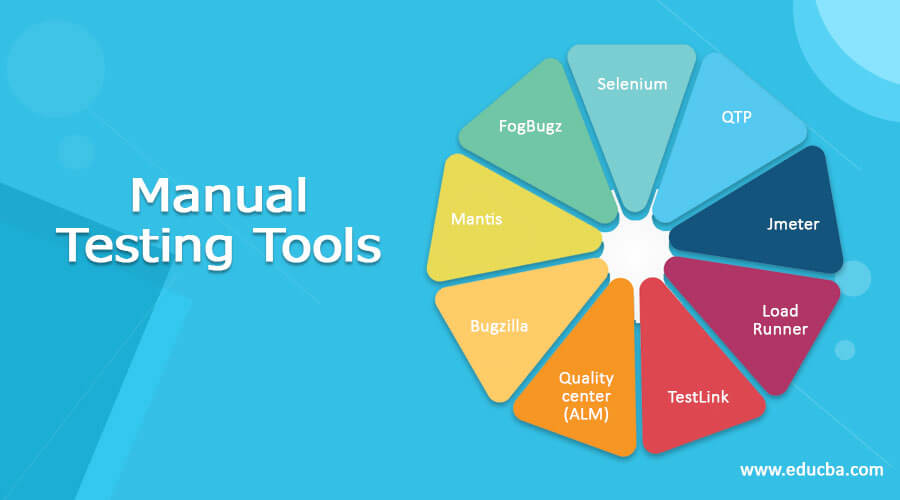
Introduction to Manual Testing Tools
Manual testing is a software testing process in which test cases are executed manually without using any automated tool. Manual testing is mandatory for every newly developed software before automation testing. To perform manual testing, the tester does not require programming knowledge. It ensures that software is 100% bug-free. To perform manual testing, various tools are used. Making use of these tools tester automates the manual testing.
Top 10 Manual Testing Tools
Below is the list of tools that you can use to automate manual testing.
1. BrowserStack
BrowserStack is an industry-leading manual testing tool that empowers developers and testers to ensure seamless cross-browser compatibility. Users can manually test web applications for functionality, usability, and responsiveness on 20,000+ real device-browser-OS combinations to tackle device fragmentation. Its cloud-based platform reduces the need for multiple physical devices, enabling efficient debugging and issue resolution remotely.
It lets you test on various latest and legacy iOS and Android devices with different OS. It provides one-click access to 12 macOS and 6 Windows versions. From Sonoma to Monterey and Windows XP to 11, every Chrome, Safari, Firefox, Edge, and Opera version is instantly available.
Whether validating designs, checking responsive layouts, or identifying compatibility issues, BrowserStack ensures robust web applications across flagship browsers and devices.
4. Jmeter
Jmeter is another manual testing tool that is used for load testing to analyze and measure the performance of web application services. It supports various parameterization, pre-thread cookies, assertions, configuration variables, and a variety of reports. Jmeter also supports integration with selenium to allow it to run automated scripts alongside performance or load tests.
5. LoadRunner
LoadRunner is a manual testing tool that is used to test the application, measure the behavior of the system, and performance under load. It has the ability to simulate thousands of users concurrently using application software, recording and later analyze the performance of key components of applications. To simulate user activity, LoadRunner generates messages between application components. Generated messages and interactions are stored in the script. Load generator, VuGen, agent process, controller, and analysis are components of LoadRunner.
6. TestLink
TestLink is a manual test management system that is used to check the quality assurance of the software. It supports test cases, test plans, test suites, test projects, user management, and various reports and statistics. This tool can integrate with other software like Bugzilla, Jira, mantis, Redmine, FogBugz using API. In order to access the TestLink, an admin needs to have access to the webserver and database to install and run. It supports various databases like PostgreSQL.
7. Quality center (ALM)
The quality center is a manual test management tool which is also known as the ALM tool i.e. Application life cycle management. It helps to manage project milestones, deliverables, and resources. It also tracks the health of the project, standards that allow product owners to gauge the current status of the product. It is an enterprise-wide application that is based on Java 2 enterprise edition technology. It uses Oracle and MS SQL for the backend.
8. Bugzilla
Bugzilla is a web-based bug tracking tool, written in Perl language. It uses the MySQL database. It enables users to stay connected with their clients to communicate about problems effectively throughout the data management tool. It provides various features like advanced search capabilities, time tracking, email notifications, strong security, file bugs by email, customization, and localization.
9. Mantis
Mantis is a manual testing tool that is used to track the bug or defects in the system or software. Users can easily customize it as per the requirements. Supports various operating systems such as Windows, iOS, Android, iPhone. Mantis provides various plugins to add custom functionality to the mantis issue tracker. It provides email notifications features to send out emails of updates, comments, resolutions to the connected stakeholders.
10. FogBugz
It is a web-based tracking tool, which is commonly engaged in bug tracking. Because of its strategy, it becomes quite popular in the market. It displays the details of the project in a milestone manner. Therefore, it becomes easy to track and calculate the results in a quick span of time.
Conclusion
Here in this article, we have discussed the various manual testing tools. These tools will help you to understand the benefits of test and test coverage aspects. Every tool is important in its own way. Based on the software and its test plan requirements, you can go for any of these tools. Hope you enjoyed the article.
Recommended Articles
This is a guide to Manual Testing Tools. Here we also discuss the introduction and manual testing tools along with a detailed explanation. You may also have a look at the following articles to learn more –

