
Updated October 27, 2026
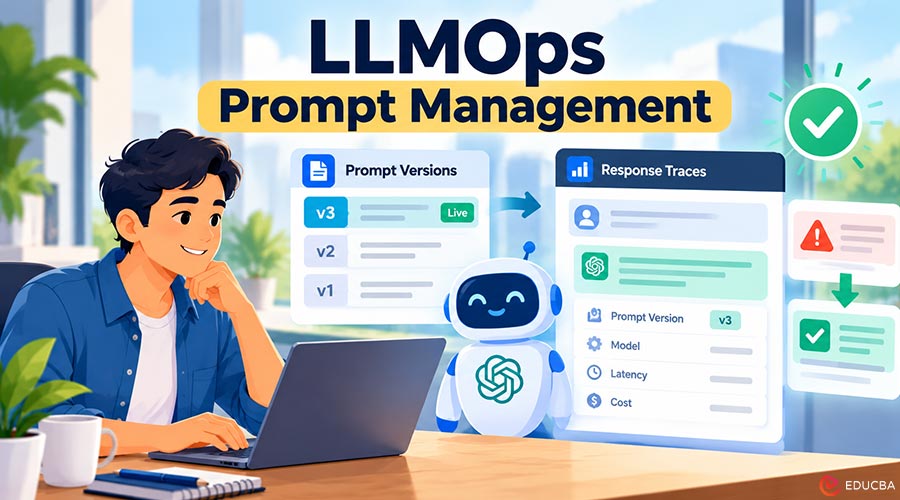
Your AI Made a Mistake. Now What?
A customer writes to you, angry. Your support chatbot told her that her refund would arrive in three days. Your real policy says ten days. She planned her money around the wrong promise.
So you go looking for that chat. You check the app, the server logs, the developer who built the bot. An hour later, you still cannot find the conversation or say why the bot answered that way.
This is not a rare disaster. It is a normal week for teams that run an AI feature. One wrong answer is enough to show you that you have no window into your own product.
Five Signs You Already Need LLMOps Prompt Management
You may not know the word LLMOps yet. Most people learn it after they can’t explain a problem. If two or more signs below sound familiar, this article is about you.
- The prompt, the instruction your AI follows, lives in code, and only one person dares to touch it.
- Someone changed that prompt last week. Nobody can say who changed it, what they changed, or why.
- A user reports a bad answer, and you cannot find that conversation again.
- Your AI bill arrives once a month, and it always surprises you.
- Your app “worked yesterday”, but today the answers feel different, and you have no proof either way.
These signs do not mean your app is bad. They mean it has grown up. Real users need control, and LLMOps gives you that control. LLMOps prompt management is a practical starting point for gaining that control without building a complicated system.
Understanding LLMOps
LLMOps is short for Large Language Model Operations. In plain words, it is the everyday work of running an AI app once real people depend on it. Not building smarter AI, but running the AI you have safely.
Short version: LLMOps is how you stay in charge of your AI app after launch day.
The full subject has many parts. This article covers only two of them, on purpose: how you store your prompts and how you read your traces. These two practices form the foundation of effective LLMOps prompt management and fix many common problems with relatively little effort.
Habit 1: Store Your Prompts, and Version Them
A prompt is the instruction you give the AI before it answers. It tells the AI who it is, what it may say, and what it must never say. This one text quietly decides the quality of every answer.
In most young apps, that text sits in a strange place: buried inside program code. Changing one word means editing a file and releasing the app again. So people avoid changing it or change it in a rush, with no record.
LLMOps prompt management means giving prompts a proper home outside the code. Your team opens one screen, sees the current prompt, and edits it in plain text. Support staff can help without touching code.
Versioning means every change is saved as a new, numbered copy. Old copies are never deleted. Your prompt stops being one fragile text and becomes a short history anyone can read in a minute.
| Version | What Changed | Changed By |
| v1 | First version. Basic greeting and tone. | Sara, at launch |
| v2 | Added the rule: refunds take 10 working days. | Omar, after a complaint |
| v3 | Shorter answers. Removed two confusing lines. | Sara, weekly review |
Two small extras help a lot. Mark one version “live”, so everyone knows what real users are getting. And learn to roll back in one click when a new version misbehaves. A mistake then costs minutes, not a weekend.
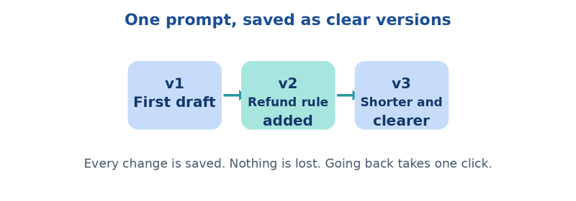
Figure 1: A prompt with versions. Each change is saved, named, and easy to undo.
You do not have to build this system yourself. Tools like AcruxCore are made for these jobs: storing and versioning your prompts and showing you a clear trace for every answer your app gives. Keeping both habits in one place is often the easiest way to start LLMOps prompt management.
Habit 2: Read Your Traces
A trace is the full record of one answer. It saves what the user asked, which prompt version was used, which model replied, what the answer was, and how long it took.
Think of a trace as a receipt. A receipt does not just say “you paid”; it lists what, when, and how much. Without a trace, you have a feeling about what happened. With one, you have facts.
| Inside One Trace | What it Tells You |
| User question | “Where is my refund?” |
| Prompt version | v2 — the one with the refund rule missing |
| Model used | The exact model that replied |
| AI answer | “Your refund will arrive in 3 days.” |
| Time and cost | 1.8 seconds, and what that answer cost you |
Reading traces is a habit, not a skill. Open the list of recent answers, like an inbox, and read a few each day. Soon you notice patterns: the same weak answer, the same slow hour things testing alone never shows you.
Combining prompt versioning with trace monitoring makes LLMOps prompt management more useful. You can identify which prompt was active when an answer went wrong and investigate the problem using evidence rather than guesswork.
How Tracing Helps You Find and Fix AI Mistakes?
Return to the angry customer. This time, your app keeps traces. You search her name, and the conversation opens in seconds. One small line explains everything: prompt version v1.
Version v1 was the launch prompt. It never mentioned the ten-day rule, which we added only in v2. One group of users was still running the old version by mistake. The trace found the cause in minutes.
Then the fix is calm and simple. You point every user to the current version, and check the next day’s traces. The customer gets an apology and the correct date. A bad day becomes a small, finished task.
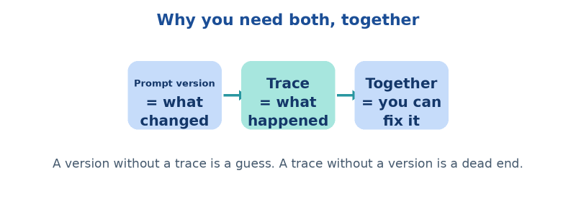
Figure 2: A prompt version tells you what changed. A trace tells you what happened. Together, they let you fix things.
Your First Seven Days of LLMOps Prompt Management
You do not need a complex implementation plan to get started. A simple, seven-day routine can help you establish the foundations of prompt management and tracing.
Days 1–2: Organize your prompts. Gather every prompt from every corner of the code and move them into one home. Save the current one as version 1, exactly as it is. Do not improve a word yet.
Day 3: Enable tracing. Turn tracing on, then find the record of one real answer from that morning by hand. If you can find it in under a minute, your setup works.
Days 4–7: Review and improve. Spend ten minutes a day reading five answers and noting the weakest one. Then make your first versioned change and watch the next day’s traces.
By the end of the week, you should have a central place for prompts, a basic version history, and a repeatable way to investigate AI responses. These are practical first steps toward reliable LLMOps prompt management.
Final Thoughts
You do not need LLMOps because it is fashionable. You need it because one unexplained answer can cost you a customer. Feelings are a poor way to run a product that speaks in your name.
So keep it small. Store your prompts and save every version. Keep a trace of every answer and read a few each day. These two habits are the foundation of LLMOps prompt management. Give yourself one week to start, and your app stops being a mystery.
Frequently Asked Questions (FAQs)
Q1. How do I choose my first LLMOps tool for prompt management and tracing?
Answer: Choose a tool with reliable prompt versioning and searchable traces. Start with a comparison of LLMOps platforms and check how quickly you can find a prompt or a bad AI answer.
Q2. Is LLMOps Prompt Management Only for Big Companies?
Answer: Small teams need it more. A big company can survive a week of mystery answers. A small team, with one support inbox and a name to protect, often cannot. That is why prompt versioning and tracing are useful starting points for teams of any size.
Q3. Are Normal Server Logs Enough, or Do I Need LLM Traces?
Answer: Normal logs are not enough for many AI troubleshooting tasks. Plain logs rarely save the prompt version beside the answer the one detail you need most. A trace connects those two facts. That small connection is the whole point.
Q4. Can I Use a Spreadsheet for Prompt Versioning Instead of a Prompt Management Tool?
Answer: A spreadsheet can work initially, but simultaneous edits or outdated copies can cause confusion. Dedicated versioning keeps changes organized and helps you identify which prompt is live.
Q5. Do I Need Special Skills to Read LLM Traces?
Answer: No. If you can read a chat and a receipt, you can read a trace. After a week of daily reading, you will start spotting weak answers and recurring issues more quickly.
Q6. How Much Does It Cost to Start With LLMOps Prompt Management and Tracing?
Answer: Less than most people expect. Several tools, including open-source options, let you begin for free. Your real cost is the time you spend reviewing responses and improving prompts. Start with a small workflow and expand as your needs grow.
Recommended Articles
We hope this guide helps you understand LLMOps Prompt Management, prompt versioning, and AI tracing. Explore our recommended articles for more insights into LLMOps platforms, AI observability, and tools to improve AI application performance.