
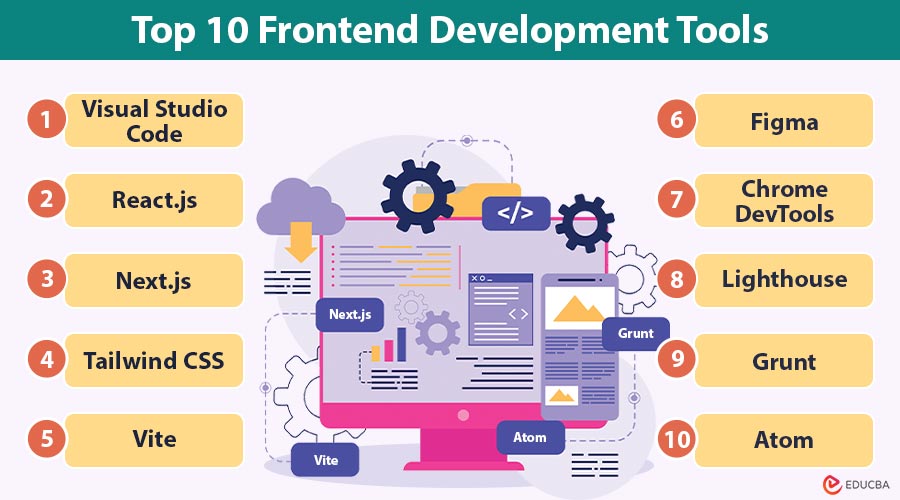
Introduction to Frontend Development Tools
Frontend development tools are software applications or platforms that assist developers in designing, coding, testing, debugging, and deploying the visual and interactive parts of web applications. These tools streamline the development workflow, enabling the creation of efficient, responsive, and user-friendly interfaces.
Why Frontend Development Tools Matter?
The frontend of a website is directly responsible for user interaction and engagement. Without the right tools, developers may struggle with:
1. Managing complex codebases
Frontend tools simplify development by organizing, structuring, and modularizing complex codebases for better maintainability.
2. Ensuring cross-browser compatibility
Tools help detect and fix inconsistencies, ensuring websites perform uniformly across all modern and legacy browsers.
3. Optimizing performance
Performance tools monitor load times, reduce resource usage, and help streamline assets for faster website rendering.
4. Maintaining responsive design
Frameworks and utilities ensure consistent, adaptive layouts across various screen sizes, thereby enhancing usability on both mobile and desktop devices.
5. Automating repetitive tasks
Task runners and build tools automate repetitive processes, such as minification, compilation, and testing, to boost productivity.
Top 10 Frontend Development Tools
Here are the essential tools every frontend developer should know in 2025 to boost productivity and build high-quality web experiences.
#1. Visual Studio Code (VS Code)
VS Code remains the most widely used code editor. It was created by Microsoft and is small and strong, with support for several programming languages and a vast marketplace of extensions.
Key Features:
- IntelliSense (smart code completion)
- Built-in Git integration
- Debugging support
- Extensions for React, Vue, Angular, Tailwind, etc.
Why it is a Top Tool:
Its flexibility, speed, and deep ecosystem make it ideal for both solo developers and large teams.
#2. React.js
React, maintained by Meta, continues to dominate the frontend space in 2025 for building interactive UIs and single-page applications (SPAs).
Key Features:
- Component-based architecture
- Virtual DOM for efficient rendering
- Hooks for state and side-effect management
- Strong ecosystem (Next.js, Redux, etc.)
Why it is a Top Tool:
Its declarative style, reusability, and robust ecosystem make it perfect for scalable web apps.
#3. Next.js
Next.js, built on React, enables developers to build production-ready apps with server-side rendering (SSR), static site generation (SSG), and API routes.
Key Features:
- Hybrid rendering (SSR + SSG)
- Image optimization
- Built-in SEO support
- Middleware and routing
Why it is a Top Tool:
Next.js is ideal for SEO-focused and high-performance web apps, especially content-heavy websites and e-commerce platforms.
#4. Tailwind CSS
Tailwind CSS is a utility-first CSS framework that has revolutionized the way developers write styles. Instead of writing custom CSS, you apply utility classes directly in HTML.
Key Features:
- Mobile-first responsive utilities
- Custom theming with configuration files
- JIT engine for fast builds
- Plugin support
Why it is a Top Tool:
It offers faster UI development with minimal CSS bloat and excellent consistency across designs.
#5. Vite
Vite is a lightning-fast frontend build tool and development server developed by Evan You (creator of Vue.js). It supports native ES modules and modern JS features.
Key Features:
- Hot Module Replacement (HMR)
- Extremely fast dev server
- Out-of-the-box support for Vue, React, Svelte
- Tree-shaking and code splitting
Why it is a Top Tool:
Vite drastically reduces startup and build times, providing a smoother development experience compared to older tools like Webpack.
#6. Figma
Figma is a cloud-based design and prototyping tool that enables frontend developers and designers to collaborate in real-time on UI/UX projects with components, plugins, and developer handoff features.
Key Features:
- Real-time collaboration
- Design components and variants
- Developer handoff tools (CSS, dimensions, etc.)
- Plugins for accessibility, animation, and icons
Why it is a Top Tool:
Its cloud-native collaboration and design-dev handoff features make it indispensable for frontend teams.
#7. Chrome DevTools
Chrome DevTools is a built-in suite in Google Chrome that helps developers inspect elements, debug JavaScript, analyze performance, and optimize frontend code for better usability, speed, and responsiveness.
Key Features:
- Element inspector and CSS debugger
- Console for JS debugging
- Network tab for analyzing requests
- Lighthouse integration for audits
Why it is a Top Tool:
Every frontend developer uses it to fix problems, improve design layouts, and check how well the website works.
#8. Lighthouse
Lighthouse is an open-source, automated tool designed to improve the quality of web pages. It audits performance, accessibility, best practices, and SEO.
Key Features:
- Performance metrics like LCP, FID, and CLS
- Accessibility checks
- SEO suggestions
- PWA compliance
Why it is a Top Tool:
A lighthouse is essential for optimizing user experience and search engine visibility.
#9. Grunt
Grunt is a JavaScript task runner that automates repetitive frontend tasks such as minification, compilation, linting, and testing. Though modern tools like Vite and Webpack have gained popularity, Grunt remains relevant for simpler projects or legacy codebases.
Key Features:
- Automates tasks via configuration (Gruntfile.js)
- Rich plugin ecosystem (over 6,000 plugins)
- Works with CSS preprocessors (LESS, Sass)
- Easily extendable via custom tasks
Why it is a Top Tool:
Grunt boosts productivity for smaller projects needing simple, automated, task-based workflows.
#10. Atom
Atom, developed by GitHub (and open-sourced), is a hackable text editor built with web technologies. Although GitHub slowed Atom’s development after its acquisition by Microsoft (and as VS Code gained popularity), many developers still prefer Atom for its customization and minimal overhead.
Key Features:
- Fully customizable interface and functionality
- Built-in Git and GitHub integration
- A package manager with thousands of plugins
- Teletype for real-time collaboration
Why it is a Top Tool:
Atom is easy to customize and doesn’t use much system power, making it great for developers who like a simple, personalized workspace.
Final Thoughts
Frontend development tools form the foundation of modern web applications. They streamline workflows and ensure sites are fast, responsive, and accessible. Whether you are new to coding or an experienced developer, selecting the right tools can significantly boost productivity and quality. It is critical to stay up to date with the newest technologies and trends as the web continues to change. Start with the fundamentals before implementing project-specific tools.
Frequently Asked Questions (FAQs)
Q1. Is frontend development only about visuals?
Answer: No. While UI/UX is a major focus, frontend developers also handle logic, state management, API integration, accessibility, and performance optimization.
Q2. Are frontend tools free?
Answer: Most popular tools like VS Code, React, Vue, and Chrome DevTools are free and open-source. Some IDEs or design tools may require a subscription.
Q3. Which frontend tools help with SEO?
Answer: Tools like Next.js, Lighthouse, and Chrome DevTools are essential for optimizing frontend applications for better search engine performance.
Q4. Do frontend tools support internationalization (i18n)?
Answer: Absolutely. Libraries like i18next and FormatJS help developers build multilingual interfaces and manage locale-specific content efficiently.
Recommended Articles
We hope that this EDUCBA information on “Frontend Development Tools” was beneficial to you. You can view EDUCBA’s recommended articles for more information.

