


What is Fault Injection?
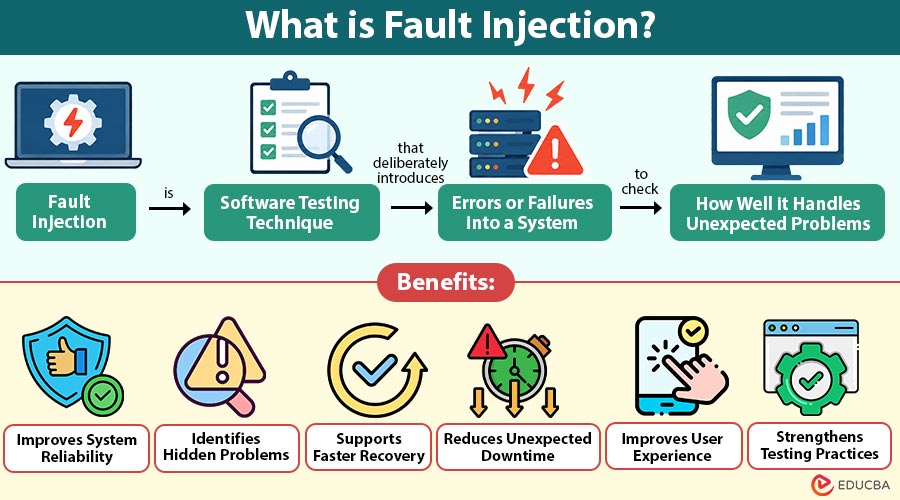
Fault injection is software testing technique that deliberately introduces errors or failures into a system to check how well it handles unexpected problems.
Imagine using a shopping app to order a new pair of shoes. You add product to your cart, enter your address, and proceed to payment. Suddenly, your internet connection stops working.
What happens next?
Does the app save your order details? Does it show a useful error message? Or does it freeze and force you to start again? These are the kinds of situations developers want to understand before customers face them. This is where fault injection becomes useful.
Instead of waiting for something to go wrong, developers deliberately create problems in a controlled testing environment. They might disconnect a network, stop a service, or introduce an error to see how the software responds. The goal is not to damage the system. It is to discover weaknesses and make applications more reliable.
Table of Contents:
Key Takeaways:
- Fault injection helps developers identify software weaknesses by deliberately introducing controlled failures during system testing.
- Testing unexpected failures allows organizations to improve application reliability, recovery processes, and overall system performance.
- Regular fault injection testing helps businesses reduce downtime, protect important data, and improve user experiences.
- Fault injection enables testing teams to evaluate error handling and identify potential system vulnerabilities.
Why is Fault Injection Important?
Software applications do not always work under perfect conditions. Internet connections fail, servers become unavailable, and unexpected errors can interrupt normal operations. Testing only when everything works correctly may leave important problems unnoticed. Fault injection helps developers understand how software behaves when something goes wrong.
For example, a banking application should not process the same payment twice simply because the connection fails during a transaction.
By testing such situations, development teams can identify problems early and improve the way applications handle failures. This is especially important for banking systems, online shopping platforms, healthcare applications, and other services where interruptions can cause serious problems.
How Does Fault Injection Work?
Fault injection involves creating a controlled failure, observing the system’s response, and checking whether it recovers correctly.
1. Select the System
Developers choose the application, service, or component they want to test based on its importance and possible failure risks.
2. Identify Possible Failures
The testing team identifies problems that could occur, such as network interruptions, unavailable servers, delayed responses, or insufficient memory.
3. Introduce a Fault
The team deliberately introduces a selected failure into the testing environment using suitable tools, scripts, or testing methods.
4. Observe System Behavior
Developers monitor how the application responds, including error messages, response times, service availability, and possible data loss.
5. Analyze the Results
The team reviews the results to understand whether the application handled the failure correctly or experienced unexpected problems.
6. Improve the System
Developers fix identified weaknesses and repeat the tests to confirm that the application can handle similar failures more effectively.
Types of Fault Injection
Fault injection can be performed in different ways depending on the system being tested and the problems developers want to simulate.
1. Software Fault Injection
Software fault injection introduces errors into application code or software behavior to understand how the system responds to unexpected conditions.
2. Hardware Fault Injection
Hardware fault injection simulates problems in physical components, such as processors, memory, or storage devices, to evaluate system reliability.
3. Network Fault Injection
Network fault injection creates connection problems, including delays, dropped packets, and temporary disconnections, to test communication between different services.
4. Runtime Fault Injection
Runtime fault injection introduces failures while an application is running, allowing developers to observe how the system responds during normal operations.
Common Fault Injection Techniques
Developers use different techniques to simulate failures and examine how applications respond under difficult conditions.
1. Network Delay Injection
This technique deliberately slows communication between services to check whether applications can handle delayed responses without freezing or losing information.
2. Service Failure Injection
Developers temporarily stop a selected service to determine whether other application components can continue operating or recover after the interruption.
3. Resource Exhaustion
This technique creates controlled shortages of resources, such as memory, processing capacity, or disk space, to examine system behavior.
4. Error Response Injection
Developers force an application or service to return error responses, helping them check whether the software handles unsuccessful requests correctly.
5. Database Failure Injection
Testing teams simulate database connection failures or unavailable database services to examine how applications protect information and manage interrupted operations.
Example
Consider an online shopping website that receives hundreds of customer orders every day.
The website depends on several services, including product listings, payment processing, and order management.
The development team wants to understand what happens if the payment service becomes unavailable.
1. The team prepares a controlled testing environment that behaves like the actual shopping website.
2. A test customer adds products to the shopping cart and proceeds to payment.
3. The testing team deliberately makes the payment service unavailable.
4. The application displays a message explaining that payment cannot be completed at the moment.
5. The customer can try again without losing the shopping cart information.
6. Developers check whether the application avoided duplicate payments and maintained accurate order records.
If the website handles the situation correctly, the test provides useful evidence of its reliability. If the application crashes or creates incorrect orders, developers can investigate the problem before it affects actual customers.
Applications of Fault Injection
Fault injection is useful across different industries where software reliability and service availability are important.
1. Banking Applications
Banks use fault injection to examine how payment systems handle interrupted transactions, unavailable services, and unexpected communication failures.
2. Cloud Computing
Cloud teams test how applications respond when servers, containers, or cloud services become temporarily unavailable during normal operations.
3. E-Commerce Websites
Online retailers use fault injection to check whether shopping carts, payment services, and order systems can handle unexpected failures.
4. Healthcare Systems
Healthcare software teams test system responses to service interruptions and communication failures that could affect access to important information.
5. Mobile Applications
Mobile developers simulate poor network connections and unavailable services to understand how applications behave under difficult conditions.
Benefits of Fault Injection
Fault injection helps development teams identify weaknesses and improve software behavior before unexpected failures affect users.
1. Improves System Reliability
By testing possible failures, developers can identify weaknesses and make applications more dependable during unexpected problems.
2. Identifies Hidden Problems
Some software issues appear only when services fail or resources become unavailable. Fault injection helps uncover these problems.
3. Supports Faster Recovery
Testing recovery processes helps teams understand whether applications can return to normal operation after an interruption.
4. Reduces Unexpected Downtime
Finding and fixing weaknesses before deployment can reduce the risk of service interruptions caused by common failures.
5. Improves User Experience
Applications that handle errors properly can provide clearer messages and prevent users from losing important information.
6. Strengthens Testing Practices
Fault injection allows testing teams to examine unusual situations that may not appear during regular software testing.
Challenges of Fault Injection
Although fault injection offers several benefits, it also introduces challenges that testing teams must manage carefully.
1. Complex Testing Setup
Some applications depend on multiple services, making it difficult to create realistic failures without affecting other components.
2. Risk of System Disruption
Poorly planned tests may interrupt services or affect users if failures are introduced into live environments.
3. Difficulty Reproducing Failures
Certain problems depend on timing, network conditions, or system activity, making them difficult to reproduce consistently.
4. Additional Testing Costs
Fault injection may require specialized tools, monitoring systems, and extra testing time, increasing development and maintenance expenses.
5. Understanding Test Results
Developers must carefully examine logs and system behavior to determine whether failures were handled correctly.
Difference Between Fault Injection and Chaos Engineering
The table below highlights the differences between the two:
| Basis | Fault Injection | Chaos Engineering |
| Meaning | Introduces controlled faults into a system. | Uses experiments to study system resilience. |
| Main Focus | Testing responses to specific failures. | Understanding overall system behavior during disruptions. |
| Scope | Often targets individual components or services. | Often examines interactions across multiple services. |
| Example | Simulating a database connection failure. | Testing how an application behaves when several services become unavailable. |
| Objective | Identify weaknesses in failure handling. | Build confidence in system resilience. |
Final Thoughts
Fault injection helps developers test how software responds to unexpected failures. By introducing controlled errors, teams can identify weaknesses, improve recovery processes, and prevent serious problems. It is useful for banking applications, shopping websites, and cloud services. Regular fault injection testing helps businesses build reliable systems and deliver better user experiences.
Frequently Asked Questions (FAQs)
Q1. When should developers perform fault injection testing?
Answer: Developers can perform fault injection during development, before major releases, and after important system changes. Regular testing helps identify newly introduced weaknesses.
Q2. How long does a fault injection test take?
Answer: Testing duration depends on the application’s complexity and the failure being simulated. Simple tests may take minutes, while complex experiments require more time.
Q3. What should developers check after completing a fault injection test?
Answer: Developers should review system logs, error messages, recovery time, data accuracy, and application performance. These findings help determine whether improvements are necessary.
Q4. Can fault injection testing guarantee that software will never fail?
Answer: No, fault injection cannot guarantee completely error-free software. However, it helps developers understand possible failures and improve application reliability under unexpected conditions.
Recommended Articles
We hope that this EDUCBA information on “Fault Injection” was beneficial to you. You can view EDUCBA’s recommended articles for more information

