


Eliminating Wi-Fi Dead Zones: Overview
Few things are more frustrating than losing your Wi-Fi signal during a video call, streaming, or online gaming. Wi-Fi dead zones—areas in your home where the internet connection disappears—are common, especially in larger houses or buildings with thick walls. But do not worry! You do not need to be a tech expert to fix this. With some easy tips and the right tools, you can start eliminating Wi-Fi dead zones and enjoy smooth, reliable internet everywhere in your home.
Understand What Causes Dead Zones
Before resolving the issue, it is important to identify its root cause. Dead zones often result from:
- Router placement: Putting your router in a corner, near metal objects, or inside a cabinet weakens the signal.
- Interference: Microwaves, cordless phones, and even thick walls can block or degrade Wi-Fi.
- Outdated hardware: Older routers may lack the power and technology to cover your entire home.
- Large or oddly shaped spaces: Signals weaken as they travel farther from the router, especially in homes with multiple floors or complex layouts.
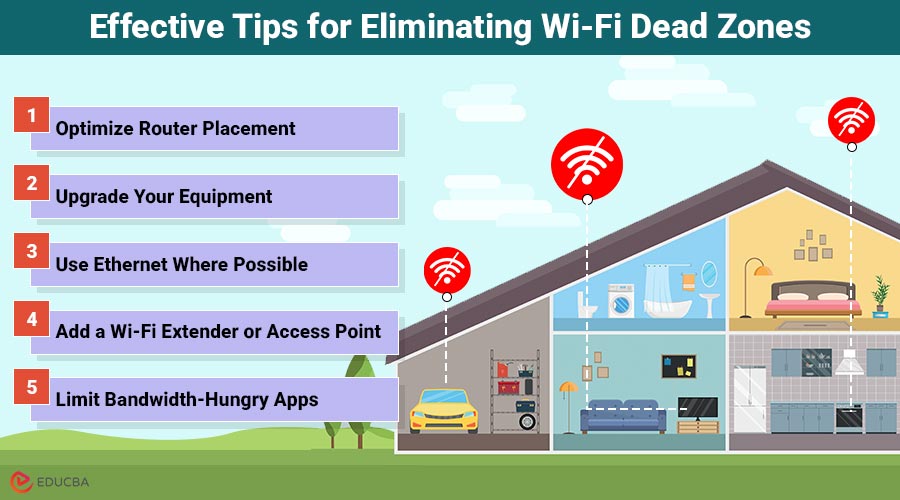
Effective Tips for Eliminating Wi-Fi Dead Zones
If you are dealing with weak Wi-Fi signals in certain parts of your home, here are some simple and effective ways to start eliminating Wi-Fi dead zones:
1. Optimize Router Placement
Start by moving your router to a central, elevated location, free of obstructions. Avoid placing it near metal furniture, TVs, or in enclosed spaces like cupboards. The more open the area around your router, the better it can distribute signals throughout your home.
2. Upgrade Your Equipment
If your router is several years old, it might be time for an upgrade. Newer routers offer better coverage, faster speeds, and advanced features that improve connectivity. If you have a larger home or want seamless coverage across multiple floors, consider a mesh Wi-Fi system. These systems use multiple devices (nodes) to spread the signal evenly, reducing or eliminating dead zones. One excellent option is a system that supports the latest standard, Wi-Fi 7. This technology brings faster speeds, lower latency, and better performance in congested areas—ideal for smart homes with many connected devices.
3. Use Ethernet Where Possible
While Wi-Fi is convenient, some devices—like desktop computers, gaming consoles, or streaming boxes—benefit from a wired connection. If your router is nearby, plug those devices in with an Ethernet cable. This frees up bandwidth for your wireless devices and ensures more stable performance.
4. Add a Wi-Fi Extender or Access Point
In some cases, a mesh system might be more than you need. A more budget-friendly alternative is a Wi-Fi extender or access point, which boosts the signal to areas your main router can not reach. Remember, placement is key—position the extender halfway between your router and the dead zone to achieve optimal performance.
5. Limit Bandwidth-Hungry Apps
Even with a strong signal, multiple devices streaming 4K video or downloading large files can slow your network down. Use your router’s settings to prioritize essential devices and limit non-urgent background usage. Many modern routers offer user-friendly apps for this purpose.
Final Thoughts
Eliminating Wi-Fi dead zones does not have to be a costly or complicated task. With thoughtful router placement, strategic equipment upgrades, and minor adjustments to usage habits, you can transform your home into a fully connected, dead-zone-free environment. Start with the basics, and do not hesitate to invest in newer technology if your needs demand it. After all, a strong connection is not a luxury anymore—it is a household essential.
Recommended Articles
We hope this guide on eliminating Wi-Fi dead zones helps you achieve stronger, more reliable internet coverage throughout your home or office. Explore these recommended articles for more tips and solutions to optimize your wireless network.


