


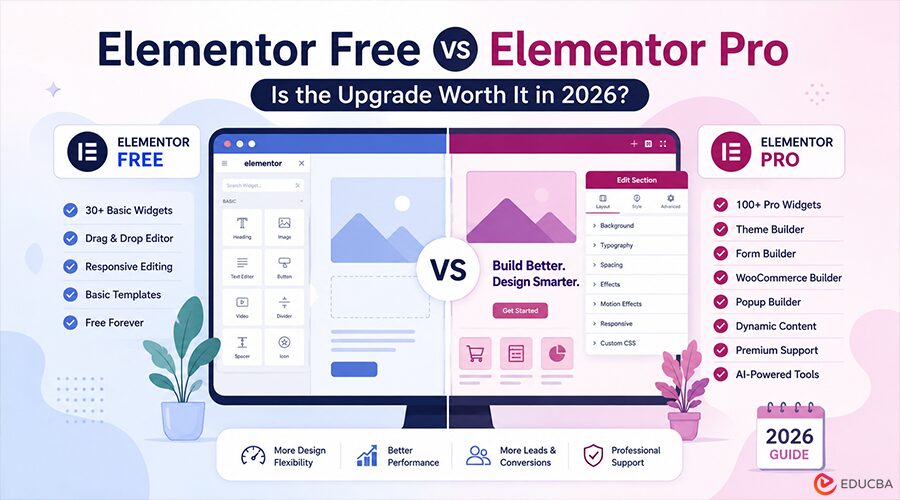
In 2026, WordPress development is becoming increasingly streamlined, largely due to advances in visual site builders. In the middle of this transformation is Elementor with more than 16 million active installations.
Elementor remains one of the most widely used page builders for WordPress. However, beginners, small-business owners, and freelance developers often face the same question: Elementor Free vs Elementor Pro, which version is right for your website?
Knowing the difference between Elementor Free Pro and Elementor Pro does not have to be just a matter of counting widgets. It is now all about AI-driven workflows, advanced theme design, and automated marketing.
This guide compares Elementor Free vs Elementor Pro, reviews Elementor Pro pricing plans, and helps you decide whether upgrading is worth it for your website in 2026.
The Landscape of Elementor in 2026
By 2026, Elementor will not just be an application; it will be an entire design platform. If you are interested in the difference between Elementor Free Pro, the free version will continue to offer a broad set of features; however, the difference between Elementor Free and the paid version is growing as web design standards evolve.
Modern websites need more than a “nice layout”; they require high-performance containers (Flexbox and Grid), interactive content, and thorough integration with search engine algorithms.
The free version includes the fundamental “bricks,” but the Pro version includes the “engine,” the “architect,” and the “engine.”
Elementor Free vs Elementor Pro: Which Should You Choose in 2026?
Elementor Free: What $0 Gets You
The free version of Elementor remains among the strongest tools available in the WordPress repository. The tool lets users make individual pages by using the drag-and-drop feature.
Key Features of Elementor Free:
- Drag-and-Drop Editor: The core interface is identical to that of the Pro version. The same smooth live editing experience in real-time.
- Basic Widgets: Users have access to around 30 standard widgets, including headings, photos, text editor buttons, videos, and spacers.
- Flexbox Containers: By 2026, the section/column layout was completely replaced with Containers. Free users have access to these top-performing design tools.
- Responsive Editing: You can still tweak your website for tablet, mobile, and desktop viewing.
- Template Library (Limited): A few basic block and page templates are available to help you get started.
The Catch: When you use the trial version, you are limited by the “content area” of your site. It is not possible to use Elementor to design your homepage, footer, or blog archives. In those areas of the site, you depend on the default settings of your WordPress theme.
The Core Difference Between Elementor Free and Pro
The Elementor Free vs Elementor Pro becomes clear when you move from building individual pages to creating a complete branded website.
1. The Theme Builder (The Ultimate Game Changer)
On the free version of the site, you will notice that your footer and header are controlled by the theme you have chosen (such as Astra or Hello). If your theme does not allow you to center an image or change your menu layout, you are stuck.
Elementor Pro gives you the Theme Builder. It lets you design the entire layout of your site:
- Global Headers and Footers
- Simple Post Templates (how your blog will appear)
- Archive Pages (your blog’s listing or page for the category)
- Search Results Pages
- 404 Error Pages.
2. The Form Builder
In 2026, data collection will be essential. Free users usually need to install an additional plugin, such as Contact Form 7 or WPForms, to collect leads.
Elementor Pro includes a powerful integrated Form Builder.
It is compatible with multi-step form uploads and with marketing tools such as Mailchimp, GetResponse, and Zapier. This means there is no need to install additional plugins, and it reduces website bloat.
3. WooCommerce Builder
For those who run an online shop, the free edition is not sufficient. Elementor Pro pricing plans include features that let designers create your shop page, product Single pages, and the Checkout and Cart pages. Create a “Buy Now” experience that is uniquely your business.
4. Dynamic Data and Custom Fields
This is when the difference between Elementor Free and Elementor Pro becomes evident to programmers. Elementor Pro can pull data from Custom Fields (using ACF or Meta Box). If you are building a real estate website or directory, you could create a template once and have it populate the relevant details for every listing.
5. Pro Widgets and Elements
Although Free offers 30 widgets, Pro offers more than 100. It includes:
- Posts Widget: Display your blog’s feed in a stunning design
- Gallery and Portfolio: Advanced filtering to help you create your own work
- Price: Tables and lists are essential to service-based companies
- Countdown Timers and Lottie Animations: To improve the conversion rate
- Global Widgets: Edit a widget on one site. It is updated across your entire website.
Elementor Pro Pricing Plans in 2026
One of the major aspects to consider in debates like the “Is it worth it?” The argument is the price. Elementor has streamlined its structure in the past couple of years. The following are the price plans for Elementor Pro, as of 2026:
- The Essential Plan
- Cost: $59 USD / year
- Limit: 1 Website
- Best for: Solo bloggers, portfolio websites, and small business owners who need a single professional website. This includes the entire set of Pro widgets and the Theme Builder.
- The Advanced Plan
- Cost: $199 USD / year
- Limit: 3 Websites
- Best for: Small businesses with just a couple of various brands, or freelancers with high-end skills.
- The Expert Plan
- Cost: $199 USD per year
- Limit: 25 Websites
- Best For: It is the “sweet spot” for most freelance web developers. In this case, the price per website is reduced to around $8 a year. That makes the site extremely valuable.
- The Agency Plan
- Cost: $ 399 USD per year
- Limit: 50-100 Websites
- Best For: Established agencies. The most common plan is “Priority VIP Support,” which ensures technical issues are resolved in minutes, not hours.
Notice: Elementor also offers “Elementor Hosting” plans starting at about $10 per month that include a free Pro license.
Elementor Free vs Elementor Pro: Which One Should You Choose?
In 2026, the difference between Elementor Free and Elementor Pro will no longer be an expense; it will be the distinction between a “standard” site and a “bespoke” professional presence.
Upgrade to Elementor Pro if:
- You would like total control over the header, footer, and blog template.
- There are built-in, reliable forms as well as pop-ups.
- You run a WooCommerce store.
- You are looking to use AI to accelerate the design and development process.
- Your goal is to eliminate the need for five third-party plugins.
Keep with Elementor Free if you:
- It is a limited budget, and your current theme handles the header and footer the way you are happy with.
- There is only one thing: you have to create only one “About Me” or “Landing Page,” and you do not have to worry about international site designs.
Final Thoughts
The Elementor Free vs Elementor Pro comparison is no longer only about the number of widgets available.
Elementor Free is a strong option for beginners and users creating simple pages. Elementor Pro is better for business websites, online stores, professional portfolios, marketing websites, and client projects that need complete design control.
Although Elementor Pro pricing plans may change over time, the value comes from the Theme Builder, Form Builder, WooCommerce Builder, dynamic content features, advanced widgets, and AI-powered workflows.
For many users, Elementor Pro can be a cost-effective way to build professional WordPress websites without relying on expensive custom development.
Frequently Asked Questions (FAQs)
Q1. What are the consequences if I do not pay the Elementor Pro fee?
Answer: Your site will remain active and appear similar; however, you will lose the ability to modify the Pro Widgets, Headers, and Footers. Also, you will not have access to security upgrades, new technologies, or technical support.
Q2. Are local or staged sites counted towards my plan’s website limitation?
Answer: No. Installs made on localhost or other recognized staging environments (such as staging.domain.com) generally do not count toward your activation limit, allowing users to create and test in private.
Q3. Do third-party “Pro” add-ons eliminate the requirement to purchase Elementor Pro?
Answer: The only exception is that they are part-time. Although third-party plugins may include new widgets in the Free version, they cannot access the default Elementor Theme Builder, WooCommerce Builder, or worldwide forms management.
Q4. Do I have the ability to import the Elementor Pro template to my Elementor Free site?
Answer: It is possible to import the file. However, any specific Pro-specific widgets (like Forms and Sliders) and other features (like Custom CSS) will disappear or will appear empty on the free site.
Q5. What is the best way to give a license back to a new client once the project has been completed?
Answer: You can deactivate the website via your account and let clients connect using their own license code. The site’s design remains unchanged, and only the account is responsible for any billing updates or changes.
Recommended Articles
Explore practical WordPress website-building tips, from choosing the right themes and plugins to improving design flexibility and site performance. Discover more insights on creating professional, conversion-focused websites with Elementor and other visual design tools.

