
What are Core Web Vitals?
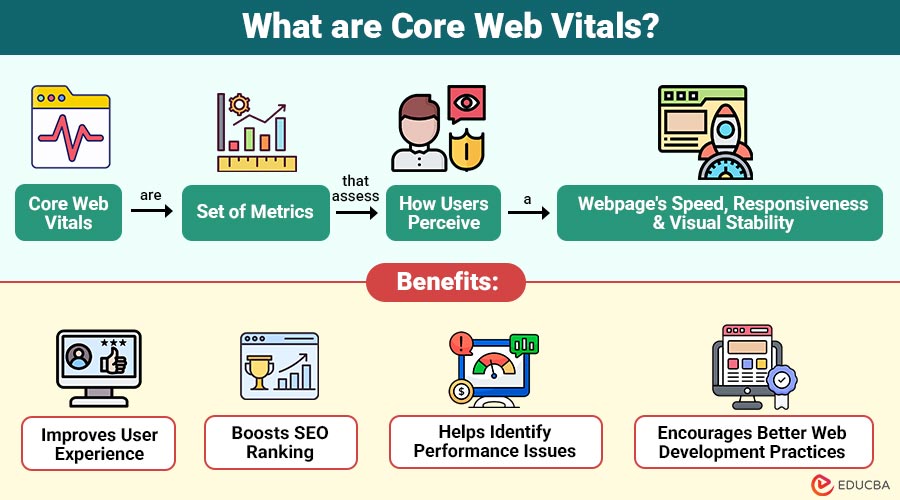
Core Web Vitals are set of metrics that assess how users perceive a webpage’s speed, responsiveness, and visual stability.
They focus on three key aspects:
- Loading performance
- Interactivity
- Visual stability
These metrics assist website owners in understanding user perceptions of their site and pinpointing areas that want improvement.
Table of Contents:
- Meaning
- Importance
- Metrics
- Tools
- How to Improve Core Web Vitals?
- Common Issues
- Real-World Examples
- Benefits
- Limitations
- Best Practices
Key Takeaways:
- Core Web Vitals measure user experience, focusing on metrics for loading speed, interactivity, and visual stability.
- Improving Core Web Vitals enhances SEO rankings, user engagement, and overall website performance significantly over time.
- Optimizing requires balancing performance improvements with priorities for design, functionality, and user experience.
- Regular monitoring, optimization techniques, and best practices are essential for maintaining strong Core Web Vitals scores.
Why are Core Web Vitals Important?
Here are the key reasons why Core Web Vitals are important for website performance and user satisfaction:
1. Better User Experience
Fast, stable websites make navigation simple, reduce frustration, improve usability, and provide a smooth, enjoyable browsing experience for all visitors.
2. Improved SEO Rankings
Core Web Vitals are important ranking factors used by Google, so better performance improves visibility and helps websites rank higher in search results.
3. Lower Bounce Rate
When websites load quickly and function smoothly, users stay longer, engage more, and are less likely to leave immediately, reducing bounce rates.
4. Higher Conversion Rates
A fast, seamless experience builds trust, keeps users engaged, and increases the chances of completing actions such as purchases, sign-ups, or form submissions.
Core Web Vitals Metrics
There are three main metrics:
1. Largest Contentful Paint (LCP)
Largest Contentful Paint measures loading performance by measuring how long the largest visible element, such as an image or text block, takes to render completely for users.
- Ideal score: Under 2.5 seconds
- Poor score: Above 4 seconds
2. First Input Delay (FID)
First Input Delay measures responsiveness by measuring the time between user interaction, such as a click or tap, and the browser’s response, clearly indicating the interactivity performance of websites.
- Ideal score: Less than 100 milliseconds
- Poor score: More than 300 milliseconds
3. Cumulative Layout Shift (CLS)
Cumulative Layout Shift measures visual stability by quantifying unexpected movement of page elements during loading that causes layout changes and degrades the user experience.
- Ideal score: Less than 0.1
- Poor score: More than 0.25
Tools to Measure Core Web Vitals
You can measure using the following tools:
1. Google PageSpeed Insights
Provides detailed performance reports, highlights Core Web Vitals metrics, and suggests practical improvements to enhance website speed, stability, and overall user experience.
2. Google Search Console
Displays data for all website pages, helping identify issues, track improvements, and monitor overall site performance over time.
3. Lighthouse
An automated auditing tool that evaluates web page quality, including performance, accessibility, and Core Web Vitals, offers actionable recommendations for improvement.
4. Chrome DevTools
Built into the browser, it helps developers analyze performance, debug issues, and measure Core Web Vitals directly during real-time website testing.
How to Improve Core Web Vitals?
Here are effective ways to optimize and enhance overall website performance:
1. Improve LCP (Loading Speed)
- Optimize images (use WebP format)
- Use a Content Delivery Network (CDN)
- Enable lazy loading
- Reduce server response time
2. Improve FID (Interactivity)
- Minimize JavaScript execution
- Break long tasks into smaller ones
- Use browser caching
- Reduce third-party scripts
3. Improve CLS (Visual Stability)
- Set size attributes for images and videos
- Avoid inserting content above existing content
- Use stable fonts
- Reserve space for ads and embeds
Common Issues Affecting Core Web Vitals
Here are some common factors that negatively impact performance and overall website user experience:
1. Slow Hosting Servers
Slow hosting servers increase page load times, delay content rendering, and significantly impact overall website performance and user experience.
2. Heavy Images and Videos
Large, uncompressed images and videos take longer to load, slowing pages and affecting user experience and Core Web Vitals scores.
3. Too many Plugins or Scripts
Excessive plugins or scripts increase page load time, create conflicts, and reduce website performance, negatively affecting Core Web Vitals metrics.
4. Poor Coding Practices
Inefficient or messy code increases load time, causes delays, and makes websites less responsive, significantly harming Core Web Vitals performance.
5. Unoptimized CSS and JavaScript
Unoptimized CSS and JavaScript files block rendering, increase load time, and reduce website speed, negatively affecting Core Web Vitals scores.
Real-World Examples
Here are practical examples showing how improving Core Web Vitals can enhance website performance and user outcomes:
1. E-Commerce Website
An online store improves its load speed by optimizing images and reducing the number of scripts. Result:
- Faster LCP
- Increased conversions
2. News Website
A news site reduces layout shifts by fixing image sizes. Result:
- Better CLS score
- Improved user engagement
Benefits of Core Web Vitals
Here are the benefits that improve website performance and user satisfaction:
1. Improves User Experience
Improve loading speed, visual stability, and responsiveness, making websites smoother and more enjoyable for users to navigate.
2. Boosts SEO Ranking
Better scores help websites rank higher in search engines, thereby increasing visibility, traffic, and overall organic reach.
3. Helps Identify Performance Issues
They highlight slow-loading elements, layout shifts, and responsiveness problems, helping developers quickly find and fix performance-related website issues.
4. Encourages Better Web Development Practices
Promotes optimized coding, efficient design, and performance-focused development, leading to faster, more reliable, and user-friendly websites.
Limitations of Core Web Vitals
Here are the key limitations that may impact implementation and optimization efforts:
1. Requires Technical Knowledge
Improving requires strong technical skills in coding and performance optimization, as well as an understanding of web development tools and analytics.
2. Continuous Monitoring Needed
Requires ongoing tracking and evaluation, as website performance can change frequently with updates, content additions, and user behavior.
3. Optimization can be Time-Consuming
Enhancing involves detailed analysis, debugging, asset optimization, and testing, which often requires significant time and development effort.
4. Trade-offs with Design or Features
Improving performance may reduce visual complexity or remove features, creating a balance challenge between speed, usability, and design creativity.
Best Practices for Core Web Vitals
Here are effective practices to improve and ensure better website performance and user experience:
1. Use Lightweight Website Design
Use simple layouts, minimal elements, and optimized assets to reduce load time and improve overall website performance and user experience.
2. Optimize Mobile Performance
Use responsive design, optimized pictures, and effective coding techniques for smaller displays to make sure your website runs quickly on mobile devices.
3. Monitor Performance Regularly
Continuously track metrics using tools, identify issues early, and make necessary improvements to maintain consistent website performance.
4. Use Modern Web Technologies
Adopt modern frameworks, efficient coding techniques, and updated technologies to effectively enhance the speed, stability, and overall performance of your website.
5. Prioritize User Experience over Heavy Visuals
Focus on usability and speed rather than heavy graphics to ensure consistently smooth interactions, faster load times, and better user engagement.
Final Thoughts
Core Web Vitals are important for delivering a fast, responsive, and user-friendly website. By focusing on metrics like LCP, FID, and CLS, businesses can improve both user experience and search engine rankings. Optimizing these metrics may require effort, but the long-term benefits—higher engagement, better SEO performance, and increased conversions—make it worthwhile.
Frequently Asked Questions (FAQs)
Q1. Are core web vitals important for SEO?
Answer: Yes, they are a ranking factor used by Google to evaluate user experience.
Q2. How often should we check core web vitals?
Answer: We should monitor them regularly, especially after website updates.
Q3. Do core web vitals apply to all websites?
Answer: Yes, they are relevant for all types of websites, including blogs, e-commerce, and business sites.
Recommended Articles
We hope that this EDUCBA information on “Core Web Vitals” was beneficial to you. You can view EDUCBA’s recommended articles for more information.

