
Introduction to Content Creation Tools
Content creation tools are software solutions designed to assist individuals and teams in producing various types of digital content such as text, images, animations, audio, and videos. These tools streamline the content development process by offering features for writing, designing, editing, and publishing, enabling creators to work more efficiently, maintain high quality, and effectively engage their audience across multiple platforms.
Table of Contents:
- Introduction
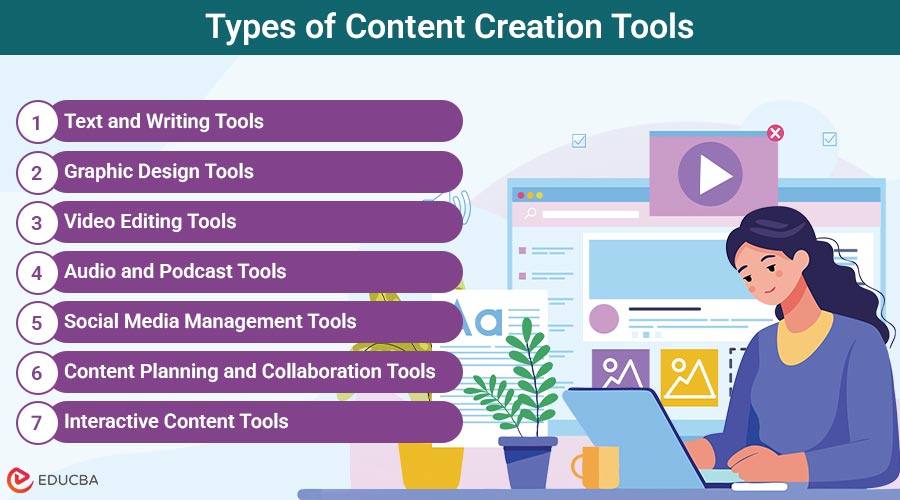
- Types of Content Creation Tools
- Benefits of Using Content Creation Tools
- How to Find the Perfect Content Creation Tool?
Types of Content Creation Tools
Content creation tools come in various forms, tailored to meet the needs of different media, formats, and audiences. Here are the major types and their key tools:
#1. Text and Writing Tools
These tools assist with grammar correction, tone adjustment, SEO optimization, and overall content clarity, enhancing written communication for blogs, emails, academic papers, and marketing copy.
Popular Tools:
- Grammarly – Real-time grammar and tone checker.
- Hemingway Editor – Improves clarity and readability.
- Jasper AI – AI-powered writing assistant for marketing content.
- SurferSEO – Optimizes written content for search engines.
#2. Graphic Design Tools
Graphic design tools empower users to create visually compelling content, such as logos, social media posts, infographics, and presentations, through templates, advanced editing features, and intuitive interfaces.
Popular Tools:
- Canva – Drag-and-drop graphic design platform with thousands of templates.
- Adobe Creative Cloud (Photoshop, Illustrator) – Professional-grade design tools.
- Figma – UI/UX design and collaboration software.
- Crello – Similar to Canva, with animated graphics support.
#3. Video Editing Tools
These tools enable creators to edit, enhance, and produce video content, ranging from short-form clips to professional-quality films, suitable for social media, YouTube, and marketing campaigns.
Popular Tools:
- Adobe Premiere Pro – Professional video editing software.
- Final Cut Pro – Preferred by Apple users for cinematic video editing.
- CapCut – Easy-to-use video editing for social platforms.
- Description – Edit videos using text transcripts; great for podcasters and educators.
#4. Audio and Podcast Tools
Audio tools are designed for recording, editing, and publishing high-quality sound content, ideal for podcasts, music production, voiceovers, and storytelling in multimedia formats.
Popular Tools:
- Audacity – Free and open-source audio editor.
- GarageBand – Music and audio production software for macOS/iOS.
- Anchor by Spotify – All-in-one podcasting platform.
- Adobe Audition – Professional-grade audio editor.
#5. Social Media Management Tools
By streamlining social media scheduling, audience interaction, content curation, and analytics, these solutions help creators and companies stay active and consistent across all platforms.
Popular Tools:
- Buffer – Schedule and analyze social media posts.
- Hootsuite – All-in-one social media management dashboard.
- Later – Visual Instagram planner with scheduling.
- Metricool – Combines analytics, planning, and automation.
- Carousify – Creating carousel, scheduling posts, and LinkedIn analytics.
#6. Content Planning and Collaboration Tools
Planning and collaboration tools improve team productivity by organizing content workflows, assigning tasks, tracking deadlines, and centralizing documentation—all within a shared digital workspace.
Popular Tools:
- Trello – Visual task board for managing workflows.
- Notion – All-in-one workspace for notes, docs, databases, and more.
- Airtable – Spreadsheet-database hybrid for content calendars.
- Asana – Task and project management for teams.
#7. Interactive Content Tools
Interactive tools enable creators to develop quizzes, surveys, polls, and calculators that engage users, gather valuable insights, and generate leads through immersive, audience-participation content.
Popular Tools:
- Typeform – Elegant forms and surveys.
- Outgrow – Interactive calculators, polls, and quizzes.
- Interact – Easy-to-build lead generation quizzes.
Benefits of Using Content Creation Tools
Here are the top benefits of incorporating content creation tools into your workflow:
1. Increased Efficiency
Content creation tools streamline workflows by automating repetitive tasks, reducing manual work, and allowing creators to dedicate more time to strategy and high-value creative tasks.
2. Consistent Quality
Built-in templates, design standards, and AI suggestions help maintain a uniform tone, style, and visual identity across various content formats, enhancing professionalism and brand consistency.
3. Time Saving
These tools accelerate content production by offering quick drafting, editing, and publishing capabilities, significantly reducing the time spent on revisions and manual formatting tasks.
4. Improved Collaboration
Cloud-based platforms support real-time collaboration, enabling teams to work together seamlessly, provide instant feedback, and stay organized, even when working remotely or across time zones.
5. Cost-Effective
Freemium plans and bundled features make content creation tools more affordable, reducing the need to outsource services like design, editing, or SEO, thereby saving business expenses.
6. SEO and Analytics
Many tools come with built-in SEO optimizers and analytics dashboards, helping users enhance visibility, choose the right keywords, and track performance metrics efficiently over time.
How to Find the Perfect Content Creation Tool?
When selecting content creation tools, consider the following criteria:
1. Purpose of Content
Identify the type of content you are creating—such as blogs, videos, social media, or interactive formats—to choose specialized tools accordingly.
2. Skill Level
Select tools that match your expertise—simple platforms like Canva for beginners, or advanced suites like Adobe for professionals.
3. Budget
Check how much money you can spend. Choose tools that are free, have a trial version, or offer affordable plans that fit your budget.
4. Integration
To improve workflow, ensure the tool integrates seamlessly with the systems you already have, such as marketing software, CRM, or CMS.
5. Collaboration Needs
If working in teams, prioritize tools like Figma or Notion that support real-time editing and seamless collaboration among members.
Final Thoughts
In today’s digital world, content creation tools are essential for both creators and marketers. They streamline tasks, boost quality, and enhance collaboration. Start with free tools, explore options, and upgrade as your needs evolve. As content becomes more multimedia-driven and automated, having the right tools ensures you stay competitive and efficient in the ever-changing content landscape.
Frequently Asked Questions (FAQs)
Q1. What is the best all-in-one content creation tool?
Answer: Canva is often considered the best all-in-one design tool for creating graphics, videos, social media posts, and templates.
Q2. Are there free content creation tools?
Answer: Yes, tools like Grammarly Free, Canva Free, Audacity, and Trello offer powerful features at no cost.
Q3. Can content creation tools help with SEO?
Answer: Yes, tools such as SurferSEO, Jasper AI, and Yoast SEO are useful for enhancing content with SEO best practices and improving search engine visibility.
Q4. Do these content tools require internet access?
Answer: Most modern content creation tools are cloud-based, requiring an internet connection, though some offer offline capabilities.
Recommended Articles
We hope that this EDUCBA information on “Content Creation Tools” was beneficial to you. You can view EDUCBA’s recommended articles for more information.


