


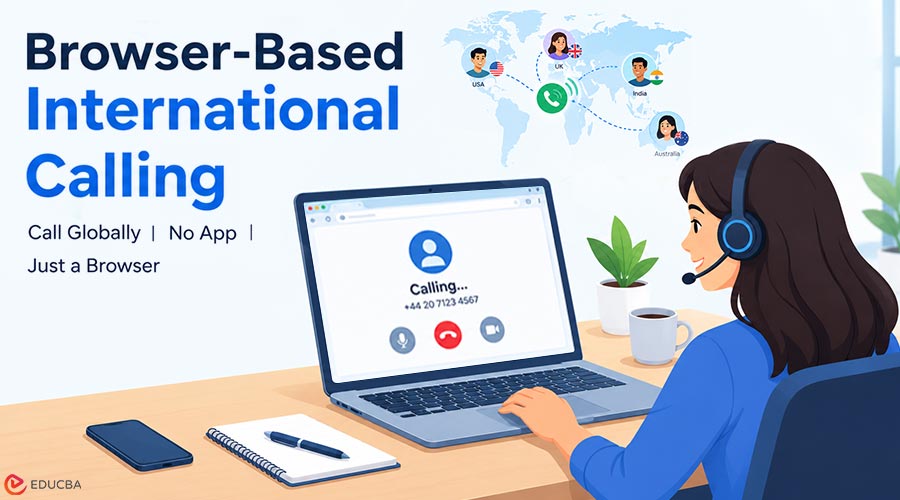
International communication used to mean choosing between expensive carrier calls, international roaming, and applications that worked only when both people installed the same software. Today, browser-based international calling lets you make a voice call from a web browser to a regular mobile or landline number. The recipient answers on their regular phone and doesn’t need to open a matching app.
This guide explains the underlying technology, the role of virtual numbers, practical pricing models, security considerations, and the questions worth asking before making an international call online.
What Is Browser-Based International Calling?
Browser-based international calling lets you initiate a voice call from a website instead of using a cellular dialer or an installed calling app. In a typical setup, the caller opens a browser, signs into a calling service, allows microphone access, enters a phone number with its country code, and starts the call.
The service sends the caller’s audio across the internet. A telecommunications provider then connects the call to the public telephone network so it can reach the recipient’s mobile or landline. From the recipient’s perspective, the experience is familiar: their phone rings and they answer normally.
That final connection is what separates calling a real phone number from an app-to-app voice conversation. App-to-app services can be convenient and inexpensive when both parties are online. Browser-to-phone calling solves a different problem: contacting people who may have no reason to install your preferred communication software.
It is especially valuable when you need to reach a clinic, supplier, client, university office, or family member using the number they already publish or use.
How VoIP and WebRTC Make Browser Calling Possible?
Two technologies help explain the experience: Voice over Internet Protocol (VoIP) and Web Real-Time Communication (WebRTC). They are related, but they are not interchangeable.
VoIP is the broader method of carrying voice communications over internet-based networks. Instead of sending the entire conversation through a traditional circuit-switched path, a VoIP system represents voice as digital information that can travel across an IP network. Providers manage call signaling, routing, and connections to telephone carriers as needed.
WebRTC is a set of browser technologies for real-time audio, video, and data. It lets a website request microphone access, establish a live communication session, and transport media without requiring a browser plug-in. Developers can find an overview in the WebRTC documentation.
For a browser-to-phone call, the journey generally follows five stages:
- The user opens a secure web dialer and authorizes microphone access.
- The application establishes a real-time audio session using browser communication technologies.
- A calling platform receives the session and determines the requested destination.
- A carrier or telephone-network gateway connects the call to the destination number.
- The recipient answers on their regular device, while audio travels between the browser, service, and telephone network.
The connection is not necessarily peer-to-peer all the way to the recipient. A call involving a conventional phone number normally relies on carrier infrastructure, and the provider may charge for that portion of the connection. Audio quality also depends on the caller’s network, equipment, routing, and the destination carrier.
Browser Calling vs. Regular Mobile Calling vs. App-to-App Calling
These methods can look similar to the person making a call, but they solve different problems.
| Feature | Browser-to-phone calling | Regular mobile calling | App-to-app calling |
| Caller needs a physical SIM | Usually no | Usually yes, or an eSIM | Not necessarily |
| Recipient needs the same app | No | No | Usually yes |
| Can call ordinary landlines | Yes, if supported | Yes, depending on plan | Usually not without a paid gateway |
| Uses an internet connection at caller’s end | Yes | Not always | Yes |
| Typical charging model | Per minute or bundle | Carrier plan or roaming rate | Often free within the same app |
| Works without internet at caller’s end | No | Often yes, with cellular coverage | No |
What Is a Virtual Phone Number?
A virtual phone number is a telephone number whose incoming communications are routed through a service rather than being tied exclusively to a physical SIM in the user’s device. The number still has a recognizable country code and can function as a public contact point, but calls and messages may arrive in an online dashboard or configured application.
For example, a freelancer based in one country might rent a UK number to receive inquiries from UK clients. The client dials a normal UK-format number, and the freelancer answers through the supported service while connected to the internet. An international student might similarly keep a home-country contact number without carrying another phone.
Virtual numbers are not all alike. Some support voice only; others support SMS, outbound caller identification, or forwarding. Availability may depend on geography, local regulations, identity verification, and the number type. A service might offer local, national, mobile, or toll-free numbers, each with different conditions.
A virtual phone number without a SIM card allows users to handle calls and messages online without needing a physical SIM card.
The critical point is to verify which capabilities are active for the exact country and number you want. A country appearing in a provider’s calling-destination list does not necessarily mean that a local number can be rented there.
Five Practical Benefits of Calling International Numbers From a Browser
1. Less Setup and Fewer Devices
A browser dialer eliminates the need to install a dedicated softphone or carry an extra handset. With a compatible browser, microphone, and stable connection, users can start from a familiar device. This is convenient for occasional callers and distributed teams with different operating systems.
2. Access to Ordinary Telephone Numbers
A major limitation of closed calling apps is that the other person often needs an account on the same service. Browser-to-phone solutions can reach supported regular mobile and landline numbers. That makes them useful for calls from customers, suppliers, government offices, and relatives who prefer a familiar phone call.
3. A Separate Identity for Work
A virtual business number can separate work conversations from your personal mobile number. Freelancers can publish a professional contact number without sharing their private one on invoices, listings, or public profiles. The benefit depends on the service’s caller ID and receiving capabilities, so test these before sharing the number widely.
4. Greater Flexibility While Traveling
A person traveling abroad can use a hotel, home, or office internet connection to place a call without relying on a traditional international voice plan. This doesn’t eliminate all connectivity costs: mobile data, hotel Wi-Fi, and carrier termination charges may still apply. It also reduces reliance on a single mobile network.
5. Easier Spending Control
Prepaid wallets and published per-minute rates can be easier to track than unexpected roaming charges. Users can estimate a call’s cost before dialing and choose whether to top up. However, rates can vary significantly between landlines and mobiles, and sometimes between regions within a country.
How Much Does International Calling Online Cost?
There is no universal international VoIP rate. The total depends on the destination, whether the recipient uses a landline or mobile, the provider’s routing agreements, taxes, and any subscription or number rental.
Most consumer-oriented services use one or more of these models:
- Pay per minute: A wallet is charged for the minutes actually used. This can be cost-effective for irregular calls, but users should check minimum billable increments and whether a connection fee applies.
- Monthly calling bundle: A fixed payment includes eligible minutes or destinations. This suits predictable call volumes, but a bundle that excludes the numbers you dial is not useful, even if advertised as unlimited.
- Virtual-number rental: A recurring fee keeps a phone number active for incoming calls or supported SMS. It is often charged separately from outgoing voice minutes.
- Enterprise contract: A business pays for users, seats, features, or a usage allowance. Such a plan may make sense for teams needing call routing, administrative access, integrations, and support commitments.
Consider a purely illustrative example. A service charging $0.04 per minute for a particular mobile destination would bill approximately $2 for 50 fully billable minutes, before any fees or taxes. If that user also rents a $1 monthly number, the combined example becomes about $3. Actual charges must come from the provider’s current rate card; these example figures are not a universal tariff.
Choosing a Browser-Based International Calling Provider
The right provider isn’t always the one with the longest destination list or the lowest headline price. Use the following checklist before depositing money or sharing a number publicly.
1. Confirm the Exact Destination
Check the complete country code and, where possible, the number prefix. Some services support landlines but not certain mobile networks, premium-rate numbers, or special service numbers. Country support and local-number availability should be checked separately.
2. Read the Full Rate Details
Look for billing increments, tax treatment, connection fees, wallet expiration, subscription renewals, and refund terms. If you need a virtual number, identify its recurring rental independently from the outgoing calling rate.
3. Test Call Quality on Your Actual Connection
A demonstration recorded on a high-speed office connection does not prove how a service will perform on your home Wi-Fi. Make a short call to the destination you commonly contact. Listen for delayed speech, choppy audio, echo, or unexpected disconnections.
4. Check Number and SMS Capabilities
If SMS is essential, verify that the particular number supports incoming messages. Don’t assume every bank or online account will accept a VoIP number for verification; some services reject certain number types or block specific providers.
5. Examine Business and Support Requirements
For a business, consider call records, invoices, team permissions, acceptable-use rules, and support availability when a number stops receiving calls. A personal-use dialer and a full business contact-center system are different products, even if both use VoIP technology.
6. Understand Limitations Before Relying on the Service
Most importantly, verify emergency-calling support. Many browser-calling products do not provide reliable emergency access or caller-location services. Keep a conventional mobile or landline option for emergencies, and don’t treat an internet dialer as a full replacement.
A Practical Example: Calling an Overseas Supplier
Imagine a small retailer that needs to speak with an overseas supplier once or twice a week. The supplier publishes a normal office telephone number, not an app username. The retailer wants predictable costs and to avoid issuing an international SIM to every employee.
The retailer can compare browser-calling services that support the supplier’s destination. After checking the landline rate and adding a small prepaid balance, an authorized employee opens the dialer, allows microphone access, and calls the published number. The supplier answers through the normal office phone system.
Services such as CallMins offer a browser-based way to connect calls to regular phone numbers. As with any provider, a buyer should check the live destination rates, availability, and number-specific features rather than assuming every advertised capability is offered everywhere.
This scenario shows an important distinction: browser calling is valuable not because every call is free, but because it offers another way to reach a regular phone with manageable setup and clearer cost options.
Call Quality: Common Problems and How to Fix Them
Voice conversations are sensitive to delay and packet loss. Fast download speed alone doesn’t guarantee a clear call if the network is unstable. Before blaming the calling provider, work through a short troubleshooting routine.
First, use a headset or headphones where possible. Laptop speakers can feed sound back into an open microphone, creating echo. Second, move closer to the Wi-Fi access point, or use a wired connection if available. Third, pause large uploads, cloud backups, and video streams during a critical conversation.
If the browser cannot hear you, inspect site microphone permissions and the selected input device. If a call connects but contains silence, try the device’s input and output test tools. Corporate firewalls and restricted networks may also interfere with real-time communication, so try a different permitted connection to isolate the problem.
Privacy, Security, and Responsible Use
Browser-based calling can reduce the need to expose a personal number, but it is not synonymous with anonymity. Reputable telephone providers may maintain account records, payment information, and legally required customer-identification details. Calls terminating on ordinary telephone networks also pass through infrastructure outside the browser session.
Users should choose a strong, unique account password and enable additional sign-in protection whenever offered. Treat public or shared computers carefully: log out after use and avoid saving credentials in an environment you do not control. If you rent a number, secure access to inbound messages because they may contain sensitive information.
WebRTC provides modern mechanisms for transmitting media securely between supported endpoints. Still, encryption on one part of a connection does not guarantee end-to-end secrecy across the entire public telephone network. Privacy policies, retention practices, and applicable laws still matter.
Responsible use matters as well. Don’t use virtual numbers to misrepresent identity, bypass legal restrictions, or send unwanted communications. Organizations making sales or service calls should follow applicable consent, disclosure, and calling rules in every jurisdiction they contact.
Final Thoughts
Browser-based international calling combines the convenience of a web application with the ability to reach ordinary telephone numbers. VoIP transports the conversation over IP networks, WebRTC supports real-time browser audio, and carrier gateways complete the connection when the recipient uses a mobile or landline.
Virtual phone numbers add another layer of flexibility for people who want a separate contact identity or need to receive calls while abroad. The most useful buying decision, however, comes from checking the precise destination, full cost, number features, call quality, privacy conditions, and emergency limitations. Understanding those details helps individuals and small businesses choose communication tools that fit real needs rather than marketing promises.
Frequently Asked Questions (FAQs)
Q1. Can I call an international mobile number directly from a browser?
Answer: Yes, if the browser-calling provider supports the destination and can terminate calls onto its mobile network. The other person usually receives a regular phone call and doesn’t need the same app.
Q2.Do I need a SIM card to make a browser call?
Answer: Generally, you don’t need a physical SIM to originate a call over a browser-based VoIP service. You do need a compatible device, an internet connection, and any account or payment requirements the provider imposes.
Q3. Is calling from a browser free?
Answer: Not necessarily. Browser software may be free to use, but calls to a real landline or mobile network may charge per minute or as part of a bundle. Always check the destination-specific pricing before dialing.
Q4. Can I receive SMS with a virtual number?
Answer: Some virtual numbers support incoming SMS, but others are voice-only. Number type, country rules, and the sender’s policies may affect delivery. Never assume authentication codes from banks and online services will work without testing.
Q5. Can a virtual number replace my personal mobile number?
Answer: It can serve as an additional contact number, but it may not support emergency calls, mobile-data connectivity, or all verification services. Keep access to an appropriate emergency communication method.
Recommended Articles
We hope this comprehensive guide to browser-based international calling helps you understand VoIP technology, virtual phone numbers, and cost-effective ways to connect internationally. Check out these recommended articles for more insights into modern communication technologies and online calling solutions.


