
Updated June 2, 2023
Difference Between Bigquery vs Cloud SQL
A data warehouse with faster SQL queries using Google’s infrastructure so that users get the answers with a single click is called BigQuery. Users have full control over BigQuery that they can allow few people to view the query and few others to query the data. This makes the work much faster and easier with all the authentications in place. A database service provided by Google where relational databases can be managed and maintained in Google Cloud Platform is called Cloud SQL. This can be used as an alternative to other SQL software used locally in the machines.
Key Differences
- BigQuery and Cloud SQL has certain levels where users need to meet the requirements for security. It is important to set up the SQL and data warehouse based on security and this setup takes time and it is confusing for users. It takes hours to complete the setup and start working on the same. It is frustrating because we cannot start the work sooner as expected and should wait to comply with all the regulations being asked by Google. If personal security is updated, more storage is offered in BigQuery than the normally offered storage. We must configure the access in all devices where Cloud SQL is used for ease of usage.
- Individual applications are available for BigQuery whereas Cloud SQL does not have any applications within itself. The user interface of BigQuery is easy to use and understanding for beginners. Users need not search for any applications inbuilt within the data warehouse as all the applications can be easily found out from the dropdown menu in the portal. Any google applications can be easily used via BigQuery and data can be stored for analysis if needed. This makes the user to combine all the works into single application and do the processing.
- Documentation is available for both BigQuery and Cloud SQL but documentation is less comparatively for BigQuery. Community support is not available for BigQuery as the support needed is mostly based on the setup and the applications present in the data warehouse. Community support is good for Cloud SQL where any questions related to SQL queries are resolved faster with good technical support. If Google could provide more documentation for BigQuery, it will be helpful for users.
- The support provided by Google for both BigQuery and Cloud SQL is less which makes users to go along with other cloud providers such as AWS and Azure. Provisioning and maintaining BigQuery needs expertise help and with less documentation and almost no support from Google, it is difficult to work with BigQuery. Also, it is costlier and it depends on the amount of data being stored in the warehouse. Users prefer Cloud SQL as it is interlinked with other google applications and data warehouse is available to manage the data. Support from google is important to make the applications helpful for developers.
Head to Head Comparison Between Bigquery vs Cloud SQL (Infographics)
Comparison Table between BigQuery vs Cloud SQL
Below are the top differences between Bigquery and Cloud SQL.
| BigQuery | Cloud SQL |
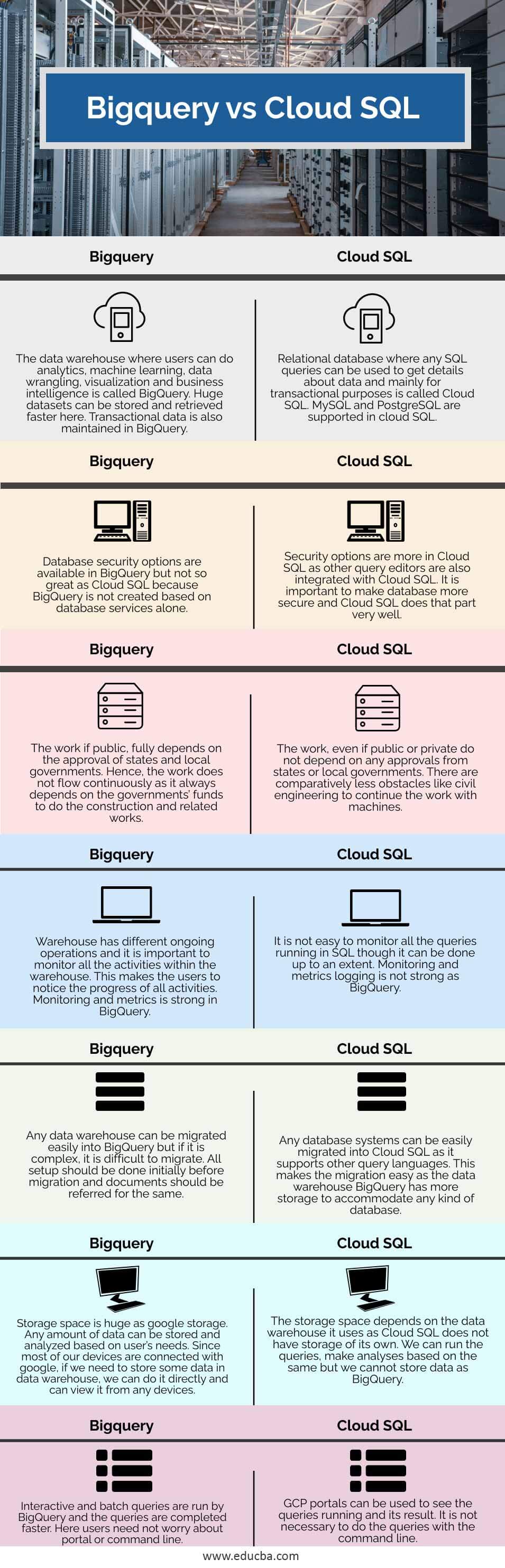
| The data warehouse where users can do analytics, machine learning, data wrangling, visualization, and business intelligence is called BigQuery. Huge datasets can be stored and retrieved faster here. Transactional data is also maintained in BigQuery. | A relational database where any SQL queries can be used to get details about data and mainly for transactional purposes is called Cloud SQL. MySQL and PostgreSQL are supported in cloud SQL. |
| Database security options are available in BigQuery but not so great as Cloud SQL because BigQuery is not created based on database services alone. | Security options are more in Cloud SQL as other query editors are also integrated with Cloud SQL. It is important to make the database more secure and Cloud SQL does that part very well. |
| The work if public, fully depends on the approval of states and local governments. Hence, the work does not flow continuously as it always depends on the governments’ funds to do the construction and related works. | The work, even if public or private does not depend on any approvals from states or local governments. There are comparatively less obstacles like civil engineering to continue the work with machines. |
| The warehouse has different ongoing operations and it is important to monitor all the activities within the warehouse. This makes the users notice the progress of all activities. Monitoring and metrics are strong in BigQuery. | It is not easy to monitor all the queries running in SQL though it can be done up to an extent. Monitoring and metrics logging is not strong as BigQuery. |
| Any data warehouse can be migrated easily into BigQuery but if it is complex, it is difficult to migrate. All setup should be done initially before migration and documents should be referred for the same. | Any database system can be easily migrated into Cloud SQL as it supports other query languages. This makes the migration easy as the data warehouse BigQuery has more storage to accommodate any kind of database. |
| Storage space is huge as google storage. Any amount of data can be stored and analyzed based on the user’s needs. Since most of our devices are connected with google, if we need to store some data in a data warehouse, we can do it directly and can view it from any device. | The storage space depends on the data warehouse it uses as Cloud SQL does not have storage of its own. We can run the queries, make analyses based on the same but we cannot store data as BigQuery. |
| Interactive and batch queries are run by BigQuery and the queries are completed faster. Here users need not worry about the portal or command line. | GCP portals can be used to see the queries running and its result. It is not necessary to do the queries with the command line. |
Free trial versions are available for both and the setup fee for entry-level is nil. Users can install the application and if the installation goes well, it is easy to start working with BigQuery. Cloud SQL attracts users for the fact that any SQL can be used to query the data.
Recommended Articles
This is a guide to Bigquery vs Cloud SQL. Here we discuss the Bigquery vs Cloud SQL key differences with infographics and comparison table. You may also have a look at the following articles to learn more –

