


What is API Pagination?
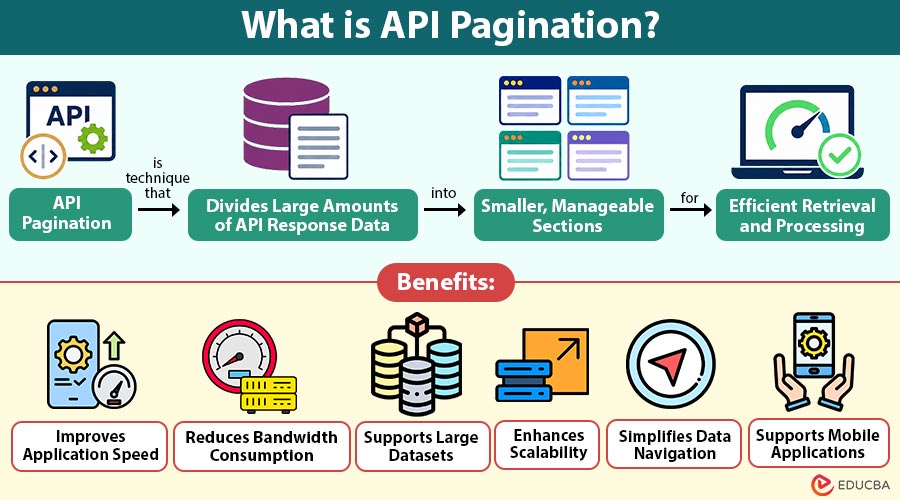
API pagination is a technique that divides large amounts of API response data into smaller, manageable sections for efficient retrieval and processing.
When an application requests information from a server, the response may contain thousands of records. Sending all these records at once can increase loading time, consume more bandwidth, and affect application performance. Pagination solves this problem by allowing applications to retrieve a limited number of records at a time.
For example, an e-commerce application may contain thousands of products. Instead of displaying every product on one page, the API sends a fixed number of products, such as 20 records per request. Users can then move to the next set of results when required.
Table of Contents:
Key Takeaways:
- API pagination divides large datasets into smaller responses, improving data retrieval and application efficiency.
- Different pagination methods support varying data structures, navigation requirements, and application performance needs.
- Choosing suitable pagination techniques helps developers manage growing datasets and maintain consistent information access.
- Proper implementation reduces unnecessary server requests, improves scalability, and provides smoother data navigation.
Importance of API Pagination
API pagination plays an important role in managing data requests and maintaining application performance.
1. Faster Data Retrieval
It transfers fewer records in each request, allowing applications to retrieve, process, and display information quickly without unnecessary delays.
2. Better User Experience
It allows users to access smaller sets of information quickly, reducing waiting time and making browsing large datasets easier and smoother.
3. Reduced Server Load
It limits the number of records processed per request, helping servers use fewer resources, handle multiple requests, and maintain better performance.
4. Efficient Data Management
It divides large datasets into smaller sections, making information easier to access, organize, retrieve, and process without handling unnecessary records.
5. Improved Network Performance
It reduces the amount of data transferred between applications and servers, saving bandwidth and supporting faster communication across different network connections.
How Does API Pagination Work?
API pagination works by dividing a large dataset into smaller sections and allowing clients to request each section separately. The server processes request and returns the required records along with information about accessing additional results.
The following steps explain how it works:
1. Client Sends a Request
The application sends an API request asking for specific information, such as customer records, products, or transactions.
2. Server Receives the Request
The server identifies the requested dataset and checks the pagination parameters, including page number, record limit, or cursor.
3. Server Retrieves Records
The server collects only the required number of records instead of processing the entire dataset for the response.
4. Server Returns the Response
The API sends the requested records along with pagination details, such as current page, total records, or next-page information.
5. Client Requests More Data
When users need additional information, the application sends another request using the provided pagination details.
6. Process Continues
The server returns subsequent records until the application reaches the end of the available dataset.
Types of API Pagination
API pagination uses different methods to divide and deliver large datasets. The following are the common types:
1. Offset-Based Pagination
Offset-based pagination uses two parameters: limit and offset. The limit specifies the number of records an API returns, while the offset determines how many records to skip before retrieving the results.
2. Page-Based Pagination
Page-based pagination divides records into numbered pages. Users can request a particular page by specifying the page number and the number of records displayed on each page.
3. Cursor-Based Pagination
Cursor-based pagination uses a unique reference point called a cursor to identify where the next set of records should begin. Instead of requesting a specific page number, the client sends the cursor received from the previous API response.
4. Keyset Pagination
Keyset pagination uses a specific database column, such as an ID or timestamp, to retrieve records after a particular value. It identifies the next set of records based on the previously retrieved record.
Examples of API Pagination
The following examples explain how applications use pagination to manage large amounts of information.
1. E-Commerce Product Listing
An online shopping platform contains 5,000 products across different categories. Displaying all products in one API response may slow down the application.
The platform uses page-based pagination to display 20 products at a time. When customers select the next page, the application requests another set of products from the server.
2. Social Media Feed
A social media platform receives thousands of posts every day. Loading every post immediately would increase network usage and affect the browsing experience.
The application uses cursor-based pagination to retrieve 15 posts initially. When users scroll further, the API uses a cursor to load the next set of posts.
3. Employee Management System
A company maintains records of thousands of employees in its management system. HR professionals need to access employee details without loading the complete database.
The application uses offset-based pagination to display 50 employee records at a time. Users can move through the available records by requesting different offsets.
Benefits of API Pagination
API pagination offers several benefits for developers, businesses, and application users.
1. Improves Application Speed
Smaller responses help applications process incoming information faster and reduce unnecessary delays during data retrieval.
2. Reduces Bandwidth Consumption
Transferring only the required records minimizes network usage and helps applications operate efficiently on slower internet connections.
3. Supports Large Datasets
It allows applications to manage thousands or millions of records without returning the entire dataset in one response.
4. Enhances Scalability
It helps applications handle growing data volumes by dividing retrieval requests into smaller and more manageable operations.
5. Simplifies Data Navigation
It provides structured ways to move between records, allowing users to find relevant information without processing everything at once.
6. Supports Mobile Applications
Smaller API responses reduce data usage and help mobile applications deliver information more efficiently across different network conditions.
Challenges of API Pagination
Although API pagination improves data retrieval, developers may face certain difficulties while implementing it.
1. Complex Implementation
Selecting suitable pagination parameters and handling navigation logic can increase development effort, especially in applications with complex datasets.
2. Changing Data
Newly added or deleted records may cause missing or repeated results when applications use offset-based pagination.
3. Performance Issues
Large offset values can slow down database queries because the system may need to skip numerous records before returning results.
4. Navigation Limitations
Cursor-based and keyset pagination may make it difficult to jump directly to a particular page within large datasets.
5. Inconsistent Sorting
Without a stable sorting method, records may appear in different positions across requests, affecting the accuracy of retrieved information.
Applications of API Pagination
API pagination is widely used across applications that retrieve large amounts of information. The following are some common applications:
1. E-Commerce Platforms
Online stores use pagination to display product listings, customer reviews, order histories, and search results without loading all records simultaneously.
2. Social Media Applications
Social media platforms use pagination to load posts, comments, notifications, and user activities gradually, helping users browse content without unnecessary waiting.
3. Financial Applications
Banking and financial applications use pagination to retrieve transaction histories, account activities, payment records, and other financial information efficiently.
4. Healthcare Systems
Healthcare applications use pagination to organize and retrieve patient records, appointment histories, medical reports, and treatment information without overloading systems.
5. Business Dashboards
Business reporting tools use pagination to display large datasets, sales records, employee information, and performance reports in manageable sections.
6. Content Management Systems
Content management systems use pagination to organize and display articles, media files, comments, and published content, making information easier to access.
Best Practices for API Pagination
Developers should follow certain practices to make pagination reliable, efficient, and easier to maintain.
1. Set Reasonable Page Limits
Define an appropriate maximum number of records per request to prevent unnecessarily large responses and excessive server processing.
2. Use Consistent Sorting
Apply stable sorting based on unique identifiers or timestamps to maintain predictable results across multiple API requests.
3. Choose the Right Method
Select offset, page, cursor, or keyset pagination based on dataset size, application requirements, and expected data changes.
4. Provide Clear Metadata
Include useful details such as the current page, page size, total records, and next-page information when appropriate.
5. Handle Empty Results
Return meaningful responses when users request pages without available records or reach the end of the dataset.
6. Test Large Datasets
Evaluate pagination performance with different data volumes to identify slow queries and improve database efficiency.
Final Thoughts
API pagination divides large datasets into smaller responses, making information easier to retrieve and manage. It reduces network usage, improves application performance, and supports faster data loading. Developers can choose suitable pagination methods based on their needs. Selecting the right approach ensures efficient data access, better navigation, and a smoother experience for application users.
Frequently Asked Questions (FAQs)
Q1. Is API pagination necessary for every API?
Answer: No. Small datasets may not require pagination, but APIs handling large or growing amounts of information can benefit significantly from it.
Q2. What information does an API pagination response contain?
Answer: An API pagination response may include requested records, page numbers, record counts, navigation links, and tokens that help clients retrieve additional results.
Q3. Can API pagination improve application performance?
Answer: Yes. It reduces response sizes, limits unnecessary data transfers, and helps applications retrieve information without loading complete datasets.
Q4. Which pagination method is suitable for real-time applications?
Answer: Cursor-based pagination is often suitable because it handles changing datasets more consistently than traditional offset-based pagination.
Recommended Articles
We hope that this EDUCBA information on “API Pagination” was beneficial to you. You can view EDUCBA’s recommended articles for more information –

