


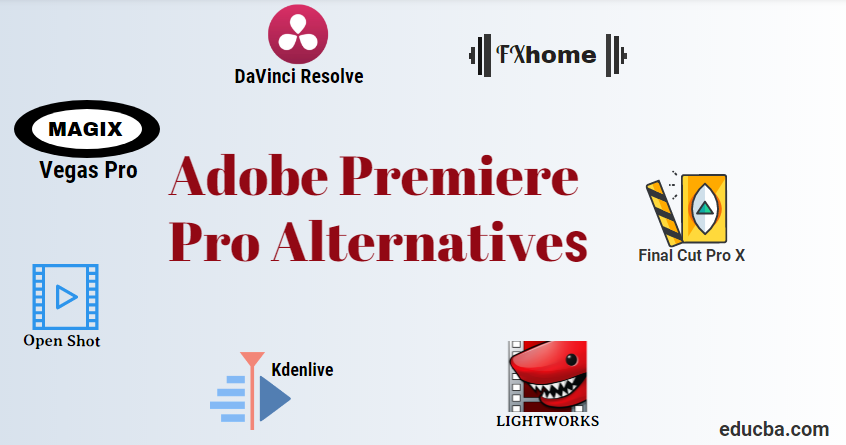
Introduction to Adobe Premiere Pro Alternatives
To edit audio as quickly as ever, use stronger and more linked Adobe Premiere ® Pro CC. Decades of brand-fresh characteristics include a revised schedule, better press administration, and a streamlined color assessment. Sync your desktop settings and shortcuts on any publishing bay worldwide and receive new features when applicable. Your entire artistic universe, all together in one location.
Adobe Premiere Pro CC is a strong non-linear, customizable video editor that enables you to write your manner. Import and easily mix almost every content, from mobile audio shooting to crude 5 K and more excellent quality images, and edit in its indigenous size without losing transcoding space.
Adobe Premiere Pro CC user interface is sleek, highly intuitive, and allows you to focus on creative work. In addition, a customizable timeline and numerous editing shortcuts enable quicker editing on a keyboard basis.
Top Alternatives of Adobe Premiere Pro
Here we have explained the top alternatives below:

1. Kdenlive
Kdenlive has been constructed on Qt’s and KDE Frameworks ‘ databases and is an open-source video editor for the Windows PC. Based on many other open-source projects such as FFmpeg, freI0R, movit, ladespa, sox, the MLT Framework is essential to video treatment. KDE Non-Linear Video Editor is an acronym for this software. It works on BSD and macOS, mainly on the GNU / Linux system.
Features of Kdenlive:
- Multitrack video editing
- Use any audio/video format
- Configurable interface and shortcuts
- Many effects and transitions
- Audio and video scopes
- Proxy editing
- Automatic backup
- Timeline preview
- Keyframeable effects
- Theme interface

2. DaVinci Resolve
All-in-one application complete suite for editing, color correction, and professional audio post-production. DaVinci Resolve was initially intended for the elite of colorist Hollywood. It was used more than anywhere on TV and in feature films because it allows you to generate impossible pictures using other instruments.
DaVinci is also the fastest-growing editing software in the world! Now you get unbelievable fresh Fairlight sound instruments specifically developed for film and TV post-production with DaVinci Resolve 14. Fairlight video posting instruments allow you to capture the entire 3D audio room and up to 1000 tracks, edit, combine, and add sweeter and complete sound.
Filter that automatically recognizes and tracks skin tones rapidly smooth, hair lightening, lip color altering, and more can be found in dyes! Multiple instruments for customer cooperation, such as file sharing, talk, and scheduling fusion, allow publishers, colorists, and noise publishers to operate simultaneously on a single task!

3. MAGIX Vegas Pro
VEGAS Pro 15 Edit-Steam Edition offers state-of-the-art editing tools in a streamlined, logical interface to give your video and audio editing projects complete creative freedom. Probably variant 15 is the most interesting yet released variant. Exactly the correct instruments for accurate design analysis, innovative publishing, and instant delivery in many sizes. Whether you work in HD or 4 K, version 15 is all a single workflow. Moreover, with the acceleration of NVIDIA and Intel QSV hardware, you can complete big initiatives even more quicker.
Features of MAGIX Vegas Pro:
Chroma Key / Green Screen, Integrated codecs, Keyframe animation, Multitrack editing, Mix Music, Non-linear editor, Support for VST plugins
 4. OpenShot
 4. OpenShot
OpenShot is a cross-platform, Linux, Mac, and Windows help video editor. Trim & Slice Trim your clips quickly and discover the right times. OpenShot can trim your clip in many simple respects. Entertainment & Keyframes You can disappear, glide, bounce, and animate your web design with our strong graphics structure.
Add as many layers to watermarks, background videos, audio tracks, and more. Unlimited tracks. Our visual graphics engines will remove your image backdrop, color reversal, brightness adjustment, and more. Audio Waveforms Visualize your audio documents as waveforms, including displaying waveforms in your picture.
Title Editor, It was never simpler to add credits to your clip. Use or make your own one of our templates. Titles and impacts such as the snow, lens flares, or floating messages make a lovely 3D cinematic title and effect.
Check the authority of the moment, slow down, slow down, and accelerate animation. Slow-motion and moment effects. Use a preset or velocity and position to animate the replay.

5. Light works
Fully embedded with the other participants of the entire collaboration group is Light Works, a powerful publishing device that delivers unparalleled velocity and efficiency. The range includes a complete range of editorial tools, including hundreds of films such as pulp fiction, the Departed, Centurion, Shutter Island, The King’s Speech, The Departed, Mission Impossible, Pulp fiction, and Batman, from advanced cutting to stereoscopic assistance, to real-time effects including multiple side-motions.
The energy of your GPU is used for Light works, a sophisticated impacts pipeline. And the most sophisticated printing software accessible with assistance for up to 2 K workflows with real-time impacts.
Features of Light Works:
Chroma Key / Green Screen, Color correction, Keyframe animation, Non-linear editor, Capture Video, Watermarking
6. FXhome HitFilm
HitFilm is a composite package based on the layer. HitFilm Ultimate offers you quality visual and composite blockbusters at an indie price. You can create your unique effects using state-of-the-art technology with full control. The revolutionary post-production video software of FXhome mixes advanced visual effects with non-linear editing. Transform your films into a complex 3D composite setting with embedded 3D model art, advanced vector modeling and.
Features of FXhome HitFilm:
3D modeling, Chroma Key / Green Screen, Color correction, Color grading, Compositor, Customizable Keyframe animation, Noise Reduction, Non-linear editor, Unlimited Tracks
7. Final Cut Pro X
Final Cut Pro offers non-linear, non-destructive editing of any audio type compatible with QuickTime, including DV, HDV, P2 MXF (DVCProHD), XDCAM (via plugin), and 2 K movie sizes.
It offers a variety of simultaneous video recordings (primarily restricted by video and hardware capacity), up to 99 audio songs, various camera processing for mixing video from different camera frames, standard editing functionality for rippling, rolling, sliding, screwdriver, raser blade, and moment remapping. It includes a variety of video and audio transitions, including keyboard tools, mats, voice de-poppers, and de-eaters. In addition, it has a 3-way automatic color correction filter, video scopes, and a choice of generators, like slugs.
Features of Final Cut Pro X:
Keyframe animation, Linear editor, Non-linear editor, Non-linear presentation, Unlimited layers
 8. FlexClip
 8. FlexClip
FlexClip is a versatile video editing tool designed for both amateur and professional video editors. It is an online platform accessible via any modern web browser on Windows and Mac operating systems. FlexClip offers a wide range of functionalities, including trimming, merging, adding text, and incorporating various effects, all aimed at enhancing video creation effortlessly.
FlexClip provides a user-friendly interface that allows even beginners to create polished videos quickly. Its drag-and-drop editor simplifies video editing, enabling users to produce high-quality content without extensive technical knowledge. The platform also offers a variety of templates, stock videos, and music, making it an excellent choice for easily creating professional-looking videos.
Conclusion
So as you go into the valley of the shadows of the imminent video deadline, this is what I want you to bear with me. It is not about which video publishing software “is the best” software. Software for video production includes a wide range of customers, including pro-level CGI animators and producers, hobbyists, graphic designers, marketers, reporters, and many more. Hundreds of publishers worldwide, from the entry-level to the continuation, which weighs thousands, now join the sector to satisfy the increasing requirement.
Recommended Articles
This is a guide to Adobe Premiere Pro Alternatives. Here we discuss the basic concept and the top Adobe Premiere Pro Alternatives. You may also look at the following articles to learn more –

