


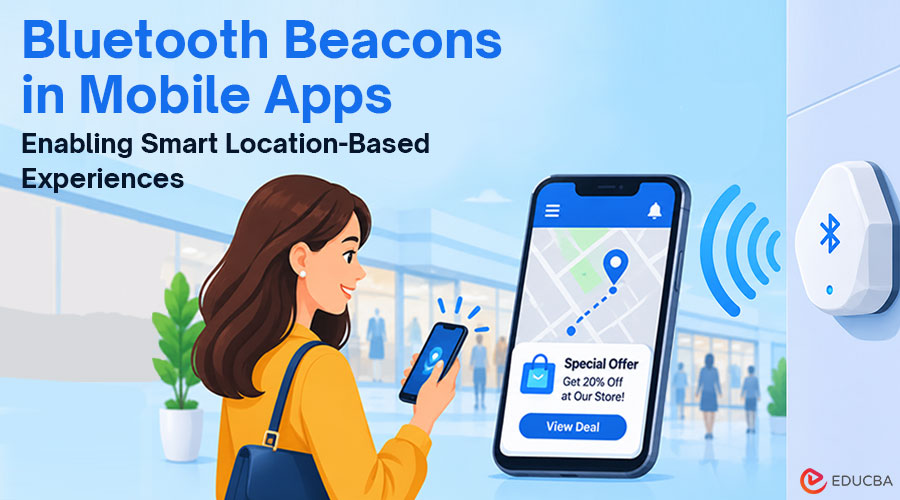
A museum audio guide can appear remarkably simple to its visitors. They walk toward an exhibit, hear the relevant story, and continue exploring without searching through a menu. Behind that seemingly effortless interaction is a set of engineering decisions: which transmitter the phone has detected, whether the visitor is genuinely close to the exhibit, how the application handles competing signals, and what happens when a device loses connectivity.
Bluetooth beacons in mobile apps help associate digital experiences with physical places, particularly indoors, using Bluetooth Low Energy (BLE) technology. But detecting a beacon is not the same as knowing a person’s precise position, and reliable proximity-triggered experiences require more than installing wireless hardware.
This distinction is familiar to organizations that have deployed beacon-enabled visitor experiences. Locatify, for example, has documented both the limitations of BLE signal-based distance estimation and real installations of automatic museum audio guides. Those practical observations offer a useful starting point for developers planning context-aware mobile applications.
How Bluetooth Beacons in Mobile Apps Work
A BLE beacon periodically broadcasts advertising packets that compatible smartphones can detect. In an iBeacon-style deployment, the identifying information includes a UUID and major and minor values. An application can associate that combination with a gallery, exhibit, or other physical reference point. The beacon itself generally does not contain the audio guide or quiz that a visitor sees; the mobile application resolves the identifier against configured content.
The communication is essentially one-way: the beacon advertises its presence, while the receiving phone interprets the signal. The transmitter does not need to know which individual phone has detected it. This distinction matters when explaining the technology’s capabilities and privacy implications.
GPS and BLE solve different problems. GPS estimates outdoor geographical position, while beacon detection tells an application that a known transmitter is nearby. A single beacon should not be presented as a source of exact indoor coordinates. A more advanced indoor positioning system may combine multiple observations and additional processing, but ordinary proximity-triggered content does not require that complexity.
Locatify’s Beacon FAQ describes the beacon’s configurable advertising interval and transmission strength. It cites a 350-millisecond interval as a configuration used for its beacons, not as a universal standard. A shorter interval can make discovery more responsive, but it also consumes more battery power. These are deployment trade-offs, not fixed properties of BLE.
Build the Content Experience Separately From Signal Detection
When integrating Bluetooth beacons in mobile apps, developers should separate detection, interpretation, content mapping, and presentation. The detection component receives observations from the mobile operating system. A decision component considers whether those observations indicate a meaningful visit to a particular location. A content layer associates identifiers with audio, images, or interactive tasks. Finally, the interface decides how and when to present them.
This separation becomes useful when a museum rearranges its galleries or changes an audio recording. Staff should be able to update content without changing beacon firmware. Likewise, developers should be able to adjust signal-handling rules without rewriting exhibition text.
The distinction is not theoretical. In Locatify’s documented Icelandic Wartime Museum installation, beacons were associated with exhibit stations in the Locatify Builder CMS. The team configured signal strength and triggering radii, installed the hardware, and tested the beacon locations and audio content. The project used 20 Android devices, an indoor iBeacon installation, and multilingual material. These details demonstrate how the hardware, content system, and physical visitor route must work together.
That case also illustrates an important editorial distinction: a museum may intentionally use automatic audio playback. Other experiences may prefer a prompt that lets visitors decide when to listen. Neither interaction model should be described as universally preferable; the appropriate behavior depends on the product and its audience.
RSSI: Why a Stronger Signal Does Not Mean an Exact Distance
Received Signal Strength Indicator (RSSI) measures the strength of a received radio signal. It can help estimate relative proximity, but it is not a dependable tape measure. Human bodies, metal surfaces, walls, antenna orientation, and differences between smartphone models can change readings even when the physical distance remains the same.
Locatify’s published review of beacon limitations describes tests with multiple devices and notes that distance estimation becomes less reliable farther from a transmitter. The article also explains the practical use of broad proximity categories rather than treating every signal reading as a precise distance.
For developers integrating Bluetooth beacons in mobile apps, the implication is straightforward: avoid triggering a critical interaction based on a single RSSI sample. An application can consider several observations, filter isolated fluctuations, and apply different conditions for entering and leaving a zone. This last technique, commonly called hysteresis, prevents rapid switching when a visitor stands near the boundary between two galleries.
A cooldown can solve a separate problem: after the visitor has received an introduction, the application should not repeatedly present it simply because the signal briefly disappears and returns. Filtering stabilizes measurements; hysteresis stabilizes transitions; cooldowns stabilize the user experience. Each addresses a different failure mode.
These techniques are implementation options, not a claim about Locatify’s proprietary internal algorithms. The public Locatify material establishes the importance of testing signal strength, placement, and triggering radii, but it does not document every internal filtering rule used in its applications.
An Illustrative Three-Gallery Deployment
Consider a new mobile guide for three neighboring galleries. Each gallery has a configured beacon identifier and an associated audio introduction. Visitors may cross a doorway, pause between rooms, or return to an exhibit they have already seen.
The application first receives a recognized beacon observation. Instead of immediately selecting the strongest reading, it examines recent detections and the currently active gallery. When the evidence consistently supports a new gallery, the app changes the active location and offers the appropriate content. If a visitor briefly passes the doorway, the application can avoid an unnecessary transition.
The content decision should account for the session. If the visitor has just listened to an introduction, an immediate repeat may be disruptive. If they deliberately select the same gallery again, however, the audio should remain accessible. Automatic triggering and manual control can coexist.
Now consider failure conditions. A phone may have Bluetooth disabled, a transmitter may have a depleted battery, or the operating system may delay a background detection. The visitor should still have a clear way to find the exhibit in a list or map and open the content manually.
This is an illustrative design, not a reconstruction of a Locatify product. Its purpose is to show how developers can translate imperfect radio observations into predictable interactions while keeping the experience usable when automatic detection is unavailable.
Mobile Platform Behavior Changes the Design
The operating system matters as much as the transmitter. On iOS, Core Location provides APIs for iBeacon detection, but monitoring and proximity ranging behave differently. Developers should consult the current Apple documentation rather than assuming foreground ranging and background detection behave the same way. Older code examples may also use interfaces that Apple has since deprecated.
Android applications must account for Bluetooth permissions and operating-system version. On Android 12 and later, nearby-device scanning generally requires the BLUETOOTH_SCAN permission; location permissions may also matter depending on how the app uses scan results and which Android versions it supports. Background execution and battery management can affect when the application receives observations.
These restrictions mean that a successful demonstration with an unlocked phone is not sufficient evidence of production reliability. Teams should test supported devices while the app is active, backgrounded, and returning from a locked-screen state. They should also design permission explanations that make sense to visitors who have no interest in the underlying technology.
An app that cannot reliably trigger an interaction in the background may still deliver an excellent foreground visitor experience. Product promises should reflect tested behavior, not the radio hardware’s theoretical maximum capabilities.
Placement, Power Settings, and Maintenance
Beacon deployment starts with the intended interaction zones. A museum that wants to recognize whole galleries may not need a transmitter beside every object. A hands-on learning activity, by contrast, may need a more localized trigger. Installing additional beacons without a clear purpose can create overlapping signals and more complex transitions.
Transmission power and advertising intervals influence coverage, responsiveness, and battery life. Higher power may extend detection range but make neighboring zones harder to distinguish. More frequent broadcasts can increase detection opportunities but also raise power consumption. The right settings depend on the physical environment and must be tested on site.
Maintenance deserves equal attention. Locatify’s Beacon FAQ notes that batteries eventually run out and transmitters can be displaced. It recommends regularly checking installed beacons, including their responsiveness and battery condition. An installation inventory, identifier map, and scheduled inspection process can prevent a working exhibition from gradually becoming unreliable.
Real-world testing should include normal visitor traffic, different phone models, adjacent-room interference, and the way people actually carry devices. A transmitter that works in an empty gallery may behave differently when visitors gather around an exhibit.
Practical Applications of Bluetooth Beacons in Mobile Apps
Indoor audio guides and interactive museum experiences are natural applications because visitors move among identifiable locations and can access relevant content without searching manually. Educational trails and exhibitions can use similar principles to associate tasks with physical stations.
Locatify‘s published Icelandic Wartime Museum case provides a concrete example: visitors carried dedicated Android devices and listened to location-triggered stories as they explored the exhibition. The guide also provided additional images and information on screen. That is a documented use of beacon technology, not a hypothetical marketing claim.
For projects that mix indoor and outdoor spaces, the technology choice should follow the user journey. GPS may suit outdoor landmarks, BLE for selected indoor zones, and QR codes for deliberate or fallback interactions. A QR code is not inherently inferior to a beacon; in some environments it is simpler, easier to maintain, and more predictable.
The decision should therefore begin with a question: does automatic recognition of a nearby location genuinely improve what the visitor is trying to do? If the answer is no, adding beacon hardware may create complexity without providing a corresponding benefit.
Privacy, Security, and Measurement
When using Bluetooth beacons in mobile apps, privacy and data security should be key considerations. A standard beacon broadcasts identifiers; it does not automatically identify everyone nearby. Nevertheless, an application can choose to associate detections with sessions, user accounts, or analytics events. Those choices require separate privacy decisions. Teams should collect only information needed for the experience, explain relevant permissions, and avoid unnecessary identifiable movement histories.
Beacon identifiers should not be treated as secure credentials. Because ordinary advertising packets can be observed and potentially imitated, recognizing a transmitter is not sufficient proof of identity for sensitive operations. Applications that protect restricted functions need appropriate additional safeguards.
Success metrics should focus on visitor outcomes. Did the right content become available at the right place? Did the application switch between rooms unexpectedly? Could visitors continue when Bluetooth was unavailable? Did repeated prompts interrupt the experience? These questions reveal more than raw detection counts.
Observational testing is also valuable. A technically correct trigger may still confuse someone who does not understand why a notification appeared. The objective is not to maximize interactions, but to make them useful.
Final Thoughts
Bluetooth beacons in mobile apps offer an effective way to deliver location-aware digital experiences, but indoor signal variability remains a challenge. Developers must interpret proximity carefully, consider operating system limitations, optimize hardware configurations, and provide reliable alternatives when automatic detection fails.
Successful deployments combine these technical considerations with genuine user needs. Locatify’s beacon guidance and museum installation highlight the importance of signal testing, content mapping, and ongoing maintenance. Ultimately, creating reliable, intuitive, and meaningful user experiences matters more than achieving precise indoor positioning.
Recommended Articles
Explore our recommended articles to learn more about Bluetooth beacons in mobile apps, Bluetooth Low Energy (BLE) technology, indoor positioning systems, and proximity detection. Discover how developers can optimize beacon integration, improve signal reliability, enhance location-based interactions, and build secure, reliable, and user-friendly mobile applications.