


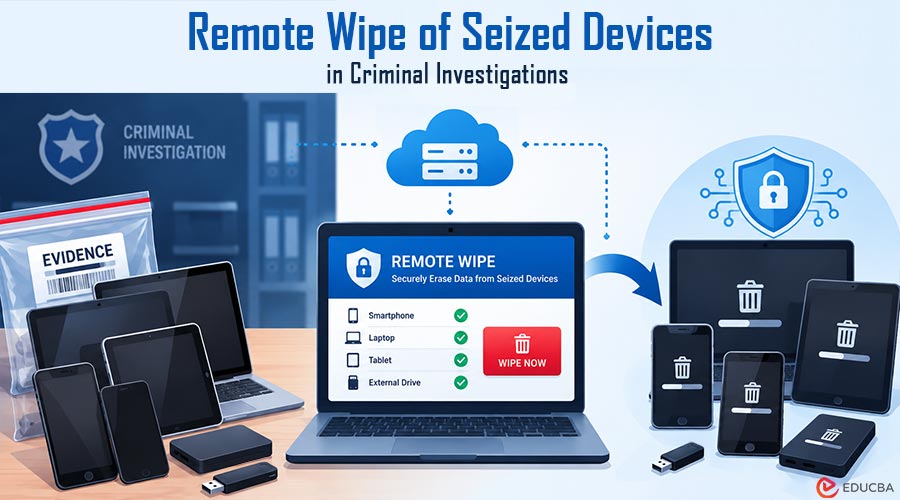
Ten years ago, a phone pulled from a suspect’s pocket mostly answered to that suspect. Officers seized it, logged it, and only the person in handcuffs could access it. That has changed. The phone in your pocket is often half yours and half your employer’s, and an IT administrator two time zones away can remotely wipe seized devices in the time it takes an officer to walk the device to the evidence locker.
The person whose data vanishes is usually blamed. The sections below explore when this problem arises, because the legal implications depend on who owns the device, who initiated the wipe, and when it happened.
Remote Wipe of Seized Devices Through Company Management Systems
The clearest example involves a phone the employer owns outright. IT enrolled it in a mobile device management (MDM) platform on day one, allowing a help-desk administrator to lock it remotely, remove corporate data, or reset it to factory settings. A reference-level explainer from TechTarget explains how an enterprise wipe differs from a full device wipe and which platforms can execute these commands. That distinction matters for a defense lawyer trying to establish what information was actually erased.
When police seize the device, the employer might learn about it through a frantic call from the employee, a notice from legal counsel, or sometimes nothing at all until the phone stops checking in. If an administrator initiates a wipe during that window, the device may lose text messages, photos, location history, and app data that investigators intended to examine or preserve.
The employee might never have touched the device after its seizure. Nevertheless, the erasure can become a central issue in court. Establishing who initiated the remote command, when it occurred, and what data disappeared can influence how the incident is interpreted. This is why consulting a criminal defense attorney early can help determine the appropriate legal response.
Remote Wipe of Seized Devices in BYOD Environments
Bring-your-own-device (BYOD) arrangements add another layer of complexity to preserving digital evidence. Many organizations let employees use personal phones for work, so a device seized during an investigation may contain both personal information and company-managed data.
On a BYOD phone, an employer’s remote-wipe permissions are often limited to the managed work profile rather than the entire device. Depending on the operating system, management configuration, and applicable policies, the company may be able to remove work email, messaging applications, business files, and customer contact records without deleting personal photos or other private information.
However, for a criminal investigation involving workplace activities, the managed portion may contain critical evidence. A defendant could return a phone that still powers on and displays family photos, while the work messages, client records, or application data investigators wanted to preserve have already disappeared.
This creates an important distinction between a device’s physical condition and the availability of its digital contents. A phone can remain functional even after relevant evidence has been erased. Investigators may therefore need to examine device-management records, audit logs, cloud backups, and other sources to establish what information existed before the wipe.
When Someone Wipes a Seized Personal Phone and Faces Charges
Not every remote wipe of seized devices originates from an employer’s IT department. Sometimes, the person under investigation uses a service like Find My iPhone on another device to remotely erase a phone. A spouse, former partner, or anyone with access to the relevant account can also initiate an erase command.
Prosecutors may treat a deliberate attempt to destroy evidence as a separate offense. In one widely reported Schenectady, New York, case, prosecutors charged a suspect with evidence tampering after her seized iPhone was reportedly wiped remotely. The specific charges and legal consequences depend on the facts of the case and the applicable law.
The distinction between an accidental wipe and an intentional attempt to interfere with an investigation can be significant. Investigators may examine account activity, device logs, communications, and the timing of the command to determine who initiated it and whether the action was deliberate.
Once police take a phone into custody, attempting to erase its contents can create additional legal risks. Even when the person initiating the wipe does not physically possess the device, a remote command may still affect evidence that investigators are trying to preserve. Anyone who learns that a device has been seized should seek legal advice before taking any action that could alter its contents.
Preventing Remote Wipes to Preserve Seized Digital Evidence
Digital forensic teams recognize that network connectivity can expose seized phones to remote commands. One preventive measure is to isolate the device from wireless networks so an outside administrator or account holder cannot send new instructions while the phone awaits examination.
Depending on the circumstances and established procedures, trained personnel may place a seized phone in a signal-blocking Faraday bag, use approved isolation equipment, or follow other protocols to prevent remote access. They can then arrange for a qualified forensic examiner to document the device and, where technically possible, create a forensic image.
The exact procedure depends on the device, its power state, encryption, and the applicable evidence-handling protocol. For example, powering down a phone may affect access to encrypted data, so investigators should decide based on forensic guidance rather than treating shutdown as a universal solution.
If an officer leaves a connected phone exposed to cellular or Wi-Fi networks, an attacker may still remotely wipe it. That does not automatically mean evidence has been destroyed, but it can create an avoidable preservation problem.
Proper handling also requires documentation. Investigators should record the device’s condition, relevant timestamps, isolation measures, and any observed changes. These records can help forensic experts determine whether data was removed before or after seizure and whether other copies may still exist.
What to Do After a Remote Wipe of Seized Devices
The first hour after a seizure can be important for preserving digital evidence and establishing what happened. The appropriate response depends on whether the device belongs to an individual, an employer, or both, and whether a remote command has already been executed.
If an employer learns that a company-managed phone has been seized, the legal and IT teams should coordinate before making changes to the device or its associated accounts. Relevant management-console logs, administrator activity, remote-command records, and available backups may help establish the timeline. Organizations should also follow applicable legal obligations and evidence-preservation requirements.
If the phone belongs to an individual under investigation, the person should avoid attempting to access, reset, or erase it remotely. A criminal defense lawyer can guide next steps and help address concerns about device ownership, its contents, and any missing data.
Investigators and legal representatives may also need to identify alternative sources of evidence. Depending on the applications and services involved, copies of messages, cloud-stored files, account activity, server logs, or recipient devices may help establish what information existed before the wipe. Their availability will depend on retention settings, encryption, access permissions, and other technical factors.
Ultimately, a remote wipe does not necessarily eliminate every copy of the data, nor does the disappearance of information automatically establish who was responsible. The timing, intent, technical circumstances, and available records all matter.
A seized phone can remain physically intact while its evidentiary value changes dramatically. Understanding who controls the device, who can issue remote commands, and how those commands are recorded is essential to preserving digital evidence and evaluating what happened.
Final Thoughts
Remote wipe of seized devices creates complex challenges for digital evidence preservation, particularly when employers manage work data on company-owned or personal phones. Understanding who controls the device, who initiated the wipe, and when the command was executed can help investigators and legal teams assess the impact on an ongoing case.
Proper device isolation, detailed documentation, and timely legal guidance can help reduce the risk of evidence loss. Even when data has been erased, management logs, cloud backups, and other records may provide useful leads. Careful handling of digital evidence remains essential to establishing what happened and protecting the integrity of an investigation.
Recommended Articles
We hope this guide helps you understand how remote wipe of seized devices can affect digital evidence and criminal investigations. Explore our recommended articles for more insights on digital forensics, evidence preservation, mobile device security, data protection, and criminal defense.


