


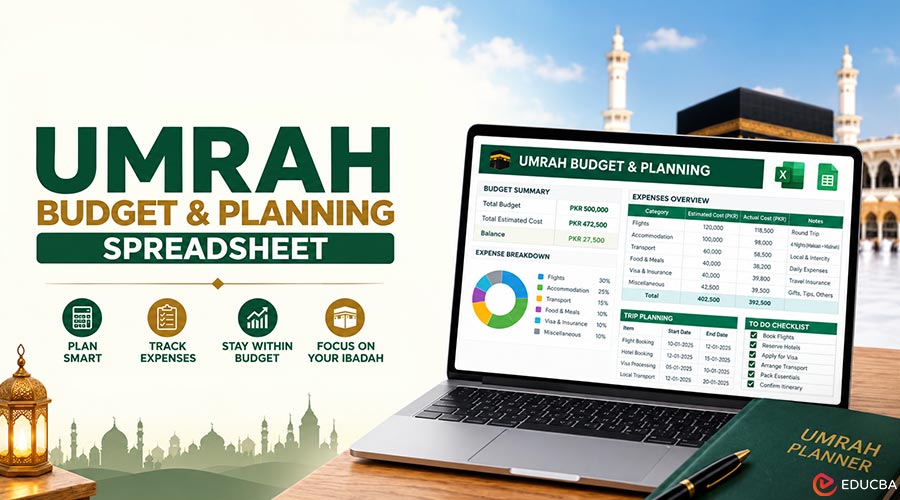
Spreadsheets are one of the most useful tools, yet most of us never use them to their full potential. People build them for work, household bills, wedding planning, and business forecasts. One of the best uses for a simple spreadsheet is planning a big personal goal, and for many Muslim families in Britain, no goal is bigger than a pilgrimage to Makkah. This guide shows you how to build an Umrah budget and planning spreadsheet in Excel or Google Sheets, using a handful of basic formulas. It is ideal for anyone comparing affordable Umrah packages and trying to figure out what the whole trip will really cost, how much to save each month, and when to do each task. You do not need advanced skills. If you can type a number into a cell and use SUM, you can build this.
Key Takeaways
- A simple spreadsheet shows the true cost of Umrah, not just the package price.
- SUM, IF, DATEDIF, and EDATE cover almost everything you need.
- Compare quotes like for like, including what is not included.
- Use a timeline tab for the visa, vaccination, and Nusuk permit.
What Should an Umrah Spreadsheet Include?
A well-organized spreadsheet should include:
- A list of every cost, including those outside the package.
- A total, a monthly savings target, and a running balance.
- A comparison of two or three package quotes side by side.
- A timeline of deadlines for the visa, vaccination, and permit.
- Simple formulas such as SUM, IF, and date calculations.
Steps to Create an Umrah Budget and Planning Spreadsheet
Follow these steps to create a practical spreadsheet that tracks Umrah expenses, calculates savings targets, compares travel packages, and organizes important deadlines.
Step 1: Set Up Your Cost Sheet
Open a new spreadsheet and name the first tab “Costs”. In row 1, add these headings:
| Column | Heading | Example entry | Purpose |
| A | Cost item | Package (flights, hotels, transfers) | What you are paying for |
| B | Estimated cost (£) | Your quote | Your best estimate |
| C | Included in package? | Yes / No | Avoids double counting |
| D | Paid so far (£) | 0 | Tracks deposits and installments |
| E | Still to pay (£) | =B2-D2 | Shows what is left |
Now list each cost in column A, starting in row 2. A typical list looks like this:
- Package (flights, hotels, transfers)
- Saudi visa, if not included
- Travel insurance
- Meningitis ACWY vaccination
- Travel to and from the UK airport, and parking
- Meals not included in the package
- Train between Makkah and Madinah, if not included
- Spending money and gifts
- Charity you would like to give
- Extra baggage on the way home
Step 2: Add Totals with SUM
Below your list, add a row called “Total”. If your costs run from row 2 to row 11, type this in column B:
Do the same in columns D and E to see the total paid so far and the total still to pay. Now you have a clear picture of the whole trip, not just the package price.
Step 3: Work Out Your Monthly Savings Target
Create a small block of cells to one side of the sheet:
- In cell H2, type your planned travel date.
- In cell H3, work out the months between today and that date with =DATEDIF(TODAY(),H2,”m”).
- In cell H4, calculate the monthly saving with =E12/H3, where E12 is your total still to pay.
If the monthly figure looks too high, move your travel date back a few months and watch it fall. It is a simple way to find a realistic plan.
Step 4: Flag Problems With IF
Add a cell for your monthly budget, the amount you can actually afford to save, say in H5. Then use an IF formula to flag when the plan does not work:
Conditional formatting can turn the cell red or green, so you can see at a glance whether your plan is realistic.
Step 5: Compare Package Quotes Side by Side
Make a second tab called “Compare”. Put each quote in its own column and list these rows:
- Total price per person, and room sharing (quad, triple, or double)
- Makkah hotel and walking time to Masjid al-Haram in minutes
- Madinah hotel and walking time to the Prophet’s Mosque
- Airline, departure airport, and number of stops
- Visa included? Transfers included? Meals included?
- ATOL number, checked on the Civil Aviation Authority website
- Cancellation terms and installment options
Add a final row that adds the cost of anything not included so that you can compare the true price of each package rather than just the headline figure.
Step 6: Build a Deadlines Timeline
A planning sheet is not only about money. Make a third tab called “Timeline” and put your travel date in cell B1. Then use simple date formulas to work out when each task should be done. The dates below are sensible targets rather than official deadlines, except where stated.
| Task | Formula (Travel Date in B1) | Why |
| Book Umrah permit on Nusuk | =B1-21 | Gives you time to secure a slot |
| Apply for Saudi visa | =B1-30 | Leaves room for any delays |
| Meningitis ACWY vaccination | =B1-14 | Must be at least 10 days before arrival |
| Check passport validity | =EDATE(B1,6) | Passport must be valid beyond this date |
| Buy travel insurance | Booking date | So cancellation cover starts straight away |
One row deserves special attention: the visa. For British passport holders, the process is now handled online, either directly through the official Saudi visa platform or through a licensed travel firm. You can apply for a dedicated Umrah visa or, in many cases, a tourist eVisa that also allows Umrah. Fees and rules change, so add a note in the sheet to check the official platform and the GOV. UK foreign travel advice before you apply. Remember, the visa only gets you into the country. You also need an Umrah permit booked through the Nusuk app.
Step 7: Track Your Savings Each Month
Add a “Savings” tab with two columns: Month and Amount saved. Each payday, add a new row. Use a running total in the next column:
Copy it down the column. A simple line chart of the running total gives you a motivating picture of your progress towards the goal.
Step 8: Share the Sheet With Your Travel Group
If you are traveling with family or friends, a shared Google Sheet saves endless messages. Give each person their own row on the Savings tab, so everyone can see who has paid their deposit and installments.
Use the comments feature to note questions for the travel agent, and protect the formula cells so nobody overwrites them by accident. For group leaders organizing a mosque or family trip, a shared sheet with columns for each traveler’s passport expiry and vaccination dates can prevent last-minute problems at the airport.
Tips for Keeping Costs Down
Your spreadsheet will quickly show you which choices change the total most. In most cases, they are:
- Timing: Ramadan and the Christmas holidays are the most expensive times. Quieter months outside school holidays usually cost less. In 2027, Ramadan is expected to begin around early February.
- Room sharing: Four sharing is much cheaper per person than two.
- Hotel distance: A short walk from the mosque can cost far less than a hotel next door.
- Booking early: Prices for busy dates tend to rise as the dates approach.
Common Mistakes to Avoid
A well-designed Umrah budget spreadsheet can help prevent several common planning errors.
- Forgetting extras such as insurance, vaccinations, and airport travel.
- Comparing a package that includes the visa with one that does no
- Using a travel date that falls in a visa cut-off period. Travel guides report that Umrah visas will stop being issued in early March 2027, ahead of Hajj.
- Leaving the vaccination too late. You must receive it at least ten days before arrival.
Frequently Asked Questions (FAQs)
Q1. Can I build this in Google Sheets as well as Excel?
Answer: Yes. All the formulas in this guide, including SUM, IF, DATEDIF, and EDATE, work in both.
Q2. How do I calculate how much to save each month for Umrah?
Answer: Divide the total still to pay by the number of months until you travel, using =DATEDIF(TODAY(),travel_date,”m”).
Q3. How do British citizens get an Umrah visa?
Answer: Online, through the official Saudi visa platform or a licensed travel firm. You also need a Nusuk permit.
Q4. What costs are usually not included in an Umrah package?
Answer: Often insurance, vaccinations, some meals, UK airport travel, spending money, and sometimes the visa or train.
Recommended Articles
We hope this guide to an Umrah budget and planning spreadsheet helps you manage expenses and plan your journey. Check out these recommended articles for more travel planning and budgeting tips.

