


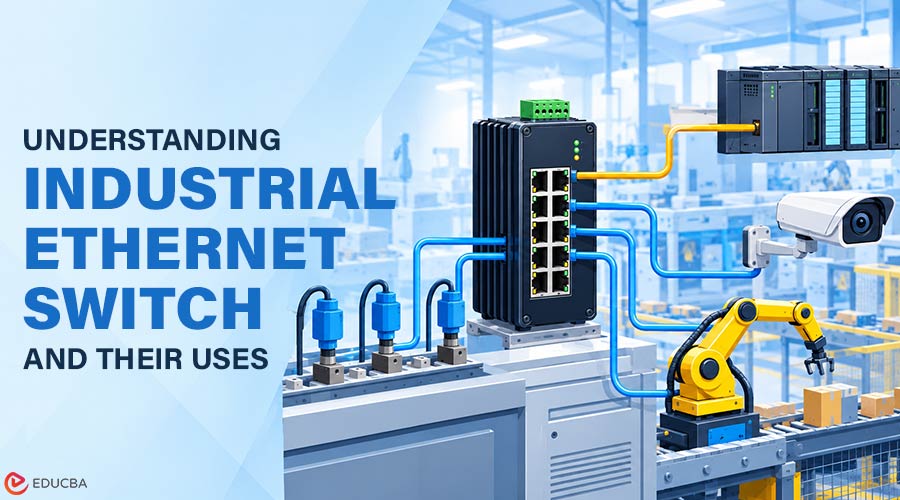
An industrial Ethernet switch connects cameras, sensors, controllers, and other devices in demanding environments where standard office networking equipment may not perform reliably. Like any switch, it receives data on one port and forwards it to the correct destination port. The difference lies in its construction. An industrial switch is designed to keep working through extreme heat and cold, dust, moisture, vibration, and electrical noise, often for ten years or more without a restart.
You will find these switches inside roadside traffic cabinets, power substations, factory floors, and outdoor surveillance poles. This article covers how industrial Ethernet switches work, their key features, main types, where they are used, and how to choose one for your network.
How Does an Industrial Ethernet Switch Work?
An industrial Ethernet switch primarily operates at Layer 2, also called the data link layer, of the OSI model. Every device on the network has a unique MAC address. When a frame arrives, the switch reads the source address and records which port it came from in a MAC address table. It then looks up the destination address and sends the frame only to the port where that device is connected. This keeps traffic separated, avoids collisions, and lets multiple devices communicate at the same time.
How to Choose an Industrial Ethernet Switch
The right switch depends on where it will be installed and what it will connect. The following steps will help you narrow down the options.
- Check the environment: Note the lowest and highest temperatures at the site, and whether the switch will face dust, moisture, or vibration. Match these to the temperature range and IP rating on the datasheet.
- Count ports and growth plan: List every device, then add spare ports. Decide how many copper ports and how many fiber uplinks you need.
- Calculate the PoE budget: Add up the power draw of every powered device. A switch with eight PoE ports cannot always deliver full power on all eight at once, so compare your total with the switch’s overall budget.
- Decide between managed and unmanaged: If you need VLANs, remote monitoring, or ring redundancy, choose a managed switch.
- Look at security features: Port-based access control (IEEE 802.1X), encrypted management through HTTPS and SSH, and the ability to disable unused ports all reduce the risk of unauthorized access.
- Compare certifications and support: Look for the standards that apply to your industry, plus a long warranty and guaranteed product availability.
Manufacturer websites are a practical place to compare these specifications side by side. For example, Comnet lists hardened Ethernet switches, media converters, and SFP modules by port count, PoE power, and operating temperature. Reading a few datasheets like these is one of the quickest ways to learn what the numbers mean in a real installation.
Key Features of Industrial Ethernet Switches
Below are the features that separate an industrial switch from a commercial one.
1. Wide Operating Temperature
Commercial switches usually work between 0°C and 40°C. Industrial models typically run from -40°C to 75°C. Most use a fanless design, where the metal case acts as a heat sink. With no moving parts to wear out and no vents to pull in dust, the switch needs very little maintenance.
2. Rugged Enclosure
Industrial switches use metal housings with an ingress protection (IP) rating. IP30 or IP40 is common for units installed inside a cabinet, while IP67 units can be mounted in the open. They are also tested for shock and vibration, which matters next to heavy machinery or on moving vehicles.
3. Protection from Electrical Noise
Motors, variable frequency drives, and high-voltage equipment create electromagnetic interference (EMI) that can corrupt data. Industrial switches include shielding, surge protection, and port-level electrical isolation to keep communication stable.
4. Redundant Power Inputs
Most models accept two separate DC power sources, typically 12 to 48 VDC. If one supply fails, the second takes over without interruption. An alarm relay can also notify operators when a power source or port fails.
5. Network Redundancy
Industrial networks are often built as a ring, so that data has two paths to every switch. Protocols such as RSTP and ERPS (ITU-T G.8032) detect a broken link and reroute traffic. With ERPS, recovery typically takes less than 50 milliseconds, fast enough that connected devices do not notice.
6. Power over Ethernet (PoE)
PoE sends data and electrical power over a single cable, so a camera or access point does not need a nearby outlet. There are three main standards:
- IEEE 802.3af (PoE): Up to 15.4 W per port
- IEEE 802.3at (PoE+): Up to 30 W per port
- IEEE 802.3bt (PoE++): Up to 90 W per port
The higher power levels support PTZ cameras with built-in heaters, wireless access points, and LED lighting.
7. Fiber Uplinks
Copper Ethernet cable is limited to 100 meters. Industrial switches usually include SFP slots for fiber modules, which can carry data across many kilometers. Fiber is also immune to EMI, which makes it the standard choice for long outdoor runs.
Types of Industrial Ethernet Switches
Below are the common types of industrial Ethernet switches:
- Unmanaged switches: These are plug-and-play devices with no configuration. They suit small, simple networks, such as a few sensors connected to one controller.
- Managed switches: These let administrators configure VLANs, Quality of Service (QoS), port security, and redundancy protocols, and monitor the network remotely via SNMP. They are the usual choice for critical systems.
- PoE switches: These can be managed or unmanaged and supply power to connected devices. The total PoE budget decides how many devices they can run at once.
- Layer 3 switches: These combine switching and routing. Large networks use them to connect several VLANs or sites.
- DIN rail and rack mount switches: DIN rail models clip onto a metal rail inside a control cabinet. Rack mount models fit a standard 19-inch rack in a control room or substation.
The underlying technology is the same standard used in homes and offices. If you are new to the topic, it helps first to understand what Ethernet is and how it moves data across a wired network. An industrial switch follows the same IEEE 802.3 rules so that it can connect to any standard Ethernet device. The main differences lie in the hardware design and software features that help maintain network reliability during failures.
Industrial vs Commercial Ethernet Switches
The table below summarizes the main differences.
| Factor | Commercial Switch | Industrial Switch |
| Operating Temperature | 0°C to 40°C | -40°C to 75°C |
| Cooling | Fans | Fanless |
| Housing | Plastic or light metal | Rugged metal, IP-rated |
| Power | Single AC input | Redundant DC inputs |
| Mounting | Desktop or rack | DIN rail, panel, or rack |
| Failure Recovery | Several seconds | Under 50 milliseconds with ring protocols |
| Expected Service Life | 3 to 5 years | 10 years or more |
| Cost | Lower | Higher |
Applications of Industrial Ethernet Switches
Industrial Ethernet switches are used wherever a network must leave the server room.
- Intelligent Transportation Systems (ITS): Traffic signal controllers, vehicle detectors, message signs, and roadside cameras connect through switches in unconditioned street cabinets. These cabinets face summer heat, winter cold, and constant vibration from passing traffic.
- Video surveillance: Outdoor cameras on poles, fences, and parking structures need PoE power and a fiber link back to the recording system. A hardened PoE switch at the pole provides both.
- Power and utilities: Substations have very high levels of electrical interference. Manufacturers test switches used in these environments against standards such as IEC 61850-3 and IEEE 1613.
- Manufacturing: PLCs, HMIs, robots, and drives communicate over industrial protocols such as EtherNet/IP, PROFINET, and Modbus TCP. Managed switches prioritize this control traffic so that machines respond on time.
- Data center physical security: The servers sit in a cooled room, but perimeter cameras, gate controllers, and generator yards do not. Industrial switches connect this outer security layer.
Final Thoughts
Industrial Ethernet switches take the same Ethernet standard used in every office and package it for the real world. Wide temperature ranges, rugged housings, redundant power, fast ring recovery, and PoE let them run for years in cabinets, substations, and factories with minimal attention.
When you select one, start with the environment and the devices you need to connect, then work through ports, power, management, and security. A switch that matches those needs will keep critical data moving long after a commercial device would have failed.
Recommended Articles
We hope this comprehensive guide to industrial Ethernet switches helps you understand their features, types, and applications in industrial networking. Check out these recommended articles for more insights into reliable connectivity solutions.


