


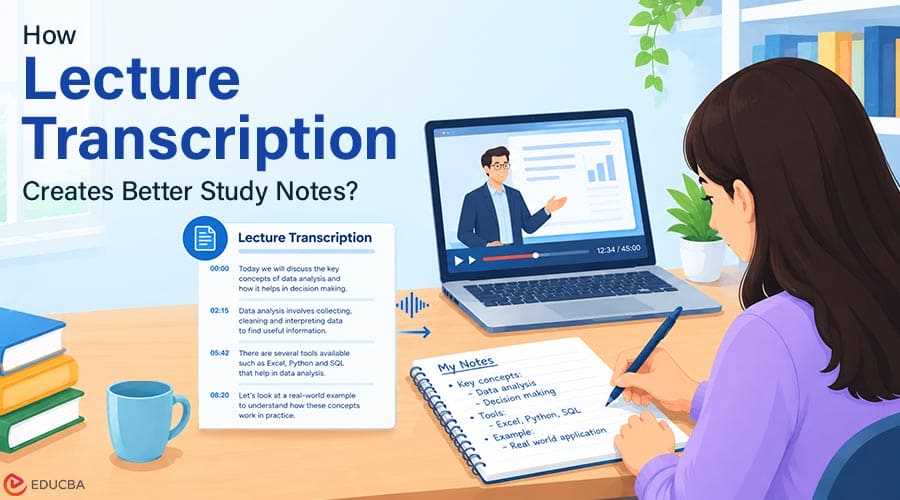
Online courses make professional knowledge easier to access, but access does not automatically lead to understanding. A learner may follow a lecture clearly while it plays and still struggle to remember the explanation days later. Recordings can help, yet replaying an entire lesson to locate one definition or example is inefficient. Traditional notes solve part of the problem, but constant typing can interrupt concentration. Learners may focus so heavily on copying sentences that they stop processing the ideas behind them. Lecture transcription offers a useful middle ground.
It creates a searchable reference that learners can review, correct, and reorganize into their own study materials. The transcript itself is not the finished result. Its value depends on what the learner does with it next.
Why Are Recorded Lectures Difficult to Review?
A video or audio recording preserves the full lesson, including explanations, examples, and questions. It also preserves pauses, repetition, and unrelated discussion. This makes recordings useful as source material but inconvenient as study notes. A learner who needs to review one formula, process, or technical term may have to move through several sections before finding it.
Recordings are also difficult to scan. Written pages allow readers to search, highlight, and compare passages quickly. Audio and video usually require more time because information is presented in sequence. A transcript changes that relationship. It turns spoken content into searchable text while retaining the original recording as a reference for anything that needs to be checked.
7 Steps to Turn Lecture Transcription Into Effective Study Materials
The following steps explain how to transform lecture transcriptions into clear, organized, and useful study materials.
Step 1: Confirm That Recording is Allowed
Before recording a lecture, webinar, tutoring session, or group discussion, learners should check the applicable rules. The instructor, institution, or course platform may restrict recording or sharing. Other participants may also need to be informed when their voices will be captured. Permission should be obtained before the session begins.
A recording made for personal study should remain personal unless the content owner has authorized wider distribution. Paying for access to a course does not necessarily give a learner permission to republish its lectures or transcripts. If recording is not allowed, students can still apply the rest of this workflow to their own voice notes or other material they are authorized to process.
Step 2: Create a Searchable Transcript
Once permission has been established, the recording can be converted into text. Owll’s AI transcription software can process meeting recordings, interviews, voice memos, and other audio, supporting more than 99 languages and conversations that switch between languages. The main benefit is searchability. Learners can look for a concept, name, formula, or example without replaying the full session. Speaker identification and timestamps can also help distinguish the instructor’s explanation from questions or comments made by other participants.
Transcription does not guarantee that every word will be correct. Background noise, overlapping speech, unfamiliar accents, and specialized vocabulary can affect the result. Treat a transcript as a working document rather than an unquestionable source.
Where Owll Fits in the Study Workflow?
Owll is an AI note-taking and transcription platform developed by Vocalbeats.AI. It converts spoken material into searchable transcripts, summaries, and review aids. For students, this makes lecture content easier to search, verify using timestamps, and organize for revision. Owll’s website states that it supports more than 99 languages, mid-sentence language switching, smart notes, and flashcard generation. Its Apple App Store listing identifies Vocalbeats.AI Pte. Ltd. as the developer and mentions timestamped transcripts, audio uploads, summaries, action items, and synchronization across iPhone, iPad, Apple Watch, and the web.
Learners can record an authorized lecture or upload an existing file, search for specific terms, and return to the relevant timestamp for verification. Owll can also create summaries and flashcards, but learners should check these against the recording and official course materials, especially for terminology, equations, quotations, and assessment requirements.
Step 3: Clean the Transcript
Spoken language rarely looks polished when converted directly into text. People repeat words, change direction mid-sentence, and use verbal fillers that add no meaning. The first editing pass should remove material that makes the transcript difficult to read while preserving the original explanation.
Learners can:
- Delete repeated phrases and verbal fillers
- Correct obvious spelling errors
- Add punctuation where needed
- Separate long sections into paragraphs
- Confirm the names of people, tools, and theories
- Mark unclear passages for later review
The aim is not to rewrite the lecture or make the instructor sound different. The goal is to create a readable reference that accurately reflects the lesson. If a sentence seems incorrect or incomplete, learners should check the relevant timestamp in the source recording instead of guessing what was said.
Step 4: Organize the Content by Topic
A transcript follows the order in which people spoke. Effective study notes follow the structure of the subject. Next, reorganize the material into logical categories.
Depending on the course, these might include:
- Core concepts
- Definitions
- Processes or procedures
- Formulas and calculations
- Examples and case studies
- Common mistakes
- Questions raised during the session
- Tasks to complete after the lesson
This stage requires active judgment. Learners must decide which points belong together and which details support the main idea. That mental work is part of learning and should not be delegated entirely to an automated system. A useful approach is to create a short heading for each topic, followed by the explanation in the learner’s own words and one supporting example from the lesson.
Step 5: Convert Notes Into Study Materials
Clean, structured notes can become several types of learning resources.
A learner might create:
- A one-page summary for quick review
- A glossary of important terms
- Questions for self-testing
- Flashcards for definitions or formulas
- A checklist for a practical procedure
- A list of topics that need additional clarification
The best format depends on what needs to be learned. Flashcards may work well for vocabulary but poorly for a complex process. A diagram may explain relationships more clearly than several paragraphs. Practice exercises are usually more useful than summaries when the goal is to apply a skill. AI can assist with formatting or suggest possible questions, but learners should verify the output and answer the questions themselves. Generating a study guide is not the same as learning its contents.
Step 6: Check High-Risk Details
Some information requires more careful review than general discussion. Numbers, dates, equations, commands, technical terminology, and direct quotations can lose their meaning when even one character is incorrect. These details should be compared with the recording and any official course materials supplied by the instructor.
Learners should be especially careful when the material relates to finance, law, health, engineering, or another field where an error could have practical consequences. A transcript can help locate the relevant explanation, but it should not replace authoritative course materials or professional guidance. If the instructor corrects a statement later in the lecture, the notes should reflect the final explanation rather than preserving the earlier version without context.
Step 7: Add Your Own Understanding
A transcript records what another person said. Study notes should also show what the learner understands.
After organizing the content, learners can add:
- A plain-language explanation of each main concept
- A personal example
- A connection to an earlier lesson
- A question that remains unanswered
- A short application exercise
- A note explaining why the topic matters
One useful test is to close the transcript and explain the concept without looking at it. If the explanation is unclear, rereading the same passage may not be enough. The learner may need another example, additional practice, or clarification from the instructor. This step turns transcription from passive documentation into active learning.
Common Mistakes to Avoid
The first mistake is treating the transcript as final notes. Raw transcripts are usually too long and contain more detail than learners need for revision. Another mistake is trusting every sentence without checking it. Automated transcription can produce text that looks grammatically plausible while misidentifying an important word.
Learners should also avoid spending so much time perfecting the document that they have no time left to practice. Formatting is helpful only when it makes the material easier to understand and retrieve. Finally, a complete transcript should not be submitted as original academic work. Students must follow course rules regarding AI assistance, attribution, and independently completed assignments.
From Captured Speech to Usable Knowledge
Lecture transcription is most valuable when it shortens the path between hearing an explanation and working with it. The process begins with permission, continues through transcription and correction, and ends with organization, verification, and active review. Each stage has a different purpose. The recording preserves the source, the transcript makes it searchable, and the learner turns the material into applicable knowledge.
A transcript cannot replace concentration, practice, or critical thinking. Used carefully, however, it can make online learning easier to review without requiring students to choose between listening closely and copying every sentence. Platforms such as Owll are most credible in this role when searchable transcripts, timestamps, and study aids reduce administrative work while leaving interpretation and verification to the learner.
Recommended Articles
We hope this comprehensive guide to lecture transcription helps you turn recorded lessons into organized and effective study materials. Check out these recommended articles for more insights and strategies to improve your online learning experience.

