


Updated September 21, 2026
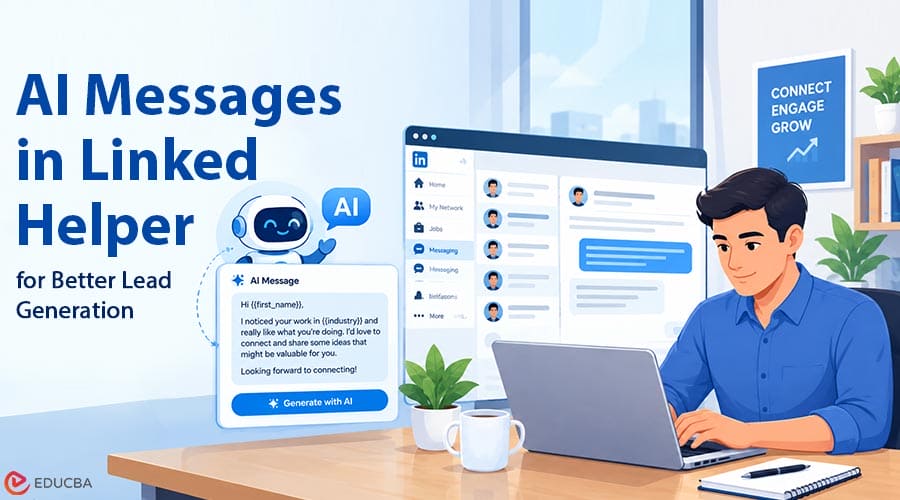
What Are AI Messages in Linked Helper?
AI Messages is a feature within Linked Helper that creates connection requests and follow-ups automatically, using unique information about a particular prospect’s LinkedIn profile, not the generic template sent to everyone. AI Messages in Linked Helper addresses this challenge by using information from individual LinkedIn profiles to create personalized connection requests and follow-up messages.
Instead of creating a first contact by hand, AI Messages uses information from a prospect’s profile to create a personalized connection request message. This tool is incorporated into the workflow of both AI ICP Detection and follow-up messages to integrate all steps of the process in one campaign. When used by individuals or small teams handling several conversations a week, it allows for creating a predictable and repeatable outreach process.
How Does Linked Helper Personalize Messages for Each Lead?
Personalization relies on the “Required” profile fields a user selects: professional summary, work experience, skills, common connections, and activity or posts. The AI will analyze the chosen fields and write a message accordingly, without forcing a person’s name into a generic sentence.
If any required field is missing, the tool can access the profile page and pull the information needed to create the message, or move to another lead rather than send an irrelevant message. This alternative option is important because an irrelevant message can sound like the generic spam prospects are used to ignoring. Company-related specifics are taken into account as well.
Quick Generation vs. Advanced Generation: Which Mode Fits Your Campaign?
These two modes fulfill two different functions. Quick Generation gives the AI a prompt and writes a message with little prep, useful for trying out a perspective quickly or sending a small list. Advanced Generation combines AI-written text with variables, IF-THEN-ELSE decision-making, and spintax, giving the user more control over structure while letting the AI handle the personalization.
Tone of Voice changer modifies the level of formality, and Hybrid Template Creation lets you build the template structure manually and have the AI personalize the content within it. Campaigns reaching out to a broader group of people and roles generally require the Advanced Generation mode.
What Role Do AI Drafts and Human Approval Play in Message Quality?
All AI-generated messages go into an “AI Drafts” folder instead of being sent directly, so users can review them before sending to prospects. These drafts can be viewed either as a list or in detail view and edited, regenerated, and approved manually.
After the campaign has run long enough to ensure the AI output is high quality, you can enable auto-approval to send messages without manual review. This two-step approach prevents users from sending a bad batch of messages to recipients.
How Does the AI Reply Assistant Handle Incoming Responses?
It is not the end of the outreach after the first message. The AI Reply Assistant suggests how to respond after prospects reply. It considers the full context of the discussion and makes recommendations based on the stage of the interaction.
A person can set a certain goal, such as arranging a product demo next Tuesday, and receive a relevant reply based on the desired result, not some generic response. Inline editing lets users adjust the message tone before sending, speeding up replies without losing judgment.
Why AI Messages Do Not Trigger Spam Filters or LinkedIn Restrictions?
Mass-sending identical messages is exactly the kind of behavior LinkedIn’s security system looks for, and AI Messages addresses it in two ways. True personalization means making each message different, not simply changing variables within identical sentences. A spintax system also processes every generated message to ensure syntactic variation.
This works alongside the rest of Linked Helper’s safety architecture. The company says Linked Helper uses its own browser engine and passed tests that found it undetectable by DataDome, Cloudflare, PerimeterX, Akamai, and Imperva.
What Results Are Users Reporting with AI Messages?
Reviews from other independent sources support the claims about personalization much better than the marketing page ever can. For example, one G2 user called an “AI suite for Lead Qualification and Hyper-personalization” their favorite feature of a Fractional BDM. A Growth Consultant on Capterra reported creating “sequences that do not sound like robots,” while an Employee Engagement Officer mentioned the ability to create campaigns “that feel personal without typing each message” and the chains “start real dialogues with real people.”
Finally, an Executive Coach assessed this tradeoff that many reviewers came to: personalized messages at scale “save a lot of time but maintain quality.” Of course, none of this substitutes for a controlled study, but still.
How to Configure AI Messages in Linked Helper for Maximum Lead Generation?
To make full use of this feature, ensure you set a sufficient number of profile fields to “Required” so the AI has enough information to work with. Otherwise, it will fall back on standard wording. Test new campaigns manually through AI Drafts before activating Auto-approve to catch flaws and avoid sending a large batch of irrelevant messages.
Selecting the proper generation method depending on the type of audience (Advanced Generation – for various audiences requiring branching logic; Quick Generation – for more defined ones) is equally important.
Final Thoughts
AI Messages in Linked Helper approaches personalized outreach by using information from individual LinkedIn profiles rather than relying entirely on generic templates. Quick and Advanced Generation cater to campaigns of different sizes; spintax and per-message customization keep it from sounding templated, and reviews on G2 and Capterra show that personalization works in real life, not just on the feature page. None of this guarantees success on its own, of course, but with proper targeting and setup, it at least gives you a chance.
Disclaimer: This article discusses Linked Helper’s features and claims based on available information. Results may vary, and users should follow LinkedIn’s terms and policies when using automation tools.
Recommended Articles
We hope this comprehensive guide to AI messages in Linked Helper helps you create more personalized and effective LinkedIn outreach campaigns. Check out these recommended articles for more insights to improve your lead generation and business growth.


