


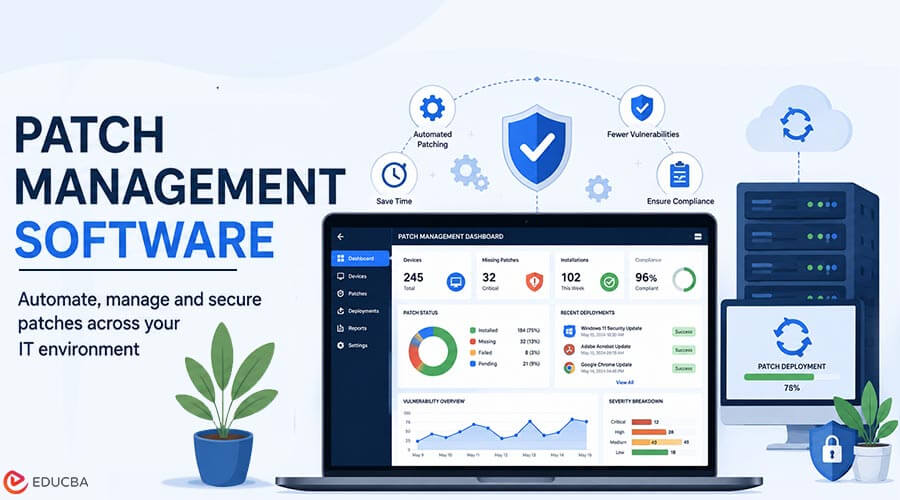
A single unpatched vulnerability sat behind one of the largest data breaches in history, exposing personal records for nearly 150 million people, all because a fix that already existed never made it onto the right server in time. Exploitation of known vulnerabilities remains one of the leading ways attackers get into a network today, and in most cases, a patch was already available. Patch management software exists to close exactly that gap, and here is how it actually protects every endpoint it touches, from the first scan to the final verification, without requiring an IT team to track every device by hand.
Key Takeaways
- Exploitation of vulnerabilities accounts for roughly 20% of breaches, according to Verizon’s 2025 Data Breach Investigations Report, and a patch is often available before the attack occurs.
- Manual patching breaks down at scale because it depends on someone remembering to check, test, and deploy updates on every device.
- Automated patch management software combines continuous scanning, prioritized deployment, and verification into a single, repeatable process.
- Not every patch carries equal urgency, and treating them all the same way wastes time on low-priority updates while critical ones wait.
- Patch management works best as part of a broader endpoint and network security strategy, not as an isolated task.
What Patch Management Software Actually Does?
Patch management software identifies which devices are missing updates, retrieves the correct patches from the vendor, tests them where appropriate, and deploys them across a fleet of endpoints, all without requiring someone to touch each machine manually.
Choosing dependable patch management software for IT teams turns a scattered, manual chore into a scheduled, auditable process. Every step- discovery, testing, deployment, and confirmation- happens according to policy rather than whenever someone remembers to check, which matters as much for compliance reporting as it does for actual security.
Why Manual Patching Fails at Scale?
Patching ten machines by hand is tedious but manageable. Patching a thousand machines by hand is where things quietly start falling apart, since consistency depends entirely on human memory and available time. A technician juggling dozens of other tickets is rarely the person who notices a single overdue patch on a machine nobody has complained about yet. The gap between believing every device is patched and actually knowing it is patched is often wider than most IT teams expect. Reviewing
How the patch lifecycle typically works helps explain why each stage- identification, testing, deployment, verification, needs its own checkpoint rather than being treated as a single step. A team that skips the verification checkpoint often discovers gaps only after an incident, by which point the missing patch has already cost far more than the few minutes it would have taken to confirm it earlier.
How Automated Patch Management Protects Every Endpoint?
Three capabilities work together to keep a fleet of devices consistently up to date.
1. Continuous Vulnerability Scanning
Instead of checking device status occasionally, automated tools scan continuously and flag missing patches the moment they become available. This shrinks the window between a patch being released and a device actually receiving it, which is exactly the window attackers rely on.
2. Prioritized Deployment
Not every missing patch deserves the same urgency. Automated systems can rank patches by severity, pushing critical security fixes out immediately while scheduling routine updates for a standard maintenance window. That prioritization alone prevents the common failure mode where a minor cosmetic update and a critical security fix sit in the same queue with no distinction between them.
3. Verification and Rollback
An incorrectly installed patch can be more dangerous than having no patch, as it may give organizations a misleading sense of security. Automated tools verify successful installation and can automatically roll back a problematic update if something breaks, closing the loop that manual processes often skip entirely.
Patch Management: Manual vs Automated
The practical differences between these two approaches become clear when you place them side by side.
| What Matters | Manual Patching | Automated Patch Management |
| Consistency across fleet | Depends on individual follow-through | Enforced by policy |
| Time to patch after release | Days to weeks | Hours to days |
| Visibility into missed patches | Limited, often discovered after an incident | Continuous, real-time dashboards |
| Rollback if a patch fails | Manual, time-consuming | Often automated |
| Scalability | Breaks down beyond a few dozen devices | Scales to thousands of endpoints |
Automated patch management does not eliminate the need for human judgment, particularly around testing before wide deployment, but it removes the parts of the process most prone to being forgotten.
The Data Behind Delayed Patching
The gap between a patch shipping and a device actually installing it is where most of the real risk sits.
“Exploitation of vulnerabilities has become an initial access vector in roughly 20% of breaches, a 34% increase year over year, according to Verizon’s 2025 Data Breach Investigations Report.”
That increase did not happen because vulnerabilities suddenly became more common. It happened because attackers got faster at finding and exploiting the gap between disclosure and remediation. This is exactly the gap exposure management practices are built to close, continuously surfacing which unpatched vulnerabilities are most likely to be exploited so teams can prioritize the fixes that matter most. Reviewing
How attackers increasingly exploit unpatched vulnerabilities makes clear why speed matters as much as thoroughness in modern patch management. Understanding how known vulnerabilities get cataloged and tracked also helps IT teams prioritize which missing patches deserve urgent attention, rather than treating every update as equally pressing, since not every entry in a vulnerability database carries the same real-world risk.
Patch Management Within a Comprehensive Security Strategy
Patching rarely works well when handled as a standalone task disconnected from everything else protecting a network.
Key Principle:
Patch management should feed into, and draw from, the same visibility used for broader endpoint monitoring. A device missing a critical patch is a security gap regardless of which team happens to notice it first.
Reviewing the Core components of endpoint security shows how naturally patch management fits alongside other protective layers, since outdated software is one of the most common ways an otherwise well-defended endpoint becomes an entry point. The same logic extends to
Network security fundamentals more broadly, since a single unpatched device can undermine protections built around the rest of the network if nobody catches it in time. Treating patch status as one input into a wider security picture, rather than a separate checklist item, helps catch gaps a narrower view would miss.
Common Patch Management Mistakes
A handful of avoidable mistakes show up repeatedly in patch management programs, regardless of organization size.
- Treating all patches as equally urgent, which delays the ones that matter most
- Skipping testing entirely to move faster, then dealing with a broken update fleet-wide
- Assuming remote and field devices are patched on the same schedule as office machines
- Failing to track patch compliance as a measurable, reportable metric
- Organizations managing complex environments, such as those relying on
Warning:
Never assume a patch installed successfully just because you pushed it. Verify installation on each device, as a failed patch can leave a system just as exposed as an unpatched one.
Managed IT services to keep factory floor systems running tend to treat patch status as a core operational metric rather than an afterthought, since downtime in those settings makes delayed patching particularly expensive. The same discipline applies to a small office network, even if the stakes of a single missed device are smaller in absolute terms.
Final Thoughts
Patch management software closes one of the most consistently exploited gaps in cybersecurity, not through anything exotic, but by making sure updates that already exist reach every device that needs them. The organizations that treat patching as a scheduled, automated, and verified process rather than a background chore are the ones least likely to become the next example of a known, available fix arriving too late, and the difference between those two outcomes usually comes down to process rather than budget.
Frequently Asked Questions (FAQs)
Q1. How is patch management different from vulnerability management?
Answer: Vulnerability management is the broader, ongoing process of identifying and prioritizing security weaknesses across an environment. Patch management focuses on applying the fix once an organization identifies a vulnerability. However, people often discuss the two together because they overlap so much in practice.
Q2. How quickly should critical patches be deployed?
Answer: Organizations should patch critical, actively exploited vulnerabilities within days rather than weeks, as attackers can exploit some vulnerabilities within hours of public disclosure.
Q3. Can automated patch management break systems?
Answer: It can, which is why testing and rollback capability matter as much as the automation itself. A well-designed process tests patches on a small group of devices before wide deployment and can revert automatically if problems appear, limiting the blast radius of any single bad update.
Q4. Does patch management cover every type of software?
Answer: Comprehensive tools cover operating systems and third-party applications alike, since attackers frequently target commonly installed software just as often as the operating system itself, and a tool that only covers the OS leaves a significant gap.
Q5. Is patch management only necessary for large organizations?
Answer: No. Smaller organizations often have limited resources for manually identifying missed patches, making automation particularly valuable because a single unpatched vulnerability can pose the same risk regardless of company size.
Recommended Articles
We hope this comprehensive guide to patch management software helps you strengthen your organization’s cybersecurity and keep endpoints protected. Check out these recommended articles for more insights and strategies to improve your IT security and management.

