


Social media helps businesses connect with customers, promote products, and build a recognizable brand. Companies use platforms such as Instagram, Facebook, LinkedIn, X, and Pinterest to share updates and stay in touch with their audiences.
However, managing several accounts can become time-consuming. Teams must create posts, prepare visuals, write captions, publish content, and respond to followers. Posting everything manually each day can make the process difficult to manage.
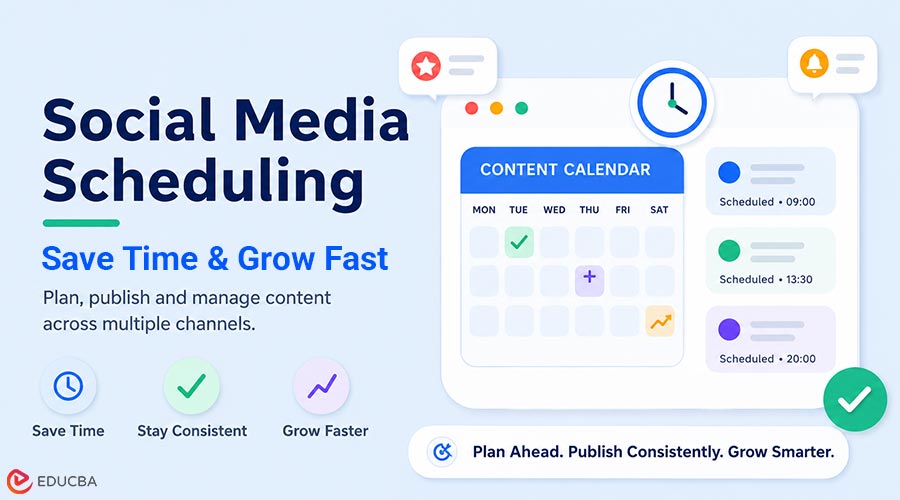
Social media scheduling offers a practical solution. It allows businesses to prepare posts in advance and publish them automatically at selected dates and times.
For example, a business can schedule Instagram posts for an entire week instead of logging in every day to publish them manually. This saves time, improves consistency, and helps the team focus on other marketing activities.
What is Social Media Scheduling?
Social media scheduling is the process of creating content in advance and deciding when to publish it.
A marketer prepares the post, uploads the image or video, writes the caption, adds relevant links or hashtags, and selects a publication time. A scheduling tool then automatically publishes the post.
Businesses can schedule different types of content, including:
- Educational posts
- Product announcements
- Promotional campaigns
- Event reminders
- Customer testimonials
- Seasonal updates
- Blog promotions
- Videos and images.
Scheduling tools often allow businesses to manage multiple social networks from a single dashboard. This makes it easier to organize content, maintain a clear publishing calendar, and use social media management tools that streamline scheduling, collaboration, and reporting.
How Does Social Media Scheduling Work?
The exact process depends on the tool being used, but most scheduling platforms follow similar steps.
Step 1: Create the Post
The marketer writes the caption and selects the image, video, or link to include.
Step 2: Select the Social Media Account
The user chooses where the post should appear, such as Instagram, Facebook, LinkedIn, or X.
Step 3: Choose a Date and Time
The marketer selects the preferred publishing date and time based on the campaign calendar or audience activity.
Step 4: Review the Content
The team checks the caption, spelling, links, visuals, and formatting before approving the post.
Step 5: Schedule the Post
The content is placed in the publishing queue and goes live automatically at the chosen time.
This simple process eliminates the need for someone to publish every planned update manually.
Why is Social Media Scheduling Important?
Social media scheduling matters because it helps businesses manage their content more efficiently.
Without a schedule, teams may publish inconsistently, repeat the same topics, or miss important campaigns. A structured publishing calendar gives businesses a clear view of what they plan to share and when each post will appear.
It also helps companies stay active during weekends, holidays, and busy working periods.
Benefits of Social Media Scheduling
1. Saves Time
Publishing posts manually on several platforms can take a significant amount of time.
A marketer may need to open each account, upload files, adjust captions, and check the final post separately. Repeating this process every day reduces the time available for strategy, research, and customer engagement.
Scheduling allows teams to prepare several posts in one session.
For example, a business could create a full week of Instagram content on Monday and schedule each post to appear on a different day.
This batching approach makes the workflow more efficient.
2. Maintains Posting Consistency
Consistency helps audiences become familiar with a brand.
When a company publishes regularly, followers receive a steady flow of useful information. When posting becomes irregular, the account may appear inactive or poorly managed.
Scheduling helps businesses maintain a dependable publishing routine even during:
- Weekends
- Holidays
- Staff leave
- Product launches
- Busy sales periods
- Company events.
A scheduling tool does not guarantee strong performance, but it helps prevent important posts from being forgotten.
3. Improves Content Planning
Posting without a plan can lead to repetitive or unbalanced content.
A business may publish too many promotional messages while providing very little educational or engaging information.
Scheduling encourages teams to create a content calendar that includes a balanced mix of:
- Informative posts
- Product updates
- Customer stories
- Company news
- Videos
- Polls
- Behind-the-scenes content
- Offers and promotions.
A content calendar also helps businesses coordinate posts with holidays, events, campaigns, and product launches.
4. Reduces Last-Minute Stress
Creating content at the last minute often leads to rushed decisions.
The team may struggle to find a topic, locate the correct image, or receive approval before the deadline. This can result in weaker captions, missed publishing times, and avoidable mistakes.
Preparing posts in advance reduces this pressure.
Marketers know what will be published each day and can focus on improving the content instead of rushing to meet a deadline.
5. Improves Team Collaboration
Social media content often involves several team members.
A writer may prepare the caption, a designer may create the graphic, and a manager may approve the final post. Without a shared process, feedback can become scattered across emails and messages.
Scheduling platforms often allow users to:
- View upcoming posts
- Edit drafts
- Leave comments
- Review designs
- Approve content
- Assign responsibilities.
This improves communication and reduces the risk of publishing incomplete or unapproved content.
6. Helps Businesses Post at Suitable Times
Audiences do not always use social media during normal office hours.
Some followers may be most active early in the morning, while others may browse social media in the evenings or on weekends.
Scheduling allows a business to publish at these times without asking employees to remain online.
For example, a team can schedule Instagram posts for the evening even if the office closes in the afternoon.
Businesses should use their own account analytics to identify when followers are most active, as the optimal publishing time can vary by industry, location, and platform.
7. Supports Multiple Social Media Platforms
Many businesses maintain profiles on more than one network.
Managing Instagram, Facebook, LinkedIn, X, and Pinterest separately can become repetitive.
A scheduling platform brings these accounts together in one place. Marketers can view the complete content calendar, prepare platform-specific versions, and avoid publishing conflicts.
Several EDUCBA resources also recommend using centralized tools to plan posts across multiple social media platforms.
However, the same content should not always be copied word for word across every network.
A professional LinkedIn post may need a different tone from an Instagram caption, while an X post may need to be shorter and more direct.
8. Improves Content Quality
Scheduling gives teams more time to review content before it becomes public.
They can check:
- Grammar and spelling
- Captions
- Images and videos
- Links
- Hashtags
- Mentions
- Calls to action
- Campaign information.
This review process reduces the likelihood of broken links, incorrect dates, or poorly formatted visuals.
Better preparation often results in more polished and professional posts.
9. Makes Campaign Management Easier
Social media is often one part of a larger marketing campaign.
For example, a product launch may include:
- A landing page
- A blog article
- An email announcement
- An Instagram post
- A LinkedIn update
- A promotional video
- Reminder posts.
Scheduling helps teams organize these activities and publish each message in the correct order.
It also allows marketers to see whether too many posts are planned for one day or whether an important date has been overlooked.
10. Supports Performance Measurement
Regular publishing creates more reliable performance data.
Marketers can compare different posts using metrics such as:
- Reach
- Impressions
- Likes
- Comments
- Shares
- Saves
- Link clicks
- Video views
- Leads
This information helps businesses understand which topics and formats work best.
For example, a company may find that educational carousels generate more saves while short videos produce more views.
The team can use these findings to improve future campaigns instead of relying on assumptions.
11. Helps Small Businesses Stay Active
Small businesses often have limited time and fewer employees.
The owner may be responsible for customer service, sales, operations, and marketing. Posting manually every day may not be realistic.
Scheduling allows a small team to prepare content in batches and maintain an active presence without spending hours on social media each day.
This makes it easier to compete with larger companies that have dedicated marketing departments.
12. Supports Long-Term Brand Growth
Strong social media results rarely come from one viral post.
Businesses usually grow by sharing useful content regularly, building relationships, and staying visible over time.
Scheduling provides the structure needed to maintain that consistency.
It gives teams more time to focus on:
- Creating useful content
- Responding to customers
- Studying audience behavior
- Improving campaigns
- Developing new ideas.
Over time, this organized approach can support stronger brand awareness, customer trust, and audience loyalty.
Social Media Scheduling Example
Suppose a small online store plans to launch a new product on Friday.
Without scheduling, the owner may need to remember to publish several posts throughout the week.
A scheduled plan could look like this:
| Day | Scheduled Content |
| Monday | Product teaser |
| Tuesday | Behind-the-scenes image |
| Wednesday | Product benefit or feature |
| Thursday | Launch reminder |
| Friday | Product launch announcement |
| Saturday | Customer question or poll |
| Sunday | Product demonstration video |
The business can prepare all seven posts in advance while still responding manually to questions and comments during the week.
Manual Posting vs Social Media Scheduling
| Basis | Manual Posting | Social Media Scheduling |
| Publishing Method | Posted directly at the moment | Prepared and queued in advance |
| Time Required | Requires daily attention | Saves time through batch preparation |
| Flexibility | Better for immediate updates | Better for planned content |
| Consistency | Easier to miss posts | Supports a regular schedule |
| Best Use | Live events and urgent updates | Campaigns and evergreen content |
| Team Workflow | May involve scattered communication | Can support review and approval |
| Audience Timing | Requires someone to be online | Can publish outside office hours |
Manual posting works well for breaking news, live events, and customer conversations. Scheduling is more suitable for planned campaigns, educational content, and routine updates.
Does Scheduling Make Content Less Authentic?
No. A scheduled post does not automatically feel robotic.
Most followers cannot tell whether a post was published manually or through a scheduling platform.
Content feels authentic when it:
- Uses a natural brand voice
- Solves a real audience problem
- Provides helpful information
- Avoids excessive promotion
- Encourages conversation.
The real problem occurs when a company schedules posts but never responds to comments or questions.
Publishing can be automated, but customer interaction should remain human.
Limitations of Social Media Scheduling
Scheduling offers many advantages, but businesses should also understand its limitations.
- Scheduled Content Can Become Outdated: A post created several weeks earlier may no longer be relevant when it is published. Businesses should review their queues regularly and pause content when circumstances change.
- Not Every Post Should Be Automated: Breaking news, customer complaints, and live-event updates usually require human judgment. These situations are better handled manually.
- Platform Features May Differ: Some scheduling tools may not support every post format, tagging option, or platform feature. Teams should check whether the chosen tool supports their specific requirements.
- Scheduling Does Not Replace Strategy: A tool can publish content automatically, but it cannot guarantee that the content is relevant or useful. Businesses still need a clear audience, message, and marketing objective.
Best Practices for Social Media Scheduling
- Create a Content Calendar: Plan key themes, campaigns, and publication dates before creating individual posts.
- Prepare Content in Batches: Create several related posts in a single focused session rather than producing one post each day.
- Adapt Posts for Each Platform: Adjust the caption, length, and format to suit each social network’s audience and requirements.
- Leave Space for Real-Time Content: Do not fill every available publishing slot. Keep room for trends, live updates, and unexpected announcements.
- Review the Schedule Regularly: Check whether upcoming posts are still accurate, relevant, and appropriate.
- Monitor Comments After Publication: A scheduled post still requires human follow-up. Respond to questions, feedback, and customer concerns.
- Use Performance Data: Review analytics and adjust future topics, posting times, and formats based on actual results.
Final Thoughts
Social media scheduling is the process of preparing posts in advance and publishing them automatically at selected dates and times.
It helps businesses save time, post consistently, organize campaigns, and improve team collaboration. It also allows content to be published when audiences are active, even outside normal working hours.
However, scheduling should not replace real-time communication.
The most effective approach is to schedule planned content while continuing to respond manually to customers, trends, and urgent updates.
When used correctly, social media scheduling makes daily management easier and gives businesses more time to focus on content quality, audience relationships, and long-term growth.
Frequently Asked Questions (FAQs)
Q1. What is social media scheduling?
Answer: Social media scheduling is the process of preparing content in advance and using a tool to publish it automatically on selected dates and times.
Q2. Why should businesses schedule social media posts?
Answer: Scheduling saves time, supports consistent posting, improves organization, and helps businesses publish when their audiences are active.
Q3. Can small businesses benefit from social media scheduling?
Answer: Yes. Scheduling is especially useful for small businesses because it allows a limited team to maintain an active presence without having to post manually every day.
Q4. Does scheduling improve engagement?
Answer: Scheduling can help businesses publish consistently and at suitable times. However, engagement also depends on content quality, relevance, and audience interest.
Q5. How far ahead should social media posts be scheduled?
Answer: Many businesses plan content one to four weeks. Timely posts and trending topics should remain flexible.
Q6. Should every post be scheduled?
Answer: No. Planned content can be scheduled, while breaking news, live events, and customer conversations are often better handled manually.
Q7. Can scheduled posts feel natural?
Answer: Yes. Scheduled posts can feel natural when they use the brand’s usual voice, offer useful information, and receive genuine follow-up from the team.
Recommended Articles
We hope this guide helps you understand how social media scheduling improves content planning, saves time, and supports consistent brand communication. Explore these recommended articles for more insights into social media marketing, content calendars, audience engagement, digital campaigns, and marketing automation.


