


Updated July 14, 2026
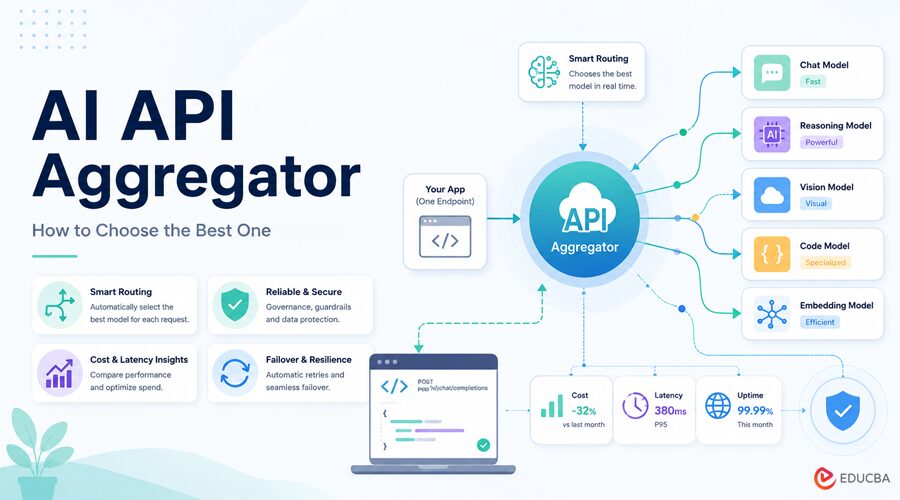
An AI API aggregator is a single endpoint that fronts many model providers at once. Instead of maintaining separate integrations for OpenAI, Anthropic, Google, and the rest, you call a single API with a single key, and the aggregator forwards each request to the appropriate provider. The good ones add routing, failover, and governance on top; the bad ones add markup.
One option worth knowing is OrcaRouter, which exposes 200+ models through a single OpenAI-compatible AI API aggregator with no token markup. Here is how to think it through.
An AI API aggregator lets your app access many models through a single endpoint. What separates the good ones: token markup, model breadth, routing, failover, and governance. OrcaRouter’s angle is zero markup, cost/quality/adaptive routing across 200+ models, sub-50ms failover, and built-in guardrails behind one OpenAI-compatible endpoint.
What an Aggregator Should do for you?
Beyond convenience, a strong aggregator saves money and uptime: it routes each prompt to the cheapest capable model, retries against a healthy provider when one fails, and never marks up token prices.
It should also stay out of your way, technically OpenAI-compatible, so your existing code works unchanged, and transparent, so you can see exactly what each call costs and which model served it.
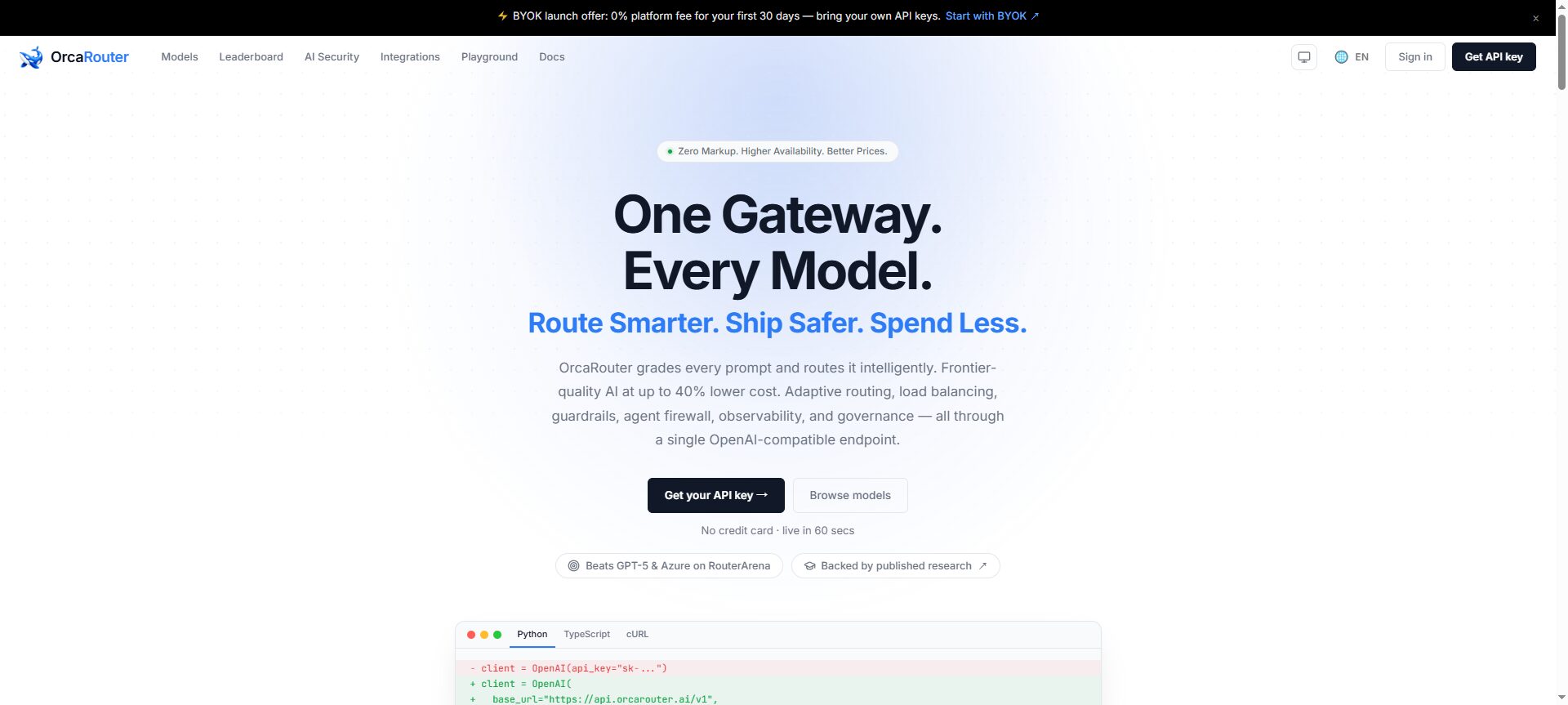
(Image Source: OrcaRouter)
What to look for?
Before you route production traffic through any aggregator, check:
- Pricing: Does it pass through provider rates, or add a per-token markup? Zero markup is cleanest.
- Model breadth: one endpoint should reach the frontier, and the open-weight models you use.
- Routing: route by cost, by quality, or adaptively, not one black-box mode.
- Reliability: automatic failover across providers before the response starts.
- Observability: per-call cost, model, and latency you can see and export.
- Governance: PII redaction, guardrails, and SOC 2 / GDPR / HIPAA if you handle real data.
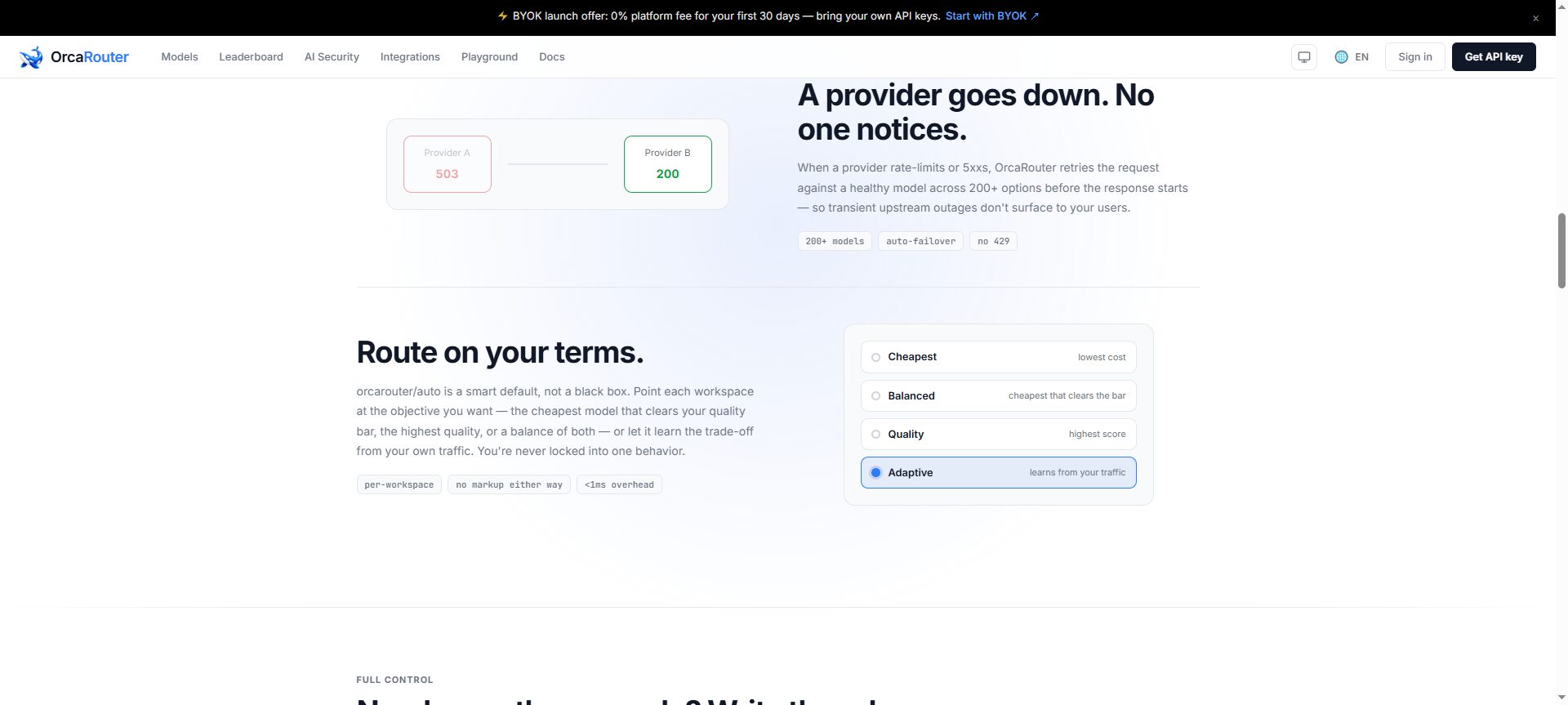
(Image Source: OrcaRouter)
The short version: a good AI API aggregator adds routing, reliability, and transparency — not a markup.
Pricing
The model is “routing is free, pay for features.” Hacker is free forever with zero markup; Team is $499/month; Enterprise is custom—no token markup on any tier.
| Tier | Price | What you get |
| Hacker | Free | Routing across 200+ models, auto-failover, 0% markup |
| Team | $499 / mo | Seats, compliance enforcement & reports, priority support |
| Enterprise | Custom | Private deployment, 99.99% SLA, dedicated support |
How to Get Started?
Because it is OpenAI-compatible, adoption is a base-URL change no rewrite:
from openai import OpenAI


client = OpenAI(

base_url="https://api.orcarouter.ai/v1",

api_key="$ORCAROUTER_API_KEY",

)

response = client.chat.completions.create(

model="orcarouter/auto",  # or any of 200+ model ids

messages=[{"role": "user", "content": "Hello"}],

)

print(response.choices[0].message.content)
Keep your existing OpenAI SDK, LangChain, or LlamaIndex code, and point tools like Cursor or Cline at the same endpoint. More at OrcaRouter.
Putting it into Production
The fastest way to evaluate an AI API Aggregator is to connect it to one real workload and monitor three key metrics: cost per completed task, error rate, and latency. Point your existing OpenAI client to the aggregator, run a day of representative traffic, and compare the results against your current setup. Since only the base URL changes, testing an AI API Aggregator requires minimal engineering effort.
From there, let routing do the heavy lifting: send routine requests to a cheaper model and escalate only the hard ones, so your average cost drops without your quality following. Add caching for repeated contexts system prompts, long documents, tool definitions, and the bill comes in again. Most teams find that the biggest savings come not from manually switching models, but from letting the endpoint pick the right one automatically.
Another best practice is to maintain a small evaluation set of your own real prompts and re-run it whenever you test a new model. Public benchmarks provide useful guidance, but your application’s performance is what truly matters. With an OpenAI-compatible AI API Aggregator, evaluating a new model is as simple as changing the model ID and rerunning your test set, making it easy to compare performance, cost, and quality before deploying changes to production.
Common Mistakes to Avoid
The first mistake is optimizing for sticker price alone. A model that appears inexpensive can end up costing more per completed task if it requires multiple retries, and a marked-up gateway can eliminate any savings even when the model itself is affordable. When evaluating an AI API Aggregator, always compare the total cost of a completed task rather than focusing only on the advertised per-token price.
The second is hard-wiring your stack to a single provider. Model quality and pricing change every few weeks, and an integration you cannot easily swap means every change becomes a migration. Keeping everything behind a single OpenAI-compatible endpoint means that adopting a newer or cheaper model is a one-line change, not a project, which is the whole point of routing through a single API.
Who Benefits Most?
This approach pays off most for teams running more than one model, or planning to do so: product teams shipping AI features, developers building coding or research agents, and anyone with high-volume pipelines where cost and reliability compound. If you only ever call a single model and never intend to switch, going directly to that provider is fine. The value of one endpoint shows up the moment a second model enters the picture.
Frequently Asked Questions (FAQs)
Q1. Why does OpenRouter (or a similar gateway) get so expensive at scale?
Answer: Developers often point to two main reasons: token markups (fees added to account top-ups) and provider switching, which reduces prompt-cache efficiency. When requests are routed across multiple providers inconsistently, cache hits decrease, and you end up paying the full uncached token rate more often. A zero-markup AI API Aggregator with consistent routing helps reduce both unnecessary costs and cache misses.
Q2. Why do my prompt-cache hits collapse through an aggregator?
Answer: Prompt caching is typically provider-specific, and many AI API aggregators rotate requests across providers to balance traffic. Every provider switch can result in a cache miss, increasing token costs. To maximize cache savings, choose an AI API Aggregator that lets you pin providers or maintains consistent routing. You can also prioritize models that offer generous cache discounts, such as DeepSeek.
Q3. Should I integrate the vendor directly instead?
Answer: Direct integration eliminates gateway fees, which is why some developers prefer it. However, you also lose the benefits of unified access, automatic failover, intelligent routing, and simplified model switching. A zero-markup AI API Aggregator offers the provider’s standard token pricing and lets you access multiple models through a single OpenAI-compatible endpoint.
Q4. What actually makes one option cheaper than another?
Answer: Not the sticker price. It is three things: no markup on top of provider rates, cache behavior that preserves your discounts, and routing each request to the cheapest model that still clears your quality bar. Get those right, and the same workload costs a fraction of what a flagship-only, marked-up setup would.
Q5. Do I have to change my code to switch?
Answer: In most cases, no. If the AI API Aggregator is OpenAI-compatible, you update the base URL while continuing to use your existing OpenAI SDK, frameworks, and developer tools. Switching between models usually requires only changing the model identifier, making it easy to test different models and compare cost, latency, and performance with minimal engineering effort.
Recommended Articles
We hope this guide to AI API Aggregators helps you simplify multi-model integrations, optimize costs, and improve the reliability of your AI applications. Explore these recommended articles for more insights into AI APIs, LLM integration, model routing, OpenAI-compatible platforms, and AI development best practices.


