


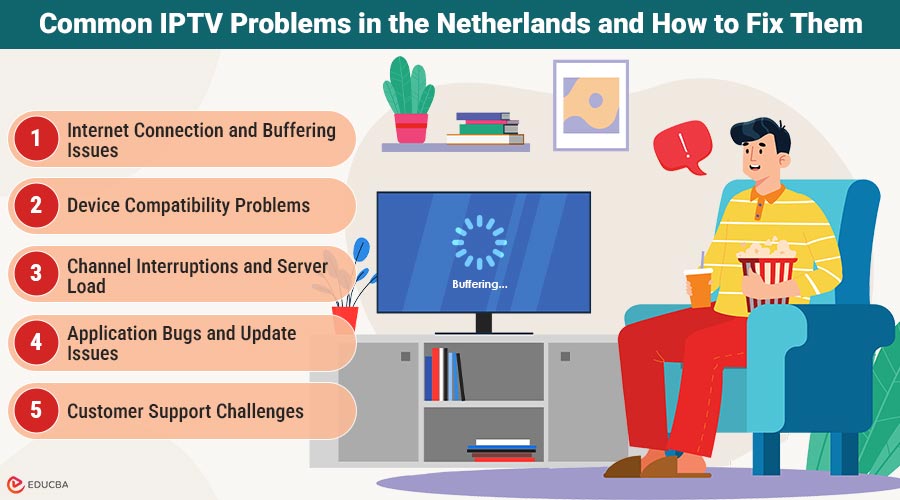
IPTV Problems in the Netherlands: Overview
Over the past few years, IPTV has become increasingly popular in the Netherlands. Instead of relying on traditional cable or satellite television, many households are switching to internet-based television services. IPTV lets users stream live channels, sports, movies, and series over the internet on devices like smart TVs, tablets, smartphones, and computers. Despite its convenience, users sometimes experience technical difficulties while streaming. Many of these common IPTV problems in the Netherlands are related to internet connectivity, device compatibility, application performance, or customer support communication. Understanding these issues and how to
Common IPTV Problems in the Netherlands and How to Fix Them
Below are some of the most common IPTV problems in the Netherlands, along with practical steps users can take to resolve them.
1. Internet Connection and Buffering Issues
One of the most common problems IPTV users face is buffering or interruptions while streaming. Since IPTV relies entirely on an internet connection, the quality and stability of that connection play a major role in the overall experience.
A slow or unstable internet connection can cause:
- Frequent buffering during live streams
- Reduced video quality
- Delays when switching channels
- Temporary freezing of the stream
This issue is more noticeable during peak hours when many people use the internet.
To reduce buffering problems, users can try a few simple steps:
- Use an internet connection with at least 25 Mbps speed
- Connect their device using an Ethernet cable instead of Wi-Fi when possible
- Restart their router periodically
- Limit background downloads or streaming on other devices
A stable internet connection remains the most important factor for a reliable IPTV experience.
2. Device Compatibility Problems
Another issue some IPTV users in the Netherlands encounter is device compatibility. Not all devices support IPTV applications equally well, especially older smart TVs or outdated streaming devices.
This can lead to problems such as:
- IPTV apps not opening properly
- Channels failing to load
- Application crashes during playback
Because of this, many users choose to watch IPTV using dedicated streaming devices such as Android TV boxes, which often provide better performance and compatibility with IPTV apps.
For people who are exploring different options for streaming television online, many providers offer information about iptv services and compatible devices.
3. Channel Interruptions and Server Load
Users may sometimes notice that certain channels temporarily stop working. This can happen for several reasons, including:
- Server maintenance
- Changes in streaming sources
- Temporary technical issues
During periods of high demand, servers may also experience heavy traffic, potentially affecting the stability of some channels. Reliable IPTV providers usually monitor their infrastructure and regularly update it to maintain stable streaming quality.
When users encounter channel interruptions, they can try simple troubleshooting steps such as:
- Restarting the IPTV application
- Refreshing or reloading the playlist
- Restarting their streaming device
Often, these quick steps resolve temporary issues.
4. Application Bugs and Update Issues
Like any software, IPTV applications require regular updates to fix bugs and improve performance. Using outdated IPTV app versions can cause issues such as:
- Error messages when launching the app
- Login difficulties
- Channels not loading correctly
Keeping apps updated through the device’s app store is important to ensure optimal performance.
In some cases, additional troubleshooting steps may help:
- Clearing the app cache
- Reinstalling the IPTV application
- Restarting the device
These steps often resolve many common software-related problems.
5. Customer Support Challenges
Customer support is another area where some IPTV users in the Netherlands occasionally experience difficulties. Many IPTV providers rely heavily on messaging platforms like WhatsApp to communicate with their customers. WhatsApp support is popular because it allows users to quickly send messages, screenshots, or technical details to the support team. However, there are situations where users might notice that:
- Messages are not answered
- The WhatsApp number suddenly stops working
- The contact disappears or becomes inactive
In many cases, this happens because WhatsApp accounts are suspended or restricted. When this occurs, the provider may need to switch to a new WhatsApp number to continue offering support.
For customers, this can be confusing, as it may appear that support is no longer available. In reality, the support team may simply be using an updated contact number. For this reason, always check the provider’s official website for the most recent contact information. Some websites, such as IPTV Koning, regularly update their WhatsApp contact details so users can always find the correct support channel.
6. Installation Difficulties for New Users
New IPTV users sometimes face challenges during the initial setup process. Users can configure IPTV services in different ways depending on the device and application they use.
Common setup methods include:
- M3U playlist links
- Dedicated IPTV apps
- Portal login systems on certain devices
For beginners, these configurations can seem confusing at first.
Many providers, therefore, offer setup guides or installation support to help users complete the process correctly. A proper setup helps avoid issues such as missing channels or login errors later on.
7. Account and Login Issues
Another issue that IPTV users sometimes encounter involves account access. Occasionally, users may find that their subscription is not working as expected or that they cannot log in to their IPTV service.
This can happen due to:
- Expired subscriptions
- Incorrect login credentials
- Temporary server updates
In most situations, users can resolve these problems quickly by verifying their account information or contacting the provider’s support team.
Final Thoughts
IPTV has become a popular way for people in the Netherlands to watch television, offering flexibility and access to a wide variety of channels and entertainment content. However, users may occasionally encounter common IPTV problems in the Netherlands, such as buffering, device compatibility limitations, channel interruptions, or setup challenges. Fortunately, users can resolve many of these problems with simple troubleshooting steps, such as improving internet connectivity, updating applications, restarting devices, or checking provider information. By understanding the most common IPTV issues and how to address them, users can enjoy a smoother and more reliable IPTV streaming experience.
Recommended Articles
We hope this guide on IPTV problems in the Netherlands helps you better understand the most common streaming issues and how to resolve them. Check out these recommended articles for more insights and practical tips to improve your IPTV viewing experience.

