


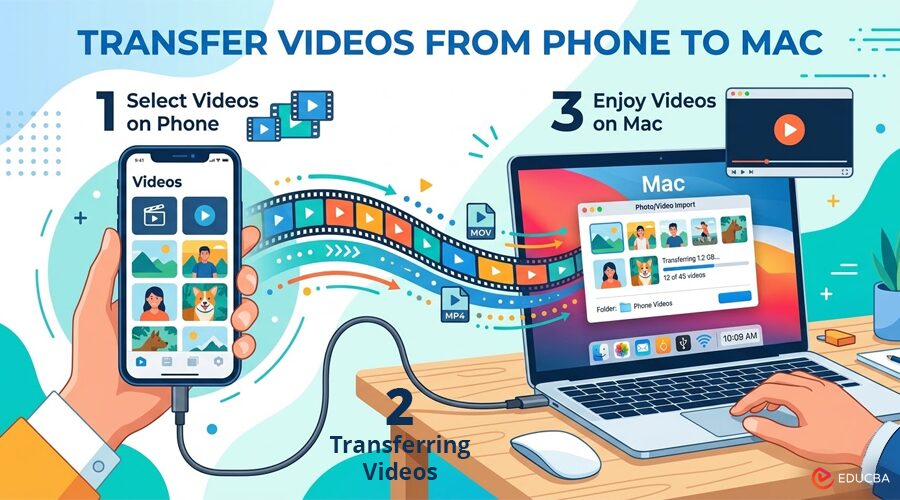
How to Transfer Videos From Phone to Mac in 2026?
Large video files pile up fast. One 4K clip from a phone can eat hundreds of megabytes, and after a weekend trip or a few client shoots, your Mac starts feeling like the only sane place to sort, edit, and archive everything. The problem is that “transfer videos from phone to Mac” still means different things depending on whether you use an iPhone or an Android.
With an iPhone, the process is usually straightforward because Apple’s ecosystem is built around AirDrop, Photos, and iCloud. With Android, it is often less elegant. There are cases where a phone would charge fine but refuse to mount properly, or where a long 4K folder copy turned into a stop-and-start mess. One of the first solutions was MacDroid, because it removes much of that friction and lets you work with Android files in Finder more naturally.
Why Video Transfer Still Matters in 2026?
Even in 2026, cloud sync is not always the best answer. Video files are larger than photos, mobile data can be slow or capped, and creators often want the original files on a Mac for Final Cut Pro, DaVinci Resolve, or a simple local backup. Apple still supports direct import from iPhone into Photos, while Android users often rely on USB, cloud storage, or third-party transfer tools.
Most users searching to transfer videos from phone to Mac want one of these:
- Move videos quickly without compression
- Keep original quality and metadata
- Avoid random transfer failures
- Access files directly in Finder
- Back up videos before deleting them from the phone.
That last point matters. Many users have learned the hard way that after recording a batch of long clips on a trip, assuming they were safe in the cloud can often lead to problems; only previews have synced properly.
Top Methods to Transfer Videos From iPhone to Mac
If you use an iPhone, Apple’s own tools are still the best place to start.
AirDrop for Quick Wireless Transfers
AirDrop remains one of the fastest ways to send a few videos from an iPhone to a Mac. Apple states that AirDrop transfers are encrypted, and if you move out of Bluetooth or Wi-Fi range after starting the transfer, it can continue over the internet. That makes it practical for short bursts of media sharing between your own Apple devices.
This method is commonly used when only two or three clips need to be transferred to a Mac desktop immediately.
Photos App With a Cable for Bulk Imports
For larger libraries, a cable is usually better. Apple officially supports importing photos and videos from an iPhone to a Mac through the Photos app. This method is more stable for big batches and helps keep your library organized.
iCloud Photos for Automatic Sync
If you want your media available across devices, iCloud Photos is the Apple-native route. Apple also explains that on Mac, you can choose “Download Originals to this Mac” to get full-resolution local copies instead of optimized versions. This is another method to ensure your iPhone videos remain high-quality when you transfer videos from phone to Mac.
Best Ways to Transfer Videos From Android to Mac
Android-to-Mac transfer is still where most people hit friction in 2026.
MacDroid for the Smoothest Finder-based Workflow
MacDroid is a top choice for transferring videos from Android to Mac, as it avoids the common problems with device mounting. The app supports USB connection modes, including MTP and ADB, and its current product pages also highlight Wi-Fi transfer support. It is designed for Android-to-Mac file management and works with many Android phones and other MTP-compatible devices.
Why it stands out:
- Integrates better with Finder-style workflows
- Works for large video folders more comfortably than many old utilities
- Supports modern Android devices from major brands
- Gives you a more Mac-like file transfer experience.
For users who regularly move 4K footage from Samsung, Pixel, Xiaomi, or OnePlus to a Mac, MacDroid is usually the first app to test for transferring videos from phone to Mac.
OpenMTP is a Free Alternative
If you want a free option, OpenMTP is still viable. Its GitHub page describes a rewritten MTP kernel and advertises higher transfer performance on supported devices. That said, open-source tools can be excellent for technical users but sometimes less predictable than polished commercial apps.
Google Account or Cloud Transfer
According to Google’s Pixel support, files can be moved between a computer and an Android device using a USB cable or a Google Account. For lighter workflows, uploading videos to Google Drive or using Google Photos can work, though cloud transfer is usually slower for very large original video files.
Wired vs wireless: which is better?
Use wired transfer when:
- Your videos are large
- You need original quality fast
- You are moving full folders
- You do not want to depend on cloud sync.
Use wireless transfer when:
- You only need a few files
- Convenience matters more than speed
- Both devices are already in the same ecosystem
- You want hands-off sync.
In practice, many users still prefer a cable for larger or more important transfers. Wireless is fine for a 30-second clip. For ten 4K travel videos, wired usually wins when you transfer videos from phone to Mac.
Common mistakes to avoid
- Not checking whether the file is original quality: Cloud services may show your media everywhere, but that does not always mean you already have full local originals on the Mac. Apple explicitly distinguishes between optimized and original downloads in iCloud Photos.
- Using the wrong tool for Android on Mac: Android transfer on macOS is where users often waste the most time. If the phone charges but does not expose files correctly, switch from a generic approach to a purpose-built app like MacDroid or a dedicated MTP client.
- Deleting phone videos too early: Always open a few transferred files on the Mac before wiping anything from the phone. I usually test one short clip and one large clip before calling the backup complete.
Frequently Asked Questions (FAQ)
Q1. What is the most effortless way to transfer videos from iPhone to Mac?
Answer: For a few clips, AirDrop is usually the easiest option. For large batches, use the Photos app with a USB cable.
Q2. What is the best app to transfer videos from Android to Mac?
Answer: For most users in 2026, MacDroid is one of the best options because it is designed specifically for Android-to-Mac file transfer and supports multiple connection methods.
Q3. Can I transfer videos without losing quality?
Answer: Yes. Direct cable transfer, AirDrop, and proper file-copy workflows preserve original quality. Problems usually come from messaging apps or shortcuts for compressed cloud sharing, not from the transfer itself.
Recommended Articles
We hope this guide on Transfer Videos From Phone to Mac helps you understand the easiest and most reliable ways to move videos from iPhone or Android devices. Explore the recommended articles below for more tips on file management, video backup, and efficient digital workflows.

