


Move Your Music Instantly Between Music Services
In the digital age, music lovers have more options than ever for streaming and downloading their favorite tracks. With numerous music services, switching platforms can be tricky, especially when transferring your playlists. Thankfully, tools like FreeYourMusic provide a seamless way to transfer your music collection across different services without losing tracks, playlists, or listening history. This article explores these music transfer services and offers practical guidance on making the transition smooth, efficient, and hassle-free. By understanding the available tools and best practices, users can maintain their curated music libraries and enjoy uninterrupted access to their favorite tracks across platforms.
Understanding Music Transfer Services
Music transfer services are specialized platforms designed to help users migrate their music collections from one streaming service to another. As more people explore various music distribution options, the need to transfer playlists and song libraries has grown. These services act as intermediaries, simplifying the process by allowing users to log into both their source and destination accounts. They securely migrate songs, albums, and playlists, ensuring listeners can enjoy their favorite music regardless of the platform they choose.
The technology behind these services involves APIs (Application Programming Interfaces) provided by music platforms. These APIs enable the transfer service to access users’ music libraries and help with the move. Understanding how these systems operate can help users feel more confident in their use and ensure their data remains secure during transfer.
Popular Music Transfer Tools
Several reliable music transfer tools have emerged, catering to users’ varying needs. Here are a few notable options:
- Music Transfer Apps: These applications allow users to easily transfer playlists and libraries between platforms with just a few clicks. They typically support a wide range of music services and ensure that metadata, like song names and album art, is preserved during the transfer.
- Website-Based Services: Some websites provide a straightforward way to transfer music without requiring any software installation. Users need to log in to their accounts, select the playlists to transfer, and initiate the transfer.
- Desktop Software: For those who prefer a more traditional approach, desktop software can offer robust features for music transfers. These tools might offer additional options for customizing playlists and managing music files beyond simple transfer.
When selecting a tool, check compatibility with the desired music services and read user reviews to gauge effectiveness.
How to Move Your Music?
Moving music between services can be done in a few straightforward steps. Here is a step-by-step guide to help with the process:
- Research and Choose a Music Transfer Service: Select a service that meets your needs. Check for compatibility with both your source and destination platforms. Look for customer feedback on usability and reliability.
- Sign Up and Log In: Sign up for the chosen transfer service and log in. If the service requires, link your music accounts by providing your login credentials for both the source and destination services.
- Select Your Content: Once logged in, navigate to your music library and select the playlists, albums, or tracks you want to transfer. Some services allow bulk selections, which can save time.
- Initiate the Transfer: Click the ‘transfer’ or ‘move’ button and confirm your selections. Depending on the service, the process may take a few moments to complete.
- Verify the Transfer: After completing the transfer, log in to your destination music service to verify that your songs and playlists transferred correctly. Double-check that all metadata and album art are intact.
By following these steps, users can enjoy a hassle-free music migration experience.
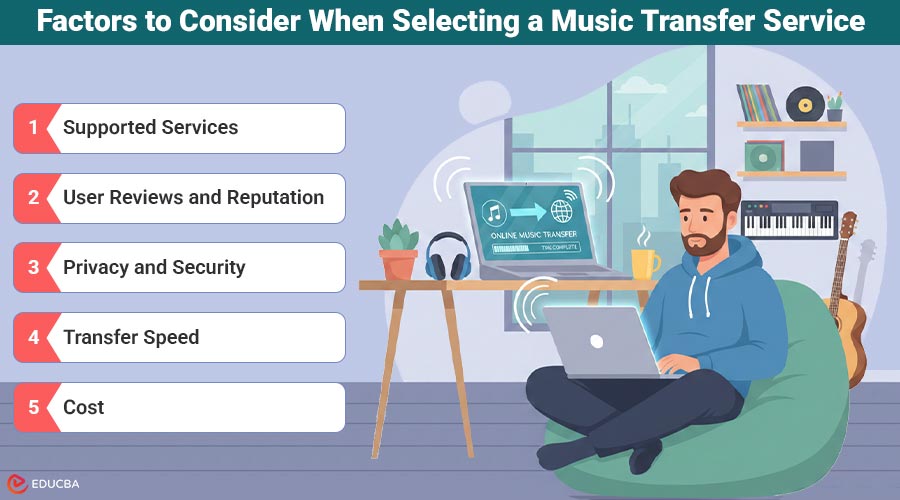
Factors to Consider When Selecting a Music Transfer Service
Consider key factors to ensure a smooth music transfer when choosing a service:
- Supported Services: Confirm that the transfer tool supports both your current and desired music services. Some tools may not cover less popular platforms.
- User Reviews and Reputation: Research user feedback to gauge the service’s reliability and effectiveness. A trusted service should have good reviews and a proven track record.
- Privacy and Security: Consider how the service handles user data. Look for a privacy policy that protects your personal information and music library.
- Transfer Speed: Depending on the size of the library, some services may take longer than others. Check reviews for insights into the average transfer time.
- Cost: While some services are free, others may require payment. Assess whether the features offered justify the costs.
Benefits of Using Music Transfer Services
Utilizing music transfer services provides several advantages:
- Convenience: Moving music can be an arduous task if done manually. These services simplify the process, saving users time and effort.
- Preservation of Playlists: Many users invest significant time curating playlists. Transfer services help maintain these playlists intact, preventing the need to recreate them.
- Compatibility: As new streaming services emerge, users may want to switch to one that better meets their needs. Music transfer tools reassure users that they can easily transition without losing their music.
- User-Friendly Interfaces: Most music transfer services are designed with simplicity in mind, making it easy for anyone to navigate regardless of their technical skill level.
Final Thoughts
Moving music between different streaming services does not have to be complicated. By using music transfer services, users can ensure their favorite songs and playlists remain accessible wherever they listen. With the right tools, the transition to a new platform can be quick, easy, and stress-free. Whether for daily listening or special playlists, embracing these services can enhance the music experience, allowing users to enjoy their collections fully.
Recommended Articles
We hope this guide to music transfer services helps you manage your playlists effortlessly. Check out these recommended articles for more tips on transferring and organizing your music across platforms.

