


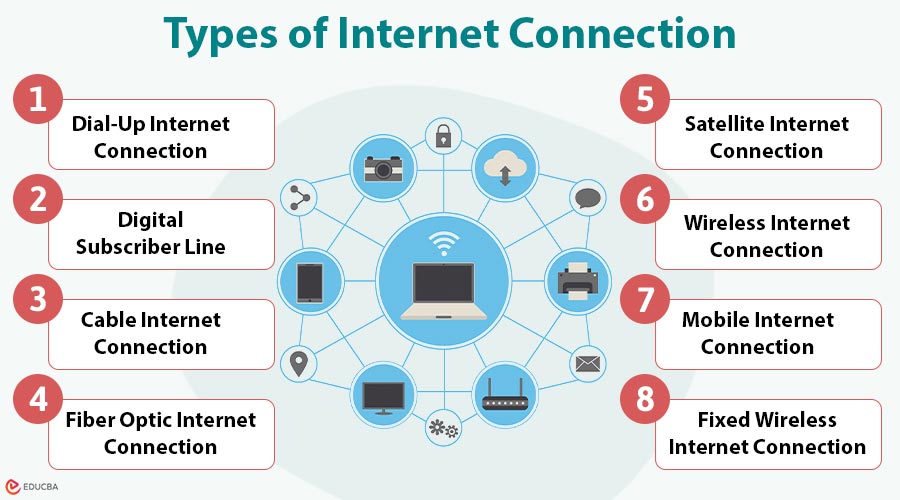
Introduction to Types of Internet Connection
Types of internet connection refer to the various technologies used to access the internet across different locations and devices. Each type differs in speed, reliability, cost, and availability, making it suitable for specific user needs. Understanding these internet connection types helps users select the most efficient and practical option for personal, professional, or business usage. This article covers the top 10 types of internet connections, explaining how each works, its key features, and ideal use cases.
Key Takeaways:
- Internet connections vary by technology, speed, cost, and availability, influencing suitability for users and environments.
- Wired connections like fiber and cable provide higher speeds, stability, and reliability than wireless options.
- Wireless, mobile, and satellite connections enable internet access in remote, mobile, or infrastructure-limited locations globally.
- Choosing the right internet connection significantly improves performance, productivity, cost-efficiency, and the overall user experience today.
Major Types of Internet Connection
Internet connections can be broadly classified into wired and wireless connections. Each type serves different purposes and environments.
#1. Dial-Up Internet Connection
Dial-up internet is a legacy connection method that uses standard telephone lines and modem to access the internet. It establishes a temporary connection by dialing an ISP number and offers very slow speeds, making it suitable only for basic or emergency use.
How It Works:
A modem dials a phone number provided by the ISP and connects through the public switched telephone network.
Key Features:
- Maximum speed up to 56 kbps
- Requires a telephone line
- Users cannot use the phone and the internet simultaneously.
Use Cases:
- Very remote or rural areas
- Emergency or backup internet access
Although mostly obsolete today, dial-up played a vital role in the early development of the internet.
#2. Digital Subscriber Line (DSL)
DSL is a broadband internet connection that transmits digital data over copper telephone lines. It allows simultaneous voice calls and internet access, delivers higher speeds than dial-up, and is commonly used in residential and small-office environments where fiber is unavailable.
How It Works:
DSL uses unused frequency bands of telephone lines, enabling simultaneous voice calls and internet access.
Types of DSL:
- ADSL (Asymmetric DSL): Faster downloads than uploads
- SDSL (Symmetric DSL): Similar download and upload speeds
Key Features:
- Always-on connection
- Speeds from a few Mbps up to 100 Mbps
- Performance decreases with distance from the exchange
Use Cases:
- Homes and small offices
- Areas without cable or fiber availability
#3. Cable Internet Connection
Cable internet delivers broadband access through coaxial cables originally designed for cable television. Although bandwidth is shared among users in the same area, performance may suffer during periods of high demand. Nevertheless, it provides high-speed connectivity that is appropriate for streaming and gaming.
How It Works:
Data is transmitted through coaxial cables connected to a cable modem at the user’s location.
Key Features:
- Speeds up to 1 Gbps
- Shared bandwidth among nearby users
- More stable than DSL
Use Cases:
- Residential users
- Streaming, online gaming, and remote work
Cost, availability, and speed are all well-balanced with cable internet.
#4. Fiber Optic Internet Connection
Fiber-optic internet uses glass or plastic fiber-optic cables to transmit data as light signals. Services like Fibernow Fiber Internet Provider are built on this advanced technology to deliver fast, stable internet connectivity for everyday online activities. It provides extremely high speeds, low latency, and reliable performance, making it ideal for businesses, smart homes, cloud computing, and other data-intensive applications.
How It Works:
Fiber optic cables made of glass or plastic transmit data as light signals.
Key Features:
- Speeds up to multiple Gbps
- Extremely low latency
- Highly reliable and secure
Types of Fiber Connections:
- FTTH (Fiber to the Home)
- FTTB (Fiber to the Building)
- FTTC (Fiber to the Curb)
Use Cases:
- Smart homes and cloud-based applications
- Video conferencing and data-intensive workloads
#5. Satellite Internet Connection
Satellite internet provides connectivity by transmitting data between a satellite dish and orbiting satellites. It is designed for remote or rural locations lacking wired infrastructure, offering wide coverage but higher latency and potential performance issues due to weather conditions.
How It Works:
Data travels between a satellite dish, an orbiting satellite, and the ISP’s ground station.
Key Features:
- Wide geographic coverage
- Works in remote and rural areas
- Higher latency than wired connections
Use Cases:
- Rural and remote regions
- Ships, aircraft, and mobile installations
Weather conditions may affect performance, but availability is its biggest advantage.
#6. Wireless Internet Connection (Wi-Fi)
Wireless internet, commonly known as Wi-Fi, enables devices to connect to the internet via radio signals rather than physical cables. It is widely used in homes, offices, and public spaces, offering convenience and mobility within a limited coverage range.
How It Works:
A wireless router receives internet from a wired source and distributes it via radio signals.
Key Features:
- Cable-free connectivity
- Supports multiple devices
- Limited range and prone to interference
Use Cases:
- Homes, offices, and public hotspots
- Smartphones, laptops, and smart devices
Wi-Fi enhances mobility but relies on an underlying internet connection.
#7. Mobile Internet Connection
Mobile internet delivers wireless connectivity through cellular networks using SIM-enabled devices. It supports internet access on smartphones, tablets, and hotspots, with speeds varying by network generation, coverage, and congestion, making it ideal for portable and on-the-go usage.
How It Works:
Devices connect to nearby cellular towers using SIM cards and mobile data plans.
Generations of Mobile Internet:
- 3G: Basic browsing and email
- 4G/LTE: High-speed streaming and gaming
- 5G: Ultra-fast speeds and low latency
Key Features:
- High portability
- Speed varies by coverage and congestion
- Data usage limits may apply
Use Cases:
- On-the-go connectivity
- Remote work, travel, and mobile hotspots
#8. Fixed Wireless Internet Connection
Fixed wireless internet provides broadband access using radio signals transmitted between a fixed antenna at the user’s location and a nearby tower. It serves as a cost-effective alternative to wired connections, especially in rural and semi-urban areas with limited infrastructure.
How It Works:
An antenna at the user’s premises communicates with a nearby wireless transmission tower.
Key Features:
- Faster and more stable than mobile internet
- Requires a clear line-of-sight to the tower
- Cost-effective alternative to fiber in rural areas
Use Cases:
- Rural and semi-urban homes
- Small businesses without wired access
Final Thoughts
Understanding the types of internet connections empowers users to make informed decisions based on speed, reliability, cost, and availability. From legacy dial-up to ultra-fast fiber and flexible wireless options, each connection type serves specific needs. Selecting the right internet connection enhances productivity, ensures seamless digital experiences, and supports modern personal, professional, and business activities effectively.
Frequently Asked Questions (FAQs)
Q1. Which type of internet connection is the fastest?
Answer: Fiber optic internet is currently the fastest and most reliable option.
Q2. Which internet connection is best for rural areas?
Answer: Satellite and fixed wireless connections are best suited for rural locations.
Q3. Is mobile internet a replacement for broadband?
Answer: Mobile internet is convenient but may not fully replace broadband for heavy usage.
Q4. What is the most affordable internet connection?
Answer: DSL and fixed wireless are generally more affordable options.
Recommended Articles
We hope that this EDUCBA information on “Types of Internet Connection” was beneficial to you. You can view EDUCBA’s recommended articles for more information.

