
What is Patch Management?
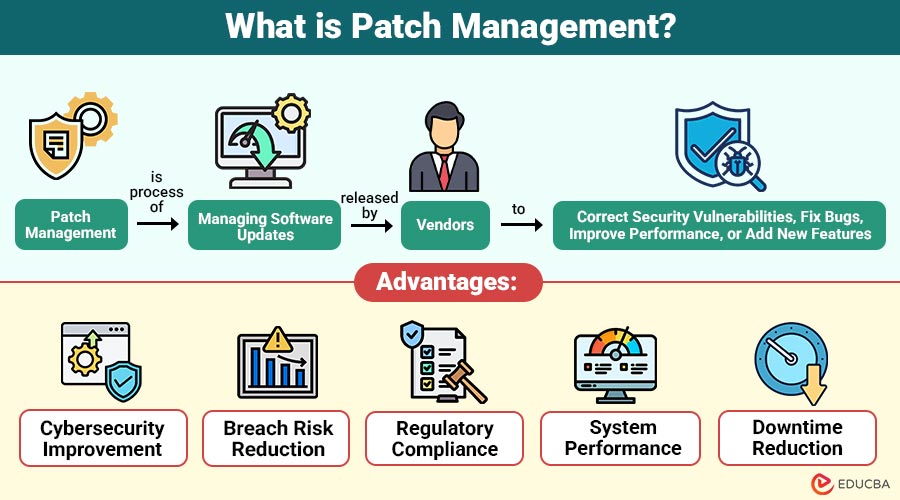
Patch Management is process of managing software updates released by vendors to correct security vulnerabilities, fix bugs, improve performance, or add new features. These updates, known as patches, are applied to operating systems, applications, firmware, and network devices.
The primary objective of patch management is to keep systems up to date and secure while minimizing disruption to business operations. It is a critical component of IT operations, cybersecurity, and risk management frameworks.
Table of Contents:
- Meaning
- Importance
- Lifecycle
- Tools
- Patch Management in Different Environments
- Advantages
- Challenges
- Real-World Example
- When Should Organizations Prioritize Patch Management?
Key Takeaways:
- Patch management is essential for protecting systems, meeting compliance requirements, and maintaining stable, reliable IT environments.
- It requires ongoing, structured execution rather than a one-time activity or occasional system update.
- Automation enhances patching efficiency, accuracy, consistency, and scalability across complex enterprise IT environments.
- Effective patch management significantly minimizes security risks, operational disruptions, downtime, and potential financial losses.
Why is Patch Management Important?
Patch management is essential for preserving the reliability and security of IT environments. The key reasons why it is important include:
1. Cybersecurity Protection
Most cyberattacks exploit known vulnerabilities; timely patching reduces the attack surface, thereby preventing malware, ransomware, breaches, and unauthorized system access.
2. Regulatory and Compliance Requirements
Helps ensure compliance with GDPR, HIPAA, PCI DSS, and ISO standards by keeping systems secure, up to date, and auditable.
3. System Stability and Performance
Regular patching fixes bugs, improves performance, enhances compatibility, and prevents crashes that disrupt applications and user productivity levels.
4. Business Continuity
By reducing failures and security incidents, patch management minimizes downtime, financial losses, and operational disruptions to businesses globally.
Patch Management Lifecycle
An effective process follows a structured lifecycle:
1. Asset Inventory
Maintain a complete inventory of all hardware, operating systems, applications, and devices. Without visibility, patching becomes inconsistent and risky.
2. Vulnerability Assessment
Identify missing patches and vulnerabilities using vulnerability scanners and vendor advisories.
3. Patch Evaluation and Prioritization
Not all patches are of equal urgency. Security patches for critical systems should be prioritized based on risk, severity, and business impact.
4. Testing
Patches should be tested in a staging or test environment before deployment to ensure they don’t cause application conflicts or system failures.
5. Deployment
Patches are deployed manually or via automated tools, often during scheduled maintenance windows.
6. Verification and Reporting
Confirm that patches have been successfully installed and generate compliance reports for audits and management review.
Patch Management Tools
Modern organizations rely on automated tools to manage patching efficiently. Common tools include:
1. Microsoft WSUS
Centralized Microsoft tool delivering Windows updates, approvals, scheduling, and reporting for enterprise endpoint patch management needs.
2. SCCM / Microsoft Endpoint Configuration Manager
Comprehensive endpoint management platform enabling patch deployment, compliance tracking, automation, and integration across enterprise IT environments.
3. IBM BigFix
A scalable solution that lets you see problems instantly, fix them quickly, and work on all devices worldwide.
4. ManageEngine Patch Manager Plus
Automated patching tool supporting Windows, macOS, Linux, and third-party applications with centralized management dashboards for enterprise teams.
5. SolarWinds Patch Manager
Software integrates with WSUS and SCCM to simplify deployment, monitoring, and reporting processes organization-wide.
6. Qualys Patch Management
Cloud-based patch management integrates vulnerability assessment, prioritization, and remediation within a single, globally accessible security platform interface.
Patch Management in Different Environments
Below are the key environments in which patch management is implemented, each with distinct challenges, responsibilities, and security requirements.
1. Enterprise IT Environments
Large enterprises require centralized patch management due to complex infrastructures, multiple operating systems, and thousands of endpoints.
2. Cloud Environments
In cloud platforms, patching may be shared between the cloud service provider and the customer under a shared responsibility model.
3. Remote and Hybrid Workforces
With employees working remotely, patch management tools must support off-network patching and endpoint security.
4. OT and IoT Systems
Operational technology and IoT devices require cautious patching due to availability and safety concerns.
Advantages of Patch Management
Below are the key advantages that help organizations enhance security, stability, compliance, and overall IT operational efficiency.
1. Cybersecurity Improvement
Regular patch management strengthens defenses by closing vulnerabilities and reducing exposure to evolving cyber threats effectively.
2. Breach Risk Reduction
Installing updates on time stops hackers from taking advantage of known weaknesses, helping protect systems from viruses and attacks.
3. Regulatory Compliance
Helps organizations meet regulatory requirements by maintaining secure, updated systems with audit-ready documentation.
4. System Performance
Applying patches resolves bugs, improves compatibility, boosts performance, and ensures stable, reliable system operations.
5. Downtime Reduction
Proactive patching means updating software early to fix problems, which stops crashes and keeps business running smoothly.
Challenges of Patch Management
Despite its benefits, it also presents challenges:
1. Patch Compatibility Issues
Certain patches may conflict with legacy applications, customized environments, or dependencies, resulting in unexpected failures or functional disruptions.
2. Downtime Concerns
Applying patches often requires system restarts, which temporarily disrupt services, productivity, and critical business operations worldwide.
3. Resource Constraints
Manual patching consumes significant time, skilled resources, and effort, limiting IT teams’ ability to focus strategically and effectively.
4. Patch Overload
When vendors release patches too frequently, it becomes hard to decide which ones to prioritize, test properly, track, and install across all company systems on time.
5. Zero-Day Vulnerabilities
Zero-day vulnerabilities lack initial patches, leaving systems at risk until vendors release and test fixes.
Real-World Example
Given below is a practical instance illustrating the impact of effective patch management:
A financial services company experienced repeated security alerts due to unpatched systems. After implementing an automated solution, the organization reduced critical vulnerabilities by over 80% within six months. The company also improved compliance audit outcomes and reduced system downtime through scheduled patching.
When Should Organizations Prioritize Patch Management?
It should be prioritized when:
1. Sensitive Data Handling
Organizations that process sensitive customer or financial data must prioritize patching to prevent data breaches and data exposure.
2. Operating in Regulated Industries
Businesses in regulated industries require strict patch management to meet compliance standards and avoid penalties.
3. Large IT Environments
Large or distributed IT environments need patch management to maintain consistency, security, and centralized control.
4. Remote Workforce
Remote and hybrid workforces increase endpoint exposure, making timely patching essential for security.
5. Frequent Security Incidents
Organizations facing repeated security incidents should prioritize patch management to reduce vulnerabilities and attack frequency.
Frequently Asked Questions (FAQs)
Q1. Is patch management only for security patches?
Answer: No. Patch management encompasses security updates, bug fixes, feature updates, and firmware patches.
Q2. How often should patches be applied?
Answer: Critical security patches should be applied as soon as possible; other patches may follow a scheduled cycle.
Q3. Can patch management be automated?
Answer: Yes, most organizations use automated tools to manage patch deployment and reporting.
Q4. What happens if patches are not applied?
Answer: Unpatched systems are vulnerable to cyberattacks, compliance violations, system failures, and data breaches.
Recommended Articles
We hope that this EDUCBA information on “Patch Management” was beneficial to you. You can view EDUCBA’s recommended articles for more information.

