


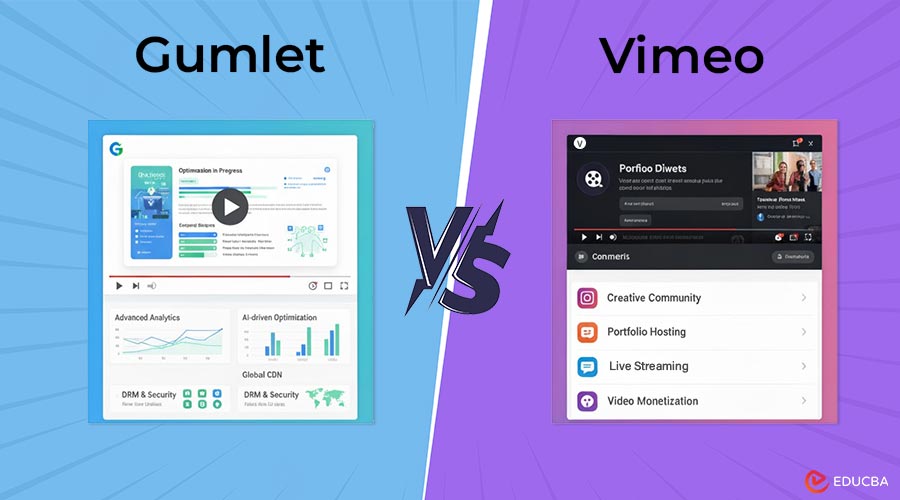
Gumlet vs Vimeo: Which is Better for Online Courses?
When an e-learning founder sees her premium video lessons appear on Telegram shortly after launch, it is not “marketing reach” it is a leak that undermines months of effort and revenue. Many course creators face this issue once they outgrow YouTube or Vimeo. These platforms make uploading easy but often expose paid content to piracy, limit analytics, and restrict brand control. According to Parks Associates, video piracy costs creators over $60 billion annually, with online courses as a fast-growing target (2023). This Gumlet vs Vimeo comparison helps course creators choose the right platform for secure, scalable, and engaging online learning.
Gumlet vs Vimeo: Quick Comparison Table
When choosing between Gumlet vs Vimeo, most course creators consider storage limits and video quality. But for e-learning businesses, the real differentiator lies in how each platform handles control, scalability, and learner experience. Here is how the two stack up at a glance:
| Feature | Gumlet | Vimeo |
| Primary Focus | Enterprise-grade video infrastructure for education and SaaS | Creator-first video hosting for individuals and small teams |
| DRM & Content Protection | Built-in DRM (Widevine, FairPlay), tokenized URLs, domain/IP/geo restrictions, and dynamic watermarking | Basic password protection; DRM only in the Enterprise tier |
| Playback & Performance | Multi-CDN (Fastly + CloudFront), GPU/parallel transcoding, adaptive bitrate streaming | Single-CDN routing, standard transcoding |
| Branding & Player Control | White-label player, custom domains, overlays, SEO metadata | The Vimeo logo is visible unless on higher plans |
| Analytics | Heatmaps, in-player CTAs, CRM integrations (HubSpot, Salesforce) | Basic play metrics; no event streaming |
| Personalization | Dynamic intros, segment-wise CTAs, email/video automation | Static video experience |
| API & Automation | Full API access for ingestion, metadata, and analytics | Limited API access on lower tiers |
| Best For | E-learning brands, EdTechs, and premium academies | Solo educators, creators, small teams |
Pricing Transparency and Hidden Costs
Most creators start with Vimeo because it initially feels affordable; however, they often encounter scaling or security limits. DRM, custom branding, and advanced analytics are all locked behind Enterprise pricing, which starts at several thousand dollars annually. Gumlet, the best Vimeo alternative, flips that model: you pay per usage (storage + bandwidth) and get enterprise-grade controls from day one. That difference matters when your course library exceeds 500 videos or serves students across multiple continents. Vimeo’s costs grow by plan tier; Gumlet scales predictably with your audience.
Result:
For small creators, Vimeo is a sufficient starting point. For global audiences, Gumlet’s infrastructure ensures reliable performance and strong brand trust.
Branding & Student Experience
For course creators, branding is not a vanity; it is a matter of credibility. Every logo, color, and domain your students interact with reinforces whether they see your content as premium or generic.
The Branding Gap in Vimeo
Vimeo has long positioned itself as a “cleaner” alternative to YouTube, but for paid courses, the gaps become visible quickly:
- Vimeo branding still appears on most plans unless you upgrade to Enterprise.
- Shared domains (like vimeo.com/…) make your content feel hosted, not owned.
- Limited SEO control, such as titles and descriptions, often remains platform-bound and is not schema-optimized for your site.
For students, these small signals add up. If the player or URL does not align with your course identity, it subconsciously reduces trust and perceived value.
Gumlet’s Branding Controls
Gumlet flips this experience by giving course creators complete control over the player and environment:
- White-label player: no third-party logos or overlays.
- Custom domains and embeds: videos live on your branded subdomain (e.g., videos.youracademy.com).
- Custom thumbnails and overlays: maintain visual consistency across lessons and modules.
- SEO metadata and schema support: titles, descriptions, and tags directly impact discoverability in Google and AI search tools.
The result? Every learner interaction, from your homepage to in-player CTAs, feels like part of your ecosystem, not someone else’s.
Why This Matters?
A strong student experience compounds over time, driving referrals, reducing churn, and increasing completion-based testimonials, which is the lifeblood of any education business. Vimeo helps you share videos. Gumlet enables you to build a learning brand.
Analytics & Insights: From Views to Learning Outcomes
Most creators know how many people watched their videos; few know what happened after. For e-learning brands, that gap means operating in the dark. Did students complete the module? Where did they drop off? Which part sparked replays or questions?
What Course Creators Actually Need to Measure?
For a paid course or academy, success is not “views.” It is completion, retention, and conversions. The metrics that matter include:
- Play rate and average watch time: How engaging your videos are.
- Drop-off points and heatmaps: Where students lose focus.
- CTA clicks and form fills: Whether video leads to action (quiz completion, next module, upsell).
- Replay ratio: Which lessons students revisit is a signal for both quality and confusion.
These metrics are not just vanity data; they power better course design, improve NPS, and can even inform CRM workflows for re-engagement.
Vimeo’s Analytics
Vimeo provides a baseline:
- Views, impressions, and device/location data.
- Average play rate per video.
However, it stops short of behavioral and funnel-level insights. There is no heatmap-level visibility, no in-player form tracking, and no way to push data to your CRM or ad stack.
Gumlet’s Unified Analytics Suite
Gumlet helps teams measure video ROI accurately, rather than relying on estimates. Its Video Marketing Suite combines marketing-grade and learning-grade analytics in one dashboard:
- Engagement heatmaps: Visualize exactly where students drop off or rewatch.
- Event-based analytics: Track every play, pause, rewind, and CTA click as structured data.
- In-player lead forms and CTAs: Capture signups, surveys, or progress checkpoints mid-video.
- CRM integrations: Automatically send these events to tools like HubSpot, Salesforce, or Customer.io to trigger follow-ups.
- Attribution pixels: Connect engagement data to Google Ads, Meta, or LinkedIn for precise ROI tracking.
Instead of relying on generic dashboards, creators can identify which videos drive sales, retention, or certification completions and adjust their approach accordingly.
Key Takeaway
Vimeo gives you numbers. Gumlet gives you narratives (the “why” behind every play). For course creators serious about scaling, attribution and insight are non-negotiable. With Gumlet, every student action becomes measurable, automatable, and improvable.
Why Personalization Boosts Completion?
In e-learning, static videos often create passive learners, whereas personalized videos engage viewers as active participants. LearnWorlds (2024) found that learners exposed to customized CTAs and progress-based content were 43% more likely to complete courses. Personalized videos that dynamically reference progress (e.g., “Welcome back, Sarah!”) or adjust based on user behavior (“Here is your next step”) significantly increase engagement and retention.
Vimeo’s Static Experience
Vimeo’s focus on content simplicity limits its utility for personalization. There is no native support for audience segmentation, CRM integration, or automated video delivery. While it provides manual embed options, everything must be updated manually, which is impossible to scale for a 1,000-student cohort. In short, Vimeo plays videos. Gumlet plays to the learner.
Gumlet as a Learning Engine
The Gumlet turns your video library into a living system: one that adapts, reacts, and nudges learners automatically. Instead of “one-size-fits-all” lessons, creators can deliver dynamic learning journeys that improve completion, retention, and even upsells for advanced courses. That is the difference between a video player and a learning engine.
Pricing, Scalability & Developer Control
Scaling a course business is not just about uploading more videos it is about infrastructure that grows with your audience without exploding costs.
Vimeo Tier-Based Pricing
- Free and Starter plans are limited to public videos.
- Advanced features such as DRM, API access, and analytics integration require Enterprise plans, which cost $5,000 to $10,000 per year.
- Cost jumps can strain small to mid-sized EdTechs.
Gumlet Usage-Based Model
- Pay only for what you use: storage, bandwidth, and optional add-ons like DRM or watermarking.
- Enterprise-grade features are available immediately.
- Pricing scales with audience growth, perfect for seasonal spikes or global cohorts.
Developer-Friendly Features
- APIs for upload, metadata, search, and analytics.
- Real-time monitoring for playback, CDN performance, and uptime.
- SDKs for LMS, CRM, or internal dashboards.
Result:
Gumlet provides operational flexibility and predictable cost, while Vimeo locks capabilities behind contracts and tiers.
Gumlet vs Vimeo: Which Platform Wins for Online Courses?
Choosing between Gumlet vs Vimeo is not just a question of pricing or interface it is about purpose:
- Vimeo: Designed for creators who want to publish videos easily.
- Gumlet: Built for education businesses that treat video as a product, not just content.
When to Choose Vimeo:
- Independent creators or small educators running one-off courses.
- Projects not requiring DRM, analytics, or CRM integration.
- Teams with limited technical resources seeking basic uploads and embeds.
When to Choose Gumlet:
- EdTech companies with global student cohorts.
- Businesses require DRM protection, analytics, and brand control.
- Organizations need automation, personalization, and developer flexibility.
For small creators, Vimeo is a launchpad. For businesses building real learning products, Gumlet is the engine. With DRM-grade protection, faster streaming, deep analytics, and personalization baked in, Gumlet lets course creators grow without worrying about leaks, lag, or lost data. It is not a hosting platform; it is a control room for video-led growth.
Final Thoughts
The hosting platform you choose determines the growth potential of your course business. Students expect seamless playback, enterprises demand security, and founders need measurable ROI. Gumlet combines control, speed, proof, personalization, and security turning your course videos into a living system. For course creators, this translates into five key advantages:
- Control: You own your player, your data, and your delivery.
- Speed: GPU transcoding + multi-CDN ensures smooth playback everywhere.
- Proof: Every watch, click, and completion is tracked and attributable.
- Personalization: Videos adapt to each learner, not the other way around.
- Security: DRM, tokenization, and watermarking keep your IP safe.
The next generation of online courses will rely on secure, branded ecosystems. Gumlet vs Vimeo clearly shows that while Vimeo simplifies video sharing, Gumlet empowers education businesses to scale confidently.
Frequently Asked Questions (FAQs)
Q1: Does Vimeo offer DRM protection for paid course videos?
Answer: Only Vimeo Enterprise provides DRM. Most standard Vimeo plans rely on password protection or unlisted links, which do not prevent screen recording or unauthorized sharing.
Q2: How does Gumlet protect online course videos from piracy?
Answer: Gumlet utilizes a multi-layer security stack, including DRM (Widevine/FairPlay), tokenized URLs, geo/domain/IP restrictions, and session-based watermarking, ensuring every playback is secure and traceable.
Q3: Can Gumlet integrate with learning management systems (LMS)?
Answer: Yes. Gumlet offers API and embed flexibility that works with popular LMS platforms like Moodle, Teachable, and Thinkific, ensuring a consistent branded experience across modules.
Q4: How do Gumlet’s analytics differ from Vimeo’s?
Answer: While Vimeo displays basic metrics such as views and locations, Gumlet offers heatmaps, event-based tracking, in-player CTAs, and CRM integrations to measure learning engagement and course ROI.
Q5: Is switching from Vimeo to Gumlet difficult?
Answer: No. Gumlet supports bulk uploads, metadata mapping, SEO continuity, and automated redirects, enabling a seamless migration without downtime or loss of analytics history.
Recommended Articles
We hope this guide to Gumlet vs Vimeo helps you choose the right platform for your online courses. Check out these recommended articles for more tips on secure, scalable, and engaging video hosting.

