


Introduction
Designing a home involves careful planning, and a well-structured floor plan is the foundation of any successful project. A floor plan maker allows homeowners, architects, and designers to create detailed layouts that visualize space, functionality, and aesthetics. Whether designing a new house or remodeling an existing one, using a digital tool enhances efficiency and accuracy.
Understanding Floor Plans
A floor plan is a detailed, to-scale diagram that showcases the layout of rooms, furniture, and structural elements from a top-down perspective. It serves as a blueprint for optimizing space before construction begins, offering both 2D and 3D options to suit different needs.
- 2D Floor Plans: Simple yet essential, these layouts highlight walls, doors, and room dimensions, making them ideal for space planning and structural design.
- 3D Floor Plans: A step beyond, these dynamic visuals bring designs to life by illustrating furniture placement, lighting, and interior aesthetics with greater depth and detail.
By using a floor plan creator, individuals can generate both types to refine their vision and improve project execution.
Why Use a Floor Plan Maker?
Traditional hand-drawn blueprints require extensive time and effort. Digital tools make designing effortless with intuitive drag-and-drop features, automated measurements, and ready-to-use design templates. Some of the main benefits include:
- Accuracy: Precise scaling and measurements ensure realistic room proportions.
- Flexibility: Layouts can be modified instantly, allowing users to test multiple designs.
- Visualization: Interactive 3D models help bring ideas to life.
- Cost Efficiency: Reduces errors, minimizing unnecessary construction changes.
Key Features to Look For
Choosing the perfect tool hinges on your specific needs and the complexity of your project. The most effective software includes:
- Customizable Templates: Ready-made layouts to kickstart designs effortlessly.
- Drag-and-Drop Simplicity: Easily place walls, doors, and furniture with intuitive controls.
- Instant Edits: Make real-time adjustments for a seamless design process.
- Accurate Measurements: Ensure precise dimensions and proper scaling.
- 3D Rendering: Transform basic sketches into immersive, lifelike models.
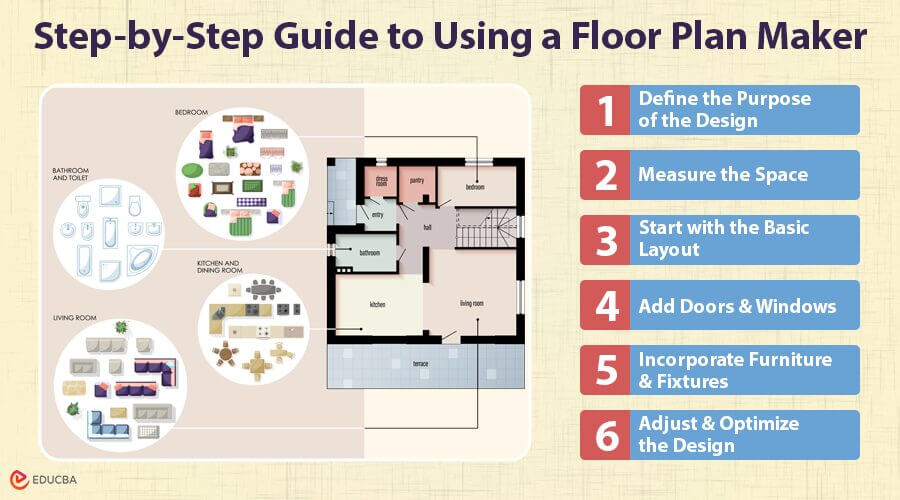
Step-by-Step Guide to Using a Floor Plan Maker
1. Define the Purpose of the Design
Before starting, identify whether the plan is for a new home, renovation, or interior redesign. Knowing the purpose helps determine the required elements and layout efficiency.
2. Measure the Space
Accurate measurements are crucial for creating a functional design. Be sure to measure:
- Room Dimensions
- Ceiling height
- Door and window placements
- Structural elements like columns and beams
Most digital tools allow users to enter exact dimensions to maintain proportion.
3. Start with the Basic Layout
Begin by sketching the outline of the home, including external and internal walls. Arrange rooms based on functionality and flow, considering natural lighting, ventilation, and accessibility.
4. Add Doors and Windows
The placement of doors and windows affects lighting and airflow. Choose locations that enhance movement within the home and allow natural light to enter efficiently.
5. Incorporate Furniture and Fixtures
Placing furniture in the layout helps visualize spacing and traffic flow. Ensure that:
- Living areas have enough room for movement.
- Kitchen and bathroom fixtures are positioned for practical use.
- Bedrooms accommodate essential furniture without overcrowding.
6. Adjust and Optimize the Design
Test different arrangements to determine the most efficient use of space. Consider factors like:
- Open-concept vs. partitioned layouts
- Storage solutions
- Future adaptability of spaces
Common Mistakes to Avoid
Even with advanced tools, errors can impact the effectiveness of a floor plan. Common pitfalls include:
- Ignoring Traffic Flow: Poorly positioned furniture or walls can obstruct movement.
- Lack of Storage Consideration: Insufficient storage leads to cluttered spaces.
- Overlooking Natural Light: Window placement significantly affects ambiance.
- Inaccurate Measurements: Small miscalculations can result in major construction issues.
Enhancing Interior Design with Floor Plans
A carefully crafted floor plan goes beyond mapping out rooms—it lays the foundation for a seamless and stylish interior design. Homeowners can create cohesive spaces that blend aesthetics with functionality by integrating color schemes, furniture styles, and lighting elements.
- Open Layouts: Perfect for modern designs, creating a sense of space and flow.
- Zoning: Establishes designated areas for various activities, promoting better organization.
- Smart Technology Integration: Strategically plans space for cutting-edge smart home features.
Incorporating Sustainability in Floor Plan Design
Sustainable home design is more important than ever, and a thoughtfully planned layout can cut energy use while boosting efficiency. To create an eco-friendly space:
- Maximize Natural Light & Ventilation: Position windows wisely to reduce reliance on artificial lighting and cooling.
- Optimize Space Usage: Design layouts that minimize wasted materials and unnecessary construction.
- Incorporate Energy-Efficient Solutions: Plan for smart home systems and eco-friendly appliances to enhance sustainability.
A good floor plan not only enhances comfort but also contributes to long-term environmental benefits.
How Floor Plans Improve Property Value
A well-crafted layout not only enhances a home’s charm but also boosts its resale value. Buyers are drawn to:
- Smart Space Distribution: Rooms that feel open, functional, and well-proportioned.
- Strategic Kitchen & Bathroom Placement: Thoughtful positioning that maximizes convenience and efficiency.
- Flexible & Future-Ready Designs: Open, adaptable spaces that can evolve with changing needs.
A well-executed plan ensures that a home remains desirable and practical for years to come.
Using a Floor Plan for Home Renovations
A well-planned floor layout is essential for a smooth and cost-effective home renovation, especially for homeowners looking to explore AI renovations before making structural changes. It helps avoid expensive mistakes and ensures new changes blend seamlessly with the existing structure. Key factors to consider:
- Structural Integrity: Verify load-bearing walls before making any modifications.
- System Compatibility: Align plumbing and electrical setups with the updated design.
- Smart Storage Planning: Maximize space efficiency with well-thought-out storage solutions.
A clear plan helps avoid unexpected delays and expenses during renovations.
The Role of Floor Plans in Smart Home Integration
In today’s tech-savvy homes, smart integration starts with a well-planned floor layout. A strategic design ensures seamless connectivity and efficiency by:
- Optimizing Power & Security: Placing outlets and wiring for automated lighting and home security systems.
- Enhancing Work-from-Home Spaces: Allocating dedicated areas with strong Wi-Fi connectivity for home offices.
- Streamlining Smart Living: Designing layouts that accommodate high-tech kitchen appliances and energy-efficient management systems.
Integrating technology within the initial floor plan ensures a seamless and future-proof living space.
Final Thoughts
A floor plan creator simplifies home design by providing a clear structure for planning and execution. Whether designing a new build or making modifications, these tools ensure accuracy, efficiency, and creativity. By understanding essential features, avoiding common mistakes, and optimizing layouts, users can achieve a functional and visually appealing home.
Recommended Articles
We hope this guide on the “Floor Plan Maker” has provided valuable insights into designing efficient and aesthetically pleasing layouts. For more information, check out our recommended articles:

