
Updated February 15, 2023
Introduction to Redis NOAUTH Authentication Required
Redis noauth authentication required is an error that occurs when attempting to authenticate with the redis server. The redis connection is secured in such a way that any client making a connection must authenticate before executing any command. If the user does not authenticate with the server, the redis server returns an error stating that noauth authentication is required for connecting to the database server.
While securing the redis server we need to set the password of the redis user in the redis configuration file. By default, the authentication property for the redis database server is blank, to authenticate with the database server we need to set the same in the configuration file. We can change the property of the configuration file by executing the requirepass command by login into the redis database server.
At the time of setting a password on the redis database server, if any one client runs the command without using the authentication, then it will return the error i.e. noauth authentication required into our user’s dashboard. To authenticate with the database, we must use the auth command and enter the correct password when connecting to the redis database server. We are using the auth command with the specified password that we defined with the config authentication command.
Key Takeaways
- The Redis noauth authentication required error occurs when we configure authentication on the Redis server without providing the password.
- We can solve this issue of noauth authentication by providing the correct password of the user that we set using the auth command.
Error of NOAUTH Authentication Required
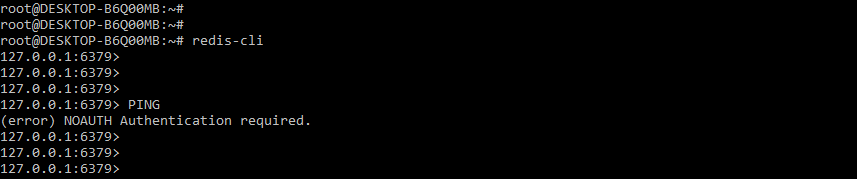
When dealing with the issue of noauth authentication required, we must require the correct password. In the example below, we can see that when we do not authenticate with the server, it displays an error. In the following example, we can see that when we execute the ping command, it displays the error as follows.
Command:
PINGOutput:
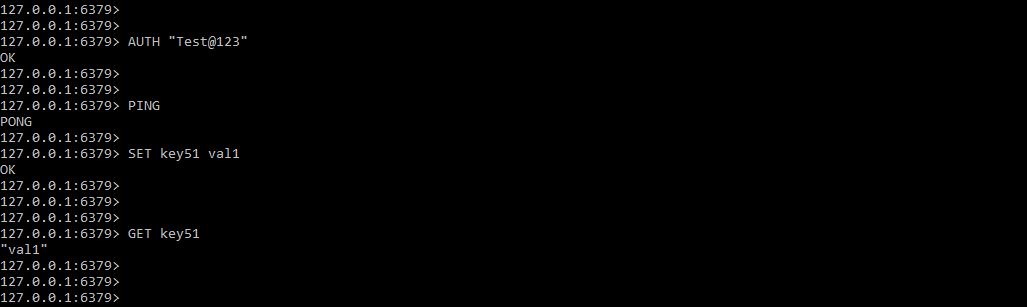
We can resolve the redis noauth authentication required to issue by authenticating with the database server. We are authenticating with the correct password in the example below. When we authenticate with the correct password, we can run the following command. We use the correct password, Test@123, with the auth command, and then we execute multiple commands on the redis server.
Command:
> AUTH "Test@123"
> PING
> SET key51 val1
> GET key51
Output:
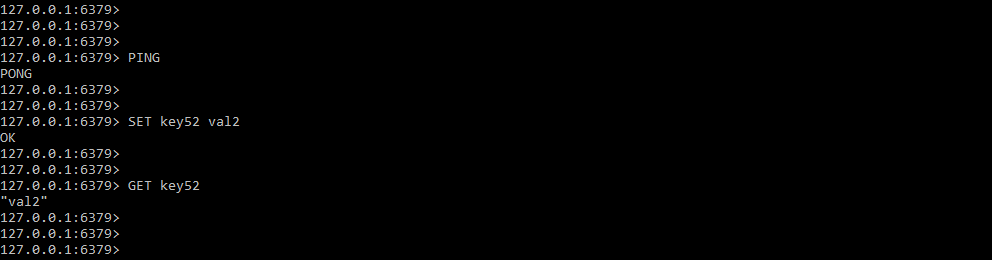
To resolve the issue of noauth authentication password, we can also edit the configuration file to disable the database server’s master authentication. We can see in the figure below that we have disabled user authentication by disabling the requirepass parameter. We must restart the database server after disabling this user. We can connect to the database server and execute the specified command after restarting the database server.
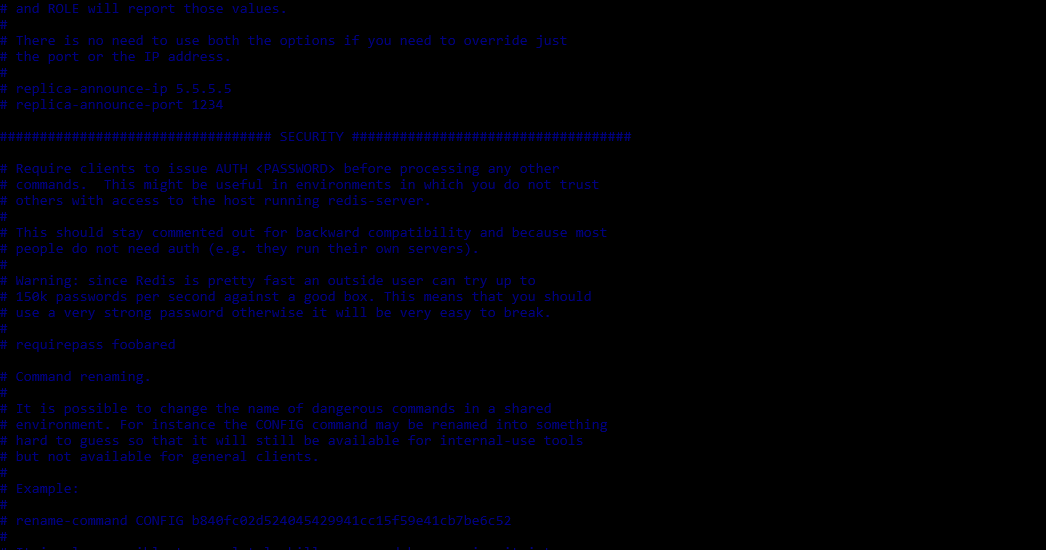
In the above example, we can see that we have disabled the requirepass parameter, after disabling the requirepass parameter we are able to execute the command as follows.
Command:
> PING
> SET key52 val2
> GET key52
Output:
Redis NOAUTH Authentication Required Error in Password Set
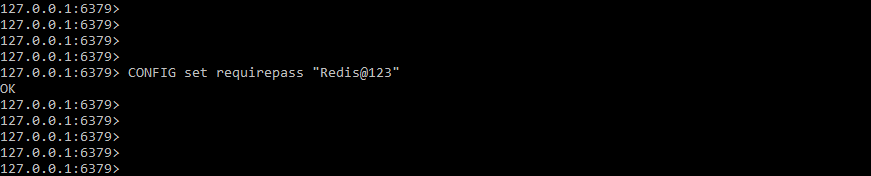
When setting a password with the requirepass parameter in Redis, we face the issue of noauth authentication required. When we set the password, we must authenticate with the password we specified. The following example demonstrates how to set the authentication password in a Redis database. We are setting the authentication password as Redis@123 as follows.
Command:
> CONFIG set requirepass "Redis@123"Output:
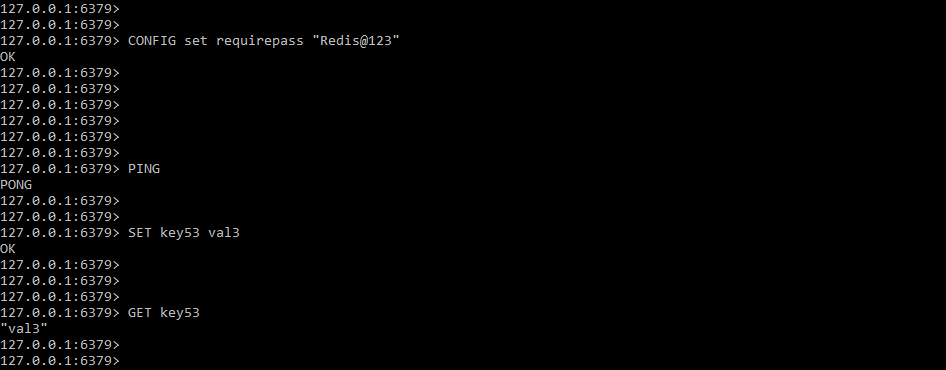
While setting the authentication password it is not applied to the current connection. We can execute the command for the current connection after setting the password using requirepass method. The below example shows that requirepass command is not applicable to the current connection. In the following example, we executed the requirepass command first, followed by multiple commands, but it will allow us to execute multiple commands.
Command:
> PING
> SET key53 val3
> GET key53
Output:
At the time of authenticating redis database, we need to enter the correct password. In the below example, we are using an incorrect password to authenticate with the database then it will show that we are using the wrong password for database authentication.
Command:
> AUTH "Redis@1234"Output:

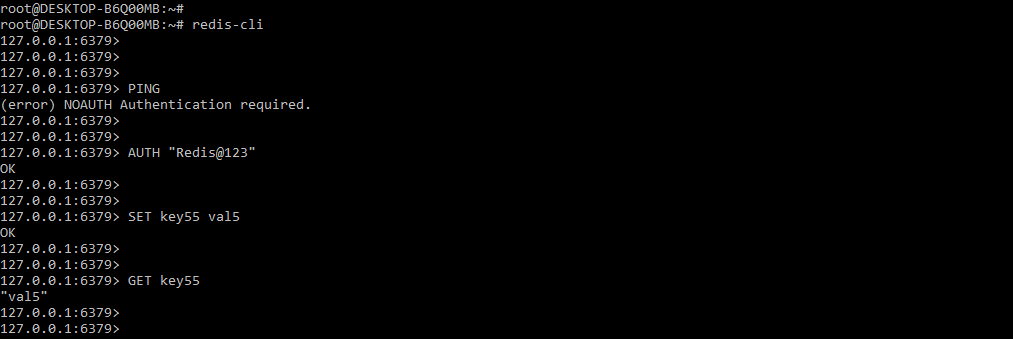
In the below example, we are entering the correct password so we can be able to execute the command as follows. We are entering passwords by using auth command.
Command:
> PING
> AUTH "Redis@123"
> SET key55 val5
> GET key55
Output:
Server Configuration
At the time of configuring the server with the requirepass parameter then we need to authenticate the user with a specified password which we have defined in the server configuration file. The below example shows that how we can configure the password into the configuration file as follows.
Command:
# vi /etc/redis/redis.conf
requirepass Redis@123
Output:
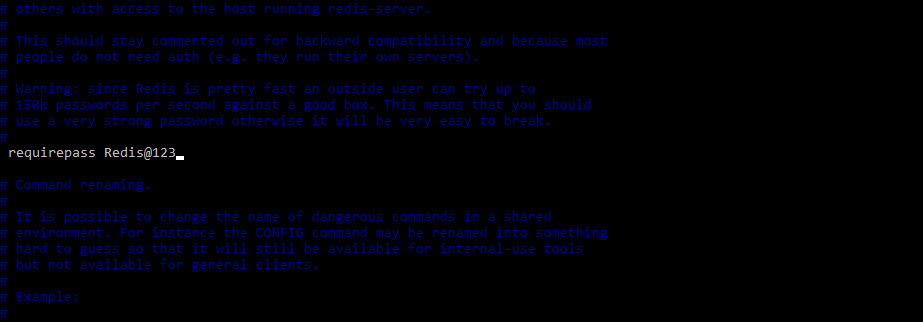
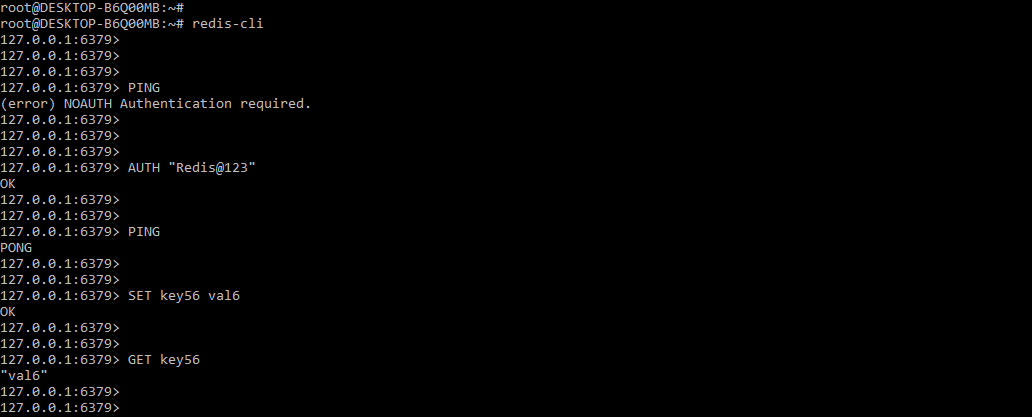
After setting the password in the configuration file, we need to take restart the database server. After restarting the server, we need to enter the specified password. We cannot execute the command without entering the password as follows.
Command:
# redis-cli
> PING
> AUTH “Redis@123”
> PING
> SET key56 val6
GET key56
Output:
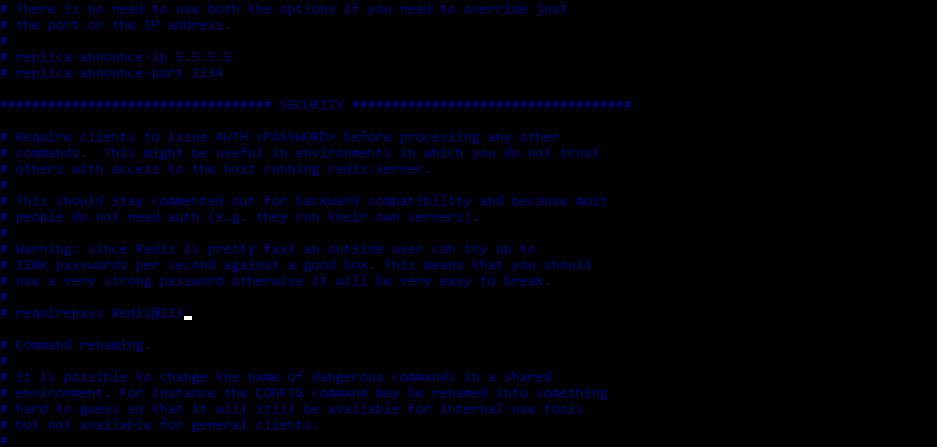
To solve the issue, we are commenting the requirepass parameter into the redis configuration file. In the below example, we are commenting on the parameter as follows.
Command:
# vi /etc/redis/redis.conf
#requirepass Redis@123
Output:
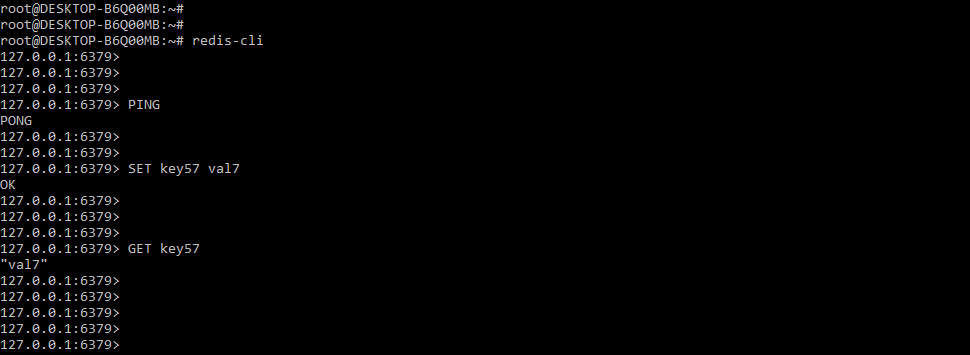
After disabling the configuration and taking the restart of the server, now we are able to execute commands without using any authentication error as follows.
Command:
# redis-cli
> PING
> SET key57 val7
> GET key57
Output:
FAQs
Given below are the FAQs mentioned:
Q1. Why noauth authentication required error will occur in the redis database?
Answer: The noauth authentication required error occurs in the Redis database when we set the password for user authentication and then execute the command without authenticating the user.
Q2. Which command we are using to set the password for authentication in redis?
Answer: We are using the config set requirepass command to set the password of user authentication in redis.
Q3. Which command we are using to authenticate with the redis database server?
Answer: We are using auth command with the correct password to authenticate with the redis database server.
Conclusion
To secure the redis server, we must enter the redis user’s password into the redis configuration file. The authentication property for the Redis database server is set to blank by default; to authenticate with the database server, we must set it in the configuration file. The error “Redis noauth authentication required” occurs when attempting to authenticate with the redis server.
Recommended Articles
This is a guide to Redis NOAUTH Authentication Required. Here we discuss the introduction, how do we fix the error, server configuration and FAQs. You may also have a look at the following articles to learn more –

