


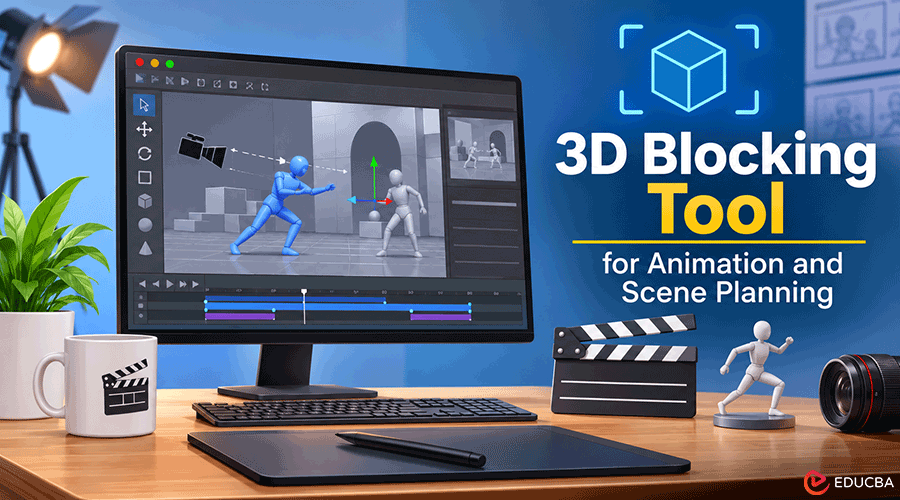
Previsualization and animation planning help creators decide how a scene should look and move before production begins. A 3D blocking editor makes it easier to arrange characters and objects, test camera angles, plan movements, and preview sequences. These 3D Blocking Tool help identify issues early, reduce revisions, and save production time. This guide covers 7 tools to help creators plan and refine their 3D scenes.
Why Choosing the Right 3D Blocking Tool Matters?
- Saves Time: Reduces manual scene setup and speeds up preproduction.
- Maintains Consistency: Keeps characters, props, and environments consistent across shots.
- Simplifies Movement Planning: Helps visualize character actions, object movement, and timing.
- Improves Shot Composition: Makes it easier to experiment with camera angles and framing.
- Prevents Rework: Helps catch scene, movement, and continuity issues before production.
- Improves Collaboration: Makes it easier for creative teams to share ideas, review scenes, and make changes.
7 Best 3D Blocking Tools
Here is a list of 7 best 3D blocking editor tools for previsualization and animation planning:
1. Morphic
Morphic is an emerging, browser-based 3D blocking editor for planning scenes, blocking shots, and refining visual sequences. It combines prompt-assisted scene staging with manual editing controls. This allows creators to arrange characters, position props, plan movements, and adjust camera angles before generating the final shot.
Best For: Filmmakers, production studios, creative agencies, and creators who plan and refine 3D scenes before final production.
Key Features:
- Prompt-based scene creation and editing through Copilot.
- Built-in 3D asset library for finding characters, props, and environments.
- Precise positioning, rotation, and scaling of scene elements.
- Character posing, motion presets, and movement path controls.
- Keyframes, easing, and timeline-based animation adjustments.
- Camera framing presets, lens settings, and camera rigs.
- Lighting controls and automatic continuity checks.
- Live co-editing and PNG or MP4 exports in multiple aspect ratios.
Pros: Offers a browser-based workspace that combines prompt-assisted scene staging with precise manual controls. Continuity checks help identify issues before final generation, while live collaboration makes it easier for teams to review and refine shots together.
2. FrameForge
FrameForge Storyboard Studio is a dedicated previsualization and storyboarding application. It provides a virtual film set where users can position actors, arrange props, set up cameras, and create storyboards that communicate both the visual composition and technical details of a shot.
Best For: Film directors and cinematographers who need detailed storyboards and shot planning.
Key Features:
- Virtual film studio for building interior and exterior sets.
- Library of 3D actors, props, animals, and pre-built environments.
- Posable characters with facial expressions and preset interactions.
- Virtual cameras with controls for matching real camera and lens specifications.
- Scene lighting, shadows, and manual sun positioning.
- Data-rich storyboards with camera details and overhead views.
Pros: Its large library of characters, sets, and objects helps creators plan scenes without building every asset from scratch. Camera controls also make it useful for communicating shot details to a production crew.
3. Previs Pro
Previs Pro is a previsualization and storyboarding app designed for filmmakers working on Mac, iPhone, and iPad. It lets users build 3D scenes, position characters and props, adjust lighting, and create animatics to plan shots before filming.
Best For: Filmmakers and cinematographers who want to plan and visualize shots on Apple devices.
Key Features:
- Create 3D scenes with built-in sets, props, and character libraries.
- Customizable characters with detailed posing controls.
- Set up cameras with lens and sensor settings.
- Lighting controls for adjusting scene atmosphere.
- Animatics for previewing camera, actor, and object movements.
- Augmented reality (AR) for visualizing scenes in real locations.
- Import and export options for assets, MP4, and 3D blocking editor software.
Pros: Combines storyboarding, 3D scene planning, and animatics in a mobile-friendly workflow. Its AR and LiDAR support also help filmmakers visualize scenes in actual locations.
4. ShotPro
ShotPro is a previsualization tool that helps filmmakers plan scenes through 2D and 3D environments. Users can arrange characters, props, and cameras, then refine their shots using professional camera controls. It also supports scripts, scenes, and shot lists to help organize production planning.
Best For: Independent filmmakers and production teams planning camera setups and animated storyboards.
Key Features:
- 1D, 2D, and 3D scene-planning workflows.
- Character and prop placement with movement controls.
- Camera animation and shot transitions.
- Professional camera settings for aperture, focus, ISO, and shutter speed.
- Import options for custom 3D objects and characters.
- Scene, script, and shot-list organization.
- 3D scene visualization through ShotPro HQ.
Pros: Its combination of 2D planning and 3D visualization makes it easier to move from rough shot layouts to more detailed scene previews. Professional camera settings also help cinematographers plan a shot’s technical aspects.
5. Cine Tracer
Cine Tracer is a cinematography simulator developed by cinematographer Matt Workman. Built using Unreal Engine, it provides virtual production environments where users can arrange sets, direct actors, operate virtual cameras, and experiment with lighting setups. It helps filmmakers understand how cinematography choices affect the final shot.
Best For: Cinematographers and filmmakers practicing camera placement, lighting, and shot composition.
Key Features:
- Virtual film sets and customizable environments.
- Real-world-inspired camera and lens equipment.
- Virtual actors and talent placement.
- Lighting setup and adjustment controls.
- Scene composition and camera positioning.
- Real-time visualization of cinematography setups.
Pros: Its focus on realistic camera equipment and lighting makes it useful for testing cinematography setups before a physical shoot. The virtual environments also provide room to experiment with different visual approaches.
6. Unreal Engine
Unreal Engine is a real-time 3D creation platform used in filmmaking, animation, gaming, and virtual production. Its cinematic tools allow creators to build environments, position characters, animate objects, and plan camera movements. The Sequencer editor provides a timeline-based workflow for creating and previewing cinematic sequences.
Best For: Professional filmmakers, animators, and virtual production teams creating detailed 3D previsualizations.
Key Features:
- Real-time 3D environment creation and rendering.
- Sequencer for organizing and editing cinematic sequences.
- Virtual camera setup and camera movement.
- Character, object, and lighting animation.
- Keyframe-based timeline editing.
- Camera cuts and multi-shot sequencing.
- Movie rendering and cinematic output tools.
Pros: Offers extensive control over environments, animation, lighting, and camera work. Its real-time rendering capabilities also help teams preview complex scenes and refine visual details before production.
7. Blender
Blender is a free, open-source 3D tool used for creating models, animations, images, and editing videos. Although it is not designed exclusively for previsualization, its 3D layout, camera, animation, and Grease Pencil tools make it suitable for storyboarding and planning animated sequences.
Best For: Independent creators, animators, and 3D artists looking for a flexible platform for scene planning and animation.
Key Features:
- 3D modeling and scene layout tools.
- Camera positioning and composition controls.
- Character rigging and animation.
- Keyframe-based animation timeline.
- Grease Pencil for 2D drawing and storyboarding in 3D space.
- Video Sequence Editor for arranging shots and adjusting timing.
- Asset libraries for reusing characters, props, and environments.
Pros: Provides a wide range of 3D creation and animation tools without subscription costs. Its combination of 2D storyboarding and 3D workflows also makes it useful for creators who want to plan and develop scenes within one application.
How to Choose the Right 3D Blocking Tool?
The right 3D blocking tool should make it easy to plan scenes, test movements, and refine shots before production. Consider these factors when comparing options:
1. Ease of Use
A 3D blocking editor should make scene planning accessible, even to creators without extensive 3D experience. Look for an intuitive interface, ready-made 3D assets, and simple controls for positioning and adjusting scene elements.
2. Scene Building and Object Placement
Scene building is fundamental to previsualization. Choose a tool that lets you create environments, position and adjust characters and props, and arrange multiple elements within a scene.
3. Animation and Movement
Look for features such as movement paths, speed and timing adjustments, motion presets, and keyframes. Being able to preview these movements makes it easier to plan sequences and ensure that different actions fit together.
4. Camera Controls
Look for 3D blocking editors that let you adjust camera positions, angles, framing, and focal length, and plan movements such as tracking shots and dolly moves. Previewing the scene through the selected camera can help refine the final composition.
5. Timeline and Preview
A timeline and playback controls make it easier to review a scene as it unfolds. Look for tools that let you adjust keyframes, control action duration, and review specific moments or frames.
6. Collaboration
For team projects, consider tools that support live co-editing and make it easier to review and refine scenes together.
7. Export Options and Pricing
Check whether the tool can export still images and video previews in useful formats and aspect ratios, and whether its pricing fits your project needs.
Final Thoughts
The right 3D blocking tool can make previsualization and animation planning easier. Each tool offers different strengths. Some focus on storyboarding and shot planning, while others provide more advanced 3D and animation features. Choose one based on your workflow, project needs, and budget. A good tool can save time, reduce rework, and help bring your creative vision to life.
Recommended Articles
We hope this comprehensive guide to the best 3D blocking tool options helps you plan scenes, refine camera angles, and streamline your previsualization workflow. Check out these recommended articles for more insights and techniques to enhance your 3D animation and production projects.