
What is a Webhook?
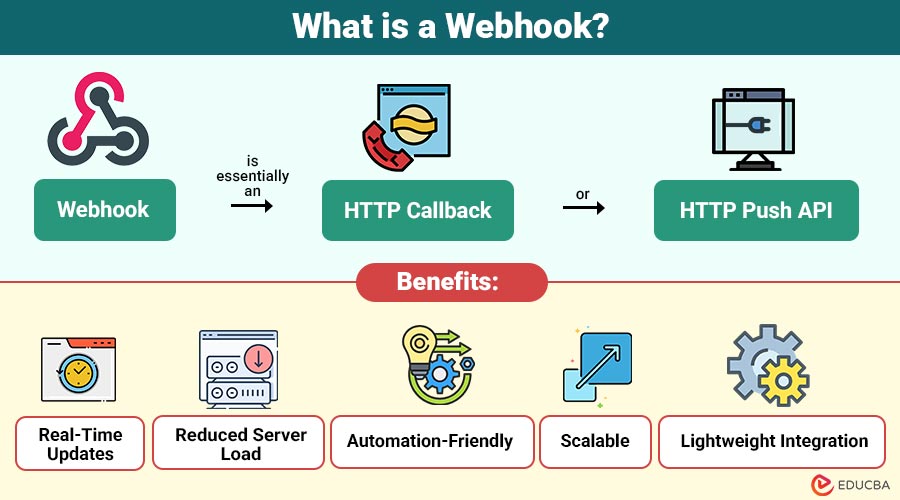
A webhook is essentially an HTTP callback or HTTP push API. When a specific event happens in a system, the webhook triggers an HTTP request to a predefined URL, typically containing information about the event.
For example, consider an e-commerce store using a payment gateway. When a customer makes payment, the payment gateway can send a webhook to the store’s backend, notifying it immediately that the payment was successful. This avoids constant polling to check for new transactions.
Key Features:
- Event-driven: Activated only when an event occurs.
- Real-time: Immediate delivery of data.
- Lightweight: Sends only necessary data in the payload.
- Secure: Can include signatures or tokens to verify authenticity.
Table of Contents:
- Meaning
- Working
- Types
- Benefits
- Use Cases
- Setting Up a Webhook
- Challenges
- Real-World Examples
- Best Practices
- Platforms
Key Takeaways:
- Webhooks enable real-time, event-driven communication between systems without polling, improving overall responsiveness and integration efficiency.
- They reduce server load by sending lightweight HTTP requests only when meaningful events occur automatically.
- Proper security practices, such as HTTPS, signatures, and validation, are essential for reliable mplementations everywhere.
- Successful usage requires retries, idempotency, logging, and asynchronous processing to handle failures gracefully and consistently.
How do Webhooks Work?
Understanding requires knowing the communication process between the sender (source application) and receiver (target application). Here’s a simplified workflow:
1. Setup
The target application registers a secure endpoint URL with the source system, specifying where event notifications should be automatically delivered.
2. Trigger Event
An action occurs in the source application, such as a signup or payment completion, which triggers the webhook event immediately thereafter.
3. Send HTTP Request
The source application sends an HTTP POST request to the registered URL, usually with a JSON payload containing event details.
4. Receive and Process
The target application receives the payload and processes it according to its logic, such as updating a database, sending notifications, or triggering workflows.
5. Acknowledgment
Expect an acknowledgment (HTTP 200 response) to confirm successful delivery. If the acknowledgment fails, retries may occur.
Types of Webhooks
It can be categorized based on the kind of event they respond to or the way they are implemented:
1. Incoming
Incoming webhooks allow external applications to automatically send event data to your system via predefined URLs.
2. Outgoing
Outgoing webhooks automatically notify external systems in real time whenever specific actions occur within your application.
3. REST
REST webhooks use standard HTTP requests and JSON payloads to deliver event information between web applications reliably and securely at scale.
4. Event-Driven
Event-driven webhooks trigger notifications only when predefined events occur, enabling responsive integrations without the need for constant polling across distributed systems in production.
Benefits of Using Webhooks
It provides several benefits over traditional data exchange methods:
1. Real-Time Updates
Delivers event data instantly as changes occur, eliminating delays and enabling faster responses compared to scheduled or polling-based integrations.
2. Reduced Server Load
Eliminates the need for frequent polling, significantly reducing unnecessary network traffic and server resource consumption.
3. Automation-Friendly
Automatically trigger workflows, integrations, and actions without human involvement, making them ideal for continuous and event-driven automation systems.
4. Scalable
Efficiently handles large numbers of events by pushing data only when needed, supporting growth without performance degradation.
5. Lightweight Integration
Requires minimal setup and coding, allowing developers to integrate systems quickly using simple HTTP endpoints and JSON payloads.
Common Use Cases
It has become a standard in many digital products. Here are some popular use cases:
1. Payment Processing
Payment gateways like Stripe and PayPal use webhooks to instantly notify platforms about successful, failed, or refunded transactions.
2. CRM Systems
CRM platforms such as Salesforce and HubSpot use webhooks to automatically sync contacts, leads, and activity updates.
3. DevOps Automation
Tools like GitHub and GitLab trigger CI/CD pipelines via webhooks for continuous integration, testing, and deployment.
4. Chat and Notifications
Messaging platforms such as Slack, Discord, and Microsoft Teams use webhooks to post automated alerts and messages.
5. E-commerce & Order Management
Platforms like Shopify and WooCommerce use webhooks to automatically update inventory, shipping, analytics, and order systems.
Setting Up a Webhook
Setting up generally involves the following steps:
1. Identify Event Sources
Select specific application events to monitor, such as new orders, payments, or form submissions, based on business integration requirements.
2. Create a Receiver URL
Build a secure API endpoint in your application to accept incoming HTTP POST requests carrying webhook event data.
3. Register the Webhook
Configure the source application by registering your receiver URL and selecting which events should trigger webhook notifications.
4. Secure the Webhook
Protect endpoints using HTTPS, secret tokens, or digital signatures to verify authenticity and prevent unauthorized access.
5. Test the Webhook
Use tools like Postman or webhook.site to validate payload delivery and processing.
6. Handle Retries
Implement retry and idempotency logic to manage failed deliveries and ensure webhook events are processed reliably without duplication.
Challenges of Webhooks
While they are highly effective, they do come with some challenges:
1. Reliability Issues
Network outages, timeouts, or server downtime can cause deliveries to fail unless retries, logging, and idempotency mechanisms are implemented.
2. Security Concerns
Unprotected endpoints are vulnerable to spoofed requests or malicious payloads, requiring authentication, signature verification, and HTTPS encryption for safety.
3. Debugging Difficulties
Tracing failures across distributed systems is challenging due to asynchronous behavior, limited logs, and dependencies on external services.
4. Rate Limiting
High-volume webhook events can overwhelm receivers, making throttling, queueing, and backpressure controls necessary to maintain system stability.
Real-World Examples of Webhooks
Here are some common real-world examples that show how webhooks enable real-time automation and system integration.
1. GitHub Webhooks
When developers push code, GitHub triggers webhooks to Jenkins CI/CD pipelines, automatically running tests, builds, and deployments without manual intervention.
2. Stripe Payments
Stripe sends events for transactions, subscriptions, and refunds, instantly notifying e-commerce systems to update orders, billing, and customer status.
3. Slack Notifications
Slack incoming delivers real-time notifications when customers submit forms, enabling teams to respond quickly without checking dashboards or emails.
Best Practices for Webhooks
Below are essential best practices that help ensure webhook implementations are secure, reliable, and performant in production environments.
1. Use HTTPS
Always use HTTPS to encrypt webhook data in transit, protecting sensitive information from interception, tampering, and man-in-the-middle attacks.
2. Validate Payloads
Verify webhook signatures, tokens, or headers to confirm request authenticity and ensure data originates from trusted source systems.
3. Respond Quickly
Return an HTTP 200 response immediately after receipt, then process asynchronously to avoid timeouts and unnecessary webhook retries.
4. Log Events
Keep detailed webhook logs to track activity, fix errors, resend missed events, and ensure integrations keep working properly over time.
5. Implement Retries
Design retry and idempotency handling to manage temporary delivery failures without creating duplicate processing or inconsistent system states.
6. Limit Payload Size
Send only essential event data to minimize bandwidth usage, improve performance, and reduce processing overhead on receiving servers.
Webhook Platforms
Several platforms simplify management:
1. Zapier
Zapier connects applications without coding, using webhooks to trigger automated workflows and actions across multiple cloud services easily.
2. IFTTT
IFTTT lets you automatically connect apps and devices, so when one thing happens, another action runs automatically, without technical setup.
3. Postman
Postman helps developers test, inspect, and debug endpoints by sending sample HTTP requests and analyzing responses.
4. Ngrok
Ngrok securely exposes local development servers to the internet, making testing and debugging possible without public deployment.
Final Thoughts
Webhooks have revolutionized the way modern applications communicate. They provide real-time, efficient, and automated data exchange, making them indispensable in payment systems, DevOps, e-commerce, and notification systems. By understanding the fundamentals, types, and best practices, developers and businesses can leverage webhooks to build smarter, responsive, and connected applications.
Frequently Asked Questions (FAQs)
Q1. Are webhooks secure?
Answer: Yes, if implemented properly with HTTPS, tokens, or signature verification. Security is critical to prevent unauthorized access.
Q2. Can webhooks fail?
Answer: Yes, due to network issues or server downtime. Implementing retries and logging ensures reliability.
Q3. Which programming languages support webhooks?
Answer: Any language that can create an HTTP endpoint can handle webhooks, including Python, JavaScript, PHP, Java, and Ruby.
Q4. How do I test webhooks?
Answer: Tools like Postman, webhook.site, or ngrok can simulate webhook events for testing.
Recommended Articles
We hope that this EDUCBA information on “Webhook” was beneficial to you. You can view EDUCBA’s recommended articles for more information.


