
Introduction to Types of Software Licenses
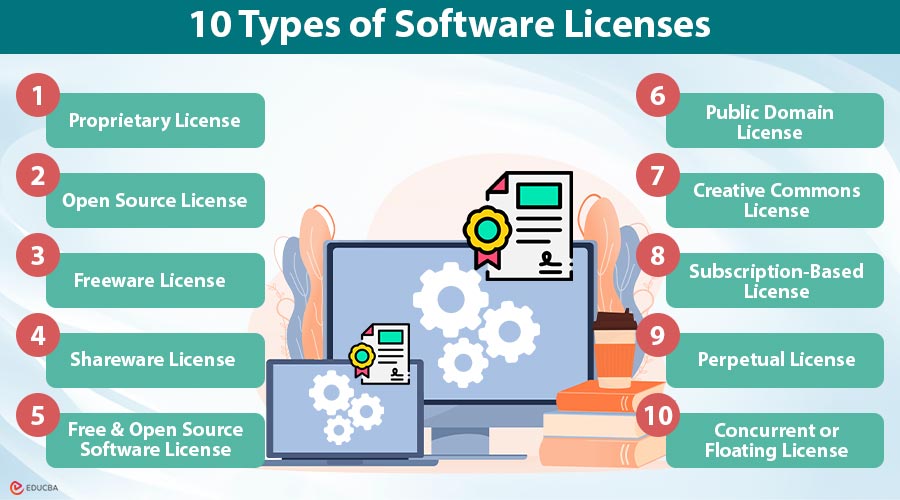
Types of Software Licenses define how users can access, use, and distribute software. These licenses establish rules for ownership, modification, and sharing, which in turn impact costs, flexibility, and support. Understanding the different Types of Software Licenses helps individuals and organizations choose the right model—whether proprietary, open-source, freeware, or subscription-based—to balance security, customization, and budget for their specific needs. This blog explains the 10 major types of software licenses, with examples, pros, and cons.
10 Types of Software Licenses
Below are the major types of software licenses with examples.
#1. Proprietary License
A proprietary license restricts access to source code, limiting usage and modification. Users only purchase the right to use software, not ownership. Vendors provide stable support, updates, and security, but customization is impossible.
Examples:
- Microsoft Windows
- Adobe Photoshop
- AutoCAD
Pros:
- Stable and secure support.
- Regular updates from the vendor.
Cons:
- High cost.
- Lack of customization.
#2. Open Source License
An open-source license gives users the freedom to access, modify, and distribute a software’s source code. It promotes transparency, collaboration, and innovation, making it highly adaptable for individuals, developers, and organizations seeking customizable solutions.
Examples:
- Linux OS (GPL)
- Python programming language (PSF License)
- Apache HTTP Server (Apache License)
Pros:
- Free or low cost.
- Customizable and community-driven.
Cons:
- Support may be community-based, not guaranteed.
- May require technical expertise.
#3. Freeware License
Freeware software distributes at no cost, typically under proprietary restrictions. Users cannot modify or redistribute it freely. While accessible and convenient, it usually lacks advanced features and offers limited control over updates.
Examples:
- Skype
- Google Chrome
- Adobe Acrobat Reader
Pros:
- No purchase required.
- Easy accessibility.
Cons:
- Limited features compared to premium versions.
- No control over updates.
#4. Shareware License
Shareware allows free initial distribution, often with limited features or trial periods. Users must purchase a license to unlock full functionality. It encourages adoption but may stop working after trial, frustrating some users.
Examples:
- WinRAR
- Norton Antivirus trial versions
- Microsoft Office trial version
Pros:
- Users can test before buying.
- Encourages adoption.
Cons:
- Annoying restrictions after trial.
- May stop working if not purchased.
#5. Free and Open Source Software License
FOSS combines open-source freedom with no cost. Users can run, study, modify, and share software. Supported globally, it is flexible and affordable, though enterprise-level support is limited, and beginners may face steep learning curves.
Examples:
- GIMP (image editing software)
- LibreOffice
- Mozilla Firefox
Pros:
- Cost-effective and flexible.
- Supported by global communities.
Cons:
- Can lack enterprise-grade support.
- Learning curve for beginners.
#6. Public Domain License
Public domain software has no copyright restrictions, allowing unrestricted use, modification, or distribution. It offers maximum flexibility but lacks official support. Risks include unverified modifications, security vulnerabilities, and the absence of warranties, leaving users self-reliant.
Examples:
- SQLite database
- Classic algorithms shared by developers
- Public domain libraries like Netlib
Pros:
- No legal barriers.
- Maximum flexibility.
Cons:
- No official support or warranties.
- Higher risk of unverified modifications.
#7. Creative Commons License
Although commonly used for content, Creative Commons licenses are sometimes applied to software documentation or supplementary tools. They allow creators to define how others may use their work (e.g., whether commercial use is permitted, whether attribution is required, etc.).
Example:
- Educational software manuals and plugins.
- WordPress plugins documentation
- Open educational resources (OER) guides
Pros:
- Flexible usage rights defined by the creator.
- Encourages knowledge sharing and collaboration.
Cons:
- Not widely adopted for actual software code.
- Misinterpretation of license terms can lead to misuse.
#8. Subscription-Based License
A subscription license requires recurring payments, monthly or yearly, to access the software. It often includes cloud services, updates, and integration. While lowering upfront costs, long-term expenses may increase, and internet access is sometimes required.
Examples:
- Microsoft 365
- Adobe Creative Cloud
- Salesforce
Pros:
- Continuous updates and cloud integration.
- Lower upfront cost.
Cons:
- Long-term expenses may be higher.
- Requires constant internet access in some cases.
#9. Perpetual License
A perpetual license lets users make a one-time payment and then use the software indefinitely. Users retain permanent rights but may lack updates. It reduces long-term costs, though outdated versions, expensive upfront investment, and the absence of ongoing support present challenges.
Examples:
- Older versions of Microsoft Office (e.g., Office 2016).
- Enterprise ERP systems with lifetime licenses.
- Oracle Database perpetual license
Pros:
- One-time cost.
- Permanent usage rights.
Cons:
- Outdated versions over time.
- High initial cost.
#10. Concurrent or Floating License
Concurrent licenses allow a shared pool of limited seats, enabling multiple users to access simultaneously. Cost-effective for organizations, this model requires license server management. However, excessive demand may restrict availability, limiting user access during peak usage.
Examples:
- Engineering design tools like MATLAB.
- Network-based enterprise solutions.
- IBM SPSS
Pros:
- Cost-effective for organizations.
- Efficient for teams with varying usage.
Cons:
- Access is limited if demand exceeds the license pool.
- Needs license server setup.
Final Thoughts
Choosing the right type of software license is crucial for striking a balance between cost, control, and flexibility. From proprietary to open-source, freeware, subscription, or concurrent models, each offers unique advantages and limitations. By being aware of these distinctions, people and organizations may make well-informed choices that complement their technical know-how, financial constraints, and long-term objectives, guaranteeing effective software use while optimizing value and lowering risks.
Recommended Articles
We hope that this EDUCBA information on “Types of Software Licenses” was beneficial to you. You can view EDUCBA’s recommended articles for more information.

