


Updated October 7, 2026
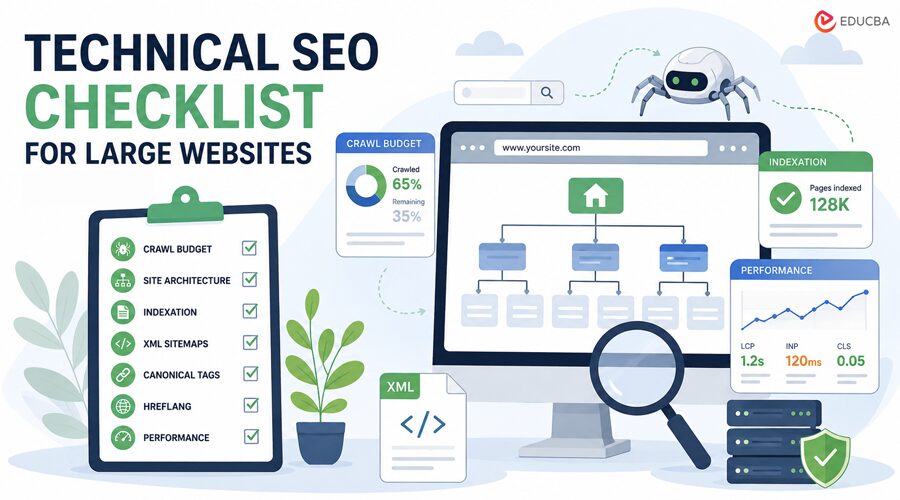
You open Search Console for a two-hundred-thousand-page site, and half of it just is not there. Not de-indexed exactly, just never crawled in the first place. If you have managed anything past a few thousand URLs, you already know that feeling: the slow realization that Google is not ignoring you out of spite, it is just running out of patience with how the site is put together. That is exactly where a technical SEO checklist becomes essential. Instead of guessing what is wrong, it gives you a structured way to identify the technical issues that prevent search engines from discovering, crawling, and indexing your pages efficiently.
The Crawl Budget Problem Nobody Warns You About
Crawl budget sounds like a made-up problem until you are staring at a sitemap with 40,000 URLs and a crawl stats report showing 6,000 hits a day. The math stops working beyond a certain scale, and no amount of content-quality fixes can fix it on its own. A good technical SEO checklist always starts with crawl budget because if search engines cannot efficiently crawl your website, your best content may never even be indexed.
Why Bots Ignore Half Your Site?
Orphan pages are the usual suspect: pages with no internal links pointing to them, sitting there hoping to get discovered. Weak category structures do it too. Moreover, sometimes it is just parameter URLs, thousands of them, all near-duplicates of each other, quietly eating crawl budget that should have gone to the pages that matter.
Faceted navigation is the classic offender on large e-commerce or listing sites. Filter by size, then color, and price stacks on top of that, until you have got several thousand near-identical URL combinations that Googlebot still dutifully tries to crawl, which is where the budget actually goes.
Review Server Log Files
Nobody wants to open raw server logs. Fair enough, they are ugly, unstructured, and full of noise. However, they are also the only places that show what Googlebot is actually doing on a site, rather than what you assume it is based on a sitemap. Pull at least a month of log data if you can.
Patterns show up that crawl tools never catch: bots hitting deprecated URL patterns from a migration two years ago, or spending more time on filter combinations than on the actual product pages. Server log analysis remains one of the most valuable steps in any technical SEO checklist, especially for enterprise websites.
XML Sitemaps That Tell the Truth
A sitemap listing URLs that redirect, 404, or carry a noindex tag is not just sloppy; it actively wastes crawl attempts. Weirdly enough, this is one of the more common issues on large sites, and one of the easier ones to fix once someone actually audits the sitemap against live status codes. A healthy technical SEO checklist should include regularly auditing your XML sitemaps to ensure they only contain indexable, live URLs.
Technical SEO Checklist for Site Architecture
Architecture rarely gets the attention content does. It is not exciting. However, a site that’s poorly built structurally will keep fighting you, no matter how good the pages themselves are.
Flat Structures Versus Deep Folders
There is a long-running debate over whether flatter URL structures outrank deeper ones. Honestly, folder depth probably matters less than people think. What matters more is the number of clicks users or search engines need to reach a page from the homepage. Google appears to use click depth as a stronger signal of importance than the number of slashes in a URL. This is one of the most overlooked items in a technical SEO checklist.
Internal Linking Done Properly
Internal linking gets treated as an afterthought on large sites, even though it is one of the few ranking factors entirely within your control. A product page linked from three places carries less weight than one linked from thirty relevant ones. This is also roughly the point where scale stops being a one-person job.
Once a site passes a certain size, manually auditing crawl paths, redirect chains, and internal link distribution across tens of thousands of URLs is not realistic for someone juggling five other roles, which is usually when a technical SEO agency gets brought in to run the deeper structural audit and trace where the link equity is actually leaking.
Pagination and Faceted Navigation: The Messy Part
Self-referencing canonical tags on paginated pages still help. So does applying sensible noindex rules to deeper filter combinations and ensuring the sitemap reflects what is actually live rather than every possible URL combination your CMS can generate. Managing pagination and faceted navigation should always be on your recurring technical SEO checklist, as these issues tend to grow as websites expand.
Technical SEO Checklist for Indexation and Duplicate Content
Duplicate content on large sites is rarely intentional. It is usually structural: the same product reachable through six different URL paths, or a CMS quietly generating near-identical pages nobody meant to create.
Canonical Tags Do Not Always Do What People Think
One of the biggest misconceptions is that canonical tags automatically solve duplicate content. They do not. A canonical tag is a suggestion, not a command. Google treats it as a strong hint, but can override it when other signals point elsewhere, including internal and external links and even your XML sitemap.
Many large websites discover the hard way that canonical tags alone will not resolve duplicate content issues. A comprehensive technical SEO checklist should always verify that canonical tags align with other technical SEO signals.
Technical SEO Checklist for Hreflang Management
Return tags go missing more often than you would think. Language codes get mismatched, or hreflang points to a page that was redirected months ago, and any one of these, on its own, is enough to undo an otherwise solid regional setup. Hreflang errors are quietly common on large international sites, more than most teams realize. Sites running ten or more locale variants almost always have at least a few of these sitting unnoticed, sometimes for years.
Where This Technical SEO Checklist Actually Goes From Here?
None of this is glamorous work. It is audits, log files, redirect maps, plus the odd spreadsheet nobody outside the SEO team will ever open. However, it is also the layer everything else sits on, and skipping it tends to catch up with a site eventually, usually at the worst possible time. The tooling for crawl analysis has gotten noticeably better, and log file access is easier to obtain than it used to be, even on sites with complex CDN setups. That helps.
It does not remove the need for someone to actually sit down and look at the data, though; no tool flags every issue on its own, and the ones it misses are often the ones that cost the most. Large sites will probably keep growing the way they always have, in messy, half-planned bursts across different teams and different eras of the CMS. The checklist does not really end so much as it gets revisited, section by section, usually right when someone least expects to need it again.
Technical SEO Checklist: Key Points at a Glance
| Area | What to Check |
| Crawl budget | Orphan pages, faceted navigation URLs, log file review (30+ days) |
| Sitemaps | Remove redirected, 404, and noindex URLs from XML sitemaps |
| Architecture | Click-depth from homepage, internal link distribution |
| Indexation | Canonical tag conflicts, structural duplicate content |
| International sites | Hreflang return tags, language code accuracy |
Quick Technical SEO Checklist
- Review crawl budget issues regularly
- Audit orphan pages and unnecessary parameter URLs
- Analyze at least 30 days of server log data
- Keep XML sitemaps updated with only indexable URLs
- Improve internal linking across important pages
- Reduce click depth for valuable content
- Monitor canonical tag consistency
- Identify and eliminate structural duplicate content
- Validate hreflang implementation across all regions
- Repeat your technical SEO checklist after major website updates, migrations, or CMS changes.
By consistently following this technical SEO checklist, large websites can improve crawl efficiency, strengthen indexation, preserve link equity, and build a more scalable SEO foundation for long-term organic growth.
Recommended Articles
We hope this guide on the technical SEO checklist for large websites helps you improve crawlability, indexation, and overall site performance. Explore these recommended articles for more insights on technical SEO, website optimization, crawl budget, site architecture, and SEO audits.

