
Updated February 21, 2023
Introduction to Spring Boot Logback
Spring boot logback is the functionality provided by spring boot; when using spring boot starter dependency, it will automatically include the spring boot starter logging, providing the login without any configuration. It has two ways to give the configuration; if we require only simpler alteration, the same can be added in the application.properties file. To provide configuration, spring boot also uses the groovy or XML to specify our settings. To develop logback in our project, we must use spring boot starter logging and starter dependency.
What is Spring Boot Logback?
Logback is the logging framework that was used for the java applications. We can organize the logback project in three modules as follows:
- Logback Classic
- Logback Access
- Logback Core
Using classic models, we can easily switch back and forth between log back and other frameworks such as java.util or log4j. The logback access models integrate with the servlet container, such as jetty or tomcat. Using servlet container, we can provide log functionality of http access. The logback core models contain the functionality of logging. This module is used to do the groundwork for another two modules.
Spring boot logback architecture has three classes as follows:
- Appender
- Layout
- Logger
Logback appender class is used to place the log messages into final destinations. The one logger has more than one appender in spring boot log back. Logger class is used to log context messages. This class is used to create log messages after application interaction. The layout class is preparing the output messages. It also supports the custom class creation and message formatting and will support the robust configuration of existing applications. Logback is providing very good functionality in spring boot. While using the spring boot starter dependency, logback automatically includes the spring boot logging dependency. There are two ways to provide our configuration in logback application. Suppose we required simple alteration in our project, then we are providing configuration in the application.properties file. Suppose we alteration of complex needed in our project; then we are providing configuration in groovy or XML. It contains a fast execution as compared to the log4j. It will also be supporting the archived and compressed files.
Why Logback?
- It is the successor for the log4j; this is a very important and popular java logging framework.
- As compared to log4j, logback has more improvements like a smaller memory footprint and faster performance.
- It implements the SLF4J, allowing the developers to migrate it from another logging framework.
- Logback is the default log framework used in a spring boot.
- Logback has native support of the slf4j. Logback also contains the defined configuration of the conditional processing.
- It contains the capabilities of advanced filtering. It will also support the maximum archived files.
- It supports the logging of http access. To use logback, we need to include the spring-jcl in our classpath.
- We can implement logback in our project by defining the starter logging dependency.
- To implement the web application using logback, we need only starter web dependency, depending on the logging starter.
- While using the maven project, our project will automatically add starter web dependency. We do not need to add again while using the maven project.
Using Spring Boot Logback
Logback is a very good framework for web-based and enterprise applications. It contains simple and powerful configuration options and will also come with a small footprint. To implement logback in the project, first, we need to implement the loggers. Also, we need to create a logger by using the controller, which we are adding to the index controller. After creating the logger next step is to add the logging helper class to our project. This class is used to emit the logging statement.
We need the following software to develop an application using logback as follows:
- JDK 1.8 or later
- Maven 3.2 +
- Spring boot 2.4 or later
- Spring tool suite or eclipse
We can also configure logback in the project by configuring the application properties file.
Example of Spring Boot Logback
Below example shows step by step implementation of logback as follows:
1. Create a project template using a spring initializer and give the following name to the project metadata.
In the below step, we are providing project group name as com. example, artifact name as spring-boot-logback, project name as spring-boot- logback, package as jar file, and java version as 11.
Code:
Group – com.example
Artifact name – spring-boot- logback
Name – spring-boot- logback
Description – Project of spring-boot-logback
Package name – com.example.spring-boot- logback
Packaging – Jar
Java – 11
Dependencies – spring web.
Output:
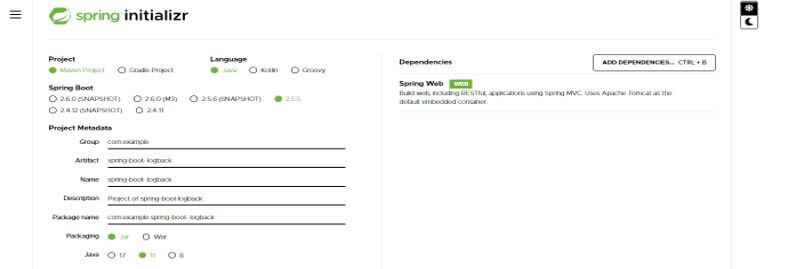
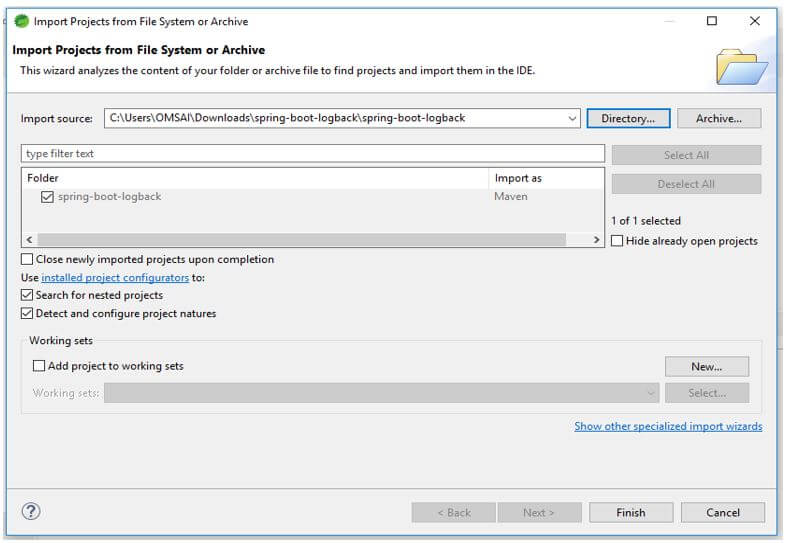
2. After generating the project extract files and open this project by using the spring tool suite.
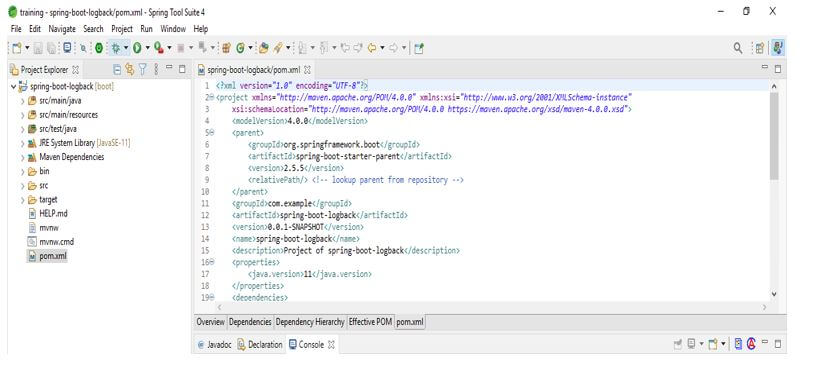
3. After opening the project using the spring tool suite check the project and its files.
4. Add the dependency.
Code:
<dependency> -- Start of dependency tag.
<groupId>org.springframework.boot</groupId> -- Start and end of groupId tag.
<artifactId>spring-boot-starter-web</artifactId> -- Start and end of artifactId tag.
</dependency> -- End of dependency tag.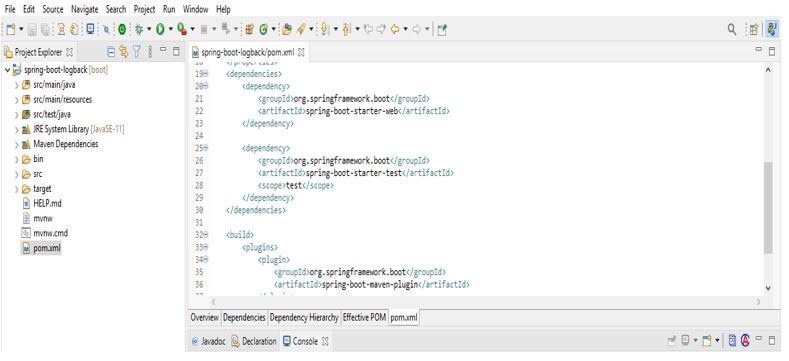
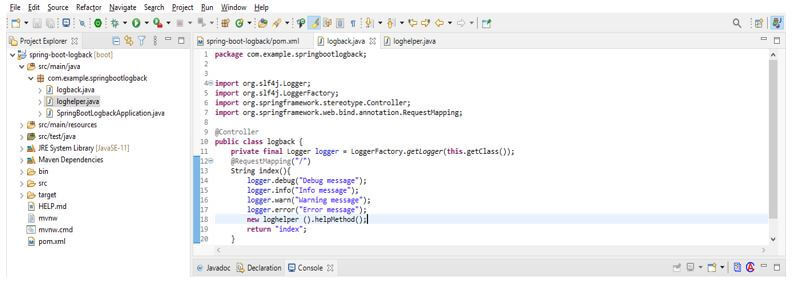
5. Create logger class.
Code:
public class logback {
@RequestMapping ("/")
String index (){
logger.debug("Debug message");
logger.info("Info message");
logger.warn("Warning message");
logger.error(Error message");
new loghelper ().helpMethod();
return "index";
}
Output:
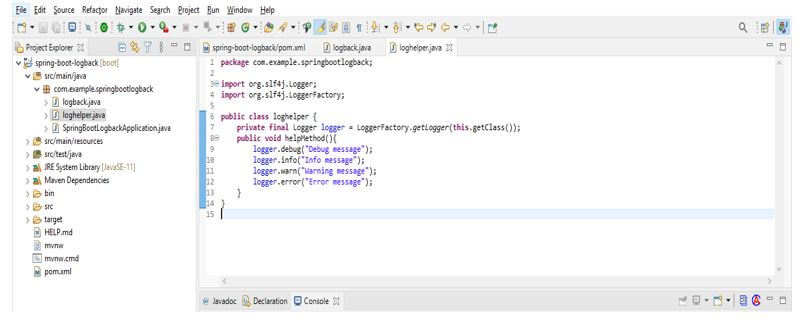
6. Creating logger helper class.
Code:
public class loghelper {
private final Logger logger = LoggerFactory.getLogger(this.getClass());
public void helpMethod(){
logger.debug("Debug message");
logger.info("Info message");
logger.warn("Warning message");
logger.error("Error message");
}
}
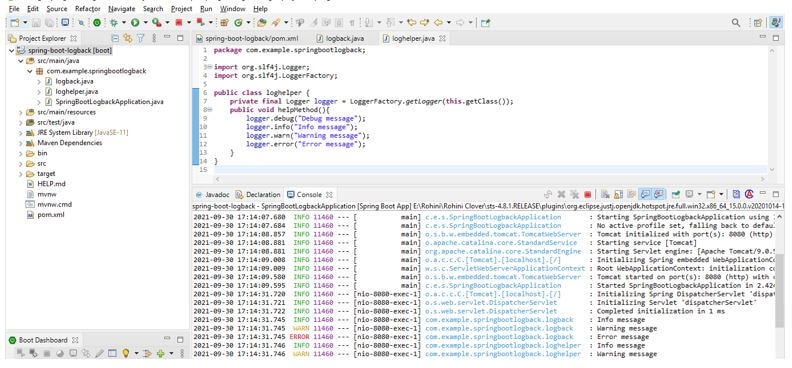
7. Run the application.
Conclusion
Spring boot logback has two ways to provide the configuration, if we required only simpler alteration same can be added in application.properties file. It is the successor for the log4j, this is a very important and popular logging framework of java.
Recommended Articles
This is a guide to Spring Boot Logback. Here we discuss the introduction, using spring boot logback and example respectively. You may also have a look at the following articles to learn more –

